1
Call from the phonebook
1. Press d in idle mode.
2. Scroll : to a phonebook entry.
3. Press r or v key.
The call is initiated.
Listen to messages recorded on the answering machine
Press o on the base station to turn on the answering machine (the
message counter is turned on).
Press o again to turn off the answering machine (the message counter
is turned off).
Press P on the base station to play phone messages (the first
recorded message will be played first).
Press R to skip the current message and play the next message.
Press l once to replay current message.
Press l twice to go back to the previous message.
Press -+ to adjust speaker volume during message playback.
Press x to delete the current message.
Refer to your new phone's User Manual for details about the answering
machine function.
Register your product and get support at
www.philips.com/welcome
Troubleshooting
For more information, please refer to the User Manual that came
with your phone.
Problem
Solution
• There’s no dialling
tone!
• Check the connections
• Charge the batteries
• Use the line cable provided
• Caller cannot hear me
clearly!
• Move closer to the base station
• Move the base station at least one metre
away from any electrical appliances
• SEARCHING... is
displayed on handset
• Move closer to the base station
• Reset your unit and restart the handset
registration
and
icon is blinking!
• Caller number is not
displayed!
ID555
• Check your subscription with your
network operator
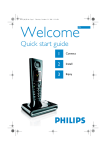
Welcome to Philips!
Register your product and get support at
www.philips.com/welcome
Need help?
Quick start guide
User Manual
Refer to the User Manual that came with your new phone.
Online help
www.philips.com/support
©2008 Koninklijke Philips Electronics N.V.
All rights reserved.
Reproduction in whole or in part is prohibited without
the written consent of the copyright owner.
Document number: 3111 285 48901 (GB)
Printed in China
1
Connect
2
Install
3
Enjoy
What’s in the box
1
Connect
3
Connect the base station
1. Place the base station in a central location near the telephone line socket
and electricity socket.
Enjoy
Make a call
Dial the number (maximum 24 digits) and press r or v key.
OR
Press r or v key to take the line and dial the number (maximum 24
digits).
Answer a call
When the phone rings, press r or v key.
End a call
To end a conversation, press e key.
Handset
1 Li-ion
rechargeable battery
Base station
Power supply
Battery door
Line cord*
2. Connect the line cord and the power cable to their corresponding
connectors at the back of the base station.
3. Connect the other end of the line cord and power cable to their
respective sockets.
2
A
Install
Insert rechargeable batteries and charge
Insert batteries
B
Charge handset for 24 hours
Adjust the earpiece or speaker’s volume
During a call, press : to select from VOLUME 1, VOLUME 2 or
VOLUME 3.
Set the ring melody
1. Press M in idle mode, scroll : to PERSONAL SET and press
mSELECT, scroll : to HANDSET TONES and press
mSELECT, scroll : to RING TONES and press mSELECT.
2. Scroll : to your desired melody.
3. Press mSELECT to set the ring melody.
A validation tone is emitted and the screen returns to previous menu.
Store a contact in the phonebook
User manual
Guarantee
Quick Start Guide
*You may find in the box the line adaptor delivered separately from the line
cable. In this case, you have to connect the line adaptor to the line cord
first before plugging the line cord to the line socket.
In multihandset packs, you will find one or more additional handsets, chargers with
power supply units and additional rechargeable batteries.
WARNING Always use the cables and batteries that came with your phone.
Configure your phone (if necessary)
After installing the batteries and charging your phone for a few minutes, your
phone displays a Welcome message in various languages:
1. Press mSELECT.
2. Scroll : to your country and the associated language.
3. Press mSELECT to confirm your selection.
Your phone is now ready for use.
1. Press M key in idle mode, scroll : to PHONEBOOK and press
mSELECT, press mSELECT to enter NEW ENTRY.
2. ENTER NAME is displayed on the screen.
3. Enter the name of the contact (maximum 14 characters) and press
mOK.
4. Enter the phone number (maximum 24 digits) and press mOK.
A validation tone is emitted.
Access the phonebook
1. Press d in idle mode and scroll : to browse the phonebook.
2. To view the details, press mSELECT.