1
50 Status Window, Help Text
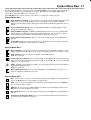
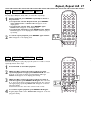
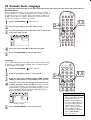
Status Window
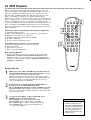
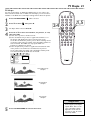
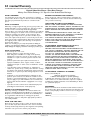
The Status window (example below) may indicate when the disc tray is
opening or closing, what type of Disc is installed, and total or remaining
Disc playback time.
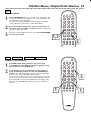
To set Status window to On or Off, follow these steps.
POWER
2
DISC
B
DVD pause
2:45:23
0:00:34
2-4
2
3
4
5
6
7
8
9
0
, then press :.
Press 9 to select Status window, then press :.
SYSTEM
MENU
É
Press 9 repeatedly to select
MENU
É
OK
É
G
H
STOP
PLAY
PAUSE
Ç
É
Å
SUBTITLE ANGLE
Press 8 or 9 to choose On or Off, then press OK.
1,5
DISPLAY
RETURN
DISC
ZOOM
AUDIO
REPEAT REPEAT SHUFFLE SCAN
Z
1en
G
r
5
will be selected.
1
É
1
2
3
4
Press SYSTEM MENU.
T-C SOUND MODE
DIM
Y
1en
Access control
Status window
PBC
Beeper
Help text
Smart Power-off
Wake up timer
1
d
st
A-B
On
Off
Press SYSTEM MENU to remove the menu.
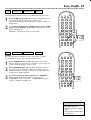
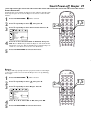
Help Text
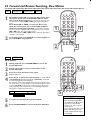
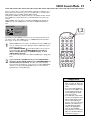
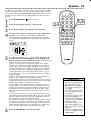
Set Help text to On if you want to see a brief description of the System
Menu Bar symbols. When you select an item in the System Menu Bar, an
explanation will appear at the bottom of the TV screen. System Menu Bar
details are on page 21.
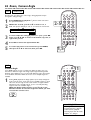
Press 8 or 9 to choose On or Off, then press OK.
r
Access control
Status window
PBC
Beeper
Help text
Smart Power-off
Wake up timer
Y
1en
1
d
st
2-4
T-C SOUND MODE
DIM
1
2
3
4
5
6
7
8
9
DISPLAY
RETURN
0
DISC
SYSTEM
MENU
É
, then press :.
Press 9 repeatedly to select Help text, then press :.
G
5
will be selected.
Press 9 repeatedly to select
Z
1en
2
DISC
MENU
É
OK
É
G
É
1
2
3
4
Press SYSTEM MENU.
POWER
H
STOP
PLAY
PAUSE
Ç
É
Å
SUBTITLE ANGLE
On
Off
Press SYSTEM MENU to remove the menus.
ZOOM
AUDIO
REPEAT REPEAT SHUFFLE SCAN
A-B
1,5