1
AJ3977_00C
8/7/05
17:05
Page 1
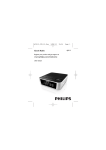
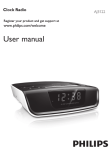
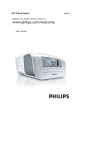
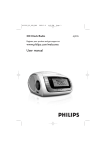
CD Clock Radio
English
AJ3977
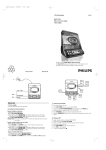
Controls (See 1)
Front panel
1 ALARM RESET/ y
– stops the active alarm for 24 hours
– turns the set on/off
– turns off SLEEP function
2 2 LIFT TO OPEN – lift here to open CD
door
User manual
3 CD/ TUNER – selects CD or radio sound
source
4 ALARM 2
– turns on ALARM 2 and selects radio, CD
or buzzer mode
– stops ALARM 2 for 24 hours
– turns off ALARM 2
5 DIM – changes the brightness of display
illumination
6 REPEAT ALARM – stops the alarm for a
5-minute period
7 2; - starts or pauses CD playback
Controls/ Power supply
$ SET TIME/PROGRAM
Clock: sets clock time
Tuner: programs preset stations
CD: programs tracks and reviews the
program
% SLEEP - displays/adjusts/turns off sleep timer
^ ALARM 1
– turns on ALARM 1 and selects radio, CD
or buzzer mode
– stops ALARM 1 for 24 hours
– turns off ALARM 1
Back and bottom panels
& RESET – use a ballpoint pen to press the
hole if the set/display does not react to any of
the controls
* Battery compartment – insert 2 x 1.5V
AA batteries (not supplied) for clock memory
backup
( Power cord - connects to wall outlet
) FM antenna – improves FM reception.
8 BAND 9
Tuner: selects wavebands
CD: stops CD playback
9 HOUR/ MIN,TUNING ∞ / §
Clock: adjusts the hour/minute for clock/
alarm time (up)
Tuner: tunes to radio stations (down, up)
CD: skips or searches CD track/ passage
backward/ forward
CAUTION
Use of controls or adjustments or
performance of procedures other
than herein may result in hazardous
radiation exposure or other unsafe
operation.
# REPEAT/ PRESET3
CD: repeats a track /program/ entire CD
Tuner: selects a preset radio station (up)
1
English
Digital tuner
Tuning to radio stations
Press y to on, then press CD/ TUNER once
or more to select TUNER.
➜ The display shows TUNER and
if programmed, a preset number appears
➜ Then, the display shows briefly radio
station frequency and waveband.
If programmed, PROG appears (See 4)
➜ The display returns to clock time (See 5)
➜ The active alarm is switched off. AL1 or
AL2 disappears.
• If necessary, press DISPLAY to toggle the
clock and radio display.
2 Press BAND 9 to select your desired
waveband, MW or FM.
3 Press and hold ∞ or § until the frequency in
the display starts running.
➜ The radio automatically tunes to a station
of sufficient reception.The frequency keeps
running during automatic tuning..
4 Repeat step 3 if necessary until you find the
desired station.
• To tune to a weak station, press ∞ or § briefly
and repeatedly until you have found optimal
reception.
To improve radio reception:
For FM, extend and position the FM antenna fully to
obtain optimum reception.
For MW, the set is provided with a built-in antenna.
Direct the aerial by turning the whole set.
1
W
CLASS 1
LASER PRODUCT
AJ 3977
Clock
Switching on and off and
selecting functions
Clock memory backup
Press ALARM RESET/ y to switch on.
= The set switches to the last sound source
selected.
= The active alarm is switched off.
2 Press CD/ TUNER once or more to select:
CD or TUNER function.
3 Press y to switch off the set.
= The active alarm is switched on.
Helpful hints:
– The tuner presets and the volume level will be
retained in the set’s memory.
Adjusting volume
• Adjust the volume with the VOLUME3, 4
controls.
➜ Display shows the volume level
and a
number from 00-20.
• Press DIM once or more.
= The brightness of the display can be
adjusted.
Low ➟ Bright ➟ Low
Setting the clock
1
2
3
2
3
4
The time is displayed using 12-hour clock
where PM or MW lights up.
Check the set is switched off.
Press SET TIME/PROGRAM.
➜ Display: hour and minute digits flash
(12:00 flashes by default)
Hold down or press HOUR/ MIN
repeatedly to adjust the hours and minutes
respectively. Release HOUR/ MIN when you
have reached the correct setting.
Press SET TIME/PROGRAM to confirm.
Helpful hints:
- If no action is executed within 10 seconds, the
display will return to previous time setting.
Standby power consumption
(clock mode)
1.0W
Manual programming
1 Tune to your desired station (see Tuning to
radio stations).
2 Press SET TIME/PROGRAM to activate
programming.
™ Display: P01. PROG flashes.
3 Press 3,4 once or more to allocate a number from 1 to 10.
4 Press SET TIME/PROGRAM to confirm.
5 Repeat steps 1-4 to store other stations.
Helpful hints:
- You can erase a preset station by storing another
frequency in its place.
Autostore
Autostore automatically starts programming radio
stations from preset 1. Any previous presets e.g.
manually programmed will be erased.
• In TUNER mode, press and hold SET
TIME/PROGRAM until the frequency and
PROG flash.
➜ Available stations are programmed
(FM and MW). P and a preset number (1 10) appear when a station is stored.
(See 6)
➜ After all stations are stored, the first
autostore preset station automatically
plays.
To listen to a preset station
Press the PRESET3,4 buttons once or more
until the desired preset station is displayed.
CD playback
This set can play audio discs including
CD-R and CD-RW.
Do not try to play a CD-ROM, CDI,
VCD, DVD or computer CD.
• CDs encoded with copyright protection
technologies by some record companies may
be unplayable by this product.
1 Lift the CD door at 2 LIFT TO OPEN.
2 Insert a CD with the printed side facing up,
and close the CD door.
3 Press y to on, then press CD/ TUNER once
or more to select CD.
➜ Display shows -- and later, the total
number of tracks. CD appears.
➜ The active alarm is switched off. AL1 or
AL2 disappears.
4 Press PLAY/PAUSE 2; to start playback.
➜ Display shows briefly current track number
and returns to the clock display.
• If necessary, press DISPLAY to toggle the
clock and CD display.
5 To interrupt playback, press 2;. (See 7)
Press 2; again to resume playback.
6 Press 9 to stop playback.
Helpful hints: CD play will also stop when:
- you open the CD compartment;
- you select TUNER sound source;
- the CD has reached the end of playback.
Selecting a different track
• Press ∞ or § once or repeatedly until your
desired track number appears in the display.
• In the pause/stop position, press 2; to start
playback.
2
YM-527
Troubleshooting
Alarm
Switching off the alarm
General
There are 3 ways of switching off the alarm.
Unless you choose to cancel the alarm
completely, the Daily Alarm Reset option will
be automatically selected after 60 minutesfrom the time your alarm time first goes off.
Two different alarm times ALARM1 and
ALARM2 can be set in the radio, CD or
buzzer mode.
Setting the alarm time and
mode
1
2
3
4
Check the set is switched off.
Press ALARM 1 or ALARM 2 once or
more to switch on the alarm and select tuner,
CD or buzzer alarm modes.
➜ Hour and minute digits flash (12:00 flashes
by default). Display shows AL1 (or AL2)
TUNER,AL1(or AL2) CD,AL1(or AL2)
(See 2)
Hold down or press HOUR/ MIN
repeatedly to adjust the hours and minutes
respectively. Release HOUR/ MIN when you
have reached the correct setting.
Press SET TIME/PROGRAM to confirm.
➜ The display returns to clock time. AL1 or
AL2 appears. (See 3)
➜ At the set alarm time, the radio, CD or
buzzer switches on and about 60 minutes
later, switches off automatically.
Daily alarm reset
If you want the alarm mode to be stopped
immediately but also wish to repeat the
alarm call at the same time for the following
day:
• Press ALARM RESET/ y during the
alarm call.
• or press ALARM 1 or ALARM 2 during
the alarm call.
Repeat alarm
1
2
➜ If you set and activate the same time for
both alarms, only ALARM 1 will be
activated at the set alarm time.
This will repeat your alarm call at 5-minute
intervals.
During the alarm call, press REPEAT
ALARM.
Repeat if desired (up to a maximum 12
times)
Switching off the alarm completely
➜ You will deactivate the alarms after
turning on the set.
• Press ALARM 1 or ALARM 2 once or
more until the AL1 or AL2 disappears.
• To check your alarm time setting, press
ALARM 1 or ALARM 2.
Helpful hints:
- If CD alarm mode is selected, a CD must be
inserted. The buzzer alarm option will automatically replace the CD alarm if you
have forgotten to insert a CD.
CD player/SLEEP
CD player
Programming radio stations
You can store up to a total of 20 radio stations in
the memory (10 FM and 10 MW), manually or
automatically (Autostore).
Alarm
- If you have an alarm set in the radio or CD mode,
make sure you have adjusted the volume loud
enough to wake you up.
The type plate is located on the back
of the set
1
1
Batteries contain chemical substances,
so they should be disposed of properly
Illumination brightness
Finding a passage within a track
Printed in China
When power failure occurs, the set will be
turned off. When the power supply returns,
12:00 appears on the display and you need to
reset the clock.
To retain the clock/ alarm time in the event of
AC power failure or disconnection, insert 2 x
1.5V batteries, type AA (not supplied), into
the battery compartment: it will act as clock
memory backup; However, operation of the
alarms, tuner and CD are excluded.
1 Connect the power plug to the wall outlet.
2 Insert 2 x AA batteries into the battery
compartment..
• Replace the batteries once a year, or as
often as necessary.
1
Check if the power voltage, as shown on the
back of the set, corresponds to your local
power supply.
Connect the power plug to the wall outlet..
The power supply is switched on and 12:00
appears on the display.You can set the clock
now. (See Setting the clock)
To turn off the set completely, withdraw the
power cord from the wall socket.
Digital tuner
Meet Philips at the Internet
http://www.philips.com
Basic functions
Power Supply
0 VOLUME3, 4 – adjusts volume level
! PRESET4 – selects a preset radio station
(down)
@ DISPLAY – toggles clock display/ status of
the set
Clock
Basic functions
During playback, press and hold down
∞ or §.
➜ The CD is played at a high speed and low
volume.
Release ∞ or § when you recognize the
passage you want.
➜ Normal CD playback resumes.
@
Helpful hints:
- When searching within a final track and you
reach the end of the last track, the CD goes to
stop mode.
Programming track
numbers
1
2
3
4
5
•
You may store up to 20 tracks in the desired
sequence. If you like, store any track more
than once.
In the stop position, press SET TIME/PROGRAM to activate programming.
➜ Display: PROG and P01 flash. (see 8)
Press ∞ or § to select your desired track
number.
➜ Display: PROG and your desired track
number flash.
Press SET TIME/PROGRAM to store the
desired track number.
➜ Display: PROG and P02 flash for you to
program the next track.
Repeat steps 2 to 3 to select and store all
desired tracks in this way.
➜ Display shows --after 20 tracks are
stored
To play your program, press 2;.
To review a program
In the stop position, press and hold
SET TIME/PROGRAM until the display
shows all your stored track numbers in
sequence.
Erasing a program
You can erase the contents of the memory
by:
– Pressing 9 (twice during playback or
once in the stop position)
– Selecting TUNER sound source;
– opening the CD door.
Maintenance & Safety
Selecting different play
modes: REPEAT (See 9, 0 )
You can select and change the various play
modes before or during playback, and
combine the modes with PROG.
REP – plays the current track continuously.
REP ALL – plays the entire disc/program
continuously.
1 To select play modes, press REPEAT once
or more.
2 Press 2; to start playback if in the stop
position.
3 To select normal playback, press REPEAT
repeatedly until the various modes are no
longer displayed.
– You can also press 9 to cancel your play
modes.
CD player and CD handling
(See @)
•
•
•
•
•
•
SLEEP
The CD clock radio has a built-in sleep timer,
which enables the set to be automatically
switched off during radio or CD playback
after a set period of time.
Setting the sleep timer
• During radio or CD playback, press SLEEP
once or more until the desired option is
shown. (see !)
➜ Display shows: 00(off) = 90 (minutes)
= 75 = 60 = 45 = 30 = 15
= 10 = 00(off)...
• To view the time countdown to the standby
mode, press SLEEP again.
To cancel sleep, press:
• SLEEP once or more until 00 appears.
• or y to switch off.
Safety information (See @)
•
•
•
•
•
•
•
•
Helpful hints:
- The active alarm will be switched on when
the SLEEP function is deactivated.
If the CD player cannot read CDs correctly,
use a cleaning CD to clean the lens before
taking the set to repair.
The lens of the CD player should never be
touched!
Sudden changes in the surrounding temperature can cause condensation to form and the
lens of your CD player to cloud over. Playing
a CD is then not possible. Do not attempt to
clean the lens but leave the set in a warm
environment until the moisture evaporates.
Always shut the CD door to keep the CD
compartment dust-free.To clean, dust the
compartment with a soft dry cloth.
To clean the CD, wipe in a straight line from
the center towards the edge using a soft, lintfree cloth. Do not use cleaning agents as they
may damage the disc.
Never write on a CD or attach any stickers
to it.
•
Place the set on a hard and flat surface so
that the system does not tilt.
Do not expose the set, batteries, CDs to
humidity, rain, sand or excessive heat caused
by heating equipment or direct sunlight.
The apparatus shall not be exposed to
dripping or splashing.
Adequate ventilation with a minimum gap of
15cm between the ventilation holes and surrounding surfaces is necessary to prevent
heat build-up.
The ventilation should not be impeded by
covering the ventilation openings with items,
such as newspapers, table-cloths, curtains, etc..
No objects filled with liquids, such as vases,
shall be placed on the appartus.
No naked flame sources, such as lighted candles, should be placed on the apparatus.
The mechanical parts of the set contain
self-lubricating bearings and must not be oiled
or lubricated.
To clean the set, use a soft dry cloth. Do not
use any cleaning agents containing alcohol,
ammonia, benzene or abrasives as these may
harm the housing.
2
7
3
8
4
9
5
0
If a fault occurs, first check the points listed below before taking the set for repair.
If you are unable to remedy a problem by following these hints, consult your dealer or
service center.
WARNING: Do not open the set as there is a risk of electric shock. Under no circumstances should you try to repair the set yourself, as this will invalidate the warranty.
1
2
3
^
%
$
#
@
!
4
5
6
7
8
9
0
&
*
No sound
– Volume not adjusted
• Adjust the VOLUME 3, 4
Button fail to react
– Electrostatic discharge
• Press the RESET hole, or disconnect the set from
the power supply, and reconnect the set after 5
minutes.
indication
–
•
–
•
–
•
–
•
–
•
No disc inserted
Insert a suitable disc
CD badly scratched or dirty
Replace/ clean CD
Laser lens steamed up
Wait until lens has adjusted to room temperature
Laser lens dirty
Clean lens by playing a CD lens cleaning disc
CD-R/CD-RW is non-finalized
Use a finalized CD-R/CD-RW
The CD skips tracks
– CD damaged or dirty
• Replace or clean CD
– PROG is active
• Quit PROG mode
Occasional crackling sound during FM
broadcast
– Weak signal
• Extend FM antenna fully
Continuous crackling/ hiss disturbance
during MW broadcast
– Electrical interference from TVs, computers,
fluorescent lamps, etc.
• Move set away from other electrical equipment
The alarm does not function
–
•
–
•
CD or radio switched on
Press y to switch off the set.
Alarm time not set
See Setting the alarm time
Note:
Make sure the CD is not encoded with
Copyright protection technologies, as some
do not conform to the Compact Disc
standard.
)
Environmental information
(
X
All unnecessary packaging material has been omitted.The packaging can be easily separated
into three materials: cardboard, polystyrene and plastic.
Your set consists of materials which can be recycled if disassembled by a
specialized company. Please observe the local regulations regarding the
disposal of packaging, dead batteries and old equipment.
CD
6
!
AJ3977_00C
8/7/05
17:05
Page 1
CD Clock Radio
English
AJ3977
Controls (See 1)
Front panel
1 ALARM RESET/ y
– stops the active alarm for 24 hours
– turns the set on/off
– turns off SLEEP function
2 2 LIFT TO OPEN – lift here to open CD
door
User manual
3 CD/ TUNER – selects CD or radio sound
source
4 ALARM 2
– turns on ALARM 2 and selects radio, CD
or buzzer mode
– stops ALARM 2 for 24 hours
– turns off ALARM 2
5 DIM – changes the brightness of display
illumination
6 REPEAT ALARM – stops the alarm for a
5-minute period
7 2; - starts or pauses CD playback
Controls/ Power supply
$ SET TIME/PROGRAM
Clock: sets clock time
Tuner: programs preset stations
CD: programs tracks and reviews the
program
% SLEEP - displays/adjusts/turns off sleep timer
^ ALARM 1
– turns on ALARM 1 and selects radio, CD
or buzzer mode
– stops ALARM 1 for 24 hours
– turns off ALARM 1
Back and bottom panels
& RESET – use a ballpoint pen to press the
hole if the set/display does not react to any of
the controls
* Battery compartment – insert 2 x 1.5V
AA batteries (not supplied) for clock memory
backup
( Power cord - connects to wall outlet
) FM antenna – improves FM reception.
8 BAND 9
Tuner: selects wavebands
CD: stops CD playback
9 HOUR/ MIN,TUNING ∞ / §
Clock: adjusts the hour/minute for clock/
alarm time (up)
Tuner: tunes to radio stations (down, up)
CD: skips or searches CD track/ passage
backward/ forward
CAUTION
Use of controls or adjustments or
performance of procedures other
than herein may result in hazardous
radiation exposure or other unsafe
operation.
# REPEAT/ PRESET3
CD: repeats a track /program/ entire CD
Tuner: selects a preset radio station (up)
1
English
Digital tuner
Tuning to radio stations
Press y to on, then press CD/ TUNER once
or more to select TUNER.
➜ The display shows TUNER and
if programmed, a preset number appears
➜ Then, the display shows briefly radio
station frequency and waveband.
If programmed, PROG appears (See 4)
➜ The display returns to clock time (See 5)
➜ The active alarm is switched off. AL1 or
AL2 disappears.
• If necessary, press DISPLAY to toggle the
clock and radio display.
2 Press BAND 9 to select your desired
waveband, MW or FM.
3 Press and hold ∞ or § until the frequency in
the display starts running.
➜ The radio automatically tunes to a station
of sufficient reception.The frequency keeps
running during automatic tuning..
4 Repeat step 3 if necessary until you find the
desired station.
• To tune to a weak station, press ∞ or § briefly
and repeatedly until you have found optimal
reception.
To improve radio reception:
For FM, extend and position the FM antenna fully to
obtain optimum reception.
For MW, the set is provided with a built-in antenna.
Direct the aerial by turning the whole set.
1
W
CLASS 1
LASER PRODUCT
AJ 3977
Clock
Switching on and off and
selecting functions
Clock memory backup
Press ALARM RESET/ y to switch on.
= The set switches to the last sound source
selected.
= The active alarm is switched off.
2 Press CD/ TUNER once or more to select:
CD or TUNER function.
3 Press y to switch off the set.
= The active alarm is switched on.
Helpful hints:
– The tuner presets and the volume level will be
retained in the set’s memory.
Adjusting volume
• Adjust the volume with the VOLUME3, 4
controls.
➜ Display shows the volume level
and a
number from 00-20.
• Press DIM once or more.
= The brightness of the display can be
adjusted.
Low ➟ Bright ➟ Low
Setting the clock
1
2
3
2
3
4
The time is displayed using 12-hour clock
where PM or MW lights up.
Check the set is switched off.
Press SET TIME/PROGRAM.
➜ Display: hour and minute digits flash
(12:00 flashes by default)
Hold down or press HOUR/ MIN
repeatedly to adjust the hours and minutes
respectively. Release HOUR/ MIN when you
have reached the correct setting.
Press SET TIME/PROGRAM to confirm.
Helpful hints:
- If no action is executed within 10 seconds, the
display will return to previous time setting.
Standby power consumption
(clock mode)
1.0W
Manual programming
1 Tune to your desired station (see Tuning to
radio stations).
2 Press SET TIME/PROGRAM to activate
programming.
™ Display: P01. PROG flashes.
3 Press 3,4 once or more to allocate a number from 1 to 10.
4 Press SET TIME/PROGRAM to confirm.
5 Repeat steps 1-4 to store other stations.
Helpful hints:
- You can erase a preset station by storing another
frequency in its place.
Autostore
Autostore automatically starts programming radio
stations from preset 1. Any previous presets e.g.
manually programmed will be erased.
• In TUNER mode, press and hold SET
TIME/PROGRAM until the frequency and
PROG flash.
➜ Available stations are programmed
(FM and MW). P and a preset number (1 10) appear when a station is stored.
(See 6)
➜ After all stations are stored, the first
autostore preset station automatically
plays.
To listen to a preset station
Press the PRESET3,4 buttons once or more
until the desired preset station is displayed.
CD playback
This set can play audio discs including
CD-R and CD-RW.
Do not try to play a CD-ROM, CDI,
VCD, DVD or computer CD.
• CDs encoded with copyright protection
technologies by some record companies may
be unplayable by this product.
1 Lift the CD door at 2 LIFT TO OPEN.
2 Insert a CD with the printed side facing up,
and close the CD door.
3 Press y to on, then press CD/ TUNER once
or more to select CD.
➜ Display shows -- and later, the total
number of tracks. CD appears.
➜ The active alarm is switched off. AL1 or
AL2 disappears.
4 Press PLAY/PAUSE 2; to start playback.
➜ Display shows briefly current track number
and returns to the clock display.
• If necessary, press DISPLAY to toggle the
clock and CD display.
5 To interrupt playback, press 2;. (See 7)
Press 2; again to resume playback.
6 Press 9 to stop playback.
Helpful hints: CD play will also stop when:
- you open the CD compartment;
- you select TUNER sound source;
- the CD has reached the end of playback.
Selecting a different track
• Press ∞ or § once or repeatedly until your
desired track number appears in the display.
• In the pause/stop position, press 2; to start
playback.
2
YM-527
Troubleshooting
Alarm
Switching off the alarm
General
There are 3 ways of switching off the alarm.
Unless you choose to cancel the alarm
completely, the Daily Alarm Reset option will
be automatically selected after 60 minutesfrom the time your alarm time first goes off.
Two different alarm times ALARM1 and
ALARM2 can be set in the radio, CD or
buzzer mode.
Setting the alarm time and
mode
1
2
3
4
Check the set is switched off.
Press ALARM 1 or ALARM 2 once or
more to switch on the alarm and select tuner,
CD or buzzer alarm modes.
➜ Hour and minute digits flash (12:00 flashes
by default). Display shows AL1 (or AL2)
TUNER,AL1(or AL2) CD,AL1(or AL2)
(See 2)
Hold down or press HOUR/ MIN
repeatedly to adjust the hours and minutes
respectively. Release HOUR/ MIN when you
have reached the correct setting.
Press SET TIME/PROGRAM to confirm.
➜ The display returns to clock time. AL1 or
AL2 appears. (See 3)
➜ At the set alarm time, the radio, CD or
buzzer switches on and about 60 minutes
later, switches off automatically.
Daily alarm reset
If you want the alarm mode to be stopped
immediately but also wish to repeat the
alarm call at the same time for the following
day:
• Press ALARM RESET/ y during the
alarm call.
• or press ALARM 1 or ALARM 2 during
the alarm call.
Repeat alarm
1
2
➜ If you set and activate the same time for
both alarms, only ALARM 1 will be
activated at the set alarm time.
This will repeat your alarm call at 5-minute
intervals.
During the alarm call, press REPEAT
ALARM.
Repeat if desired (up to a maximum 12
times)
Switching off the alarm completely
➜ You will deactivate the alarms after
turning on the set.
• Press ALARM 1 or ALARM 2 once or
more until the AL1 or AL2 disappears.
• To check your alarm time setting, press
ALARM 1 or ALARM 2.
Helpful hints:
- If CD alarm mode is selected, a CD must be
inserted. The buzzer alarm option will automatically replace the CD alarm if you
have forgotten to insert a CD.
CD player/SLEEP
CD player
Programming radio stations
You can store up to a total of 20 radio stations in
the memory (10 FM and 10 MW), manually or
automatically (Autostore).
Alarm
- If you have an alarm set in the radio or CD mode,
make sure you have adjusted the volume loud
enough to wake you up.
The type plate is located on the back
of the set
1
1
Batteries contain chemical substances,
so they should be disposed of properly
Illumination brightness
Finding a passage within a track
Printed in China
When power failure occurs, the set will be
turned off. When the power supply returns,
12:00 appears on the display and you need to
reset the clock.
To retain the clock/ alarm time in the event of
AC power failure or disconnection, insert 2 x
1.5V batteries, type AA (not supplied), into
the battery compartment: it will act as clock
memory backup; However, operation of the
alarms, tuner and CD are excluded.
1 Connect the power plug to the wall outlet.
2 Insert 2 x AA batteries into the battery
compartment..
• Replace the batteries once a year, or as
often as necessary.
1
Check if the power voltage, as shown on the
back of the set, corresponds to your local
power supply.
Connect the power plug to the wall outlet..
The power supply is switched on and 12:00
appears on the display.You can set the clock
now. (See Setting the clock)
To turn off the set completely, withdraw the
power cord from the wall socket.
Digital tuner
Meet Philips at the Internet
http://www.philips.com
Basic functions
Power Supply
0 VOLUME3, 4 – adjusts volume level
! PRESET4 – selects a preset radio station
(down)
@ DISPLAY – toggles clock display/ status of
the set
Clock
Basic functions
During playback, press and hold down
∞ or §.
➜ The CD is played at a high speed and low
volume.
Release ∞ or § when you recognize the
passage you want.
➜ Normal CD playback resumes.
@
Helpful hints:
- When searching within a final track and you
reach the end of the last track, the CD goes to
stop mode.
Programming track
numbers
1
2
3
4
5
•
You may store up to 20 tracks in the desired
sequence. If you like, store any track more
than once.
In the stop position, press SET TIME/PROGRAM to activate programming.
➜ Display: PROG and P01 flash. (see 8)
Press ∞ or § to select your desired track
number.
➜ Display: PROG and your desired track
number flash.
Press SET TIME/PROGRAM to store the
desired track number.
➜ Display: PROG and P02 flash for you to
program the next track.
Repeat steps 2 to 3 to select and store all
desired tracks in this way.
➜ Display shows --after 20 tracks are
stored
To play your program, press 2;.
To review a program
In the stop position, press and hold
SET TIME/PROGRAM until the display
shows all your stored track numbers in
sequence.
Erasing a program
You can erase the contents of the memory
by:
– Pressing 9 (twice during playback or
once in the stop position)
– Selecting TUNER sound source;
– opening the CD door.
Maintenance & Safety
Selecting different play
modes: REPEAT (See 9, 0 )
You can select and change the various play
modes before or during playback, and
combine the modes with PROG.
REP – plays the current track continuously.
REP ALL – plays the entire disc/program
continuously.
1 To select play modes, press REPEAT once
or more.
2 Press 2; to start playback if in the stop
position.
3 To select normal playback, press REPEAT
repeatedly until the various modes are no
longer displayed.
– You can also press 9 to cancel your play
modes.
CD player and CD handling
(See @)
•
•
•
•
•
•
SLEEP
The CD clock radio has a built-in sleep timer,
which enables the set to be automatically
switched off during radio or CD playback
after a set period of time.
Setting the sleep timer
• During radio or CD playback, press SLEEP
once or more until the desired option is
shown. (see !)
➜ Display shows: 00(off) = 90 (minutes)
= 75 = 60 = 45 = 30 = 15
= 10 = 00(off)...
• To view the time countdown to the standby
mode, press SLEEP again.
To cancel sleep, press:
• SLEEP once or more until 00 appears.
• or y to switch off.
Safety information (See @)
•
•
•
•
•
•
•
•
Helpful hints:
- The active alarm will be switched on when
the SLEEP function is deactivated.
If the CD player cannot read CDs correctly,
use a cleaning CD to clean the lens before
taking the set to repair.
The lens of the CD player should never be
touched!
Sudden changes in the surrounding temperature can cause condensation to form and the
lens of your CD player to cloud over. Playing
a CD is then not possible. Do not attempt to
clean the lens but leave the set in a warm
environment until the moisture evaporates.
Always shut the CD door to keep the CD
compartment dust-free.To clean, dust the
compartment with a soft dry cloth.
To clean the CD, wipe in a straight line from
the center towards the edge using a soft, lintfree cloth. Do not use cleaning agents as they
may damage the disc.
Never write on a CD or attach any stickers
to it.
•
Place the set on a hard and flat surface so
that the system does not tilt.
Do not expose the set, batteries, CDs to
humidity, rain, sand or excessive heat caused
by heating equipment or direct sunlight.
The apparatus shall not be exposed to
dripping or splashing.
Adequate ventilation with a minimum gap of
15cm between the ventilation holes and surrounding surfaces is necessary to prevent
heat build-up.
The ventilation should not be impeded by
covering the ventilation openings with items,
such as newspapers, table-cloths, curtains, etc..
No objects filled with liquids, such as vases,
shall be placed on the appartus.
No naked flame sources, such as lighted candles, should be placed on the apparatus.
The mechanical parts of the set contain
self-lubricating bearings and must not be oiled
or lubricated.
To clean the set, use a soft dry cloth. Do not
use any cleaning agents containing alcohol,
ammonia, benzene or abrasives as these may
harm the housing.
2
7
3
8
4
9
5
0
If a fault occurs, first check the points listed below before taking the set for repair.
If you are unable to remedy a problem by following these hints, consult your dealer or
service center.
WARNING: Do not open the set as there is a risk of electric shock. Under no circumstances should you try to repair the set yourself, as this will invalidate the warranty.
1
2
3
^
%
$
#
@
!
4
5
6
7
8
9
0
&
*
No sound
– Volume not adjusted
• Adjust the VOLUME 3, 4
Button fail to react
– Electrostatic discharge
• Press the RESET hole, or disconnect the set from
the power supply, and reconnect the set after 5
minutes.
indication
–
•
–
•
–
•
–
•
–
•
No disc inserted
Insert a suitable disc
CD badly scratched or dirty
Replace/ clean CD
Laser lens steamed up
Wait until lens has adjusted to room temperature
Laser lens dirty
Clean lens by playing a CD lens cleaning disc
CD-R/CD-RW is non-finalized
Use a finalized CD-R/CD-RW
The CD skips tracks
– CD damaged or dirty
• Replace or clean CD
– PROG is active
• Quit PROG mode
Occasional crackling sound during FM
broadcast
– Weak signal
• Extend FM antenna fully
Continuous crackling/ hiss disturbance
during MW broadcast
– Electrical interference from TVs, computers,
fluorescent lamps, etc.
• Move set away from other electrical equipment
The alarm does not function
–
•
–
•
CD or radio switched on
Press y to switch off the set.
Alarm time not set
See Setting the alarm time
Note:
Make sure the CD is not encoded with
Copyright protection technologies, as some
do not conform to the Compact Disc
standard.
)
Environmental information
(
X
All unnecessary packaging material has been omitted.The packaging can be easily separated
into three materials: cardboard, polystyrene and plastic.
Your set consists of materials which can be recycled if disassembled by a
specialized company. Please observe the local regulations regarding the
disposal of packaging, dead batteries and old equipment.
CD
6
!
AJ3977_00C
8/7/05
17:05
Page 1
CD Clock Radio
English
AJ3977
Controls (See 1)
Front panel
1 ALARM RESET/ y
– stops the active alarm for 24 hours
– turns the set on/off
– turns off SLEEP function
2 2 LIFT TO OPEN – lift here to open CD
door
User manual
3 CD/ TUNER – selects CD or radio sound
source
4 ALARM 2
– turns on ALARM 2 and selects radio, CD
or buzzer mode
– stops ALARM 2 for 24 hours
– turns off ALARM 2
5 DIM – changes the brightness of display
illumination
6 REPEAT ALARM – stops the alarm for a
5-minute period
7 2; - starts or pauses CD playback
Controls/ Power supply
$ SET TIME/PROGRAM
Clock: sets clock time
Tuner: programs preset stations
CD: programs tracks and reviews the
program
% SLEEP - displays/adjusts/turns off sleep timer
^ ALARM 1
– turns on ALARM 1 and selects radio, CD
or buzzer mode
– stops ALARM 1 for 24 hours
– turns off ALARM 1
Back and bottom panels
& RESET – use a ballpoint pen to press the
hole if the set/display does not react to any of
the controls
* Battery compartment – insert 2 x 1.5V
AA batteries (not supplied) for clock memory
backup
( Power cord - connects to wall outlet
) FM antenna – improves FM reception.
8 BAND 9
Tuner: selects wavebands
CD: stops CD playback
9 HOUR/ MIN,TUNING ∞ / §
Clock: adjusts the hour/minute for clock/
alarm time (up)
Tuner: tunes to radio stations (down, up)
CD: skips or searches CD track/ passage
backward/ forward
CAUTION
Use of controls or adjustments or
performance of procedures other
than herein may result in hazardous
radiation exposure or other unsafe
operation.
# REPEAT/ PRESET3
CD: repeats a track /program/ entire CD
Tuner: selects a preset radio station (up)
1
English
Digital tuner
Tuning to radio stations
Press y to on, then press CD/ TUNER once
or more to select TUNER.
➜ The display shows TUNER and
if programmed, a preset number appears
➜ Then, the display shows briefly radio
station frequency and waveband.
If programmed, PROG appears (See 4)
➜ The display returns to clock time (See 5)
➜ The active alarm is switched off. AL1 or
AL2 disappears.
• If necessary, press DISPLAY to toggle the
clock and radio display.
2 Press BAND 9 to select your desired
waveband, MW or FM.
3 Press and hold ∞ or § until the frequency in
the display starts running.
➜ The radio automatically tunes to a station
of sufficient reception.The frequency keeps
running during automatic tuning..
4 Repeat step 3 if necessary until you find the
desired station.
• To tune to a weak station, press ∞ or § briefly
and repeatedly until you have found optimal
reception.
To improve radio reception:
For FM, extend and position the FM antenna fully to
obtain optimum reception.
For MW, the set is provided with a built-in antenna.
Direct the aerial by turning the whole set.
1
W
CLASS 1
LASER PRODUCT
AJ 3977
Clock
Switching on and off and
selecting functions
Clock memory backup
Press ALARM RESET/ y to switch on.
= The set switches to the last sound source
selected.
= The active alarm is switched off.
2 Press CD/ TUNER once or more to select:
CD or TUNER function.
3 Press y to switch off the set.
= The active alarm is switched on.
Helpful hints:
– The tuner presets and the volume level will be
retained in the set’s memory.
Adjusting volume
• Adjust the volume with the VOLUME3, 4
controls.
➜ Display shows the volume level
and a
number from 00-20.
• Press DIM once or more.
= The brightness of the display can be
adjusted.
Low ➟ Bright ➟ Low
Setting the clock
1
2
3
2
3
4
The time is displayed using 12-hour clock
where PM or MW lights up.
Check the set is switched off.
Press SET TIME/PROGRAM.
➜ Display: hour and minute digits flash
(12:00 flashes by default)
Hold down or press HOUR/ MIN
repeatedly to adjust the hours and minutes
respectively. Release HOUR/ MIN when you
have reached the correct setting.
Press SET TIME/PROGRAM to confirm.
Helpful hints:
- If no action is executed within 10 seconds, the
display will return to previous time setting.
Standby power consumption
(clock mode)
1.0W
Manual programming
1 Tune to your desired station (see Tuning to
radio stations).
2 Press SET TIME/PROGRAM to activate
programming.
™ Display: P01. PROG flashes.
3 Press 3,4 once or more to allocate a number from 1 to 10.
4 Press SET TIME/PROGRAM to confirm.
5 Repeat steps 1-4 to store other stations.
Helpful hints:
- You can erase a preset station by storing another
frequency in its place.
Autostore
Autostore automatically starts programming radio
stations from preset 1. Any previous presets e.g.
manually programmed will be erased.
• In TUNER mode, press and hold SET
TIME/PROGRAM until the frequency and
PROG flash.
➜ Available stations are programmed
(FM and MW). P and a preset number (1 10) appear when a station is stored.
(See 6)
➜ After all stations are stored, the first
autostore preset station automatically
plays.
To listen to a preset station
Press the PRESET3,4 buttons once or more
until the desired preset station is displayed.
CD playback
This set can play audio discs including
CD-R and CD-RW.
Do not try to play a CD-ROM, CDI,
VCD, DVD or computer CD.
• CDs encoded with copyright protection
technologies by some record companies may
be unplayable by this product.
1 Lift the CD door at 2 LIFT TO OPEN.
2 Insert a CD with the printed side facing up,
and close the CD door.
3 Press y to on, then press CD/ TUNER once
or more to select CD.
➜ Display shows -- and later, the total
number of tracks. CD appears.
➜ The active alarm is switched off. AL1 or
AL2 disappears.
4 Press PLAY/PAUSE 2; to start playback.
➜ Display shows briefly current track number
and returns to the clock display.
• If necessary, press DISPLAY to toggle the
clock and CD display.
5 To interrupt playback, press 2;. (See 7)
Press 2; again to resume playback.
6 Press 9 to stop playback.
Helpful hints: CD play will also stop when:
- you open the CD compartment;
- you select TUNER sound source;
- the CD has reached the end of playback.
Selecting a different track
• Press ∞ or § once or repeatedly until your
desired track number appears in the display.
• In the pause/stop position, press 2; to start
playback.
2
YM-527
Troubleshooting
Alarm
Switching off the alarm
General
There are 3 ways of switching off the alarm.
Unless you choose to cancel the alarm
completely, the Daily Alarm Reset option will
be automatically selected after 60 minutesfrom the time your alarm time first goes off.
Two different alarm times ALARM1 and
ALARM2 can be set in the radio, CD or
buzzer mode.
Setting the alarm time and
mode
1
2
3
4
Check the set is switched off.
Press ALARM 1 or ALARM 2 once or
more to switch on the alarm and select tuner,
CD or buzzer alarm modes.
➜ Hour and minute digits flash (12:00 flashes
by default). Display shows AL1 (or AL2)
TUNER,AL1(or AL2) CD,AL1(or AL2)
(See 2)
Hold down or press HOUR/ MIN
repeatedly to adjust the hours and minutes
respectively. Release HOUR/ MIN when you
have reached the correct setting.
Press SET TIME/PROGRAM to confirm.
➜ The display returns to clock time. AL1 or
AL2 appears. (See 3)
➜ At the set alarm time, the radio, CD or
buzzer switches on and about 60 minutes
later, switches off automatically.
Daily alarm reset
If you want the alarm mode to be stopped
immediately but also wish to repeat the
alarm call at the same time for the following
day:
• Press ALARM RESET/ y during the
alarm call.
• or press ALARM 1 or ALARM 2 during
the alarm call.
Repeat alarm
1
2
➜ If you set and activate the same time for
both alarms, only ALARM 1 will be
activated at the set alarm time.
This will repeat your alarm call at 5-minute
intervals.
During the alarm call, press REPEAT
ALARM.
Repeat if desired (up to a maximum 12
times)
Switching off the alarm completely
➜ You will deactivate the alarms after
turning on the set.
• Press ALARM 1 or ALARM 2 once or
more until the AL1 or AL2 disappears.
• To check your alarm time setting, press
ALARM 1 or ALARM 2.
Helpful hints:
- If CD alarm mode is selected, a CD must be
inserted. The buzzer alarm option will automatically replace the CD alarm if you
have forgotten to insert a CD.
CD player/SLEEP
CD player
Programming radio stations
You can store up to a total of 20 radio stations in
the memory (10 FM and 10 MW), manually or
automatically (Autostore).
Alarm
- If you have an alarm set in the radio or CD mode,
make sure you have adjusted the volume loud
enough to wake you up.
The type plate is located on the back
of the set
1
1
Batteries contain chemical substances,
so they should be disposed of properly
Illumination brightness
Finding a passage within a track
Printed in China
When power failure occurs, the set will be
turned off. When the power supply returns,
12:00 appears on the display and you need to
reset the clock.
To retain the clock/ alarm time in the event of
AC power failure or disconnection, insert 2 x
1.5V batteries, type AA (not supplied), into
the battery compartment: it will act as clock
memory backup; However, operation of the
alarms, tuner and CD are excluded.
1 Connect the power plug to the wall outlet.
2 Insert 2 x AA batteries into the battery
compartment..
• Replace the batteries once a year, or as
often as necessary.
1
Check if the power voltage, as shown on the
back of the set, corresponds to your local
power supply.
Connect the power plug to the wall outlet..
The power supply is switched on and 12:00
appears on the display.You can set the clock
now. (See Setting the clock)
To turn off the set completely, withdraw the
power cord from the wall socket.
Digital tuner
Meet Philips at the Internet
http://www.philips.com
Basic functions
Power Supply
0 VOLUME3, 4 – adjusts volume level
! PRESET4 – selects a preset radio station
(down)
@ DISPLAY – toggles clock display/ status of
the set
Clock
Basic functions
During playback, press and hold down
∞ or §.
➜ The CD is played at a high speed and low
volume.
Release ∞ or § when you recognize the
passage you want.
➜ Normal CD playback resumes.
@
Helpful hints:
- When searching within a final track and you
reach the end of the last track, the CD goes to
stop mode.
Programming track
numbers
1
2
3
4
5
•
You may store up to 20 tracks in the desired
sequence. If you like, store any track more
than once.
In the stop position, press SET TIME/PROGRAM to activate programming.
➜ Display: PROG and P01 flash. (see 8)
Press ∞ or § to select your desired track
number.
➜ Display: PROG and your desired track
number flash.
Press SET TIME/PROGRAM to store the
desired track number.
➜ Display: PROG and P02 flash for you to
program the next track.
Repeat steps 2 to 3 to select and store all
desired tracks in this way.
➜ Display shows --after 20 tracks are
stored
To play your program, press 2;.
To review a program
In the stop position, press and hold
SET TIME/PROGRAM until the display
shows all your stored track numbers in
sequence.
Erasing a program
You can erase the contents of the memory
by:
– Pressing 9 (twice during playback or
once in the stop position)
– Selecting TUNER sound source;
– opening the CD door.
Maintenance & Safety
Selecting different play
modes: REPEAT (See 9, 0 )
You can select and change the various play
modes before or during playback, and
combine the modes with PROG.
REP – plays the current track continuously.
REP ALL – plays the entire disc/program
continuously.
1 To select play modes, press REPEAT once
or more.
2 Press 2; to start playback if in the stop
position.
3 To select normal playback, press REPEAT
repeatedly until the various modes are no
longer displayed.
– You can also press 9 to cancel your play
modes.
CD player and CD handling
(See @)
•
•
•
•
•
•
SLEEP
The CD clock radio has a built-in sleep timer,
which enables the set to be automatically
switched off during radio or CD playback
after a set period of time.
Setting the sleep timer
• During radio or CD playback, press SLEEP
once or more until the desired option is
shown. (see !)
➜ Display shows: 00(off) = 90 (minutes)
= 75 = 60 = 45 = 30 = 15
= 10 = 00(off)...
• To view the time countdown to the standby
mode, press SLEEP again.
To cancel sleep, press:
• SLEEP once or more until 00 appears.
• or y to switch off.
Safety information (See @)
•
•
•
•
•
•
•
•
Helpful hints:
- The active alarm will be switched on when
the SLEEP function is deactivated.
If the CD player cannot read CDs correctly,
use a cleaning CD to clean the lens before
taking the set to repair.
The lens of the CD player should never be
touched!
Sudden changes in the surrounding temperature can cause condensation to form and the
lens of your CD player to cloud over. Playing
a CD is then not possible. Do not attempt to
clean the lens but leave the set in a warm
environment until the moisture evaporates.
Always shut the CD door to keep the CD
compartment dust-free.To clean, dust the
compartment with a soft dry cloth.
To clean the CD, wipe in a straight line from
the center towards the edge using a soft, lintfree cloth. Do not use cleaning agents as they
may damage the disc.
Never write on a CD or attach any stickers
to it.
•
Place the set on a hard and flat surface so
that the system does not tilt.
Do not expose the set, batteries, CDs to
humidity, rain, sand or excessive heat caused
by heating equipment or direct sunlight.
The apparatus shall not be exposed to
dripping or splashing.
Adequate ventilation with a minimum gap of
15cm between the ventilation holes and surrounding surfaces is necessary to prevent
heat build-up.
The ventilation should not be impeded by
covering the ventilation openings with items,
such as newspapers, table-cloths, curtains, etc..
No objects filled with liquids, such as vases,
shall be placed on the appartus.
No naked flame sources, such as lighted candles, should be placed on the apparatus.
The mechanical parts of the set contain
self-lubricating bearings and must not be oiled
or lubricated.
To clean the set, use a soft dry cloth. Do not
use any cleaning agents containing alcohol,
ammonia, benzene or abrasives as these may
harm the housing.
2
7
3
8
4
9
5
0
If a fault occurs, first check the points listed below before taking the set for repair.
If you are unable to remedy a problem by following these hints, consult your dealer or
service center.
WARNING: Do not open the set as there is a risk of electric shock. Under no circumstances should you try to repair the set yourself, as this will invalidate the warranty.
1
2
3
^
%
$
#
@
!
4
5
6
7
8
9
0
&
*
No sound
– Volume not adjusted
• Adjust the VOLUME 3, 4
Button fail to react
– Electrostatic discharge
• Press the RESET hole, or disconnect the set from
the power supply, and reconnect the set after 5
minutes.
indication
–
•
–
•
–
•
–
•
–
•
No disc inserted
Insert a suitable disc
CD badly scratched or dirty
Replace/ clean CD
Laser lens steamed up
Wait until lens has adjusted to room temperature
Laser lens dirty
Clean lens by playing a CD lens cleaning disc
CD-R/CD-RW is non-finalized
Use a finalized CD-R/CD-RW
The CD skips tracks
– CD damaged or dirty
• Replace or clean CD
– PROG is active
• Quit PROG mode
Occasional crackling sound during FM
broadcast
– Weak signal
• Extend FM antenna fully
Continuous crackling/ hiss disturbance
during MW broadcast
– Electrical interference from TVs, computers,
fluorescent lamps, etc.
• Move set away from other electrical equipment
The alarm does not function
–
•
–
•
CD or radio switched on
Press y to switch off the set.
Alarm time not set
See Setting the alarm time
Note:
Make sure the CD is not encoded with
Copyright protection technologies, as some
do not conform to the Compact Disc
standard.
)
Environmental information
(
X
All unnecessary packaging material has been omitted.The packaging can be easily separated
into three materials: cardboard, polystyrene and plastic.
Your set consists of materials which can be recycled if disassembled by a
specialized company. Please observe the local regulations regarding the
disposal of packaging, dead batteries and old equipment.
CD
6
!
AJ3977_00C
8/7/05
17:05
Page 1
CD Clock Radio
English
AJ3977
Controls (See 1)
Front panel
1 ALARM RESET/ y
– stops the active alarm for 24 hours
– turns the set on/off
– turns off SLEEP function
2 2 LIFT TO OPEN – lift here to open CD
door
User manual
3 CD/ TUNER – selects CD or radio sound
source
4 ALARM 2
– turns on ALARM 2 and selects radio, CD
or buzzer mode
– stops ALARM 2 for 24 hours
– turns off ALARM 2
5 DIM – changes the brightness of display
illumination
6 REPEAT ALARM – stops the alarm for a
5-minute period
7 2; - starts or pauses CD playback
Controls/ Power supply
$ SET TIME/PROGRAM
Clock: sets clock time
Tuner: programs preset stations
CD: programs tracks and reviews the
program
% SLEEP - displays/adjusts/turns off sleep timer
^ ALARM 1
– turns on ALARM 1 and selects radio, CD
or buzzer mode
– stops ALARM 1 for 24 hours
– turns off ALARM 1
Back and bottom panels
& RESET – use a ballpoint pen to press the
hole if the set/display does not react to any of
the controls
* Battery compartment – insert 2 x 1.5V
AA batteries (not supplied) for clock memory
backup
( Power cord - connects to wall outlet
) FM antenna – improves FM reception.
8 BAND 9
Tuner: selects wavebands
CD: stops CD playback
9 HOUR/ MIN,TUNING ∞ / §
Clock: adjusts the hour/minute for clock/
alarm time (up)
Tuner: tunes to radio stations (down, up)
CD: skips or searches CD track/ passage
backward/ forward
CAUTION
Use of controls or adjustments or
performance of procedures other
than herein may result in hazardous
radiation exposure or other unsafe
operation.
# REPEAT/ PRESET3
CD: repeats a track /program/ entire CD
Tuner: selects a preset radio station (up)
1
English
Digital tuner
Tuning to radio stations
Press y to on, then press CD/ TUNER once
or more to select TUNER.
➜ The display shows TUNER and
if programmed, a preset number appears
➜ Then, the display shows briefly radio
station frequency and waveband.
If programmed, PROG appears (See 4)
➜ The display returns to clock time (See 5)
➜ The active alarm is switched off. AL1 or
AL2 disappears.
• If necessary, press DISPLAY to toggle the
clock and radio display.
2 Press BAND 9 to select your desired
waveband, MW or FM.
3 Press and hold ∞ or § until the frequency in
the display starts running.
➜ The radio automatically tunes to a station
of sufficient reception.The frequency keeps
running during automatic tuning..
4 Repeat step 3 if necessary until you find the
desired station.
• To tune to a weak station, press ∞ or § briefly
and repeatedly until you have found optimal
reception.
To improve radio reception:
For FM, extend and position the FM antenna fully to
obtain optimum reception.
For MW, the set is provided with a built-in antenna.
Direct the aerial by turning the whole set.
1
W
CLASS 1
LASER PRODUCT
AJ 3977
Clock
Switching on and off and
selecting functions
Clock memory backup
Press ALARM RESET/ y to switch on.
= The set switches to the last sound source
selected.
= The active alarm is switched off.
2 Press CD/ TUNER once or more to select:
CD or TUNER function.
3 Press y to switch off the set.
= The active alarm is switched on.
Helpful hints:
– The tuner presets and the volume level will be
retained in the set’s memory.
Adjusting volume
• Adjust the volume with the VOLUME3, 4
controls.
➜ Display shows the volume level
and a
number from 00-20.
• Press DIM once or more.
= The brightness of the display can be
adjusted.
Low ➟ Bright ➟ Low
Setting the clock
1
2
3
2
3
4
The time is displayed using 12-hour clock
where PM or MW lights up.
Check the set is switched off.
Press SET TIME/PROGRAM.
➜ Display: hour and minute digits flash
(12:00 flashes by default)
Hold down or press HOUR/ MIN
repeatedly to adjust the hours and minutes
respectively. Release HOUR/ MIN when you
have reached the correct setting.
Press SET TIME/PROGRAM to confirm.
Helpful hints:
- If no action is executed within 10 seconds, the
display will return to previous time setting.
Standby power consumption
(clock mode)
1.0W
Manual programming
1 Tune to your desired station (see Tuning to
radio stations).
2 Press SET TIME/PROGRAM to activate
programming.
™ Display: P01. PROG flashes.
3 Press 3,4 once or more to allocate a number from 1 to 10.
4 Press SET TIME/PROGRAM to confirm.
5 Repeat steps 1-4 to store other stations.
Helpful hints:
- You can erase a preset station by storing another
frequency in its place.
Autostore
Autostore automatically starts programming radio
stations from preset 1. Any previous presets e.g.
manually programmed will be erased.
• In TUNER mode, press and hold SET
TIME/PROGRAM until the frequency and
PROG flash.
➜ Available stations are programmed
(FM and MW). P and a preset number (1 10) appear when a station is stored.
(See 6)
➜ After all stations are stored, the first
autostore preset station automatically
plays.
To listen to a preset station
Press the PRESET3,4 buttons once or more
until the desired preset station is displayed.
CD playback
This set can play audio discs including
CD-R and CD-RW.
Do not try to play a CD-ROM, CDI,
VCD, DVD or computer CD.
• CDs encoded with copyright protection
technologies by some record companies may
be unplayable by this product.
1 Lift the CD door at 2 LIFT TO OPEN.
2 Insert a CD with the printed side facing up,
and close the CD door.
3 Press y to on, then press CD/ TUNER once
or more to select CD.
➜ Display shows -- and later, the total
number of tracks. CD appears.
➜ The active alarm is switched off. AL1 or
AL2 disappears.
4 Press PLAY/PAUSE 2; to start playback.
➜ Display shows briefly current track number
and returns to the clock display.
• If necessary, press DISPLAY to toggle the
clock and CD display.
5 To interrupt playback, press 2;. (See 7)
Press 2; again to resume playback.
6 Press 9 to stop playback.
Helpful hints: CD play will also stop when:
- you open the CD compartment;
- you select TUNER sound source;
- the CD has reached the end of playback.
Selecting a different track
• Press ∞ or § once or repeatedly until your
desired track number appears in the display.
• In the pause/stop position, press 2; to start
playback.
2
YM-527
Troubleshooting
Alarm
Switching off the alarm
General
There are 3 ways of switching off the alarm.
Unless you choose to cancel the alarm
completely, the Daily Alarm Reset option will
be automatically selected after 60 minutesfrom the time your alarm time first goes off.
Two different alarm times ALARM1 and
ALARM2 can be set in the radio, CD or
buzzer mode.
Setting the alarm time and
mode
1
2
3
4
Check the set is switched off.
Press ALARM 1 or ALARM 2 once or
more to switch on the alarm and select tuner,
CD or buzzer alarm modes.
➜ Hour and minute digits flash (12:00 flashes
by default). Display shows AL1 (or AL2)
TUNER,AL1(or AL2) CD,AL1(or AL2)
(See 2)
Hold down or press HOUR/ MIN
repeatedly to adjust the hours and minutes
respectively. Release HOUR/ MIN when you
have reached the correct setting.
Press SET TIME/PROGRAM to confirm.
➜ The display returns to clock time. AL1 or
AL2 appears. (See 3)
➜ At the set alarm time, the radio, CD or
buzzer switches on and about 60 minutes
later, switches off automatically.
Daily alarm reset
If you want the alarm mode to be stopped
immediately but also wish to repeat the
alarm call at the same time for the following
day:
• Press ALARM RESET/ y during the
alarm call.
• or press ALARM 1 or ALARM 2 during
the alarm call.
Repeat alarm
1
2
➜ If you set and activate the same time for
both alarms, only ALARM 1 will be
activated at the set alarm time.
This will repeat your alarm call at 5-minute
intervals.
During the alarm call, press REPEAT
ALARM.
Repeat if desired (up to a maximum 12
times)
Switching off the alarm completely
➜ You will deactivate the alarms after
turning on the set.
• Press ALARM 1 or ALARM 2 once or
more until the AL1 or AL2 disappears.
• To check your alarm time setting, press
ALARM 1 or ALARM 2.
Helpful hints:
- If CD alarm mode is selected, a CD must be
inserted. The buzzer alarm option will automatically replace the CD alarm if you
have forgotten to insert a CD.
CD player/SLEEP
CD player
Programming radio stations
You can store up to a total of 20 radio stations in
the memory (10 FM and 10 MW), manually or
automatically (Autostore).
Alarm
- If you have an alarm set in the radio or CD mode,
make sure you have adjusted the volume loud
enough to wake you up.
The type plate is located on the back
of the set
1
1
Batteries contain chemical substances,
so they should be disposed of properly
Illumination brightness
Finding a passage within a track
Printed in China
When power failure occurs, the set will be
turned off. When the power supply returns,
12:00 appears on the display and you need to
reset the clock.
To retain the clock/ alarm time in the event of
AC power failure or disconnection, insert 2 x
1.5V batteries, type AA (not supplied), into
the battery compartment: it will act as clock
memory backup; However, operation of the
alarms, tuner and CD are excluded.
1 Connect the power plug to the wall outlet.
2 Insert 2 x AA batteries into the battery
compartment..
• Replace the batteries once a year, or as
often as necessary.
1
Check if the power voltage, as shown on the
back of the set, corresponds to your local
power supply.
Connect the power plug to the wall outlet..
The power supply is switched on and 12:00
appears on the display.You can set the clock
now. (See Setting the clock)
To turn off the set completely, withdraw the
power cord from the wall socket.
Digital tuner
Meet Philips at the Internet
http://www.philips.com
Basic functions
Power Supply
0 VOLUME3, 4 – adjusts volume level
! PRESET4 – selects a preset radio station
(down)
@ DISPLAY – toggles clock display/ status of
the set
Clock
Basic functions
During playback, press and hold down
∞ or §.
➜ The CD is played at a high speed and low
volume.
Release ∞ or § when you recognize the
passage you want.
➜ Normal CD playback resumes.
@
Helpful hints:
- When searching within a final track and you
reach the end of the last track, the CD goes to
stop mode.
Programming track
numbers
1
2
3
4
5
•
You may store up to 20 tracks in the desired
sequence. If you like, store any track more
than once.
In the stop position, press SET TIME/PROGRAM to activate programming.
➜ Display: PROG and P01 flash. (see 8)
Press ∞ or § to select your desired track
number.
➜ Display: PROG and your desired track
number flash.
Press SET TIME/PROGRAM to store the
desired track number.
➜ Display: PROG and P02 flash for you to
program the next track.
Repeat steps 2 to 3 to select and store all
desired tracks in this way.
➜ Display shows --after 20 tracks are
stored
To play your program, press 2;.
To review a program
In the stop position, press and hold
SET TIME/PROGRAM until the display
shows all your stored track numbers in
sequence.
Erasing a program
You can erase the contents of the memory
by:
– Pressing 9 (twice during playback or
once in the stop position)
– Selecting TUNER sound source;
– opening the CD door.
Maintenance & Safety
Selecting different play
modes: REPEAT (See 9, 0 )
You can select and change the various play
modes before or during playback, and
combine the modes with PROG.
REP – plays the current track continuously.
REP ALL – plays the entire disc/program
continuously.
1 To select play modes, press REPEAT once
or more.
2 Press 2; to start playback if in the stop
position.
3 To select normal playback, press REPEAT
repeatedly until the various modes are no
longer displayed.
– You can also press 9 to cancel your play
modes.
CD player and CD handling
(See @)
•
•
•
•
•
•
SLEEP
The CD clock radio has a built-in sleep timer,
which enables the set to be automatically
switched off during radio or CD playback
after a set period of time.
Setting the sleep timer
• During radio or CD playback, press SLEEP
once or more until the desired option is
shown. (see !)
➜ Display shows: 00(off) = 90 (minutes)
= 75 = 60 = 45 = 30 = 15
= 10 = 00(off)...
• To view the time countdown to the standby
mode, press SLEEP again.
To cancel sleep, press:
• SLEEP once or more until 00 appears.
• or y to switch off.
Safety information (See @)
•
•
•
•
•
•
•
•
Helpful hints:
- The active alarm will be switched on when
the SLEEP function is deactivated.
If the CD player cannot read CDs correctly,
use a cleaning CD to clean the lens before
taking the set to repair.
The lens of the CD player should never be
touched!
Sudden changes in the surrounding temperature can cause condensation to form and the
lens of your CD player to cloud over. Playing
a CD is then not possible. Do not attempt to
clean the lens but leave the set in a warm
environment until the moisture evaporates.
Always shut the CD door to keep the CD
compartment dust-free.To clean, dust the
compartment with a soft dry cloth.
To clean the CD, wipe in a straight line from
the center towards the edge using a soft, lintfree cloth. Do not use cleaning agents as they
may damage the disc.
Never write on a CD or attach any stickers
to it.
•
Place the set on a hard and flat surface so
that the system does not tilt.
Do not expose the set, batteries, CDs to
humidity, rain, sand or excessive heat caused
by heating equipment or direct sunlight.
The apparatus shall not be exposed to
dripping or splashing.
Adequate ventilation with a minimum gap of
15cm between the ventilation holes and surrounding surfaces is necessary to prevent
heat build-up.
The ventilation should not be impeded by
covering the ventilation openings with items,
such as newspapers, table-cloths, curtains, etc..
No objects filled with liquids, such as vases,
shall be placed on the appartus.
No naked flame sources, such as lighted candles, should be placed on the apparatus.
The mechanical parts of the set contain
self-lubricating bearings and must not be oiled
or lubricated.
To clean the set, use a soft dry cloth. Do not
use any cleaning agents containing alcohol,
ammonia, benzene or abrasives as these may
harm the housing.
2
7
3
8
4
9
5
0
If a fault occurs, first check the points listed below before taking the set for repair.
If you are unable to remedy a problem by following these hints, consult your dealer or
service center.
WARNING: Do not open the set as there is a risk of electric shock. Under no circumstances should you try to repair the set yourself, as this will invalidate the warranty.
1
2
3
^
%
$
#
@
!
4
5
6
7
8
9
0
&
*
No sound
– Volume not adjusted
• Adjust the VOLUME 3, 4
Button fail to react
– Electrostatic discharge
• Press the RESET hole, or disconnect the set from
the power supply, and reconnect the set after 5
minutes.
indication
–
•
–
•
–
•
–
•
–
•
No disc inserted
Insert a suitable disc
CD badly scratched or dirty
Replace/ clean CD
Laser lens steamed up
Wait until lens has adjusted to room temperature
Laser lens dirty
Clean lens by playing a CD lens cleaning disc
CD-R/CD-RW is non-finalized
Use a finalized CD-R/CD-RW
The CD skips tracks
– CD damaged or dirty
• Replace or clean CD
– PROG is active
• Quit PROG mode
Occasional crackling sound during FM
broadcast
– Weak signal
• Extend FM antenna fully
Continuous crackling/ hiss disturbance
during MW broadcast
– Electrical interference from TVs, computers,
fluorescent lamps, etc.
• Move set away from other electrical equipment
The alarm does not function
–
•
–
•
CD or radio switched on
Press y to switch off the set.
Alarm time not set
See Setting the alarm time
Note:
Make sure the CD is not encoded with
Copyright protection technologies, as some
do not conform to the Compact Disc
standard.
)
Environmental information
(
X
All unnecessary packaging material has been omitted.The packaging can be easily separated
into three materials: cardboard, polystyrene and plastic.
Your set consists of materials which can be recycled if disassembled by a
specialized company. Please observe the local regulations regarding the
disposal of packaging, dead batteries and old equipment.
CD
6
!
AJ3977_00C
8/7/05
17:05
Page 1
CD Clock Radio
English
AJ3977
Controls (See 1)
Front panel
1 ALARM RESET/ y
– stops the active alarm for 24 hours
– turns the set on/off
– turns off SLEEP function
2 2 LIFT TO OPEN – lift here to open CD
door
User manual
3 CD/ TUNER – selects CD or radio sound
source
4 ALARM 2
– turns on ALARM 2 and selects radio, CD
or buzzer mode
– stops ALARM 2 for 24 hours
– turns off ALARM 2
5 DIM – changes the brightness of display
illumination
6 REPEAT ALARM – stops the alarm for a
5-minute period
7 2; - starts or pauses CD playback
Controls/ Power supply
$ SET TIME/PROGRAM
Clock: sets clock time
Tuner: programs preset stations
CD: programs tracks and reviews the
program
% SLEEP - displays/adjusts/turns off sleep timer
^ ALARM 1
– turns on ALARM 1 and selects radio, CD
or buzzer mode
– stops ALARM 1 for 24 hours
– turns off ALARM 1
Back and bottom panels
& RESET – use a ballpoint pen to press the
hole if the set/display does not react to any of
the controls
* Battery compartment – insert 2 x 1.5V
AA batteries (not supplied) for clock memory
backup
( Power cord - connects to wall outlet
) FM antenna – improves FM reception.
8 BAND 9
Tuner: selects wavebands
CD: stops CD playback
9 HOUR/ MIN,TUNING ∞ / §
Clock: adjusts the hour/minute for clock/
alarm time (up)
Tuner: tunes to radio stations (down, up)
CD: skips or searches CD track/ passage
backward/ forward
CAUTION
Use of controls or adjustments or
performance of procedures other
than herein may result in hazardous
radiation exposure or other unsafe
operation.
# REPEAT/ PRESET3
CD: repeats a track /program/ entire CD
Tuner: selects a preset radio station (up)
1
English
Digital tuner
Tuning to radio stations
Press y to on, then press CD/ TUNER once
or more to select TUNER.
➜ The display shows TUNER and
if programmed, a preset number appears
➜ Then, the display shows briefly radio
station frequency and waveband.
If programmed, PROG appears (See 4)
➜ The display returns to clock time (See 5)
➜ The active alarm is switched off. AL1 or
AL2 disappears.
• If necessary, press DISPLAY to toggle the
clock and radio display.
2 Press BAND 9 to select your desired
waveband, MW or FM.
3 Press and hold ∞ or § until the frequency in
the display starts running.
➜ The radio automatically tunes to a station
of sufficient reception.The frequency keeps
running during automatic tuning..
4 Repeat step 3 if necessary until you find the
desired station.
• To tune to a weak station, press ∞ or § briefly
and repeatedly until you have found optimal
reception.
To improve radio reception:
For FM, extend and position the FM antenna fully to
obtain optimum reception.
For MW, the set is provided with a built-in antenna.
Direct the aerial by turning the whole set.
1
W
CLASS 1
LASER PRODUCT
AJ 3977
Clock
Switching on and off and
selecting functions
Clock memory backup
Press ALARM RESET/ y to switch on.
= The set switches to the last sound source
selected.
= The active alarm is switched off.
2 Press CD/ TUNER once or more to select:
CD or TUNER function.
3 Press y to switch off the set.
= The active alarm is switched on.
Helpful hints:
– The tuner presets and the volume level will be
retained in the set’s memory.
Adjusting volume
• Adjust the volume with the VOLUME3, 4
controls.
➜ Display shows the volume level
and a
number from 00-20.
• Press DIM once or more.
= The brightness of the display can be
adjusted.
Low ➟ Bright ➟ Low
Setting the clock
1
2
3
2
3
4
The time is displayed using 12-hour clock
where PM or MW lights up.
Check the set is switched off.
Press SET TIME/PROGRAM.
➜ Display: hour and minute digits flash
(12:00 flashes by default)
Hold down or press HOUR/ MIN
repeatedly to adjust the hours and minutes
respectively. Release HOUR/ MIN when you
have reached the correct setting.
Press SET TIME/PROGRAM to confirm.
Helpful hints:
- If no action is executed within 10 seconds, the
display will return to previous time setting.
Standby power consumption
(clock mode)
1.0W
Manual programming
1 Tune to your desired station (see Tuning to
radio stations).
2 Press SET TIME/PROGRAM to activate
programming.
™ Display: P01. PROG flashes.
3 Press 3,4 once or more to allocate a number from 1 to 10.
4 Press SET TIME/PROGRAM to confirm.
5 Repeat steps 1-4 to store other stations.
Helpful hints:
- You can erase a preset station by storing another
frequency in its place.
Autostore
Autostore automatically starts programming radio
stations from preset 1. Any previous presets e.g.
manually programmed will be erased.
• In TUNER mode, press and hold SET
TIME/PROGRAM until the frequency and
PROG flash.
➜ Available stations are programmed
(FM and MW). P and a preset number (1 10) appear when a station is stored.
(See 6)
➜ After all stations are stored, the first
autostore preset station automatically
plays.
To listen to a preset station
Press the PRESET3,4 buttons once or more
until the desired preset station is displayed.
CD playback
This set can play audio discs including
CD-R and CD-RW.
Do not try to play a CD-ROM, CDI,
VCD, DVD or computer CD.
• CDs encoded with copyright protection
technologies by some record companies may
be unplayable by this product.
1 Lift the CD door at 2 LIFT TO OPEN.
2 Insert a CD with the printed side facing up,
and close the CD door.
3 Press y to on, then press CD/ TUNER once
or more to select CD.
➜ Display shows -- and later, the total
number of tracks. CD appears.
➜ The active alarm is switched off. AL1 or
AL2 disappears.
4 Press PLAY/PAUSE 2; to start playback.
➜ Display shows briefly current track number
and returns to the clock display.
• If necessary, press DISPLAY to toggle the
clock and CD display.
5 To interrupt playback, press 2;. (See 7)
Press 2; again to resume playback.
6 Press 9 to stop playback.
Helpful hints: CD play will also stop when:
- you open the CD compartment;
- you select TUNER sound source;
- the CD has reached the end of playback.
Selecting a different track
• Press ∞ or § once or repeatedly until your
desired track number appears in the display.
• In the pause/stop position, press 2; to start
playback.
2
YM-527
Troubleshooting
Alarm
Switching off the alarm
General
There are 3 ways of switching off the alarm.
Unless you choose to cancel the alarm
completely, the Daily Alarm Reset option will
be automatically selected after 60 minutesfrom the time your alarm time first goes off.
Two different alarm times ALARM1 and
ALARM2 can be set in the radio, CD or
buzzer mode.
Setting the alarm time and
mode
1
2
3
4
Check the set is switched off.
Press ALARM 1 or ALARM 2 once or
more to switch on the alarm and select tuner,
CD or buzzer alarm modes.
➜ Hour and minute digits flash (12:00 flashes
by default). Display shows AL1 (or AL2)
TUNER,AL1(or AL2) CD,AL1(or AL2)
(See 2)
Hold down or press HOUR/ MIN
repeatedly to adjust the hours and minutes
respectively. Release HOUR/ MIN when you
have reached the correct setting.
Press SET TIME/PROGRAM to confirm.
➜ The display returns to clock time. AL1 or
AL2 appears. (See 3)
➜ At the set alarm time, the radio, CD or
buzzer switches on and about 60 minutes
later, switches off automatically.
Daily alarm reset
If you want the alarm mode to be stopped
immediately but also wish to repeat the
alarm call at the same time for the following
day:
• Press ALARM RESET/ y during the
alarm call.
• or press ALARM 1 or ALARM 2 during
the alarm call.
Repeat alarm
1
2
➜ If you set and activate the same time for
both alarms, only ALARM 1 will be
activated at the set alarm time.
This will repeat your alarm call at 5-minute
intervals.
During the alarm call, press REPEAT
ALARM.
Repeat if desired (up to a maximum 12
times)
Switching off the alarm completely
➜ You will deactivate the alarms after
turning on the set.
• Press ALARM 1 or ALARM 2 once or
more until the AL1 or AL2 disappears.
• To check your alarm time setting, press
ALARM 1 or ALARM 2.
Helpful hints:
- If CD alarm mode is selected, a CD must be
inserted. The buzzer alarm option will automatically replace the CD alarm if you
have forgotten to insert a CD.
CD player/SLEEP
CD player
Programming radio stations
You can store up to a total of 20 radio stations in
the memory (10 FM and 10 MW), manually or
automatically (Autostore).
Alarm
- If you have an alarm set in the radio or CD mode,
make sure you have adjusted the volume loud
enough to wake you up.
The type plate is located on the back
of the set
1
1
Batteries contain chemical substances,
so they should be disposed of properly
Illumination brightness
Finding a passage within a track
Printed in China
When power failure occurs, the set will be
turned off. When the power supply returns,
12:00 appears on the display and you need to
reset the clock.
To retain the clock/ alarm time in the event of
AC power failure or disconnection, insert 2 x
1.5V batteries, type AA (not supplied), into
the battery compartment: it will act as clock
memory backup; However, operation of the
alarms, tuner and CD are excluded.
1 Connect the power plug to the wall outlet.
2 Insert 2 x AA batteries into the battery
compartment..
• Replace the batteries once a year, or as
often as necessary.
1
Check if the power voltage, as shown on the
back of the set, corresponds to your local
power supply.
Connect the power plug to the wall outlet..
The power supply is switched on and 12:00
appears on the display.You can set the clock
now. (See Setting the clock)
To turn off the set completely, withdraw the
power cord from the wall socket.
Digital tuner
Meet Philips at the Internet
http://www.philips.com
Basic functions
Power Supply
0 VOLUME3, 4 – adjusts volume level
! PRESET4 – selects a preset radio station
(down)
@ DISPLAY – toggles clock display/ status of
the set
Clock
Basic functions
During playback, press and hold down
∞ or §.
➜ The CD is played at a high speed and low
volume.
Release ∞ or § when you recognize the
passage you want.
➜ Normal CD playback resumes.
@
Helpful hints:
- When searching within a final track and you
reach the end of the last track, the CD goes to
stop mode.
Programming track
numbers
1
2
3
4
5
•
You may store up to 20 tracks in the desired
sequence. If you like, store any track more
than once.
In the stop position, press SET TIME/PROGRAM to activate programming.
➜ Display: PROG and P01 flash. (see 8)
Press ∞ or § to select your desired track
number.
➜ Display: PROG and your desired track
number flash.
Press SET TIME/PROGRAM to store the
desired track number.
➜ Display: PROG and P02 flash for you to
program the next track.
Repeat steps 2 to 3 to select and store all
desired tracks in this way.
➜ Display shows --after 20 tracks are
stored
To play your program, press 2;.
To review a program
In the stop position, press and hold
SET TIME/PROGRAM until the display
shows all your stored track numbers in
sequence.
Erasing a program
You can erase the contents of the memory
by:
– Pressing 9 (twice during playback or
once in the stop position)
– Selecting TUNER sound source;
– opening the CD door.
Maintenance & Safety
Selecting different play
modes: REPEAT (See 9, 0 )
You can select and change the various play
modes before or during playback, and
combine the modes with PROG.
REP – plays the current track continuously.
REP ALL – plays the entire disc/program
continuously.
1 To select play modes, press REPEAT once
or more.
2 Press 2; to start playback if in the stop
position.
3 To select normal playback, press REPEAT
repeatedly until the various modes are no
longer displayed.
– You can also press 9 to cancel your play
modes.
CD player and CD handling
(See @)
•
•
•
•
•
•
SLEEP
The CD clock radio has a built-in sleep timer,
which enables the set to be automatically
switched off during radio or CD playback
after a set period of time.
Setting the sleep timer
• During radio or CD playback, press SLEEP
once or more until the desired option is
shown. (see !)
➜ Display shows: 00(off) = 90 (minutes)
= 75 = 60 = 45 = 30 = 15
= 10 = 00(off)...
• To view the time countdown to the standby
mode, press SLEEP again.
To cancel sleep, press:
• SLEEP once or more until 00 appears.
• or y to switch off.
Safety information (See @)
•
•
•
•
•
•
•
•
Helpful hints:
- The active alarm will be switched on when
the SLEEP function is deactivated.
If the CD player cannot read CDs correctly,
use a cleaning CD to clean the lens before
taking the set to repair.
The lens of the CD player should never be
touched!
Sudden changes in the surrounding temperature can cause condensation to form and the
lens of your CD player to cloud over. Playing
a CD is then not possible. Do not attempt to
clean the lens but leave the set in a warm
environment until the moisture evaporates.
Always shut the CD door to keep the CD
compartment dust-free.To clean, dust the
compartment with a soft dry cloth.
To clean the CD, wipe in a straight line from
the center towards the edge using a soft, lintfree cloth. Do not use cleaning agents as they
may damage the disc.
Never write on a CD or attach any stickers
to it.
•
Place the set on a hard and flat surface so
that the system does not tilt.
Do not expose the set, batteries, CDs to
humidity, rain, sand or excessive heat caused
by heating equipment or direct sunlight.
The apparatus shall not be exposed to
dripping or splashing.
Adequate ventilation with a minimum gap of
15cm between the ventilation holes and surrounding surfaces is necessary to prevent
heat build-up.
The ventilation should not be impeded by
covering the ventilation openings with items,
such as newspapers, table-cloths, curtains, etc..
No objects filled with liquids, such as vases,
shall be placed on the appartus.
No naked flame sources, such as lighted candles, should be placed on the apparatus.
The mechanical parts of the set contain
self-lubricating bearings and must not be oiled
or lubricated.
To clean the set, use a soft dry cloth. Do not
use any cleaning agents containing alcohol,
ammonia, benzene or abrasives as these may
harm the housing.
2
7
3
8
4
9
5
0
If a fault occurs, first check the points listed below before taking the set for repair.
If you are unable to remedy a problem by following these hints, consult your dealer or
service center.
WARNING: Do not open the set as there is a risk of electric shock. Under no circumstances should you try to repair the set yourself, as this will invalidate the warranty.
1
2
3
^
%
$
#
@
!
4
5
6
7
8
9
0
&
*
No sound
– Volume not adjusted
• Adjust the VOLUME 3, 4
Button fail to react
– Electrostatic discharge
• Press the RESET hole, or disconnect the set from
the power supply, and reconnect the set after 5
minutes.
indication
–
•
–
•
–
•
–
•
–
•
No disc inserted
Insert a suitable disc
CD badly scratched or dirty
Replace/ clean CD
Laser lens steamed up
Wait until lens has adjusted to room temperature
Laser lens dirty
Clean lens by playing a CD lens cleaning disc
CD-R/CD-RW is non-finalized
Use a finalized CD-R/CD-RW
The CD skips tracks
– CD damaged or dirty
• Replace or clean CD
– PROG is active
• Quit PROG mode
Occasional crackling sound during FM
broadcast
– Weak signal
• Extend FM antenna fully
Continuous crackling/ hiss disturbance
during MW broadcast
– Electrical interference from TVs, computers,
fluorescent lamps, etc.
• Move set away from other electrical equipment
The alarm does not function
–
•
–
•
CD or radio switched on
Press y to switch off the set.
Alarm time not set
See Setting the alarm time
Note:
Make sure the CD is not encoded with
Copyright protection technologies, as some
do not conform to the Compact Disc
standard.
)
Environmental information
(
X
All unnecessary packaging material has been omitted.The packaging can be easily separated
into three materials: cardboard, polystyrene and plastic.
Your set consists of materials which can be recycled if disassembled by a
specialized company. Please observe the local regulations regarding the
disposal of packaging, dead batteries and old equipment.
CD
6
!
AJ3977_00C
8/7/05
17:05
Page 1
CD Clock Radio
English
AJ3977
Controls (See 1)
Front panel
1 ALARM RESET/ y
– stops the active alarm for 24 hours
– turns the set on/off
– turns off SLEEP function
2 2 LIFT TO OPEN – lift here to open CD
door
User manual
3 CD/ TUNER – selects CD or radio sound
source
4 ALARM 2
– turns on ALARM 2 and selects radio, CD
or buzzer mode
– stops ALARM 2 for 24 hours
– turns off ALARM 2
5 DIM – changes the brightness of display
illumination
6 REPEAT ALARM – stops the alarm for a
5-minute period
7 2; - starts or pauses CD playback
Controls/ Power supply
$ SET TIME/PROGRAM
Clock: sets clock time
Tuner: programs preset stations
CD: programs tracks and reviews the
program
% SLEEP - displays/adjusts/turns off sleep timer
^ ALARM 1
– turns on ALARM 1 and selects radio, CD
or buzzer mode
– stops ALARM 1 for 24 hours
– turns off ALARM 1
Back and bottom panels
& RESET – use a ballpoint pen to press the
hole if the set/display does not react to any of
the controls
* Battery compartment – insert 2 x 1.5V
AA batteries (not supplied) for clock memory
backup
( Power cord - connects to wall outlet
) FM antenna – improves FM reception.
8 BAND 9
Tuner: selects wavebands
CD: stops CD playback
9 HOUR/ MIN,TUNING ∞ / §
Clock: adjusts the hour/minute for clock/
alarm time (up)
Tuner: tunes to radio stations (down, up)
CD: skips or searches CD track/ passage
backward/ forward
CAUTION
Use of controls or adjustments or
performance of procedures other
than herein may result in hazardous
radiation exposure or other unsafe
operation.
# REPEAT/ PRESET3
CD: repeats a track /program/ entire CD
Tuner: selects a preset radio station (up)
1
English
Digital tuner
Tuning to radio stations
Press y to on, then press CD/ TUNER once
or more to select TUNER.
➜ The display shows TUNER and
if programmed, a preset number appears
➜ Then, the display shows briefly radio
station frequency and waveband.
If programmed, PROG appears (See 4)
➜ The display returns to clock time (See 5)
➜ The active alarm is switched off. AL1 or
AL2 disappears.
• If necessary, press DISPLAY to toggle the
clock and radio display.
2 Press BAND 9 to select your desired
waveband, MW or FM.
3 Press and hold ∞ or § until the frequency in
the display starts running.
➜ The radio automatically tunes to a station
of sufficient reception.The frequency keeps
running during automatic tuning..
4 Repeat step 3 if necessary until you find the
desired station.
• To tune to a weak station, press ∞ or § briefly
and repeatedly until you have found optimal
reception.
To improve radio reception:
For FM, extend and position the FM antenna fully to
obtain optimum reception.
For MW, the set is provided with a built-in antenna.
Direct the aerial by turning the whole set.
1
W
CLASS 1
LASER PRODUCT
AJ 3977
Clock
Switching on and off and
selecting functions
Clock memory backup
Press ALARM RESET/ y to switch on.
= The set switches to the last sound source
selected.
= The active alarm is switched off.
2 Press CD/ TUNER once or more to select:
CD or TUNER function.
3 Press y to switch off the set.
= The active alarm is switched on.
Helpful hints:
– The tuner presets and the volume level will be
retained in the set’s memory.
Adjusting volume
• Adjust the volume with the VOLUME3, 4
controls.
➜ Display shows the volume level
and a
number from 00-20.
• Press DIM once or more.
= The brightness of the display can be
adjusted.
Low ➟ Bright ➟ Low
Setting the clock
1
2
3
2
3
4
The time is displayed using 12-hour clock
where PM or MW lights up.
Check the set is switched off.
Press SET TIME/PROGRAM.
➜ Display: hour and minute digits flash
(12:00 flashes by default)
Hold down or press HOUR/ MIN
repeatedly to adjust the hours and minutes
respectively. Release HOUR/ MIN when you
have reached the correct setting.
Press SET TIME/PROGRAM to confirm.
Helpful hints:
- If no action is executed within 10 seconds, the
display will return to previous time setting.
Standby power consumption
(clock mode)
1.0W
Manual programming
1 Tune to your desired station (see Tuning to
radio stations).
2 Press SET TIME/PROGRAM to activate
programming.
™ Display: P01. PROG flashes.
3 Press 3,4 once or more to allocate a number from 1 to 10.
4 Press SET TIME/PROGRAM to confirm.
5 Repeat steps 1-4 to store other stations.
Helpful hints:
- You can erase a preset station by storing another
frequency in its place.
Autostore
Autostore automatically starts programming radio
stations from preset 1. Any previous presets e.g.
manually programmed will be erased.
• In TUNER mode, press and hold SET
TIME/PROGRAM until the frequency and
PROG flash.
➜ Available stations are programmed
(FM and MW). P and a preset number (1 10) appear when a station is stored.
(See 6)
➜ After all stations are stored, the first
autostore preset station automatically
plays.
To listen to a preset station
Press the PRESET3,4 buttons once or more
until the desired preset station is displayed.
CD playback
This set can play audio discs including
CD-R and CD-RW.
Do not try to play a CD-ROM, CDI,
VCD, DVD or computer CD.
• CDs encoded with copyright protection
technologies by some record companies may
be unplayable by this product.
1 Lift the CD door at 2 LIFT TO OPEN.
2 Insert a CD with the printed side facing up,
and close the CD door.
3 Press y to on, then press CD/ TUNER once
or more to select CD.
➜ Display shows -- and later, the total
number of tracks. CD appears.
➜ The active alarm is switched off. AL1 or
AL2 disappears.
4 Press PLAY/PAUSE 2; to start playback.
➜ Display shows briefly current track number
and returns to the clock display.
• If necessary, press DISPLAY to toggle the
clock and CD display.
5 To interrupt playback, press 2;. (See 7)
Press 2; again to resume playback.
6 Press 9 to stop playback.
Helpful hints: CD play will also stop when:
- you open the CD compartment;
- you select TUNER sound source;
- the CD has reached the end of playback.
Selecting a different track
• Press ∞ or § once or repeatedly until your
desired track number appears in the display.
• In the pause/stop position, press 2; to start
playback.
2
YM-527
Troubleshooting
Alarm
Switching off the alarm
General
There are 3 ways of switching off the alarm.
Unless you choose to cancel the alarm
completely, the Daily Alarm Reset option will
be automatically selected after 60 minutesfrom the time your alarm time first goes off.
Two different alarm times ALARM1 and
ALARM2 can be set in the radio, CD or
buzzer mode.
Setting the alarm time and
mode
1
2
3
4
Check the set is switched off.
Press ALARM 1 or ALARM 2 once or
more to switch on the alarm and select tuner,
CD or buzzer alarm modes.
➜ Hour and minute digits flash (12:00 flashes
by default). Display shows AL1 (or AL2)
TUNER,AL1(or AL2) CD,AL1(or AL2)
(See 2)
Hold down or press HOUR/ MIN
repeatedly to adjust the hours and minutes
respectively. Release HOUR/ MIN when you
have reached the correct setting.
Press SET TIME/PROGRAM to confirm.
➜ The display returns to clock time. AL1 or
AL2 appears. (See 3)
➜ At the set alarm time, the radio, CD or
buzzer switches on and about 60 minutes
later, switches off automatically.
Daily alarm reset
If you want the alarm mode to be stopped
immediately but also wish to repeat the
alarm call at the same time for the following
day:
• Press ALARM RESET/ y during the
alarm call.
• or press ALARM 1 or ALARM 2 during
the alarm call.
Repeat alarm
1
2
➜ If you set and activate the same time for
both alarms, only ALARM 1 will be
activated at the set alarm time.
This will repeat your alarm call at 5-minute
intervals.
During the alarm call, press REPEAT
ALARM.
Repeat if desired (up to a maximum 12
times)
Switching off the alarm completely
➜ You will deactivate the alarms after
turning on the set.
• Press ALARM 1 or ALARM 2 once or
more until the AL1 or AL2 disappears.
• To check your alarm time setting, press
ALARM 1 or ALARM 2.
Helpful hints:
- If CD alarm mode is selected, a CD must be
inserted. The buzzer alarm option will automatically replace the CD alarm if you
have forgotten to insert a CD.
CD player/SLEEP
CD player
Programming radio stations
You can store up to a total of 20 radio stations in
the memory (10 FM and 10 MW), manually or
automatically (Autostore).
Alarm
- If you have an alarm set in the radio or CD mode,
make sure you have adjusted the volume loud
enough to wake you up.
The type plate is located on the back
of the set
1
1
Batteries contain chemical substances,
so they should be disposed of properly
Illumination brightness
Finding a passage within a track
Printed in China
When power failure occurs, the set will be
turned off. When the power supply returns,
12:00 appears on the display and you need to
reset the clock.
To retain the clock/ alarm time in the event of
AC power failure or disconnection, insert 2 x
1.5V batteries, type AA (not supplied), into
the battery compartment: it will act as clock
memory backup; However, operation of the
alarms, tuner and CD are excluded.
1 Connect the power plug to the wall outlet.
2 Insert 2 x AA batteries into the battery
compartment..
• Replace the batteries once a year, or as
often as necessary.
1
Check if the power voltage, as shown on the
back of the set, corresponds to your local
power supply.
Connect the power plug to the wall outlet..
The power supply is switched on and 12:00
appears on the display.You can set the clock
now. (See Setting the clock)
To turn off the set completely, withdraw the
power cord from the wall socket.
Digital tuner
Meet Philips at the Internet
http://www.philips.com
Basic functions
Power Supply
0 VOLUME3, 4 – adjusts volume level
! PRESET4 – selects a preset radio station
(down)
@ DISPLAY – toggles clock display/ status of
the set
Clock
Basic functions
During playback, press and hold down
∞ or §.
➜ The CD is played at a high speed and low
volume.
Release ∞ or § when you recognize the
passage you want.
➜ Normal CD playback resumes.
@
Helpful hints:
- When searching within a final track and you
reach the end of the last track, the CD goes to
stop mode.
Programming track
numbers
1
2
3
4
5
•
You may store up to 20 tracks in the desired
sequence. If you like, store any track more
than once.
In the stop position, press SET TIME/PROGRAM to activate programming.
➜ Display: PROG and P01 flash. (see 8)
Press ∞ or § to select your desired track
number.
➜ Display: PROG and your desired track
number flash.
Press SET TIME/PROGRAM to store the
desired track number.
➜ Display: PROG and P02 flash for you to
program the next track.
Repeat steps 2 to 3 to select and store all
desired tracks in this way.
➜ Display shows --after 20 tracks are
stored
To play your program, press 2;.
To review a program
In the stop position, press and hold
SET TIME/PROGRAM until the display
shows all your stored track numbers in
sequence.
Erasing a program
You can erase the contents of the memory
by:
– Pressing 9 (twice during playback or
once in the stop position)
– Selecting TUNER sound source;
– opening the CD door.
Maintenance & Safety
Selecting different play
modes: REPEAT (See 9, 0 )
You can select and change the various play
modes before or during playback, and
combine the modes with PROG.
REP – plays the current track continuously.
REP ALL – plays the entire disc/program
continuously.
1 To select play modes, press REPEAT once
or more.
2 Press 2; to start playback if in the stop
position.
3 To select normal playback, press REPEAT
repeatedly until the various modes are no
longer displayed.
– You can also press 9 to cancel your play
modes.
CD player and CD handling
(See @)
•
•
•
•
•
•
SLEEP
The CD clock radio has a built-in sleep timer,
which enables the set to be automatically
switched off during radio or CD playback
after a set period of time.
Setting the sleep timer
• During radio or CD playback, press SLEEP
once or more until the desired option is
shown. (see !)
➜ Display shows: 00(off) = 90 (minutes)
= 75 = 60 = 45 = 30 = 15
= 10 = 00(off)...
• To view the time countdown to the standby
mode, press SLEEP again.
To cancel sleep, press:
• SLEEP once or more until 00 appears.
• or y to switch off.
Safety information (See @)
•
•
•
•
•
•
•
•
Helpful hints:
- The active alarm will be switched on when
the SLEEP function is deactivated.
If the CD player cannot read CDs correctly,
use a cleaning CD to clean the lens before
taking the set to repair.
The lens of the CD player should never be
touched!
Sudden changes in the surrounding temperature can cause condensation to form and the
lens of your CD player to cloud over. Playing
a CD is then not possible. Do not attempt to
clean the lens but leave the set in a warm
environment until the moisture evaporates.
Always shut the CD door to keep the CD
compartment dust-free.To clean, dust the
compartment with a soft dry cloth.
To clean the CD, wipe in a straight line from
the center towards the edge using a soft, lintfree cloth. Do not use cleaning agents as they
may damage the disc.
Never write on a CD or attach any stickers
to it.
•
Place the set on a hard and flat surface so
that the system does not tilt.
Do not expose the set, batteries, CDs to
humidity, rain, sand or excessive heat caused
by heating equipment or direct sunlight.
The apparatus shall not be exposed to
dripping or splashing.
Adequate ventilation with a minimum gap of
15cm between the ventilation holes and surrounding surfaces is necessary to prevent
heat build-up.
The ventilation should not be impeded by
covering the ventilation openings with items,
such as newspapers, table-cloths, curtains, etc..
No objects filled with liquids, such as vases,
shall be placed on the appartus.
No naked flame sources, such as lighted candles, should be placed on the apparatus.
The mechanical parts of the set contain
self-lubricating bearings and must not be oiled
or lubricated.
To clean the set, use a soft dry cloth. Do not
use any cleaning agents containing alcohol,
ammonia, benzene or abrasives as these may
harm the housing.
2
7
3
8
4
9
5
0
If a fault occurs, first check the points listed below before taking the set for repair.
If you are unable to remedy a problem by following these hints, consult your dealer or
service center.
WARNING: Do not open the set as there is a risk of electric shock. Under no circumstances should you try to repair the set yourself, as this will invalidate the warranty.
1
2
3
^
%
$
#
@
!
4
5
6
7
8
9
0
&
*
No sound
– Volume not adjusted
• Adjust the VOLUME 3, 4
Button fail to react
– Electrostatic discharge
• Press the RESET hole, or disconnect the set from
the power supply, and reconnect the set after 5
minutes.
indication
–
•
–
•
–
•
–
•
–
•
No disc inserted
Insert a suitable disc
CD badly scratched or dirty
Replace/ clean CD
Laser lens steamed up
Wait until lens has adjusted to room temperature
Laser lens dirty
Clean lens by playing a CD lens cleaning disc
CD-R/CD-RW is non-finalized
Use a finalized CD-R/CD-RW
The CD skips tracks
– CD damaged or dirty
• Replace or clean CD
– PROG is active
• Quit PROG mode
Occasional crackling sound during FM
broadcast
– Weak signal
• Extend FM antenna fully
Continuous crackling/ hiss disturbance
during MW broadcast
– Electrical interference from TVs, computers,
fluorescent lamps, etc.
• Move set away from other electrical equipment
The alarm does not function
–
•
–
•
CD or radio switched on
Press y to switch off the set.
Alarm time not set
See Setting the alarm time
Note:
Make sure the CD is not encoded with
Copyright protection technologies, as some
do not conform to the Compact Disc
standard.
)
Environmental information
(
X
All unnecessary packaging material has been omitted.The packaging can be easily separated
into three materials: cardboard, polystyrene and plastic.
Your set consists of materials which can be recycled if disassembled by a
specialized company. Please observe the local regulations regarding the
disposal of packaging, dead batteries and old equipment.
CD
6
!