1
S
P
E
C
F
P ro d u c t N u m b e r :
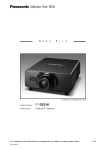
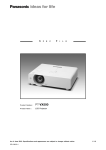
PT-ST10
P ro d u c t N a m e :
Short-Throw LCD Projector
As of July 2010. Specifications subject to change without notice.
SFL10M003
I
L
E
< 1 >
S
P
E
C
F
I
L
E
Short-Throw LCD Projector
PT-ST10
Specifications
Power supply
Power consumption
Optical system
LCD panel
Panel size
Display method
Drive method
Pixels
Pixel configuration
Lens
Lamp
Projection size
Colors
Brightness* 2
Center-to-corner uniformity ratio* 2
Contrast ratio* 2
Resolution RGB
Scanning frequency
RGB
YPBPR
S-Video/Video
Optical axis shift
Keystone correction range
On-screen menu
Installation
Built-in speakers
Terminals
Size
Output power
COMPUTER (RGB) IN
RGB
YPBPR (YCBCR)
VIDEO IN
S-VIDEO IN
AUDIO IN
AUDIO OUT
SERIAL
LAN
Power cord length
Cabinet material
As of July 2010
SFL10M003
100–240 V AC, 50/60 Hz
300 W (approx. 0.4 W with standby mode set to ECO* 1. 15 W with
standby mode set to NORMAL. 18 W in normal standby mode when
set to audio monitor out and with fan stopped.)
Dichroic mirror separation/prism synthesis system
16 mm (0.63˝) diagonal (4:3 aspect ratio)
Transparent LCD panel (× 3, R/G/B)
Active matrix
786,432 (1,024 × 768) × 3, total of 2,359,296 pixels
Stripe
Manual zoom (1:1–1:1.2), manual focus
F 1.80, f 6.74 mm
220 W UHM lamp
1,524 – 2,794 mm (60 – 110 inches) diagonally, 4:3 aspect ratio
Full color (16,777,216 colors)
2,800 lumens
85%
500:1 (full on/full off)
1,024 × 768 pixels (Input signals that exceed this resolution will be
converted to 1,024 × 768 pixels.)
Horizontal: 15.00 – 91.00 kHz, Vertical: 50 – 85 Hz
480i (525i): fH 15.75 kHz; fV 60 Hz
576i (625i): fH 15.63 kHz; fV 50 Hz
480p (525p): fH 31.50 kHz; fV 60 Hz
576p (625p): fH 31.25 kHz; fV 50 Hz
720/60p (750p): fH 45.00 kHz; fV 60 Hz
720/50p (750p): fH 37.50 kHz; fV 50 Hz
1080/60i (1125i): fH 33.75 kHz; fV 60 Hz
1080/50i (1125i): fH 28.13 kHz; fV 50 Hz
1080/60p (1125i): fH 67.50 kHz; fV 60 Hz
1080/50p (1125i): fH 56.25 kHz; fV 50 Hz
NTSC, NTSC4.43, PAL-M, PAL60: fH 15.75 kHz; fV 60 Hz
PAL, SECAM, PAL-N: fH 15.63 kHz; fV 50 Hz
10:-0.5 (fixed)
Approx. ±10° vertically
17 languages: English, French, German, Spanish, Italian, Korean,
Russian, Chinese, Japanese, Swedish, Norwegian, Danish, Portuguese,
Polish, Hungarian, Czech, and Thai
Front/rear, ceiling/desk (menu selection)
4 × 2 cm (oval) × 1
1.0 W (monaural)
D-sub HD 15-pin (female) × 2
G: 0.7 V [p-p] (1.0 V [p-p] for sync on green signals), 75 ohms,
R, B: 0.7 V [p-p], 75 ohms, HD/SYNC, VD: TTL (positive/negative
polarity compatible)
Y: 1.0 V [p-p] (including sync signal), 75 ohms,
PBPR/CBCR: 0.7 V [p-p], 75 ohms
RCA pin × 1, 1.0 V [p-p], 75 ohms
Mini DIN 4-pin × 1, Y: 1.0 V [p-p], C: 0.286 V [p-p], 75 ohms
M3 (L, R) × 2, 0.5 V [rms]
M3 (L, R) × 1, 0 – 2.0 V [rms] (variable)
D-sub 9-pin × 1, for external control (RS-232C compliant)
RJ-45 × 1 for network connection, compliant with PJLink™,
100Base-TX/10Base-T
4.4 m (14.4 ft)
Molded plastic (PC+ABS)
< 2 >
S
P
E
C
F
I
L
E
PT-ST10
Short-Throw LCD Projector
Dimensions (W × H × D)
Weight
Operating environment Temperature
Humidity
327 × 135 × 307 mm (12-7/8˝ × 5-11/32˝ × 12-3/32˝)*3
Approx. 3.1 kg (6.8 lbs.)* 4
0°– 40°C (32°–104°F)* 5
20%–80% (no condensation)
Remote control unit
3 V DC (R03/AAA type battery × 2)
Approx. 7 m (23 ft) when operated from directly in front of the signal
receptor
46 × 115 × 21 mm (1-13/16˝ × 4-17/32˝ × 27/32˝)
Approx. 64 g (2.3 oz) (including batteries)
Power supply
Operation range
Dimensions (W × H × D)
Weight
Supplied accessories
Power cord (× 1)
Power cord secure lock (× 1)
Wireless remote control (× 1)
Batteries for remote control (R03/LR03/AAA type × 2)
VGA cable for RGB signals (1.8 m (5 ft 11 in) × 1)
Software CD-ROM (Logo Transfer Software, Multi Projector
Monitoring and Control Software) (× 1)
Wire rope (× 1)
Optional accessories
Ceiling mount bracket: ET-PKB2
Highly durable filter unit: ET-KFB2
Replacement lamp unit: ET-LAB2
Replacement air filter for ET-KFB2: ET-RFB2
*1: When the standby mode is set to ECO, LAN-based network functions such as the standby ON function will not operate and only certain commands can be received from RS-232C control.
*2: Measurement, measuring conditions, and method of notation all comply with ISO 21118 international standards.
*3: Protruding parts not included.
*4: Average value (excluding lens cap). May differ depending on models.
*5: The operating temperature range is 0°C (32°F) to 35°C (95°F) when used in High-Altitude mode (1,400 m (4,593 ft) to 2,700 m (8,858 ft)). Also, if
the ambient temperature exceeds 35°C (95°F) (30°C (86°F) in High-Altitude mode) when the lamp power mode is set to NORMAL, the light output may be reduced approximately 30% to protect the projector.
Weights and dimensions shown are approximate. Specifications are subject to change without notice.
PJLink is a registered trademark, or a trademark application has been filed, in Japan, the United States, and other countries and regions.
This product may be subject to export control regulations. All other trademarks are the property of their respective trademark owners.
As of July 2010
SFL10M003
< 3 >
S
P
E
F
C
I
L
E
PT-ST10
Short-Throw LCD Projector
Dimensions
11
(7/16 )
80
( 3-5/32)
135
( 5-5/16 )
124
(4-7/8 )
50
(1-31/32)
307
(12-3/32)
unit : mm (inch)
NOTE: This illustration is not drawn to scale.
69
(2-23/32)
214.5
( 8-7/16 )
327 (12-7/8 )
Terminals
1
2
3
6
As of July 2010
SFL10M003
4
7
5
8
1
LAN connector
2
Serial input
3
Computer 1 input
4
S-Video input
5
Audio output
6
Computer 1 input
7
Video input
8
Audio 1 input
9
Audio 2 input
9
< 4 >
S
P
E
F
C
I
L
E
PT-ST10
Short-Throw LCD Projector
Standard setting-up positions
unit : mm (inch)
337– 414*
(13-9/32–
16-5/16 )*
ø49 (1-15/16 )
H
ø42 (1-11/16 )
Upper edge of projected image
L
L: Distance to screen
H: Height from the edge of screen to
center of lens
174
( 6-7/8 )
Projected
image
284.5 (11-7/32)
L
Lower edge of projected image
NOTE:
L
Illustrations show the projector installed
using optional ceiling bracket.
65 ( 2-9/16 )
174 ( 6-7/8 )
69
( 2-23/32)
H
* Adjustable in 20-mm (15/32-inch) step.
This illustration is not drawn to scale.
Projected image
70 ( 2-3/4)
Projection distance for 4:3 aspect ratio screen
Unit: meters
Screen size
(inch, diagonal)
Distance to screen (L)
Unit: feet
Height from the edge of
screen to center of lens (H)
Screen size
(inch, diagonal)
Distance to screen (L)
Height from the edge of
screen to center of lens (H)
60
0.60
-0.05
60
2.0
-0.5
70
0.71
-0.05
70
2.3
-0.6
80
0.82
-0.06
80
2.7
-0.7
90
0.92
-0.07
90
3.0
-0.8
100
1.03
-0.08
100
3.4
-0.8
110
1.14
-0.08
110
3.7
-0.9
Projection distance for 16:9 aspect ratio screen
Unit: meters
Screen size
(inch, diagonal)
Distance to screen (L)
Unit: feet
Height from the edge of
screen to center of lens (H)
Screen size
(inch, diagonal)
Distance to screen (L)
Height from the edge of
screen to center of lens (H)
60
0.66
-0.17
60
2.2
-0.6
70
0.78
-0.20
70
2.6
-0.7
80
0.90
-0.23
80
2.9
-0.8
90
1.01
-0.26
90
3.3
-0.9
100
1.13
-0.29
100
3.7
-1.0
Calculation of the projection distance
For a screen size different from the above, use the equation below to calculate the projection distance.
Aspect ratio 4 : 3
L (m) = (diagonal screen size in inches) × 0.0107 – 0.0389
Aspect ratio 16 : 9
L (m) = (diagonal screen size in inches) × 0.0117 – 0.0395
NOTE: Distances calculated with the above equations will include a slight error.
As of July 2010
SFL10M003
< 5 >
S
P
E
C
F
I
L
E
PT-ST10
Short-Throw LCD Projector
Installable angle
Install the projector at an angle within the range shown below.
Note:
10° 10°
+30°
• Horizontal direction
The projector may be installed at a horizontal angle of ±10°.
-30°
• Vertical direction
The projector
may be installed
at a vertical
angle of ±30°.
Vertical keystone correction is effective only when the projector is
installed at a vertical angle of ±10° or less.
As of July 2010
SFL10M003
< 6 >
S
P
E
C
F
I
L
E
PT-ST10
Short-Throw LCD Projector
Computer data compatibility
This projector accepts up to 91 kHz horizontal scanning frequency and 193 MHz dot clock.
NOTE:
Pixel thinning is applied to signals that exceed a dot clock frequency of 110 MHz. The display resolution of this projector is 1,024 × 768
pixels. Input signals that exceed this resolution will be converted to 1,024 × 768 pixels.
List of compatible signals
Display mode
Display
resolution
(dots) 1
Scanning frequency Dot clock
H
V
frequency
(kHz)
(kHz)
(MHz)
Picture Input terminal
quality 2
NTSC/NTSC4.43/PAL-M/PAL60
720 × 480i
15.7
59.9
–
A
PAL/PAL-N/SECAM
720 × 576i
15.6
50.0
–
A
525i (480i)
720 × 480i
15.7
59.9
13.5
A
625i (576i)
720 × 576i
15.6
50.0
13.5
A
525p (480p)
720 × 483
31.5
59.9
27.0
A
625p (576p)
720 × 576
31.3
50.0
27.0
A
1280 × 720
45.0
60.0
74.3
A
37.5
50.0
74.3
A
33.8
60.0
74.3
A
28.1
50.0
74.3
A
31.5
70.1
25.2
A
37.9
85.1
31.5
A
750 (720)/60p
750 (720)/50p
1125 (1080)/60i
1920 × 1080i
1125 (1080)/50i
VESA70
640 × 400
VESA85
640 × 480
31.5
59.9
25.2
A
VGA65
35.0
66.7
30.2
A
VGA72
37.9
72.8
31.5
A
VGA75
37.5
75.0
31.5
A
VGA85
43.3
85.0
36.0
A
35.2
56.3
36.0
A
SVGA60
37.9
60.3
40.0
A
SVGA70
48.1
72.2
50.0
A
SVGA75
46.9
75.0
49.5
A
SVGA85
53.7
85.1
56.3
A
VGA60
SVGA55
800 × 600
MAC16
832 × 624
49.7
74.6
57.3
A
XGA50
1024 × 768
39.6
50.1
51.9
AA
XGA60
48.4
60.0
65.0
AA
XGA70
56.5
70.1
75.0
AA
XGA75
60.0
75.0
78.8
AA
XGA85
68.7
85.0
94.5
AA
44.8
59.9
74.5
A
37.1
49.8
60.5
A
39.6
49.9
65.3
A
47.8
59.9
79.5
A
41.3
50.0
68.0
A
49.1
60.2
69.1
A
49.7
59.8
83.5
A
64.0
71.2
94.2
A
MXGA75
67.5
74.9
108.0
A
MXGA85
76.7
85.0
121.5
A
WIDE750 (720)
WXGA768
WXGA800
MXGA70
1280 × 720
1280 × 768
1280 × 800
1152 × 864
MAC21
1152 × 870
68.7
75.1
100.0
A
MSXGA60
1280 × 960
60.0
60.0
108.0
A
1280 × 1024
64.0
60.0
108.0
A
SXGA75
80.0
75.0
135.0
A
SXGA85
91.1
85.0
157.5
A
64.0
60.0
108.0
A
65.1
59.9
122.4
A
1440 × 900
55.9
59.9
106.5
A
UXGA60
1600 × 1200
75.0
60.0
162.0
A
WSXGA+
1680 × 1050
65.3
60.0
146.3
A
WUXGA
1920 × 1200
74.6
59.9
193.3
B
SXGA60
SXGA60+
WXGA+
1400 × 1050
VIDEO/S-VIDEO
COMPUTER (RGB/YP B P R )
COMPUTER (RGB only)
1. The “i” appearing after the resolution indicates an interlaced signal.
2. The following symbols are used to indicate picture quality.
AA Maximum picture quality can be obtained.
A
Signals are converted by the image processing circuit before picture is projected.
B
Signals are compressed by the image processing circuit before picture is projected.
As of July 2010
SFL10M003
< 7 >
S
P
E
F
C
I
L
E
PT-ST10
Short-Throw LCD Projector
Serial connector
The serial connector complies with RS-232C. To control the projector from a personal computer, commands must be input through communication software, based on the format and satisfying the communication conditions shown below.
Pin assignments and signal names
6 9
1
5
No. Signal name
Description
No. Signal name
Signal name
1
–
NC
6
–
Connected internally
2
TXD
Send data
7
CTS
Connected internally
3
RXD
Receive data
8
RTS
Connected internally
4
–
NC
9
–
NC
5
GND
Ground
D-sub HD 9-pin, female
Communication conditions (factory setting)
Signal level
RS-232C-compliant
Synchronization method
Start-stop synchronization
Baud rate
9,600 bps
Parity
None
Character length
8 bits
Stop bit
1 bit
X parameter
None
S parameter
None
Basic format
Transmission from the computer begins with STX, then the ID, command, parameter, and ETX are sent
in this order. Add parameters according to the details of control.
STX
C1 C2 C3
Start
(1 byte)
:
P1 P2 P3 P4
Colon
Parameter
Command
(1 byte)
(1-4 bytes)
(3 bytes)
(Control and/or query commands)
ETX
End
(1 byte)
CAUTION
• It may not be possible to send or receive commands for about 10 to 60 seconds when the lamp is first turned on. If this occurs, wait for 60 seconds,
then try sending or receiving again.
• When sending multiple commands, be sure to wait for at least 0.5 second after receiving a response from the projector before sending the next command.
• Additional time is sometimes required for response due to processing inside the projector. Set the time-out period for command response to 10 seconds
or more.
Cable specifications
Projector
1
PC (DTE)
NC
NC
2
3
3
4
NC
NC
NC
NC
6
8
8
SFL10M003
6
7
7
9
4
5
5
As of July 2010
1
2
NC
NC
9
< 8 >
S
P
E
C
F
I
L
E
PT-ST10
Short-Throw LCD Projector
Control commands
Command: <Parameter>
Function
Callback: <Parameter>
PO N * 1/* 2
PO F * 1/* 2
AV L : < p l >
II S : < i n p u t s i g n a l >
OS T
OF Z : < o f f o n >
OE N
OX G : 0
OX G : 1
OX G : 2
VP M : < N A T >
VP M : < S T D >
VP M : < D Y N >
VP M : < B B D >
VP M : < W B D >
VX X : D L V I 0 = < + 0 0 0 0 0 >
VX X : D L V I 0 = < + 0 0 0 0 1 >
VX X : D L V I 0 = < + 0 0 0 0 2 >
AU U
AU D
OM N
OC U
OC D
OC L
OC R
OA S
OS H * 1
OI X
DZ U
DZ D
Power on (standby mode on)
Power off (standby mode off)
Volume control
Input signal selection
The same function as “default” button
Freeze
Enter
Wide mode: Off
Wide mode: On
Wide mode: Auto
Picture mode: Natural
Picture mode: Standard
Picture mode: Dynamic
Picture mode: Blackboard
Picture mode: Whiteboard
Daylight View: Off
Daylight View: Auto
Daylight View: On
Volume up
Volume down
Menu
Cursor up
Cursor down
Cursor left
Cursor right
Auto setup
AV mute
Index window
Digital zoom: Enlargement
Digital zoom: Reduction
PON
POF
AVL:<pl>
IIS:<input signal>
OST
OFZ:<off on>
OEN
OXG:0
OXG:1
OXG:2
VPM:<NAT>
VPM:<STD>
VPM:<DYN>
VPM:<BBD>
VPM:<WBD>
VXX:DLVI0=<+00000>
VXX:DLVI0=<+00001>
VXX:DLVI0=<+00002>
AUU
AUD
OMN
OCU
OCD
OCL
OCR
OAS
OSH
OIX
DZU
DZD
*1
*2
Parameter value
Min
Max
–
–
0
–
–
0
–
–
–
–
–
–
–
–
–
–
–
–
–
–
–
–
–
–
–
–
–
–
–
–
–
–
63
–
–
1
–
–
–
–
–
–
–
–
–
–
–
–
–
–
–
–
–
–
–
–
–
–
–
–
Do not send PON, POF, or OSH commands continuously in a short period of time. Doing so may burst the lamp or shorten the lamp replacement cycle.
These commands are effective when the standby mode is set to ECO. (Other commands are not effective.)
As of July 2010
SFL10M003
< 9 >
S
P
E
C
F
I
L
E
PT-ST10
Short-Throw LCD Projector
Status asking commands
Command
Description
QPW
Q$S
QIN
QAV
QVC
QVT
QVB
QVR
QVS
QWR
QWG
QWB
QHP
QVP
QCP
QDC
QSP
QLG
QXG
Standby power status
Lamp status
Input signal status
Volume adjustment value
Color adjustment value
Tint adjustent value
Brightness adjustment value
Contrast adjustment value
Sharpness adjustment value
White balance: R adjustment value
White balance: G adjustment value
White balance: B adjustment value
Horizontal position adjustment value
Vertical position adjustment value
Clock phase adjustment value
Dot clock adjustment value
Projection method status
On-screen menu language
Wide mode status
Off
On
Auto
Off
Daylight View status
Auto
On
Picture mode status
Natural
Standard
Dynamic
Blackboard
Whiteboard
Freeze status
Lamp run time
AV mute
Keystone correction status
Color temperature adjustment status
QVX:DLVI0
QPM
QFZ
Q$L
QSH
QKS
QTE
Callback
<Parameter>
<power condition>
<lamp condition>
<input signal>
<pl>
<pl>
<pl>
<pl>
<pl>
<pl>
<pl>
<pl>
<pl>
<pl>
<pl>
<pl>
<pl>
<pl>
<pl>
<0>
<1>
<2>
<+00000>
<+00001>
<+00002>
<NAT>
<STD>
<DYN>
<BBD>
<WBD>
<off_on>
<acctch>
<off_on>
<pl>
<color temp>
Parameter format
Parameter format
<pl>
Size (Byte)
<off on>
<input signal>
<installation>
<language>
3 (1 or 2 bytes also
possible when
under control)
1
3
1
3
<power condition>
<lamp condition>
3
1
<acctch>
<color temp>
<date>
4
1
8
<time>
6
Definition
Decimal without signs: 0 to 999 (000, 001, 002...999)
Decimal with signs: -99 to +99 (-99...-01, +00, +01, +02...+99)
Callback from the projector is 3 Byte.
0 = off, 1 = on
RG1 = computer 1, RG2 = computer 2, VID = video, SVD = S-Video
0 = front, 1 = rear, 2 = ceiling and front, 3 = ceiling and rear
ENG = English, DEU = German, FRA = French, ESP = Spanish,
ITL = Italian, JPN = Japanese, CHI = Chinese, POR = Portuguese,
SVE = Swedish, NOR = Norwegian, DAN = Danish, POL = Polish,
CES = Czech, MAG = Hungarian, RUS = Russian, THA = Thai, KOR = Korean
000 = power off (standby mode off), 001 = power on (standby mode on)
0 = standby, 1 = lamp on under control, 2 = lamp off,
3 = lamp off under control
Decimal without signs: 0000-9999 hours
0 = low, 1 = standart, 2 = high
y1y2y3y4m1m2d1d2w = year (y) month (m) day (d) day of week (w)
Day of week: Monday = 1, Tuesday = 2, ... Sunday = 7
h1h2m1m2s1s2 = hour (h) minute (m) second (s)
NOTE: If a wrong command is received, the projector will send an ER401 command to the computer.
Command example
To set the volume to +30, send the command as shown right.
NOTE: When sending commands without parameters, a colon (:) is not necessary.
As of July 2010
SFL10M003
STX
Start
AVL
:
Command
30
ETX
Parameter
End
< 10 >
S
P
E
C
F
I
L
E
PT-ST10
Short-Throw LCD Projector
Notes on projector placement and operation
The projector uses a high-wattage lamp that becomes very hot during operation. Please observe the
following precautions.
1.
Never place objects on top of the projector while it is operating.
2.
Make sure there is an unobstructed space of 500 mm (19-11/16˝) or more around the projector’s
exhaust openings.
3.
Make sure that nothing blocks the projector’s air intake and exhaust openings. Also, install the projector so that cool or hot air from other air conditioning equipment does not flow directly toward
the projector’s air intake or exhaust openings.
4.
Do not install the projector in an enclosed space. If it is necessary to install it in an enclosed
space, add a separate ventilation system. If ventilation is insufficient, hot air will accumulate at the
intake opening. This may cause the projector’s protective circuit to interrupt projector operation.
200 mm (7-7/8˝)
or more
500 mm (19-11/16˝)
or more
500 mm (19-11/16˝)
or more
Direction of air intake and exhaust
Intake
Exhaust
Operating the projector continuously
1.
If the projector is to be operated continuously 10 hours or more, lamp replacement cycle duration
becomes shorter.
2.
The lamp replacement cycle duration becomes shorter if the projector is operated repeatedly for short
periods (one hour or less).
Weights and dimensions shown are approximate. Specifications are subject to change without notice.
PJLink is a registered trademark, or a trademark application has been filed, in Japan, the United States, and other countries and regions.
This product may be subject to export control regulations. All other trademarks are the property of their respective trademark owners.
As of July 2010
SFL10M003
< 11 >