1
Replacement
Attention
zz Turn off the power before you replace the air filter unit.
zz When attaching the air filter unit, make sure that the projector is stable, and work in an environment that is
safe, even in the event of the air filter unit dropping.
zz Do not operate the projector with the filter removed. Dust may accumulate on the optical elements degrading
picture quality.
zz Do not put anything into the air vents. Doing so may result in malfunction of the projector.
zz Do not wash the filter with water or any other liquid matter. Otherwise the filter may be damaged.
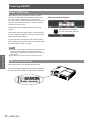
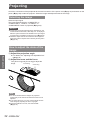
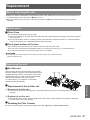
JJAttaching the Filter Cover to the Projector
The supplied filter cover is designed for preventing dust accumulation on the filter when mounting the projector on
the ceiling.
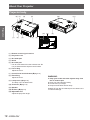
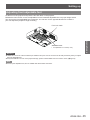
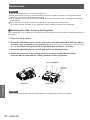
1111 Turn over the projector.
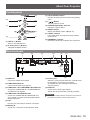
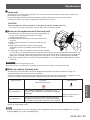
2222 Press the adjustable foot lock latch and pull out the adjustable foot, and then attach
the filter cover (supplied) to the projector (Push the cover in the arrow direction as the Picture (1)
shown). And tie the string around the adjustable foot as Picture (1) shown.
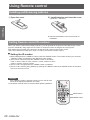
3333 Press the adjustable foot lock latch and pull in the adjustable foot.
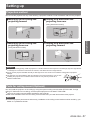
4444 Attach the projector to the ceiling mount in accordance with the instruction
manuals which come with the ceiling mount as Picture (2) shown.
To Ceiling Mount
Filter Cover
(supplied)
Projector
Picture (1)
Picture (2)
Maintenance
Attention
zz If the Projector Mount Base ET-PKL100B is applied, the supplied filter cover is unnecessary.
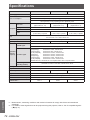
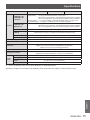
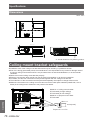
62 - ENGLISH