1
Milwaukee
USER MANUAL
PORTABLE uP-BASED
pH METER
MODEL: MW102
Smart pH Meter
OPERATION:
• The meter is supplied complete with a 9V
battery. Slide off the battery compartment
cover on the back of the meter and install
the battery into battery clip connector
while observing polarity.
• Always remove the electrode protective
cap before taking any measurement.
If the electrode has been left dry,
soak the tip (bottom 2.5 cm) in rinse
solution (M10000B) for a few minutes
to reactivate it.
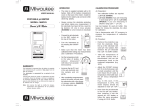
• Connect the pH
electrode and the
temperature
probe to the
sockets on the
meter’s top. The
temperature probe
can be used
independently to
take temperature
measurements,
or it can be used
in conjunction with the pH electrode to
utilize the meter’s ATC capability.
• Turn the instrument on by pressing the
ON/OFF key.
WARRANTY:
This instrument is warranted from all defects in
materials and manufacturing for a period of two
years from the date of purchase.
The electrode is warranted for a period of six
months.
If during this period the repair or replacement of
parts is required, where the damage is not due to
negligence or erroneous operation by the user, please
return the parts to either distributor or our office and
the repair will be effected free of change.
Note: We reserve the right to modify the design,
construction and appearance of our products
without advance notice.
Milwaukee
• Before taking any measurements, make
sure that the meter has already been
calibrated.
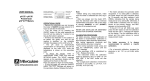
• Immerse the tip (2.5 cm)
of the pH electrode and
the temperature probe
into the sample and stir
gently.
• The pH measurement is
ready when the hourglass
symbol stops blinking.
• To display the measured temperature,
press and hold the
°C key.
When the key is released, the display
will return to the pH reading.
• The HOLD function is activated
by pressing the HOLD key. The
measured value is frozen on the
display and the “HOLD” tag lights
up. Release “HOLD” by pressing HOLD
key again.
• After completing measurements,
switch the meter off and store
the electrode with a few drops of
storage solution in the protective
cap.
• Error message on display:
• Blinking full scale value: reading is
over range;
• “Eb”: battery low voltage indication;
• “Ec”: wrong buffer solution;
• “Clr”: the calibration data have been
lost and recalibration is needed.
CALIBRATION PROCEDURE:
A) Preparation:
Select two pH calibration buffers: pH 7.01
and a second to bracket your measurement
range.
1. pH 7.01 (MA9007)
2. pH 4.01 (MA9004) for measuring in
the acid range (pH lower than 7) or
pH 10.01 (MA9010) for measuring in
the alkaline range (pH higher than 7).
Use two beakers for each reference solution.
One beaker for rinsing the electrode, the
other for calibration. This way contamination
between solutions during calibration is
minimized.
B) Procedure:
Offset calibration
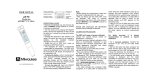
• Remove the electrode
protective cap and rinse
the tip with some pH 7.01
solution, then immerse
the electrode tip and the
temperature probe into a
pH 7.01 buffer solution.
• Press the CAL key to
enter the Calibration
mode. The display
flashes “pH 7.01”
and the hourglass lights up.
• Wait till the hourglass symbol on the
display turns off and the “pH” tag stops
blinking, then press
the CFM key to
confirm the offset
calibration.
BATTERY REPLACEMENT:
Note: Pressing the CAL key again will
change the buffer value, allowing a
single point calibration at pH 4.01
or pH 10.01.
Prompt battery replacement is required.
Slope calibration
• Press CAL key to display pH 10.01 if
desired.
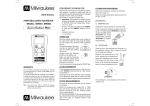
Turn the meter off,
slide the battery
compartment cover
located at the rear
of the meter off and
replace the 9V battery
with a new one.
• Rinse the pH electrode
and the temperature
probe in the rinse buffer
beaker, then immerse
them into the second
buffer beaker.
Make sure the
b a t t e r y contacts
are fully engaged in
the connector, seat
the battery in its
compartment and
replace the cover.
• After completing the pH 7.01 calibration
the next buffer pH 4.01 will flash on the
display.
SPECIFICATIONS:
When the battery becomes weak a reliable
measurement can not be guaranteed. The
meter will display “Eb” for a while and then
turn off.
Battery replacement must only take place
in a non-hazardous area using a 9V alkaline
battery.
MW102
RANGE
-2.00 to 16.00 pH
-5 to 70°C
RESOLUTION
0.01 pH / 0.1°C
ACCURACY (@25°C)
±0.02 pH / ±0.5°C
TYPICAL EMC DEV.
±0.02 pH / ±0.5°C
TEMPERATURE
COMPENSATION
Automatic,
0 to 70°C
CALIBRATION Automatic, at 1 or 2 points
pH ELECTRODE
MA911B/1 (included)
TEMPERATURE
PROBE
MA830R (included)
ENVIRONMENT 0 to 50°C; RH 95% max.
BATTERY TYPE 1 x 9V alkaline (included)
BATTERY LIFE
AUTO-OFF
DIMENSIONS
WEIGHT
• Wait till the hourglass symbol on the
LCD turns off, then press the CFM key
to confirm the slope calibration.
approx. 750 hours of use
after 8 minutes of non-use
143 x 80 x 32 mm
220 g (with battery)
OPTIONAL ACCESSORIES:
Notes:
• To exit the calibration mode, turn the
meter off by pressing the ON/OFF key.
• To perform a single point calibration
(offset) at pH 7.01, press the ON/OFF
key when the second buffer is displayed.
• After battery replacement, the meter
displays the “Clr” message and
recalibration is needed.
MA 9004
pH4.01 buffer solution,
220 mL bottle
MA 9007
pH7.01 buffer solution,
220 mL bottle
MA 9010
pH10.01 buffer solution,
220 mL bottle
MA 9015
Electrode storage solution,
220 mL bottle
MA 9016
General cleaning solution,
220 mL bottle
M10000B
Rinse solution, 20 mL
sachet (25 pcs.)
pH electrode with BNC
connector and 1 m cable
MA911B/1
Milwaukee
MA830R
Temperature probe
MA950
Portable meter
mounting kit
wall
ISTMW102 01/10