1
INSTALLATION INSTRUCTIONS FOR PART 95-7321
APPLICATIONS
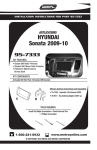
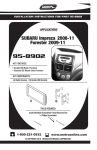
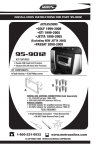
Hyundai Accent 2006-2010
Kia Rio / RIO 5 2006-2010
Kia Sportage 2005-2010
95-7321
KIT FEATURES
• DDIN Head Unit Provision
• ISO Stacked Head Unit Provision
KIT COMPONENTS
A) DDIN Brackets
B) DDIN Trim Plate
WIRING AND ANTENNA CONNECTIONS (Sold Separately)
HARNESS:
• 70-7303 - Hyundai / Kia Harness 2009
• 70-1004 - Hyundai 2006-up/KIA harness 2004-up
A
ANTENNA ADAPTER:
B
• 40-KI11 - KIA antenna adapter 2007-up
• 40-KI10 - KIA antenna adapter 2007-up
TOOLS REQUIRED:
Phillips Screwdriver • Small Flat Blade Screwdriver • Panel Removal Tool • Cutting Tool
METRA. THE WORLD’S BEST KITS.™
1-800-221-0932
www.metraonline.com
© COPYRIGHT 2010 METRA ELECTRONICS CORPORATION
95-7321
TABLE OF CONTENTS
Dash Disassembly ........................................................................ 1-2
Kit Preparation ................................................................................. 3
Kit Assembly ..................................................................................... 4
Metra recommends MECP certified
technicians
95-7321
DASH DISASSEMBLY
HYUNDAI ACCENT 2006-2010
KIA RIO / RIO 5 2006-2010
A
1
Disconnect the negative battery
terminal to prevent an accidental
short circuit.
2
Unclip and remove the trim panel
surrounding the radio and including
the a/c vents. (Figure A)
3
Remove (4) Phillips screws securing
the radio. (Figure B)
B
1
95-7321
DASH DISASSEMBLY
KIA SPORTAGE 2005-2010
A
1
Disconnect the negative battery
terminal to prevent an accidental
short circuit.
2
Unclip and remove the entire panel
surrounding the radio and including
the A/C controls. Note: Start at
bottom of panel. (Figure A)
3
Remove (4) Phillips screws to extract
radio from dash. (Figure B)
B
2
95-7321
KIT PREPARATION
A
1
HYUNDAI ACCENT: Cut and remove
shaded areas. (Figure A)
2
KIA RIO: Cut and remove shaded
areas. (Figure B)
B
B
3
KIA SPORTAGE: Cut and remove
shaded areas. (Figure C)
3
95-7321
KIT ASSEMBLY
DOUBLE DIN / STACKED ISO DIN
HEAD UNIT PROVISION
1
Locate the factory wiring harness in
the dash. Metra recommends using
the proper mating adapter from
Metra or AXXESS. Re-connect the
negative battery terminal and test
the unit for proper operation.
2
Attach the Double DIN brackets to
the inside edge of the Double DIN
trim plate. (Figure A)
3
Slide the Double DIN head unit or
stacked ISO head units into the
bracket/radio housing assembly and
secure the Double DIN head unit or
stacked ISO head units to the
assembly using the screws supplied
with the radio. (Figure B)
4
A
B
Reassemble dash in reverse order of
disassembly.
4
95-7321
NOTES
95-7321 INSTRUCTIONS
METRA. THE WORLD’S BEST KITS.™
1-800-221-0932
REV. 04/26/10
www.metraonline.com
© COPYRIGHT 2010 METRA ELECTRONICS CORPORATION
INST95-7321