1
)9C2%:-C)2FSSO4EKI8LYVWHE]%TVMP41
Note
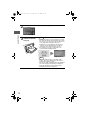
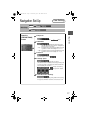
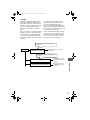
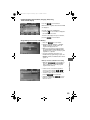
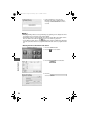
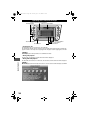
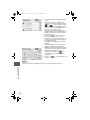
lIf a PIN code is not input within ten seconds, the system returns to the previous screen.
lIf the input PIN code does not match the registered PIN code, ‘Wrong PIN was input.
Please input PIN again.’ is displayed for three seconds and the system returns to the PIN
code input screen.
n Individual
Channel Locking
If a channel is locked, the channel is muted.
Note
If the registered ID code is forgotten, return the ID code to the default '0000'.
(
page 88)
Locking a channel
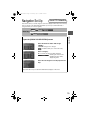
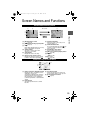
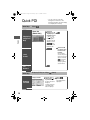
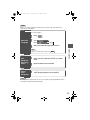
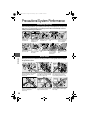
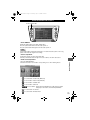
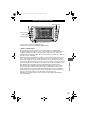
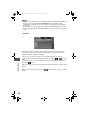
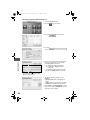
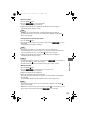
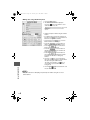
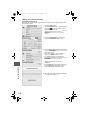
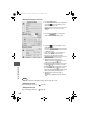
1. Select a channel to be locked by pressing the TRACK button or turning the tune audio dial.
Example: Select channel 100
Registered PIN code input preparation
2. Press the
on-screen button.
3. The screen changes to Parental Lock mode and ‘INPUT PIN ----’ is displayed.
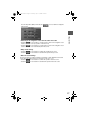
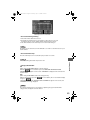
Registered PIN code input
4. Press the
on-screen button.
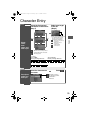
5. Input the 4-digit registered PIN code.
Example: If the registered PIN code is ‘2323’, input ‘2323’.
Registered PIN code input confirmation
6. Confirm the input PIN code by pressing the
on-screen button.
7. If it matches with the registered PIN code, ‘LOCKED’ is displayed.
8. The parental lock is activated. At this time, mute is on and no sound is heard.
n Lock
Cancellation
Audio Operation
Note
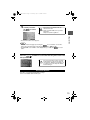
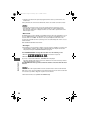
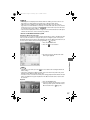
lIf a PIN code is not input for ten seconds, the system returns to the previous screen.
lIf the input PIN code does not match the registered PIN code, ‘Wrong PIN was input.
Please input the PIN again.’ is displayed for three seconds and the system returns to the
PIN code input screen.
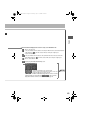
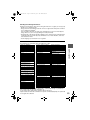
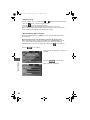
Unlocking a channel
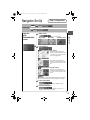
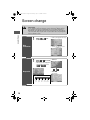
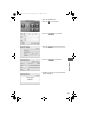
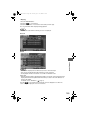
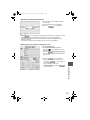
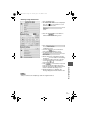
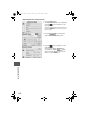
1. Select the channel to be unlocked.
Registered PIN code input
2. Press the
on-screen button.
3. Screen changes to Parental Lock mode and ‘INPUT PIN ----’ is displayed.
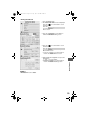
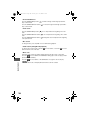
4. Press the
on-screen button.
5. Input the 4-digits registered PIN code.
Example :
If the registered PIN code is ‘2323’, input ‘2323’.
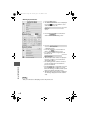
Registered PIN code input confirmation
6. Confirm the input PIN code by short-pressing the
on-screen button.
89