1
MG32WK - User’s Quick Reference Guide
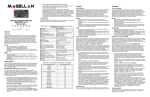
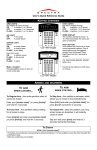
KEYPAD OVERVIEW
Indicator Lights
Indicator Lights
Arm LED (red):
On
= Full armed
Flash = System in alarm
On
LED (red):
= Keypad battery
charging
Flash
= Keypad battery low
Stay LED (orange):
On
= Stay armed
Flash = System in alarm
LED (orange):
Flash
= Message waiting
Ready LED (green):
On
= All zones are closed
Flash = Exit delay
FM LED (green):
On
= FM tuner on
Rx/Tx LED (orange):
On
= Power of console
Flash = Transmission/reception
in progress
Zone Display:
The numbers [1] to [32]
correspond to zones 1 to 32
respectively. Open or entry delay
zones are illuminated, and flash
in alarm.
MG32WK
Keys
key: Press to refresh the display.
key: Press and hold (3 sec.) to adjust the backlight.
[PG1] key: Press and hold (3 sec.) to control_____________________
[PG2] key: Press and hold (3 sec.) to control_____________________
[FM] key: Press to turn the FM tuner on/off.
ARMING AND DISARMING
TO ARM
WHEN LEAVING...
To Regular Arm:
1. Close all zones.
2. Enter your [USER CODE].
TO ARM
WHEN STAYING...
To Stay Arm:
1. Press the [STAY] key.
2. Enter your [USER CODE].
PANIC ALARMS
To send a silent or audible alarm to your
Security Company, press and hold one of the
button combinations listed for 3 seconds.
Panic Alarm Type
Button Combinations
Non-medical
emergency
Auxiliary
Fire
Press [1] & [3]
Press [4] & [6]
Press [7] & [9]
ALARM MEMORY DISPLAY
To view the alarms that occurred during the
last armed period:
1. Disarm the system.
2. Press the [MEM] key.
3. The corresponding zone numbers that
were in alarm the last time the system
was armed will illuminate.
4. Press the [CLEAR] key to exit.
TROUBLE DISPLAY
When a trouble condition occurs, the [TBL] key
will illuminate.
1. Press the [TBL] key. The key will flash
and number(s) corresponding to the
trouble(s) will illuminate.
2. Read the corresponding explanation of
the trouble from the trouble list on the
keypad door label.
3. Press the [CLEAR] key to exit.
KEYPAD SETTINGS
To mute the keypad:
Press and hold the [CLEAR] key for 10
seconds to enable or disable Keypad
Muting.
To modify the backlight:
1. Press and hold the [ ] key for 3
seconds.
2. Press the [ ] key to set the desired
backlight level.
3. Press [CLEAR] or [ENTER] to exit.
BYPASS PROGRAMMING
Bypassed zones remained unarmed when the
partition is armed.
1. Press the [BYP] key.
2. Enter your [ACCESS CODE].
3. The corresponding LED of all bypassed
zones will illuminate. Select the zone(s)
you want to bypass/unbypass by
entering the two-digit zone number (i.e.
zone 3 = 03).
4. Press the [ENTER] key to save and exit.
© Paradox Security Systems Ltd., 2005-2007. Magellan
is a trademark or registered trademark of Paradox
Security Systems Ltd. and its affiliates in Canada, the
United States and/or other countries. All rights reserved.
paradox.com
PRINTED IN CANADA 03/2007
MG32WK-EQ01