1
Initial Installation
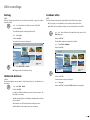
Additional Screen Menus
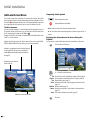
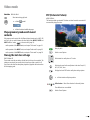
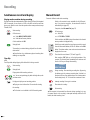
Temporarily Visible Symbols
This manual contains basic instructions for operating the recorder. Some DVDs
require specific handling or only permit limited operation during playback. If this is
the case the symbol appears on the screen. This indicates that certain operations
are not permitted at certain points or that no menu is available on the disc
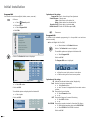
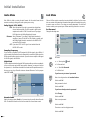
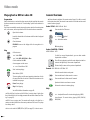
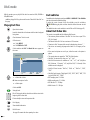
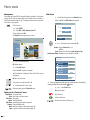
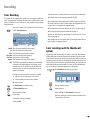
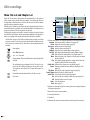
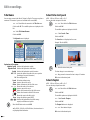
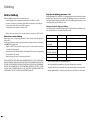
The Disc Info menu
If you are currently watching a TV channel supplied by the integrated receiver of
the recorder (recorder in Stop mode), you can show (and hide) information about
the TV station and the inserted disc with OK or
.
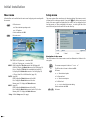
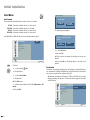
Example: A DVD-RW in the VR mode is inserted and the station 01 with the name
“Kabel” is on at the moment:
Indicates the channel number, the station name and the audio signal (NICAM,
STEREO, MONO, BILINGUAL) of the station you are currently watching.
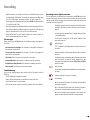
Resume play from this point.
Action prohibited or not available.
➠ Not all discs provide all the functions described below.
➠ The screen menu closes automatically when no buttons are pressed for 10
seconds.
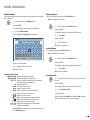
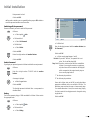
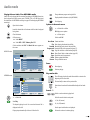
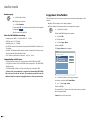
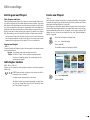
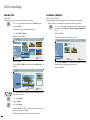
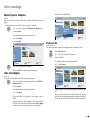
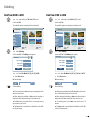
Displaying Disc Information on the Screen during Disc
Playback
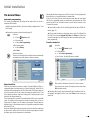
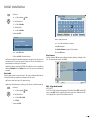
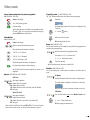
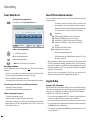
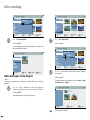
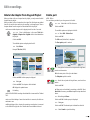
You can display a variety of information about the inserted disc on the screen.
Twice to select the Title menu.
Indicates in a progress bar the ratio of used to free space
on the inserted disc, the free space in hours (H) and
minutes (M) and the recording quality (for other discs
see page 25).
DVD-Video
� 4/14 �
1/10
0:12:34
1.STEREO
OFF
1/1
NORMAL
Indicates the name, mode and
format of the disc.
Title
Move 0-9 Input
DVD-RW
VR Mode SQ 43M Free
PR-01
N Stereo
Kabel
24/05/2007 13:30
Title
Chapter
Time
Sound
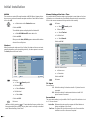
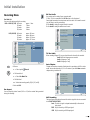
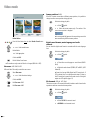
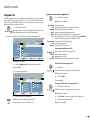
Current title (or track number)/total number of titles (page 30).
Current chapter number/total number of chapters (page 30).
Elapsed playing time (page 31).
Selected sound formats, movie language and audio channels
(page 32).
Subtitles Selected subtitle (page 33).
Camera Selected camera position / total number of camera positions
(page 32).
Sound (3D-surround) selected sound mode (page 32).
Indicates the current date and time.
Exit menu.
- 28
Enter
5 6 Select the desired function.
Stereo
OK