1
STEREO ACTIVE SPEAKER SYSTEM
OPERATING INSTRUCTIONS
MODEL DSP-19A
• 0.5 WATT RMS OUTPUT PER
• AUDIO
• ROTARY VOLUME CONTROL
• POWER ON LED INDICATOR
• USES 4 SIZE “AAA” BATTERIES (NOT INCLUDED)
IN JACK - CONNECTS TO YOUR
CD PLAYER, MP3 P LAYER, C O M P U T E R
OR ANY AUDIO DEVICE (AUDIO CABLE
WITH 3.5MM PLUG INCLUDED)
CHANNEL FOR RICH STEREO
SOUND
OR 6V AC/DC ADAPTOR (INCLUDED)
PLEASE READ CAREFULLY BEFORE USE
IB-DSP19A-WM-E-062006
IB-DSP19A-WM-E-062006.pmd
1
7/4/2006, 5:46 PM
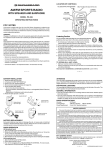
LOCATION OF CONTROLS
4
2
3
1
5
6
7
1.
2.
3.
4.
5.
6.
7.
8.
9.
STAND
LEFT SPEAKER
RIGHT SPEAKER
POWER ON LED INDICATOR
VOLUME CONTROL
POWER ON/OFF SWITCH
AUDIO IN JACK (for CD player/MP3 player/Computer)
BATTERY DOOR
AC ADAPTOR JACK (AC ADAPTOR INCLUDED)
1
IB-DSP19A-WM-E-062006.pmd
2
8
9
IB-DSP19A-WM-E-062006
7/4/2006, 5:46 PM
POWER SOURCE
Power your speaker system by inserting 4 size “AAA” fresh alkaline batteries or by
connecting the supplied AC adaptor.
1. BATTERY INSTALLATION (batteries not included)
1. Slide the BATTERY DOOR out.
2. Insert 4 size “AAA” alkaline batteries, according to the + and – markings on the
bottom of the set.
3. We recommend alkaline batteries for longer life.
4. Close the BATTERY DOOR.
BATTERY REPLACEMENT
Exhausted batteries may leak and damage the set, or cause weak or distorted sound.
Replace batteries when required.
Battery Safety
ä
ä
ä
ä
ä
ä
Do not dispose of any battery in fire.
Do not put the battery in a damp place.
Do not mix old and new batteries.
Do not mix alkaline, standard (Carbon-Zinc) or rechargeable batteries.
Please take out the batteries if you don’t use the player for a long time.
Batteries should be installed by adults for safety.
2
IB-DSP19A-WM-E-062006.pmd
3
IB-DSP19A-WM-E-062006
7/4/2006, 5:46 PM
2. AC ADAPTOR (included)
The AC adaptor suitable for this speaker system is DC 6V 500mA, with PLUS center
polarity
. If you want to buy an adaptor, please choose only this type.
Insert the ADAPTOR plug to the AC adaptor jack of the speaker system and connect
the adaptor to a wall outlet.
SPEAKER SYSTEM OPERATION
1. Insert the included audio cable with 3.5mm plugs on
each end into the LINE OUT jack or PHONES jack of
your CD player or MP3 player or computer, and the
other end into the AUDIO IN jack of the speaker
system.
OR
OR
CD PLAYER
2. Slide the POWER switch of speaker system to the ON position (the LED indicator turns on).
3. Turn on your CD player or MP3 player or computer, adjust the VOLUME control of the
CD player/MP3 player/computer and the speaker system to the desired levels.
4. Slide the POWER switch of speaker system to OFF position after use.
NOTE
• Do not play this system at maximum volume or too close to your ears for hearing safety.
• This stereo active speaker system is a low power system, it’s suitable for your CD player/
•
MP3 player/computer. We advise not to connect it to your home theater system or high
power devices!
Remember to slide the POWER switch to OFF position after use.
3
IB-DSP19A-WM-E-062006.pmd
4
IB-DSP19A-WM-E-062006
7/4/2006, 5:46 PM
TROUBLE SHOOTING
Remedy
Symptom
No power.
1. Is the power switched to the OFF position? Slide it to ON.
2. Were the batteries inserted correctly? Please make sure 4 size
“AAA” alkaline batteries are inserted into battery
compartment according to the + and – markings on the
bottom of the set.
3. Is the adaptor cord firmly plugged into the adaptor jack?
Insert the AC adaptor plug securely into the speaker.
T h e POWER LED
indicator blinks or
gets dim.
The batteries are weak, please replace the batteries with new
ones or use the supplied AC adaptor.
No sound or only a
very low-level sound
is heard.
1. Check that the speaker AUDIO IN cable is connected securely
and correctly. Make sure the cable is inserted well.
2. Make sure your speaker has power and POWER switch is
in the ON position.
3. Make sure the input source CD player/MP3 player/computer
works well.
4. Adjust the speaker system and CD player/MP3 player/computer
volume control.
5. The batteries are weak, please replace the batteries with
new ones or use the supplied AC adaptor.
Distorted sound.
1. Reduce input source volume or the speaker volume.
2. The batteries are weak, please replace the batteries with
new ones or use the supplied AC adaptor.
4
IB-DSP19A-WM-E-062006.pmd
5
IB-DSP19A-WM-E-062006
7/4/2006, 5:46 PM
WARNING:
To prevent fire or shock hazard, do not expose this appliance to rain or
moisture.
Do not block or obstruct the ventilation holes at the rear of the set.
SAFETY INFORMATION
1. Batteries should only be installed by adult for safety.
2. Do not load batteries with polarities (–/+) reversed.
3. Do not force batteries into the battery compartment.
4. Do not short-circuit the battery with metallic objects such as key holders or jewellery.
This may damage the battery.
5. When not in use for an extended period of time, or while internal batteries will not be
used, please remove them to prevent possible battery acid leakage or corrosion.
6. Clean only with a dry or very slightly damp cloth.
7. Do not use this set near water, do not expose this appliance to rain or moisture.
8. To minimize risk of possible overheating, do not block the ventilation holes at the rear
cabinet.
5
IB-DSP19A-WM-E-062006.pmd
6
IB-DSP19A-WM-E-062006
7/4/2006, 5:46 PM
FCC NOTES:
NOTICE FOR USA: This equipment has been tested and found to comply with the limits for a Class
B digital device, pursuant to Part 15 of the FCC rules. These limits are designed to provide reasonable
protection against harmful interference in a residential installation. This equipment generates, uses
and can radiate radio frequency energy and, if not installed and used in accordance with the
instructions, may cause harmful interference to radio communications. However, there is no guarantee
that interference will not occur in a particular installation. If this equipment does cause harmful
interference to radio or television reception, which can be determined by turning the equipment off
and on, the user is encouraged to try to correct the interference by one or more of the following
measures.
- Reorient or relocate the receiving antenna.
- Increase the separation between the equipment and receiver.
- Connect this equipment into an outlet on a circuit different from that to which the
receiver is connected.
- Consult the dealer or an experienced radio/TV technician for help.
CAUTION: To comply with the limits for the Class B digital services, pursuant to Part 15 of the FCC
Rules, this device must be installed with computer equipment certified to comply with the Class B
limits.
Modifications
Any changes or modifications not expressly approved by the grantee of this device could void the
user’s authority to operate the device.
This device complies with part 15 of the FCC Rules. Operation is subject to the following two
conditions: (1) This device may not cause harmful interference, and (2) this device must accept any
interference received, including interference that may cause undesired operation.
SPECIFICATIONS
Power Supply
DC
AC adaptor
Power Output
Dimensions
Weight
:
:
:
:
:
6V, using 4 size “AAA” alkaline batteries (not included)
Input 100-240V, 50/60Hz, output 6V 500mA DC (included)
0.5W/channel
4 ” x 1 1/16 ” x 2 3/4 ” / 10 cm x 2.7 cm x 7 cm (L x W x H)
4.2 oz / 120 g (without batteries)
6
IB-DSP19A-WM-E-062006.pmd
7
IB-DSP19A-WM-E-062006
7/4/2006, 5:46 PM
LIMITED WARRANTY
We warrant this product to be free from defects in material and workmanship under normal use for a
period of 90 days after purchase and we will repair it free of charge or replace it at no charge, should it
become defective under this warranty, providing you submit proof of purchase (sales slip) with the set.
During the initial 90 day period after original purchase, we will service or exchange, at no charge,
the set that is returned to LENOXX ELECTRONICS CORP. After the initial 90 day period expires,
and for a period of 12 months from original purchase, we will repair the unit covering any part(s) that
need to be replaced at no charge, but will charge for the cost of labor, return postage paid by Lenoxx.
This warranty does not apply to any products which have been subject to misuse, neglect or
accident. This warranty does not cover broken cord or cabinet. UNDER NO CIRCUMSTANCES
WILL LENOXX ELECTRONICS CORP. BE LIABLE FOR ANY INCIDENTAL OR CONSEQUENTIAL
DAMAGES. Some states do not allow the exclusion or limitation of incidental or consequential
damages, so the above limitations or exclusions may not apply to you.
This warranty gives you specific legal rights, and you may also have other rights which vary from
state to state. The following charges apply to repairs beyond the warranty period: $5.00. Be sure to
pack carefully and return postage paid insured together with your money order (personal checks
will not be accepted) and sales receipt to:
LENOXX ELECTRONICS CORP., 35 BRUNSWICK AVENUE, EDISON, N.J. 08817, USA
We reserve the right to make design and specification changes for product improvement.
The descriptions and characteristics given in this document are given as a general indication and not
as a guarantee. In order to provide the highest quality product possible, we reserve the right to make
any improvement or modification without prior notice. The English version serves as the final reference
on all product and operation details should any discrepancies arise in other languages.
For customer service
Dial: 1-800-315-5885 (MONDAY - THURSDAY 8:00 AM - 5:00 PM, FRIDAY 8:00 AM - 1:30 PM EST)
or Visit Our Website: http://www.lenoxx.com
or Email: [email protected]
© 2006 LENOXX ELECTRONICS CORP.
35 BRUNSWICK AVENUE
EDISON, N.J. 08817, USA
MADE & PRINTED IN CHINA
7
IB-DSP19A-WM-E-062006.pmd
8
IB-DSP19A-WM-E-062006
7/4/2006, 5:46 PM