1
Model: PPW66
PowerPort™ Wave6600 - Portable Battery & Charger
PLEASE READ THIS INFORMATION THOROUGHLY BEFORE USING THIS PRODUCT. IT CONTAINS IMPORTANT
OPERATING INSTRUCTIONS FOR YOUR UNIT.
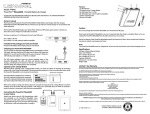
Features:
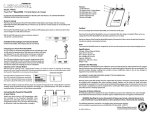
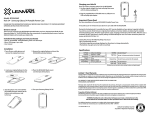
(1)LED Indicator
(2)Capacity Level / Charge Button
(3)USB Output Port 1 (1.0A)
(4)USB Output port 2 (2.1A) tablet compatible.
(5)Micro USB input Port
(6)Micro USB cable
5
3
4
2
1
6
Owner’s manual
Thank you for purchasing the PowerPort Wave6600, Portable Battery and Charger. Take the compact,
lightweight PowerPort Wave6600 with you wherever you go and have a handy charger or rescue battery that
works anywhere!
The PowerPort Wave6600 charges your tablet, PDA, cell phone, MP3 player, game system, or almost any
device that can be charged via a USB cable connection.
Caution:
Do not overcharge the PowerPort Wave6600, as it will shorten its life span.
Disconnect the PowerPort Wave6600 as soon as it is practical after the charge is complete. When not in use,
unplug the PowerPort Wave6600 from all cables and devices. Do not drop.
You have a maximum of 3.1A between this unit’s dual USB ports.
Port 1
Port 2
Included in the package you have purchased:
may leak or explode, causing personal injury.
Note:
PowerPort Wave6600, USB Charging Cable, & User Manual
Charging your PowerPort Wave6600
Specifications
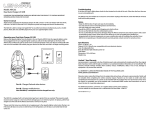
You can charge the PowerPort Wave6600 with the included Micro-USB to
USB cable. Just plug the Micro-USB cable into the Micro-USB input port
(labeled “in” on unit), and the other end into your computer’s USB port, a
USB wall plug style adapter, or a USB DC car adapter.
USB
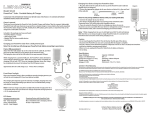
The LED status indicators show the current charging status of the
PowerPort Wave6600. The LED’s will blink and become steady as it
charges, ascending from the bottom to the top. Once the 4th LED has
become steady, the charging process has completed.
Cell type: Lithium-Polymer Battery
Input: DC 5V1A
Port 1 Output: DC 5V 1.0A
Port 2 Output: DC 5V 2.1A
Capacity: 6600mAh
Dimensions: 112 x 88 x16mm
Weight: 189g
Limited 1 Year Warranty
Capacity Level / Charge Button
Lenmar product is warranted to be free of defective parts and workmanship for stated period from the original
date of purchase when sold through our website or our authorized retailers. Warranties are not transferable. The
warranty excludes damage resulting from accident, misuse, modification, delay or loss of use, damage to
equipment or by normal wear and tear.
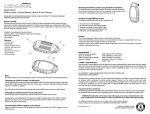
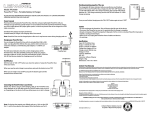
One LED indicates 20-40% power remaining.
Two LED’s indicate 40-60% power remaining.
Three LED’s indicate 60-80% power remaining.
Four LED’s indicate 80-100% power remaining.
ALL WARRANTY CLAIMS ARE PROCESSED ONLINE AT THE FOLLOWING LINK:
WWW.LENMAR.COM/WARRANTY
With the built-in “Capacity Level / Charge Button” button, you have the option of checking the remaining
capacity left in the PowerPort Wave6600. Checking remaining capacity is as easy as pushing the button while
the PowerPort Wave6600 is not connected to any device.
Capacity Level / Charge Button
PowerPort™ Wave6600
When you’re ready to charge your device, plug it in and push the “Capacity Level / Charge Button to start the
charging. Once the button has been pushed, it will charge your connected device. If within 30 seconds it
senses no device is connected, it will shut down automatically.
Proposition 65 Notice (California)
The following statement is required in the state of California pursuant to the settlement of an action brought
by the Mateel Environmental Justice Foundation against multiple electronics and appliance manufacturers
Connecting the PowerPort Wave6600
to your Device.
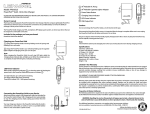
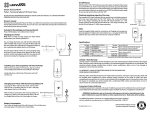
Attach your device using its USB charging/sync cable
(not included) to the PowerPort Wave6600. Once
attached via its USB cable, push the “Capacity Level /
Charge Button” button once, turning it “ON”. Depending
on the device, it will now either power or charge it.
Warranty claims made after 60 days from the original date of purchase, will require a processing fee. Details will
be included while completing the online warranty request. Payment can be made via credit card when
completing the warranty form or a check can be included with the package when it is returned to Lenmar. Once
the request is completed, you will be emailed with a confirmation WRA number and instructions on how to
return the item for a warranty replacement.
• WARNING: Handling the cord on this product will expose you to lead, a chemical known to the
state of California to cause birth defects or other reproductive harm. Wash hands after handling.
PowerPort™ Wave6600
For additional questions, comments, or to explore other Lenmar power solutions,
visit our website at: www.lenmar.com or call 800/424-2703 from 9AM – 5PM PST.
311-286-33-0607 r1 y1
Lithium-Polymer battery must be
recycled or disposed of properly.
Modèle : PPW66
PowerPort™ Wave6600 - Pile et chargeur portable
VEUILLEZ LIRE ATTENTIVEMENT CE DOCUMENT AVANT D'UTILISER LE PRODUIT. IL CONTIENT DES RENSEIGNEMENTS
IMPORTANTS POUR L'UTILISATION DU PRODUIT.
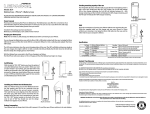
Fonctionnalités :
2
(1)Témoins DEL
1
(2)Bouton de niveau de puissance et de charge
(3)Port USB 1 de sortie (1,0 A)
(4)Port USB 2 de sortie (2,1 A) compatible avec les tablettes.
(5)Port micro USB d'entrée
(6)Câble micro USB
5
3
4
6
Mode d'emploi
Merci d'avoir acheté la pile portable et le chargeur PowerPort Wave6600. Apportez la pile portable et le
chargeur PowerPort Wave6600 avec vous partout où vous allez pour avoir sous la main un chargeur ou une
pile de secours!
Le PowerPort Wave6600 charge les tablettes, ANP, téléphones cellulaires, lecteurs MP3, consoles de jeu et
pratiquement tout autre dispositif pouvant être chargé par un port USB.
Mise en garde :
Ne surchargez pas le PowerPort Wave6600, car cela réduira sa durabilité.
Débranchez le PowerPort Wave6600 aussitôt que possible lorsque la charge est terminée. Débranchez le
PowerPort Wave6600 de tous les câbles et appareils s'il n'est pas utilisé. Ne pas le laisser tomber.
Recyclez ou débarrassez-vous du PowerPort Wave6600 d'une manière appropriée. Le PowerPort peut fuir
ou exploser et causer des blessures s'il est jeté au feu ou soumis à un court-circuit.
PowerPort Wave6600, câble de charge USB et mode d'emploi
Remarque :
Le PowerPort Wave6600 doit être chargé avant la première utilisation et peut devenir chaud pendant la
charge et le fonctionnement.
Charge du PowerPort Wave6600
Caractéristiques
Port 1
L'emballage du produit contient :
Port 2
Vous pouvez recharger le PowerPort Wave6600 à l'aide du câble micro
USB
d'entrée micro USB (marquée « in » sur l'appareil) et l'autre extrémité dans
le port USB d'un ordinateur, dans la prise USB d'un adaptateur mural ou
dans un adaptateur CC avec port USB de voiture.
Les DEL d'état indiquent le niveau de charge du PowerPort Wave6600.
Les DEL clignoteront et resteront allumées en fonction de la charge, en
allant du bas vers le haut. La charge est complète lorsque la quatrième
DEL reste allumée.
Garantie limitée d'une année
Ce produit Lenmar est garanti contre toute défectuosité et tout défaut de fabrication pour la période indiquée à
compter de la date du premier achat lorsqu'il est acheté sur notre site Web ou auprès d'un de nos revendeurs autorisés.
La garantie n'est pas transférable. La garantie ne couvre pas les préjudices découlant d'un accident, d’une utilisation
incorrecte, d’une modification, d’un retard ou de la perte d'usage, ni de l'usure normale.
Bouton de niveau de puissance et de charge
lorsque le PowerPort Wave6600 n'est pas branché à un dispositif.
Bouton de niveau de puissance et de charge
PowerPort™ Wave6600
Une DEL indique une puissance restante de 20 à 40 %.
Deux DEL indiquent une puissance restante de 40 à 60 %.
Trois DEL indiquent une puissance restante de 60 à 80 %.
Quatre DEL indiquent une puissance restante de 80 à 100 %.
Lorsque vous êtes prêt à charger un dispositif, branchez le chargeur et appuyez sur le « bouton de niveau de
puissance et de charge » pour commencer. Lorsque le bouton a été enfoncé, la charge du dispositif branché
TOUTES LES RÉCLAMATIONS SOUS GARANTIE SONT TRAITÉES EN LIGNE À CETTE ADRESSE : WWW.LENMAR.COM/WARRANTY
Les réclamations déposées plus de 60 jours après la date du premier achat font l'objet de frais de traitement. Les
informations seront fournies lors du dépôt de la réclamation en ligne. Le paiement peut être effectué par carte de crédit
en remplissant le formulaire de réclamation sous garantie ou par chèque accompagnant le renvoi du produit à Lenmar.
Une fois le formulaire de réclamation sous garantie rempli, vous recevrez par courriel un numéro d'autorisation de
retour et des instructions pour le renvoi du produit en vue d'un remplacement en vertu de la garantie.
Avis relatif à la Proposition 65 (de la Californie)
La déclaration suivante est requise dans l'État de la Californie en vertu du règlement d'une poursuite intentée par la
Mateel Environmental Justice Foundation contre plusieurs fabricants d'appareils électroniques et d'appareils ménagers.
dans les 30 secondes, il se fermera automatiquement.
Connexion du PowerPort Wave6600
à un dispositif.
Raccordez l'appareil au PowerPort Wave6600 à l'aide de
son câble USB de charge et de synchronisation (non
fourni). Lorsque PowerPort Wave6600 est branché à
l'aide du câble USB, appuyez une fois sur le « bouton de
niveau de puissance et de charge » pour le mettre en
marche. Selon le dispositif, il lui fournira de la puissance
ou commencera à le charger.
Type de pile : pile au lithium-polymère
Entrée : 5 V CC, 1 mA
Port 1 de sortie : 5 V CC, 1 A
Port 2 de sortie : 5 V CC, 2,1 A
Puissance : 6 600 mAh
Dimensions : 112 x 88 x16 mm
Poids : 189 g
• AVERTISSEMENT : le fait de tenir le cordon de ce produit vous expose à du plomb, un produit chimique
que l'État de la Californie considère comme une cause d'anomalies congénitales et d'autres problèmes
de reproduction. Laver les mains à fond après manipulation.
PowerPort™ Wave6600
Si vous avez des questions ou des commentaires, ou si vous voulez en apprendre
davantage sur les systèmes d'alimentation de Lenmar, visitez notre site
Web à : www.lenmar.com ou appelez au 800 424-2703 entre 9 h et 17 h HNP.
311-286-33-0607 r1 y1
La pile au polymère de lithium doit être
recyclée ou traitée de manière appropriée.
Modelo: PPW66
PowerPort™ Wave6600 - Batería portátil y cargador
LEA ATENTAMENTE TODA ESTA INFORMACIÓN ANTES DE UTILIZAR ESTE PRODUCTO. CONTIENE IMPORTANTES
INSTRUCCIONES DE USO SOBRE SU UNIDAD.
Funciones:
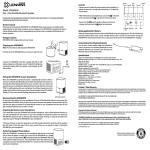
(1)LED indicador
(2)Nivel de capacidad / Botón de carga
(3)Puerto USB de salida 1 (1,0A)
(4)Puerto USB de salida 2 (2,1A) compatible con tabletas.
(5)Puerto de entrada Micro USB
(6)Cable Micro USB
5
3
4
2
1
6
Manual del propietario
Gracias por comprar el PowerPort Wave6600, Cargador portátil y batería. Lleve el compacto y liviano
PowerPort Wave6600 donde quiera que vaya y cuente con un sencillo cargador o batería de repuesto que
trabaja donde fuere.
El PowerPort Wave6600 carga su tableta, PDA, teléfono celular, reproductor de MP3, consola de juego o
cualquier otro dispositivo que puede ser cargado por medio de un cable de conexión USB.
Precaución:
No sobrecargue su PowerPort Wave6600 ya que así se acorta su vida útil.
desenchufe todos los cables y dispositivos del PowerPort Wave6600. No lo deje caer.
Usted cuenta con un máximo de 3,1A entre los dos puertos USB de la unidad.
El Puerto 1 ofrece un máximo de 1,0A
El Puerto 2 ofrece un máximo de 2,1A, lo que le permite utilizarlo con tabletas.
Puerto 1
Puerto 2
El paquete que ha adquirido incluye:
Recicle o deseche correctamente el PowerPort Wave6600. En caso de ser desechado en un incinerador o si se
lo pone en cortocircuito, el PowerPort puede tener fugas o explotar, las que puede ocasionar lesiones
personales.
Nota:
El PowerPort Wave6600 debe ser cargado antes de utilizárselo por primera vez y puede ponerse tibio durante
la carga y uso.
PowerPort Wave6600, Cable de carga por USB y Manual del usuario
Carga de su PowerPort Wave6600
Usted puede cargar el PowerPort Wave6600 con el cable Mini USB a USB
incluido. Simplemente enchufe el Micro USB en el puerto Micro USB de
USB
USB de su computadora, a un adaptador para tomacorrientes de tipo USB o a
un adaptador USB a CC para automóviles.
Los LED indicadores de estado mostrarán el estado actual de carga del
PowerPort Wave6600. Los LED parpadearán y quedarán encendidos a medida
que se carga, ascendiendo desde abajo hacia arriba. Una vez que el 4º LED
haya quedado encendido, el proceso de carga se ha completado.
Especificaciones
Tipo de celda: Batería de polímero de litio
Entrada: CC 5V 1A
Salida Puerto 1: 5V CC 1,0A
Salida Puerto 2: 5V CC 2,1A
Capacidad: 6600mAh
Medidas: 112 x 88 x16mm
Peso: 189g
Garantía limitada de 1 año
Nivel de capacidad / Botón de carga
El producto Lenmar cuenta con garantía por piezas defectuosas y mano de obra durante el período indicado a partir de
la fecha original de compra en caso de haber sido vendido en nuestro sitio Internet o por medio de nuestros vendedores
autorizados. Las garantías no son transferibles. La garantía excluye daños causados por accidentes, uso indebido,
modificación, demoras o pérdidas de uso y daños al equipo debido al uso y desgaste normal.
sencilla como apretar un botón mientras el PowerPort Wave6600 no tiene conectado ningún dispositivo.
TODOS LOS RECLAMOS POR GARANTÍA SE PROCESAN EN LÍNEA EN EL SIGUIENTE ENLACE: WWW.LENMAR.COM/WARRANTY
Con la función integrada del botón “Nivel de capacidad / Botón de carga”, se cuenta con la opción de controlar
Nivel de capacidad / Botón de carga
PowerPort™ Wave6600
Un LED indica una carga restante del 20-40%.
Dos LED indican una carga restante del 40-60%.
Tres LED indican una carga restante del 60-80%.
Cuatro LED indican una carga restante del 80-100%.
Cuando esté listo para cargar su dispositivo, enchúfelo y oprima el botón “Capacity Level / Charge Button”
(Nivel de capacidad / Botón de carga) para comenzar a cargar. Una vez que se oprima el botón, comenzará a
cargar su dispositivo conectado. En caso que no detecte un dispositivo conectado al cabo de 30 segundos, se
apagará automáticamente.
Conexión del PowerPort Wave6600 a su dispositivo.
Conecte su dispositivo enchufando su cable USB de
carga / sincronización (no incluido) al PowerPort
Wave6600. Una vez que haya conectado su cable USB,
oprima el botón “Capacity Level / Charge Button” una
vez para encenderlo. Dependiendo del dispositivo, este
puede encenderse o comenzar a cargarse.
Los reclamos por garantía hechos más de 60 días luego de la fecha original de compra deben abonar un gasto de
procesamiento. Los detalles se incluirán mientras se completa el reclamo de garantía en línea. El pago puede ser hecho
por medio de tarjeta de crédito mientras se completa el formulario de reclamo o se puede incluir un cheque en el
paquete al enviarlo a Lenmar. Una vez que se complete el pedido, se le enviará por correo electrónico un número de
confirmación WRA e instrucciones sobre la manera de devolver el elemento para un cambio por garantía.
Aviso sobre la Propuesta 65 (California)
La siguiente declaración es obligatoria en el estado de California para cumplir con el acuerdo de una demanda impuesta
por Mateel Environmental Justice Foundation contra múltiples fabricantes de productos y aparatos electrónicos.
• ADVERTENCIA: La manipulación del cable de este producto lo expondrá al plomo, un producto químico que el
estado de California reconoce como causante de defectos congénitos y otros peligros para la reproducción.
Lávese las manos luego de manipularlo.
En caso de tener preguntas adicionales, comentarios o que desee conocer más acerca de
otras soluciones de energía Lenmar, visite nuestro sitio en Internet: www.lenmar.com,
o llame al 800/424-2703 de 9AM a 5PM PST.
PowerPort™ Wave6600
311-286-33-0607 r1 y1
Las baterías de polímero de litio deben
ser recicladas o desechadas adecuadamente.