1
SACD Standard
THE LEADER IN AUDIO ENGINEERING
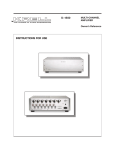
Super Audio
Compact Disc Player
RS-232 Port: Sending Commands
and Interpreting Data
RC-6 Remote: Commands
Developer’s Reference
SACD Standard
Super Audio Compact Disc Player
Developer’s Reference
v 03.0
CONTACT
INFORMATION
Krell Industries, Inc.
45 Connair Road
Orange, CT 06477-3650 USA
TEL 203-799-9954
FAX 203-891-2028
E-MAIL [email protected]
WEBSITE http://www.krellonline.com
This product is manufactured in the United States of America. Krell® is a registered trademark of Krell
Industries, Inc., and is restricted for use by Krell Industries, Inc., its subsidiaries, and authorized agents.
All other trademarks and trade names are registered to their respective companies.
© 2003 by Krell Industries, Inc. All rights reserved
Overview
This document is designed for application developers who want
to control the SACD Standard using an external computer-based
device. The document contains five sections:
1
Connecting to the RS-232 Port, including the
RS-232 connector diagram, and RS-232 Port
Protocols, on page 4
2
RS-232 Commands, on page 5
3
RS-232 Status Feedback Description, on page 6
4
RS-232 Status Block Descriptions, showing how
the SACD Standard reports operational status,
on pages 6-7
5
RC-6 Commands, describing the codes used for
controlling the SACD Standard via IR, on page 8
Krell SACD Standard Developer’s Reference
3
Connecting to the RS-232 Port
A 9-pin RS-232 port is located on the right-hand side of the SACD
Standard back panel. Make sure the clamping screws (or thumbscrews) securely fasten the connection cable from the external
computer-based device to the RS-232 port on the SACD
Standard.
Refer to the operating manual of your external computer-based
device for instructions on connecting to the SACD Standard.
WIRING THE MALE
RS-232 PORT
CONNECTOR
To wire the male connector, follow these steps:
1. Locate the pin numbers on the male connector plug
(not shown).
2. Locate the pinout numbers on the female connector.
(See Pinout Signal list below).
3. Wire the male connector, matching the pin numbers on
the connector plug to the pinout numbers on the female
connector. Only three signals are necessary: 2=Received
Data, 3=Transmitted Data, and 5=Signal Ground.
RS-232 PORT
FEMALE CONNECTOR
5 4 3 2 1
Pinout Signal
1
2
3
4
Located on the back panel
of the SACD Standard
5
6
7
8
9
9 8 7 6
Data Carrier Detect
Received Data
Transmitted Data
Data Terminal
Ready
Signal Ground
Data Set Ready
Request to Send
Clear to Send
Ring Indicator
RS-232 Port Protocols
The SACD Standard RS-232 connection port is set to the following protocols:
9600 Baud
4
8 Data Bits
1 Stop Bit
No Parity
Krell SACD Standard Developer’s Reference
RS-232 Commands for the SACD Standard
COMMAND
Power On
Power Off
Toggles the Power
Open / Close Transport
Reverse Search
Forward Search
Play
Forward Track
Reverse Track
Re-start Track
Pause
Stop
Area
Display
Dim
Scan
Shuffle
Repeat
A-B Repeat
Number 1
Number 2
Number 3
Number 4
Number 5
Number 6
Number 7
Number 8
Number 9
Number 0
Filter 1
Filter 2
Filter 3
Filter 4
Track Select
Enable Auto-Status
Disable Auto-Status
Send Status
Krell SACD Standard Developer’s Reference
RS-232 CODE
1PWRZ
0PWRZ
PWRZ
OPNZ
RSCHZ
FSCHZ
PLYZ
FTRKZ
RTRKZ
STRKZ
PAUSZ
STPZ
AREAZ
DISPZ
DIMZ
SCANZ
SFFLZ
RPTZ
ABRZ
ONEZ
TWOZ
TREZ
FORZ
FIVZ
SIXZ
SEVZ
ATEZ
NINZ
NULZ
FLTAZ
FLTBZ
FLTCZ
FLTDZ
xxTSLZ
ASTEZ
ASTDZ
STAZ
5
RS-232 Status Feedback Description
for the SACD Standard
The SACD Standard reports its operational status by transmitting a block
of status data via the RS-232 connector. The block is configured as three
8-bit words. The first and last word always contains hexadecimal code 55
to facilitate message framing and synchronization. When the data block
is sent through an RS-232 port, each 8-bit word transmitted will also have
1 stop bit associated with it. The exact RS-232 protocol settings for both
status and SACD Standard control are as follows:
9600 Baud
8 Data Bits
1 Stop Bit
No Parity
The feedback system is available only through the RS-232 connector.
The status can be activated in two ways. The first is to ask for status to
be sent by sending the RS-232 command code "STAZ". The second is
to enable auto status by sending the RS-232 command code "ASTEZ".
SACD Standard will transmit a status block whenever the status changes.
Auto status is disabled by sending the RS-232 command code "ASTDZ".
Auto status remains enabled until AC power is removed or turned off.
When AC power is reapplied, auto status is disabled.
RS-232 Status Block Descriptions
for the SACD Standard
All numeric values described in the following charts are decimal values
unless otherwise noted. The description of the three 8-bit words follow.
The values marked
Reserved
must be ignored during pattern matching.
Word 1: Start of Message
Bit
7
0
Description
6
1
Bit 7 – 0:
5
0
4
1
3
0
2
1
1
0
0
1
Hexadecimal 55
Word 2: General Status I
7
6
5
4
3
2
1
0
Reserved
Reserved
Reserved
Reserved
Reserved
Reserved
Reserved
Power
Bit
Description
Bit
Bit
Bit
Bit
Bit
Bit
Bit
Bit
6
7:
6:
5:
4:
3:
2:
1:
0:
Reserved
Reserved
Reserved
Reserved
Reserved
Reserved
Reserved
Power
1=Main power is on
Krell SACD Standard Developer’s Reference
RS-232 Status Block Descriptions, continued
Word 3: End of Message
Bit
7
6
5
4
3
2
1
0
Description
0
1
0
1
0
1
0
1
Bit 7 – 0:
7
Hexadecimal 55
Krell SACD Standard Developer’s Reference
RC-6 Commands for the
SACD Standard
The following codes are used for controlling the SACD Standard
via IR.
8
SYSTEM
(HEX)
SYSTEM
(DEC)
COMMAND
(HEX)
COMMAND
(DEC)
04
04
04
04
04
04
04
04
04
04
04
04
04
04
04
04
04
04
04
04
04
04
04
04
04
04
04
04
04
04
04
04
04
04
04
04
04
04
04
04
04
04
04
04
04
04
04
04
04
04
04
04
04
04
04
04
0C
31
50
2C
29
30
22
28
21
D7
20
54
48
01
02
03
04
05
06
07
08
09
00
1C
13
1D
3B
2A
12
49
80
44
41
48
34
40
33
215
32
84
72
1
2
3
4
5
6
7
8
9
0
28
19
29
59
42
KEY
COMMAND
SACD Power
Stop
Sound Mode
Play
Reverse
Pause
Slow
Forward
Previous
Resume
Next
Disc
Display
1
2
3
4
5
6
7
8
9
0
Shuffle
Dim
Repeat
Repeat A-B
Scan
SACD Standard Developer’s Reference



![[U7.02.01] Opérateur LIRE_RESU](http://vs1.manualzilla.com/store/data/006356297_1-749ae76a42abe905de648234092ec94b-150x150.png)