1
PARTS AND FEATURES
This manual may cover several different models. The model you
have purchased may have some or all of the features shown here.
The appearance of your particular model may differ slightly from
the illustrations in this manual.
A
B
G
C
H
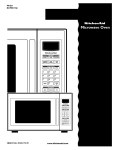
A. Metal shielded window
B. Model and serial number plate
C. Cooking guide label
D. Microwave oven light
E. Microwave inlet cover
D
E
I
F
J
F. Control panel
G. Door safety lock system
H. Glass turntable
I. Turntable support
J. Door open push button
Turntable
A
B
A. Turntable
B. Support
The turntable can rotate in either direction to help cook food
more evenly. Do not operate the oven without having the
turntable in place. See “Assistance or Service” to reorder any of
the parts.
To Install:
1. Place the support on the oven cavity bottom.
2. Place the turntable on the support.
Fit the raised, curved lines in the center of the turntable
bottom between the three spokes of the support. The rollers
on the support should fit inside the turntable bottom ridge.
6
MICROWAVE OVEN
CONTROL