1
Unpacking
Attaching or removing the stand
Be sure to read through “Lifting the TV” for important
information.
Your TV comes with a stand that must be attached to
the display. Reverse these steps to remove the stand.
Unpack the TV and put it on a stable surface:
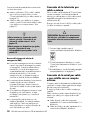
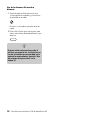
1 Use the cardboard holders on either side of the TV
to remove it from the box.
2 Remove the cardboard; however, keep the
wrapping on the TV to protect it while moving.
3 Lift the TV onto the installation location.
Lifting the TV
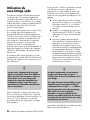
The TV is heavy; be sure to use ergonomically correct
lifting procedures when moving the TV.
c
CAUTION: Use two people to assemble
the TV.
Before attaching the stand, unplug the AC cord from
the AC input.
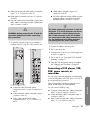
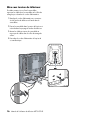
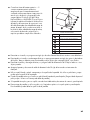
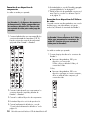
1 Locate the TV stand (two pieces), eight screws of
mounting hardware, and tool from the box.
Due to the size and weight of the TV, it is
recommended that a minimum of two people move it.
To transport the TV, grasp the display in the area under
and above the screen.
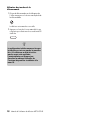
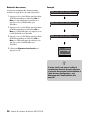
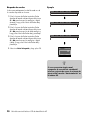
2 Place the base onto the pedestal, insert four short
screws, and tighten using the provided tool.
Move the product gently. Never place the TV with the
glass screen facing downward, unless it is protected
with pads.
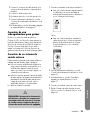
3 Carefully place the TV panel with the glass screen
facing downward on a padded, stable table.
Position the bottom of the TV near the edge of the
table.
w
WARNING: Do not drop the stand onto
the TV.
8
HP LCD HDTV User’s Guide