1
Focus on the presentation.
Not the projector.
Sophistication that you will appreciate.
No fuss. No worries.
Presenting wirelessly
Easy to set up, easy to maintain
Designed for quick installation in a wide variety of environments (from
offices to small or mid-size conference rooms), HP Digital Projector
xp8020 features an advanced yet intuitive setup that makes
presentations easy even for novice users. A wide variety of mounting
options offers flexibility in placing the projector, and no matter
where you place it, the top-loaded lamp is easily accessible for
replacement, as needed.
Top-accessed lamp housing for quick service call
Presentation without PC
Now every conference room is a theatre
Whatever your presentation is designed for—a small group,
a team meeting in a conference room, or for multiple sites linked by
a network—the HP Digital Projector xp8020 is the perfect tool for
the job. It’s short, medium and long-throw lenses (optional
accessories) enable you to adjust the size of the projected image
to suit the size of the presentation room.
The HP Digital Projector xp8020 is the perfect solution when a flexible and
adaptable installed projector is needed to suit a variety of needs—be it
for business, education or government. Designed for the most demanding
digital projection needs, the HP Digital Projector xp8020 has a host
of sophisticated features and state of the art management, security
and networking capabilities to ensure optimum performance and
minimum downtime.
Digital projection that suits all occasions
The HP Digital Projector xp8020 achieves vividly coloured and sharp
images thanks to expert colour matching, enhanced colour tables, XGA
resolution and a high contrast ratio (JBMA 1000:1), as well as from its
innovative, switchable dual colour wheel projection technology that gives it
the versatility of three separate digital projectors, via 3 operation modes:
3-position dual colour wheel
projection technology for versatility
Mid-Year Profit Statement
The profit for
the last ten
years has seen
a significant
increase.
Graphic Mode: Bright and
sharp presentation graphics
Grayscale Mode: Super bright
monochrome images
• Graphics mode: A four-segment colour wheel provides bright and
colourful graphics optimised for business presentation needs, with a
brightness suitable for rooms with medium to bright ambient light levels.
You will also get to enjoy seamless presentations when
using the HP Digital Projector xp8020. With its advanced
electronic keystone correction, you will never need to stop
in the middle of an important point to make awkward
keystone corrections.
Before correction
Video Mode: Excellent theatre
video performance
Networking made simple
The audience hears you and
not the projector
The whisper-quiet operation of the HP Digital Projector xp8020
means you can make your point without struggling to be heard over
fan noise, and the integrated stereo 5-watt per channel speaker and
chambered design make your message loud and clear to every
member of the audience.
The intuitive, laser-equipped remote control offers you ready
access to all the projector’s features—a refreshing change from
the confusion and clutter of conventional remote controls. It is a
projector that helps you focus on your presentation and your
audience, not your equipment.
Enjoy presentations both wirelessly and without a PC
Utilise the HP Digital Projector xp8020 with an optional wireless CompactFlash™ card,
and you can access the projector directly from a wireless network, a PC or even a wireless
enabled pocket PC. HP’s wireless compression technology ensures instantaneous wireless
connectivity, resulting in seamless, responsive control. You can even present directly from
a CompactFlash™ memory card.
Before correction
After correction
Before correction
On a network, the HP Digital Projector xp8020 lets users drive network-based presentations,
allowing presentations from almost anywhere and anyone. Collaborate with colleagues
and clients on a network with the help of WebEx, NetMeeting or other web-based
collaborative tools.
Remote asset management
Real sophistication at your fingertips
• Video mode: A six-segment colour wheel delivers brilliant colour fidelity
and rich colour saturation for excellent theatre video performance.
• Greyscale mode: Activating the greyscale mode disengages the colour
wheels, producing 3100 peak ANSI lumens (maximum 4600 ANSI
lumens), approximately 40% more brightness than it does in presentation
mode, for superbly detailed black and white graphics detail.
Short, medium and long throw lenses (optional accessories)
Before correction
Advanced electronic keystone correction
Laser pointer
Mouse pointer
Right mouse click
Left mouse click
Graphics mode
Power
Video mode
Menu
Enjoy the convenience and lower cost of ownership by managing the projector’s functions
and maintenance remotely over the web. With HP’s projector management software or
standard SMTP—based tools, you can manage and control a network fleet of projectors.
Functions like turning projectors on or off and changing of input can all be passwordprotected. This ensures that control of projectors is made available only to people you have
designated to manage the projectors.
Guaranteed confidentiality and security
In addition to simplicity and convenience, the HP Digital Projector xp8020 also offers you
absolute peace-of-mind with revolutionary built-in anti-theft devices. All your presentation
materials and features on the HP Digital Projector xp8020 can be password-protected for
extra security, which can be set over a web browser from a network, or via the optional
remote asset management. Not only will the projector automatically alert you via email if it is
removed from a network, but it also comes standard with a steel-backed Kensington lock slot.
An enhanced wireless security protocol will also ensure that your presentation data is
protected and not compromised when you utilise its wireless capabilities.
Presenter-centric remote for ease-of-use
Access advance operation modes at a touch
Images—designed and engineered for you.
Technical specifications
Everything you need to make a lasting impression
The HP Digital Projector xp8020 has been engineered to work with a wide spectrum of
AV inputs and outputs—seven video inputs (each with dedicated & switched audio); full
video and stereo-audio pass-through and integrated 5-watt per channel stereo sound.
State-of-the-art network capabilities and device connectivity
The HP Digital Projector xp8020 comes complete with a host of connectivity options for
both computer peripherals as well as networks.
Advanced connectivity module
• RJ45 access to 10/100 network
Ordering information
Model
HP Digital Projector xp8020
Part number
L1576A
Brightness
3100 peak ANSI lumens; 4600 greyscale-mode lumens
Resolution
Native XGA (1024 x 768); Scaled VGA through UXGA (640 x 350 through 1600 x 1200); HDTV and Mac
compatible; NTSC, PAL and SECAM compatible
Contrast ratio
JBMA 1000:1 (full on/full off)
Projection
F/2.0 ~ 2.4, f=28.6 ~ 34.3 mm with 1.2x manual zoom lens
Weight
6.1 kg (13.4 lb)
Light valve technology
Texas Instruments Digital Light Processing™ (DLP™): 0.7 inches 12° DDR
Size
400 x 275 x 130 mm (15.8 inches x 10.8 inches x 5.1 inches) without handle, focus ring,
feet: 442 x 304 x 139 mm (17.4 inches x 12.0 inches x 5.5 inches) with handle, focus ring, feet
Video/audio connector
(paired and switched)
M1-DA/mini phone plug; VGA input 1/mini phone plug; VGA input 2/mini phone plug; VGA output/stereo
RCA; S-video input/stereo RCA; Composite video input/stereo RCA; Component video input—3 RCA
(YPbPr)/stereo RCA; BNC (RGsB, RGBS, RGBHV or YPbPr)/stereo RCA
Accessories
I/O connectors
USB controllers (2 Type A) for use with optional mouse or keyboard; USB device (Type B) for connecting as a
mouse to a PC or notebook; LAN (RJ45); CompactFlash card slots for wireless networking, memory; RS232
(9 D-sub); switched 12v power control (barrel); wired remote (mini phone); IR-remote front and rear
IR
Front and rear
Cable shroud
Yes
Lens
Digital zoom; Optical zoom 1.2:1; Standard 2.0:1 – 2.4:1; Accessories Lenses (bayonet mount): Short-throw
1.67:1 – 2.0:1, Long-throw 2.1:1 – 2.88:1
Keystone correction
Horizontal ±15° (30° total); Vertical ±16° (30° total)
Colour wheel
3-position dual colour wheel with auto positioning: presentation graphics, super bright (grayscale),
theatre video
L1578A
Lens ultra wide 1:67:1
to 2.0:1
L1580A
Lens long throw 2.4:1
to 2.88:1
L1581A
Advance connectivity
module
L1583A
300-watt comp P-VIP
projector lamp
(xp8020)
L1584A
Soft carry case
L1585A
Hard carry case
L1586A Remote control, wireless
(IR) Smart (included)
L1590A
Ceiling mount
L1640A R802.11b CompactFlash
wireless card
L1642A
Cable extended
IR receiver
L1645A Gyration Ultra Pro Suite
L1646A
Gyration RF
remote control
L1682A
Remote Access
management software
L1514A
Cable, VGA/USB
to M1-DA, 6ft
Cables
Lamp
300-watt P-VIP Lamp (L1582A); 2000-hour life; 4000-hour life in lamp-saver mode
Video compatibility
S-video, composite, component, HDTV (up to 1080i)
L1529A
Computer compatibility
UXGA, SXGA, XGA+, XGA, SVGA, VGA, Mac, Mac LC 13 inches, MAC II 13 inches, MAC 16 inches, MAC
19 inches, MAC G4, i Mac DV
Cable, M1-DA to
DVI/USB, 6ft
L1588A
Cable, M1-DA to
SCART, 6ft
Power
100-120 V, 200-240 V at 50-60 Hz; Battery backup for time/date
L1589A
IR remote control
Intergrated USB mouse with laser pointer; supports wired and long-range wireless option (L1642A)
Cable, M1-DA to
BNC, 6ft
Audio
5-watt stereo with acoustic chambers
Mounting
Ceiling, table top
Security
Kensington™ locks; Theft alert
Noise level
32 dBA
Accessory level
L1583A 300-watt P-VIP lamp (1.3 mm)
• Memory (for presentation storage)
Optional accessories
Enjoy incredible flexibility
Cable VGA/USB to M1-A 1.8 m; Cable M1 to DVI/USB 1.8 m; Lens ultra wide angle 1.67:1 to 2.0:1; Lens
long throw 2.4:1 to 2.88:1; Lamp module, 300-watt P-VIP; Cable M1-to-SCART 1.8 m; Cable M1-to-BNC 1.8
m; Ceiling mount kit; 802.1lb
Three-year warranty
Hewlett-Packard (HP) warrants to the end-user customer that the HP Digital Projector xp8020 will be free from
defects in materials and workmanship for 3 years, which duration begins on the date of purchase by the
customer. Customer is responsible for maintaining proof of date of purchase.
The lamp module is warranted for 90 days or 500 hours (whichever comes first). See the full Limited Warranty
Statement for complete details.
• Browser-based interface for
remote asset management
• RS232 for projector control
• Two USB ports
(masters, as on a notebook)
LAN (Rj45)
#1 VGA in with Audio
Microphone in
2x USB A
Reset
#2 VGA in with Audio
Serial port
VGA out & Audio out
AV In
CompactFlash™ Card Type II
S-Video + Audio in
Component in + Audio in
• Two Type-II CompactFlash slots
• Wireless connectivity (available via
CompactFlash™ Card)
The HP Digital Projector xp8020 comes
with a wide array of optional accessories
to make setting up presentations a breeze.
What’s in the box
USB Type B for remote
Remote jack
DVI + Audio in
BNC in + Audio in
12 volts connection
Multiple ports for all connectivity needs
HP Digital Projector xp8020, AC 3 conductor power cord (3 m) (10 ft), VGA cable, wireless remote control
with mouse function and laser pointer, multi-language User’s Guide (CD-ROM), multi-language Quick Start
Card, 2 batteries (include manufacturer and address information), hanging lens cap, warranty card
Images shown is only a
representation. Actual
products may differ slightly.
Advance connectivity module
For more information, call your local Hewlett-Packard sales office or
your nearest HP authorised dealer:
HP customer information centre (for product information)
Australia
132347
China
+86 21 2898 2255
Hong Kong
+852 800 938 833
India
+9628 123 123 (Del/Mum/Blr)
+1600 444 999 (other cities)
Indonesia
+0800 1111 222
Korea
+080 703 0700
Malaysia
+1800 88 4848
New Zealand
+0800 733 547
Philippines
+1800 1331 4488
Singapore
+1800 278 8100
Taiwan
+0800 236 686
Thailand
+662 353 9000
Vietnam
+848 823 6215
For the following countries, please fax your queries to: +65 6 275 6707
• Bangladesh • Brunei • Cambodia • Pakistan • Sri Lanka
USB cable
Scart/USB cable
Mobile screen
Optional accessories
HP customer care centre (for post-sales service)
Australia
+61 3 8877 8000
China
+86 10 6868 7980
Hong Kong
+852 800 96 7729
India
+91 11 682 6035
Indonesia
+62 21 350 3408
Korea
+82 2 3270 0700
Malaysia
+60 3 2695 2566
New Zealand
+64 9 356 6640
Philippines
+63 2 867 3551
Singapore
+65 6 272 5300
Taiwan
+886 2 8722 8000
Thailand
+662 353 9000
Vietnam
+848 823 4530
For more information on
HP Care Pack, visit www.hp.com/apac/hpservices/carepack
HP Instant Support Professional Edition (ISPE), visit:
http://instantsupport.asiapac.hp.com
The DLP™ logo and DLP™
Medallion are trademarks
of Texas Instruments.
© 2004 Hewlett-Packard Development Company, L.P.
The information contained herein is subject to change without notice.
The only warranties for HP products and services are set forth in the express
warranty statements accompanying such products and services. Nothing herein
should be construed as constituting an additional warranty. HP shall not be
liable for technical or editorial errors or omissions contained herein.
Printed in Singapore, 2001-1363-EEP, 05/2004 (Rev 1)
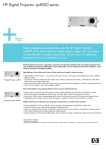
HP Digital Projector xp8020
Sophistication that you will appreciate