1
Connect Anywhere, Anytime
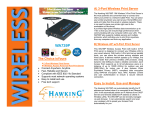
Hawking Technologies’ 802.11b Workgroup Bridge connects
wired Local Area Networks together without wires. Now you
can have the freedom to be productive from any location within
their business or home. The WB320 11M Wireless Workgroup
Bridge is designed to connect your Desktop, Notebook or a
workgroup to another LAN. Don’t waste money buying
wireless adapters and cards for each individual network device;
you can share this adapter with up to 20 users just by connecting
the bridge to a switch or hub. Connect the WB320 to a LAN
and the bridge will establish connection to other LANs via
Access Point. It can work with Ad-Hoc (Peer to Peer) and
Infrastructure (Access Point) Wireless LAN configurations. The
WB320 is compliant with IEEE 802.11b standard and can work
with a multi-vendor Wireless LAN platform.
Fast, Reliable and Secure
WB320
Get Connected With Hawking
•
•
•
•
•
•
Bridge Networks together through wireless
Fast, Reliable and Secure
Compliant with IEEE 802.11b Standard
Supports most network operating systems
Easy to install and use
Free tech support
The Hawking WB320 11M Wireless Workgroup Bridge delivers
network speeds up to 11Mbps…. five times faster than previous
wireless LAN products. It also features Wires Equivalent
Privacy (WEP) -compliant data encryption using encryption
keys, MAC Address Control and user authentication to ensure a
fast, reliable and secure network connection.
Package Contents:
•
•
•
•
One Wireless Bridge
One CD Software Utility
Power Adapter
Easy to follows owner's manual
Systems Requirement:
•
•
IEEE 802.3 10Base-T network
IEEE 802.11b Wireless LAN
Network Operations Systems Support:
Microsoft Windows 95/98/2000//NT/ME/XP and more!
Ready, Network & Go!
Specification:
It's easy to install, it's easy to use!
Everyone can do it.
Step 1 –
Connect WB320 Bridge
Plug Power Adapter into WB320
and connect it to a wired Ethernet
LAN or an Ethernet device via a
Twisted Pair Network cable.
Step 2 –
Setup the WB320 Bridge
Insert
software
CD
into
your
Windows 98/2000 or ME computer
to install the Wireless Navigator
Utility.
Step 3 – Configure the Bridge
Using a Web Browser, login to the
Web based UI to setup the Bridge.
Go through the Setup step by step,
Now you are ready to go.
Wireless Network Diagram:
Network
•
IEEE 802.11b WLAN Standard
•
IEEE 802.3 10Base-T Standard
LAN Speed
•
Wireless: 11/5.5/2/1 Mbps Adaptive Data Rate
Access Mode: Infrastructure/Ad-Hoc
Security: IEEE WEP 128/64-bit
Network Management: SNMP, MIB, 802.11
LAN Interface: RJ45
Antenna: External Antenna Diversity System 5dB gain
Power: AC 100-250V 50/60HZ to 5VDC 1.5A
Frequency Band: 2.4 ~ 2.4835GHz
Channels:
o 11 Channels (US, Canada)
o 13 Channels (Europe)
o 14 Channels (Japan)
Modulation Technique
•
DSSS (Direct Sequence Spread Spectrum)
•
1Mbps DBPSK
•
2Mbps DQPSK
•
5.5Mbps CCK
•
11Mbps CCK
Output Power: Peak +20dBm.
Receiver Sensitivity: –82dBm Min.
TYPICAL OPERATION RANGE*
DATA
INDOOR RANGE
OUTDOOR RANGE
RATE
11Mbps
120 ft (37 m)
400 ft (122 m)
5.5 Mbps
200 ft (61 m)
600 ft (183 m)
2 Mbps
240 ft (73 m)
750 ft (228 m)
1 Mbps
300 ft (91 m)
1000 ft (305 m)
Roaming: 802.11b compliant
Dimension:
4” L x 2” W x 5.5” H
EMI Conformance
FCC part 15 Class B
*The range will vary in different operating environments due to
effects such as building construction
Features
Benefits
11Mbps Wireless LAN
Fast, Reliable and Easy
Connection
Compatible with Industrial
Standard
Ensures optimal coverage
Setup is quick and simple
IEEE 802.11b Standard
5dB External Antenna
Supports most network
operating systems
Ordering Information:
WB320
WA300
WE110P
WU250
WA739P
WR254S
CF100W
11M 802.11b Wireless Workgroup Bridge
11M IEEE802.11b Wireless Access Point
11M IEEE802.11b Wireless PC Card
11M IEEE802.11b Wireless USB Adapter
11M IEEE802.11b 3pt Wireless Print
server or AP with 3 port print server
11M IEEE802.11b 4 port Wireless Router
11M IEEE902.11b Wireless Compact F.
Hawking Technologies, INC.
6A Faraday, Irvine, California, USA
Sales: (888) 662-8828, (949) 580-0888
Fax: (949) 580-0880
Email: [email protected]
Tech Support: (949) 580-0878
Email: [email protected]
URL: www.hawkingtech.com