1
Troubleshooting
42
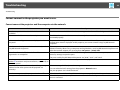
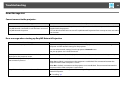
When connecting with EasyMP Network Projection the image is not displayed or the image is slow to appear.
Check
Remedy
Did you try to play back movies with Media Player or try to Depending on the computer, the movie playback screen in Media Player may not be displayed, and
operate the screen saver preview?
the screen saver preview may not be displayed normally.
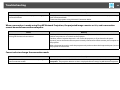
No audio from the projector when connecting with EasyMP Network Projection.
Check
Remedy
Are multiple projectors connected to one computer?
Audio can only be transferred to one projector. Try disconnecting other projectors.
Is audio set to output from the computer in Set Options?
Select Output audio from the projector on the Audio Output tab.
s "Audio Output tab" p.35
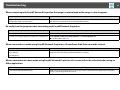
When a connection is made using EasyMP Network Projection, a PowerPoint Slide Show cannot be started.
Check
Remedy
Was EasyMP Network Projection started while PowerPoint When connecting with EasyMP Network Projection, make sure you close PowerPoint first. Slide Show
might not run if connecting while PowerPoint is running.
was running?
(For Windows)
When a connection has been made using EasyMP Network Projection, the screen will not be refreshed when using an
Office application.
Check
Is the mouse moved continuously?
Remedy
When you stop moving the mouse cursor, the screen is updated. If the screen does not update
quickly, stop moving the mouse cursor.