1
W h a t ’ s
N e x t ?
F i n d i n g
Suite des informations ?• Wie geht es weiter ? •
¿Qué viene ahora ? • Dopo la procedura iniziale ?
A n s w e r s
Recherche de réponses • Antworten finden •
Búsqueda de respuestas • Dove trovare risposte
S t a r t
H e r e
Commencer ici • Zum Einstieg •
Aquí empieza • Procedure preliminari
For information on using
your computer hardware and
software, see the Tell Me
How help file.
Pour plus d'informations sur
l'utilisation de votre matériel
informatique et de vos logiciels,
reportez-vous au fichier
Procédure.
Informationen zur Verwendung
der Hardware und Software des
Computers finden Sie in der
Hilfedatei Anleitungen.
Para obtener información sobre
la utilización del hardware y
software del ordenador, consulte
el archivo de ayuda Tell Me How
(procedimientos).
Per informazioni sull'uso del
software e dell'hardware del
computer, consultare il file della
guida Istruzioni e procedure.
For help with fixing problems
and adding parts to your
computer, see the Dell
Solutions Guide. For help
with using Windows, see
the Microsoft guide.
Pour obtenir de l'aide en vue de
résoudre des problèmes et
d'ajouter des composants à
votre ordinateur, reportez-vous
au Guide des solutions de Dell.
Pour obtenir de l'aide en ce qui
concerne l'utilisation de
Windows, reportez-vous au
guide Microsoft.
Hilfe beim Lösen von Problemen
und beim Installieren von
Komponenten im Computer
erhalten Sie im
Lösungshandbuch von Dell. Hilfe
zur Verwendung des
Betriebssystems Windows
finden Sie im Handbuch von
Microsoft.
Para obtener ayuda sobre la
solución de problemas y la
incorporación de componentes
al ordenador, consulte Solutions
Guide (guía de soluciones) de
Dell. Para obtener ayuda sobre
Windows, consulte la guía de
Microsoft.
Per informazioni sulla correzione
di problemi e sull'aggiunta di
componenti al computer,
consultare la Guida alle soluzioni.
Per informazioni sull'uso di
Windows, consultare la Guida in
linea di Windows.
For personalized online
support and instant
answers to your
questions, access Dell at
http://support.dell.com.
Pour obtenir un support
personnalisé en ligne et des
réponses immédiates à vos
questions, prenez contact avec
Dell via le site
http://support.dell.com.
Auf der Dell-Website unter
http://support.dell.com erhalten
Sie Online-Support und
Antworten speziell auf Ihre
Fragen.
Para obtener asistencia técnica
personalizada en línea y
respuestas inmediatas a sus
preguntas, acceda a Dell en
http://support.dell.com.
Per ottenere un servizio di
supporto in linea personalizzato e
risposte immediate ai propri
quesiti, accedere al sito Web di
Dell all'indirizzo
http://support.dell.com.
Les informations contenues dans ce
document sont sujettes à modification
sans préavis.
Irrtümer und technische Änderungen
vorbehalten.
Information in this document is subject
to change without notice.
© 2000 Dell Computer Corporation. All
rights reserved. Printed in the U.S.A.
To set up Dellnet Internet
service (U.S. only) and
connect a printer, see
“Setting Up” in the Dell
Solutions Guide.
TM
Pour configurer le service
Internet DellnetTM (États-Unis
uniquement) et connecter une
imprimante, reportez-vous à la
section « Configuration» du
Guide des solutions de Dell.
Lesen Sie den Abschnitt
„Einrichten" im
Lösungshandbuch von Dell, um
den Internetdienst Dellnet™ (nur
in den USA) einzurichten und
einen Drucker anzuschließen.
Para configurar el servicio de
Internet DellnetTM (sólo en
EE.UU.) y conectarse a una
impresora, consulte la sección
de configuración en Solutions
Guide (guía de soluciones) de
Dell.
Per configurare il servizio
Internet DellnetTM (disponibile
solo negli Stati Uniti) e collegare
una stampante, consultare
"Configurazione iniziale" nella
Guida alle soluzioni.
Dell, Dellnet, the Dellnet logo, the DELL
E COM logo, and Inspiron are trademarks
of Dell Computer Corporation; Microsoft
and Windows are registered trademarks of
Microsoft Corporation. Dell disclaims
proprietary interest in the marks and
names of others.
July 2000
© 2000 Dell Computer Corporation.
Tous droits réservés. Imprimé aux
États-Unis.
Dell, Dellnet, das Dellnet-Logo, das DELL
Dell, Dellnet, les logos Dellnet et DELL E E COM-Logo und Inspiron sind Marken
COM et Inspiron sont des marques de Dell der Dell Computer Corporation; Microsoft
und Windows sind eingetragene Marken
Computer Corporation ; Microsoft et
der Microsoft Corporation. Dell verzichtet
Windows sont des marques déposées de
auf alle Besitzrechte an Marken und
Microsoft Corporation. Dell exclut tout
intérêt propriétaire dans les marques et les Handelsbezeichnungen, die nicht ihr
Eigentum sind.
noms commerciaux autres que les siens.
Juillet 2000
018PYW A00
P/N 18PYW Rev. A00
© 2000 Dell Computer Corporation.
Alle Rechte vorbehalten. Gedruckt in
den USA.
Juli 2000
La información contenida en este
documento puede modificarse sin aviso
previo.
Le informazioni contenute nel presente
documento sono soggette a modifiche
senza preavviso.
© 2000 Dell Computer Corporation.
Reservados todos los derechos. Impreso
en EE.UU.
© 2000 Dell Computer Corporation.
Tutti i diritti riservati. Stampato negli
Stati Uniti.
Dell, Dellnet, el logotipo de Dellnet y el
logotipo de DELL E COM e Inspiron son
marcas comerciales de Dell Computer
Corporation; Microsoft y Windows son
marcas registradas de Microsoft
Corporation. Dell renuncia a cualquier
interés sobre la propiedad de marcas y
nombres comerciales que no sean los
suyos.
Dell, Dellnet, il logo Dellnet, il logo
DELL E COM e Inspiron sono marchi di
fabbrica di Dell Computer Corporation;
Microsoft e Windows sono marchi
depositati di Microsoft Corporation. Dell
nega qualsiasi partecipazione di proprietà
relativa a marchi di fabbrica e nomi
commerciali diversi da quelli di sua
proprietà.
Julio de 2000
Luglio 2000
www.dell.com
support.dell.com
3
1
Internal Modem Option
Ouverture de l'écran
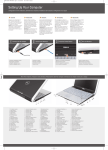
Open the display.
Öffnen Sie den Bildschirm.
Abra la pantalla.
Aprire lo schermo.
2
Connect the AC adapter.
Connectez l'adaptateur CA/CC.
Schließen Sie den Netzadapter
an.
Conecte el adaptador de CA.
Collegare l'adattatore c.a.
4
Option de modem interne
If your computer has an
internal modem, connect the
phone cable to the internal
modem connector. If the
connector has a plastic
cover, your computer does
not have an internal modem;
check for a PC Card modem.
Si votre ordinateur dispose d'un
modem interne, raccordez le
câble téléphonique au
connecteur du modem interne.
Si le connecteur possède un
capuchon en plastique, votre
ordinateur n'est pas équipé d'un
modem interne ; chercher s'il y a
un modem de type carte PC.
or
ou
Interne Modem-option
Wenn ein Modem in den
Computer integriert ist, schließen
Sie das Telefonkabel an den
Anschluss des internen Modems
an. Wenn der Anschluss mit
einer Kunststoffabdeckung
versehen ist, besitzt der
Computer kein internes Modem.
Überprüfen Sie, ob eine PCModemkarte installiert ist.
oder
Módem interno opcional
Si su ordenador dispone de un
módem interno, conecte el cable
de teléfono al conector del
módem interno. Si el conector
dispone de una tapa de plástico,
significa que el ordenador no
tiene un módem interno; busque
un módem de tarjeta PC.
o
Modem interno
Se il computer è dotato di un
modem interno, collegare il cavo
telefonico al connettore del
modem interno. La presenza di
una copertura in plastica sul
connettore indica che il modem
interno non è presente. Verificare
se è disponibile una modem su
scheda PC Card.
oppure
PC Card Modem Option
Option de modem carte PC
PC-Modemkarten-option
Módem de tarjeta PC opcional
Modem su scheda PC Card
If your computer has a PC
Card modem, connect the
phone cable to the PC Card
modem connector, and
connect the other end to the
wall phone jack.
Si votre ordinateur dispose
d'un modem de type carte
PC, raccordez le câble
téléphonique au connecteur
du modem carte PC et l'autre
extrémité à la prise jack du
téléphone.
Wenn der Computer mit
einer PC-Modemkarte
ausgestattet ist, schließen
Sie das Telefonkabel an den
Anschluss der PCModemkarte und die
Wandtelefonbuchse an.
Si su ordenador dispone de
un módem de tarjeta PC,
conecte el cable de teléfono
al conector del módem de
tarjeta PC, y conecte el otro
extremo al enchufe de pared
de teléfono.
Se il computer è dotato di un
modem su scheda PC Card,
collegare un'estremità del
cavo telefonico al connettore
del modem su scheda PC
Card e l'altra estremità allo
spinotto a muro.
ASTUCE : N'installez pas de
carte PC tant que la
configuration du système
n'est pas terminé.
HINWEIS: Installieren Sie
eine PC-Netzwerkkarte erst
nach Abschluss des
Betriebssystemsetups.
SUGERENCIA: No instale
una tarjeta PC de red hasta
que finalice la configuración
del sistema operativo.
SUGGERIMENTO: non
installare una scheda PC
Card di rete prima di aver
completato la configurazione
del sistema operativo.
HINT: Do not install a
network PC Card until you
complete the operating
system setup.
Press the power button to
turn on the computer.
HINT: The touch pad does
not work when you first
start the computer. Press
a key when prompted.
Appuyez sur le bouton
d'alimentation pour mettre
l'ordinateur sous tension.
Drücken Sie den Netzschalter,
um den Computer
einzuschalten.
ASTUCE : Le touchpad ne
fonctionne pas lorsque vous
démarrez l'ordinateur pour la
première fois. À l'invite, appuyez
sur une touche.
HINWEIS: Beim ersten
Hochfahren des Computers ist
das Touchpad noch nicht
funktionstüchtig. Drücken Sie
nach Aufforderung eine Taste.
Pulse el botón de alimentación
para encender el ordenador.
SUGERENCIA: La almohadilla
de contacto no funciona
cuando se inicia el ordenador
por primera vez. Presione una
tecla cuando se le solicite.
Premere il pulsante di
accensione per accendere il
computer.
SUGGERIMENTO: alla prima
accensione del computer il
touchpad non funziona, premere
quindi un tasto quando
richiesto.
5
Follow the prompts on the
screen to complete the
Microsoft® Windows®
operating system setup.
Suivez les invites affichées à
l'écran pour terminer la
configuration de Microsoft®
Windows®.
Befolgen Sie die
Bildschirmanweisungen, um
das Setup des Betriebssystems
Microsoft® Windows®
abzuschließen.
Siga las instrucciones que
aparecen en pantalla para
completar la configuración del
sistema operativo Microsoft®
Windows®.
Seguire le istruzioni visualizzate
per completare l'installazione del
sistema operativo Microsoft®
Windows®.