1
Contacting Dell
To contact Dell for sales, technical support, or
customer service issues, go to dell.com/ContactDell
Contact opnemen met Dell
U kunt contact opnemen met Dell op het gebied van
verkoop, technische ondersteuning of klantenservice
op dell.com/ContactDell
Contacter Dell
Pour contacter Dell pour toutes questions relatives
aux ventes, au support technique ou au service client,
rendez-vous sur la page dell.com/ContactDell
Cómo ponerse en contacto con Dell
Para comunicarse con Dell por ventas, soporte
técnico o consultas de servicio al cliente, visite la
página dell.com/ContactDell.
Computer Features
Información para NOM, o Norma
Oficial Mexicana
La información que se proporciona a continuación aparecerá
en los dispositivos que se describen en este documento, en
conformidad con los requisitos de la Norma Oficial Mexicana
(NOM):
Importador:
Dell México S.A. de C.V.
Computerfuncties
|
Fonctionnalités de l’ordinateur
|
Características del equipo
1
2
Paseo de la Reforma 2620 - Piso 11.°
11950 México, D.F.
23
Número de modelo reglamentario: P13G
3
Voltaje de entrada: 100 a 240 VCA
22
Corriente de entrada (máxima): 1,50 A/1,60 A/1,70 A
Frecuencia de entrada: 50 Hz a 60 Hz
Voltaje de salida: 19,5 V
© 2012 Dell Inc.
For regulatory and safety best practices, see
dell.com/regulatory_compliance
Dell™, the DELL logo, and Inspiron™ are trademarks of Dell Inc.
Windows® is either a trademark or registered trademark of Microsoft
Corporation in the United States and/or other countries.
Meer informatie
Regulatory model: P13G | Type: P13G001
Zie voor meer informatie over beste praktijken op het
gebied van veiligheid en regelgeving
dell.com/regulatory_compliance
Plus d’informations
Pour connaître les meilleures pratiques en matière de
sécurité et de respect de la réglementation, visitez le
site dell.com/regulatory_compliance
Más información
Para obtener información sobre prácticas óptimas de
seguridad y normativas, visite
dell.com/regulatory_compliance
Computer model: Inspiron 5323
21
© 2012 Dell Inc.
Dell™, het DELL-logo en Inspiron™ zijn handelsmerken van Dell Inc.
Windows® is een handelsmerk of gedeponeerd handelsmerk van
Microsoft Corporation in de Verenigde Staten en/of andere landen.
20
4
19
Voorgeschreven model: P13G | Type: P13G001
Computermodel: Inspiron 5323
© 2012 Dell Inc.
5
Dell™, e logo DELL et Inspiron™ sont des marques de Dell Inc.
Windows® est une marque commerciale ou déposée de Microsoft
Corporation aux États-Unis et/ou dans d’autres pays.
6
Modèle réglementaire : P13G | Type : P13G001
18
7
17
8
Modèle d’ordinateur : Inspiron 5323
16
15
© 2012 Dell Inc.
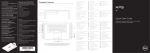
Service Tag
Serviceplaatje
Switch release latch
SIM-card slot
Microphone
Power button
Power adapter port
USB 3.0 port with PowerShare
USB 3.0 port
HDMI port
Touchpad status light
10.
11.
12.
13.
14.
15.
16.
17.
18.
Touchpad
Power status light
Hard-drive activity light
Battery status light
Wireless status light
Headphone/Microphone port
USB 3.0 port
8-in-1 media-card reader
Network port
19. Dell Instant Launch button
20. Dell audio with preset switch
button
21. Windows Mobility Center button
22. Camera status light
23. Camera
1.
2.
3.
4.
5.
6.
7.
8.
9.
Ontgrendelingslipje
SIM-kaartsleuf
Microfoon
Aan-/uitknop
Poort stroomadapter
USB 3.0-poort met PowerShare
USB 3.0-poort
HDMI-poort
Statuslampje touchpad
10.
11.
12.
13.
14.
15.
16.
17.
18.
Touchpad
Statuslampje voeding
Activiteitslampje harde schijf
Statuslampje batterij
Wi-Fi-statuslampje
Poort hoofdtelefoon/microfoon
USB 3.0-poort
8-in-1-mediakaartlezer
Netwerkpoort
19. Dell Instant Launch-knop
20. Dell audio met vooraf ingestelde
schakelknop
21. Windows Mobiliteitscentrumknop
22. Statuslampje camera
23. Camera
1.
2.
3.
4.
5.
6.
7.
8.
9.
Loquet de dégagement
Logement de carte SIM
Microphone
Bouton d’alimentation
Port pour l’adaptateur secteur
Port USB 3.0 avec PowerShare
Port USB 3.0
Port HDMI
Voyant d’état de la tablette tactile
10.
11.
12.
13.
14.
15.
16.
17.
18.
Tablette tactile
Voyant d’état de l’alimentation
Voyant d’activité du disque dur
Voyant d’état de la batterie
Voyant d’état du Wi-Fi
Port pour microphone/casque
Port USB 3.0
Lecteur de carte mémoire 8 en 1
Port réseau
19. Bouton de lancement instantané
Dell
20. Bouton audio Dell avec
préréglages
21. Bouton Centre de mobilité
Windows
22. Voyant d’état de la caméra
23. Caméra
13z
Col. Lomas Altas
Corriente de salida: 3,34 A
More Information
1.
2.
3.
4.
5.
6.
7.
8.
9.
Dell™, el logotipo de Dell e Inspiron™ son marcas comerciales de Dell Inc.
Windows® es una marca comercial o marca comercial registrada de
Microsoft Corporation en Estados Unidos y en otros países.
Modelo reglamentario: P13G | Tipo: P13G001
Modelo del equipo: Inspiron 5323
numéro de série
9
etiqueta de servicio
10
Printed in China.
2012 - 07
11 12 13 14
1. Pestillo de liberación del
interruptor
2. Ranura para tarjetas SIM
3. Micrófono
4. Botón de encendido
5. Puerto del adaptador de
alimentación
6. Puerto USB 3.0 con PowerShare
7. Puerto USB 3.0
8. Puerto HDMI
9. Indicador luminoso de la
superficie táctil
10. Superficie táctil
11. Indicador luminoso de energía
12. Indicador luminoso de actividad
de la unidad de disco duro
13. Indicador luminoso de estado de
la batería
14. Indicador luminoso de la
conexión inalámbrica
15. Puerto para auriculares o
micrófono
16. Puerto USB 3.0
17. Lector de tarjetas multimedia
8-en-1
18. Puerto de red
19. Botón de inicio instantáneo de
Dell
20. Botón interruptor de audio
preconfigurado de Dell
21. Botón del centro de movilidad
de Windows
22. Indicador luminoso del estado
de la cámara
23. Cámara
Quick Start Guide
Snelstartgids | Guide de démarrage rapide
Guía de inicio rápido
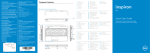
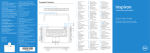
1 Connect the network cable (optional)
Sluit de netwerkkabel aan (optioneel)
|
Branchez le câble réseau (en option)
Conecte el cable de red (opcional)
4 Complete Windows setup
Windows-installatie voltooien
Tiles
Achevez la configuration Windows
Function Keys
Windows 8
Tegels
|
Tuiles
|
Functietoetsen
Mosaicos
Scroll to access more tiles
Completar la configuración de Windows
|
Touches de fonction
|
Teclas de función
Switch to external
display
Blader voor meer tegels
Faire défiler pour avoir accès à plus de tuiles
Enable security
Beveiliging inschakelen
Activer la sécurité
|
Basculer vers l’écran externe
Cambiar a la pantalla externa
Draadloos in- en uitschakelen
Desplazarse para acceder a más mosaicos
|
Schakelen naar extern beeldscherm
Turn off/on wireless
Activar la seguridad
Activer/désactiver le Wi-Fi
Activar/desactivar la función inalámbrica
Enable/Disable
touchpad
Touchpad in-/uitschakelen
Activer/désactiver la tablette tactile
Activar/desactivar la superficie táctil
Helderheid verlagen
Resources
Bronnen
|
Ressources
|
2 Connect the power adapter
Sluit de stroomadapter aan
|
Decrease brightness
Recursos
Reducir brillo
Getting started
Helderheid verhogen
Aan de slag
Connectez l’adaptateur secteur
Increase brightness
Mise en route
Conecte el adaptador de alimentación
Introducción
My Dell Support Center
Mijn Dell Support Center
Augmenter la luminosité
Aumentar brillo
+
Play previous track or
chapter
Mon Dell Support Center
Mi Centro de asistencia técnica de Dell
Réduire la luminosité
Vorige nummer of hoofdstuk afspelen
Lire la piste ou le chapitre précédent
Reproducir la pista o el capítulo anterior
Afspelen/pauzeren
Play/Pause
Lecture/pause
Reproducir/pausar
Configure wireless (optional)
Charms sidebar
Charms-zijbalk
|
Barre latérale Charms
|
Barra lateral Charms
Draadloos configureren (optioneel)
3 Press the power button
Druk op de aan-/uitknop
|
Play next track or
chapter
Configurer la connexion sans fil (en option)
Decrease volume
level
Configurar conexión inalámbrica (opcional)
Appuyez sur le bouton d’alimentation
Presionar el botón de encendido
Volgende nummer of hoofdstuk afspelen
Lire la piste ou le chapitre suivant
Reproducir la pista o el capítulo siguiente
Geluidsvolume verlagen
Baisser le volume
Reducir el nivel del volumen
Geluidsvolume verhogen
Increase volume level
Swipe from right edge of the touchpad
Aumentar el nivel del volumen
Veeg vanaf de rechterrand van de touchpad
Faites glisser votre doigt depuis le bord droit de la
tablette tactile
Deslizar desde el lado derecho de la superficie táctil
Point mouse to lower- or upper-right corner
Wijs met de muis naar de rechter beneden- of bovenhoek
Positionnez le curseur de la souris dans le coin
inférieur ou supérieur droit
Apunte el mouse hacia la esquina inferior o superior
derecha
Augmenter le volume
Audio dempen
Mute audio
Couper le son
Silenciar audio