1
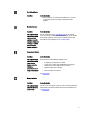
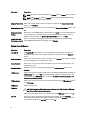
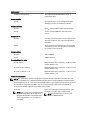
Error Code
Message Information
5. If the issue persists, see Getting Help.
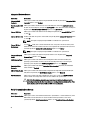
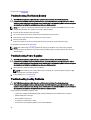
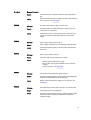
FAN0000
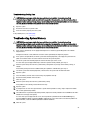
FAN0001
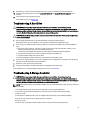
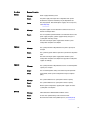
FAN1201
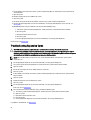
HWC1001
HWC2003
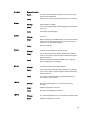
HWC2005
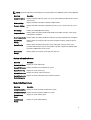
MEM0000
Message
Fan <number> RPM is less than the lower warning threshold.
Details
Fan operating speed is out of range.
Action
Remove and reinstall the fan. If the issue persists, see Getting Help.
Message
Fan <number> RPM is less than the lower critical threshold.
Details
Fan operating speed is out of range.
Action
Remove and reinstall the fan. If the issue persists, see Getting Help.
Message
Fan redundancy is lost.
Details
Fan has failed.
Action
Remove and reinstall failed fans or install additional fans.
Message
The <name> is absent.
Details
The absent device may be necessary for proper operation. System
functionality may be degraded.
Action
Reinstall or reconnect the hardware.
Message
The storage <name> cable is not connected, or is improperly
connected.
Details
The cable may be necessary for proper operation. System
functionality may be degraded.
Action
Check if the cable is present, then reinstall or reconnect.
Message
The system board <name> cable is not connected, or is improperly
connected.
Details
The cable may be necessary for proper operation. System
functionality may be degraded.
Action
Check if the cable is present, then reinstall or reconnect.
Message
Persistent correctable memory errors detected on a memory device
at location(s) <location>.
Details
This is an early indicator of a possible future uncorrectable error.
Action
Re-seat the memory modules. If the issue persists, see Getting Help .
107