1
0202DRHT-630 2007.2.2 9:19 AM ˘
` 27
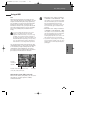
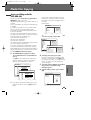
Setup menu
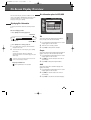
RECORD OPTIONS Settings
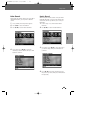
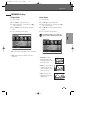
DVD Quality
Hot button
You can set the default DVD recording quality to
(Approx. time) : HQ (High Quality - 1 hr/disc), SP
(Standard Play - 2 hrs/disc), EP (Extended Play - 4
hrs/disc), or SLP (Super Long Play - 6 hrs/disc).
• You can set the default DVB-T DVD/HDD
recording quality using [REC Mode] button of the
remote control.
• [REC MODE] button is a toggle button of
HQ/SP/EP/SLP.
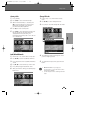
1
2
3
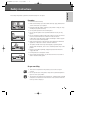
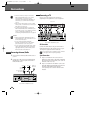
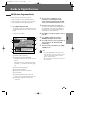
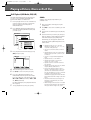
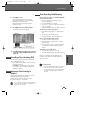
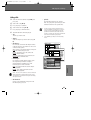
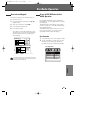
Press [SETUP]. The Setup menu appears.
4
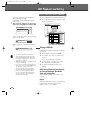
Use [œ/√] to select the desired Record Quality
(HQ, SP, EP, or SLP).
5
Press [SETUP] to exit the menu.
Use [œ/√] to select ‘Record Options‘.
Whilst ‘Recording Options‘ is selected, press
[†] to select ‘DVD Quality‘.
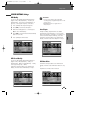
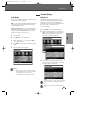
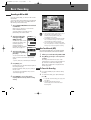
Auto Chapter
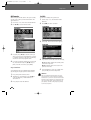
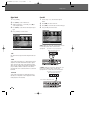
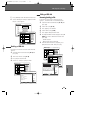
HDD Record Quality
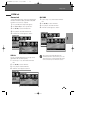
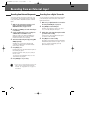
You can set the default HDD recording quality to
(Approx. time) : HQ (High Quality - 32hrs), SP
(Standard Play - 66hrs), EP (Extended Play - 128hrs),
or SLP (Super Long Play - 195hrs).
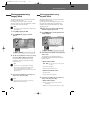
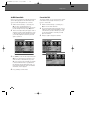
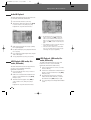
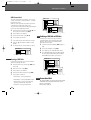
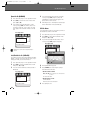
Follow the same procedure as for 'DVD Record
Quality’, however select ‘HDD Quality’ in step 3.
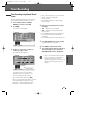
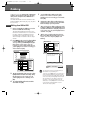
HDD Auto Delete
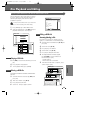
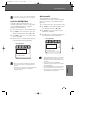
Follow the same procedure as for ‘DVD Record
Quality’, however select ‘HDD Auto Delete’ in step
3.
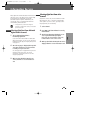
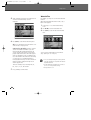
Explanations of modes follow overleaf.
27
SETUP
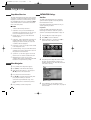
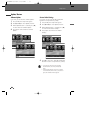
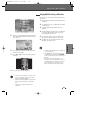
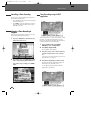
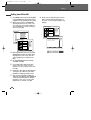
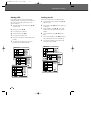
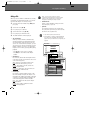
During recording, chapter markers are added
automatically at fixed intervals. You can set this
interval to 5 minutes, 10 minutes or 15 minutes. To
turn off automatic chapter marking, select ‘Off‘.
Follow the same procedure as for ‘DVD Record
Quality’, however select ‘Auto Chapter’ in step 3.