1
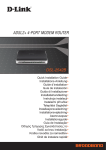
Quick Installation Guide
DSL-321B
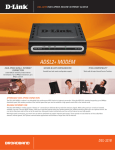
ADSL2+ ETHERNET MODEM
Package Contents
If any of the items are missing, please contact your reseller.
DSL-321B
CD-ROM
ADSL2+ ETHERNET (D-Link Click’n
MODEM
Connect. Manual and
Warranty)
Ethernet (CAT-5e)
Cable
Power Adapter
RJ-11 cable
Note :
Default IP: 192.168.1.1
Default Username: admin
Default Password: admin
Using a power supply with a different
voltage rating will damage and void the
warranty of this product.
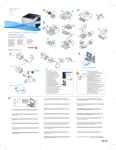
Quick Installation
1
Remove the D-Link Click’n
Connect CD.
2
A. Be sure your Internet connection
is active. DO NOT plug the modem
in yet.
B. Insert the D-Link Click’n Connect CD
into your computer.
3
Click