1
Band
MicroTalk
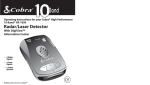
Operating Instructions for your Cobra® High Performance
10 Band® XR-1010
Radar/Laser Detector
With UltraBright™
Data Display
D
BAN
• 4 Radar
Signals
• 4 Laser
Signals
• 2 Safety
Systems
Nothing comes close to a Cobra™
Introduction
Introduction
and Strobe Alert™
Use of this product is not intended to,
and does not ensure that the motorist
and any passenger will not be involved
in a traffic accident. It is only intended
to alert the motorist that an emergency
or service vehicle equipped with a
CODE 3, Strobe (Opticom* or Tomar
Preemption System) or Cobra® Safety
Alert® Transmitter is in the area as
defined by the range of the product.
Please call your local Fire/Police
department to verify if coverage exists
in your area. Motorists are expected to
exercise all due caution while using this
product, and to observe and follow all
applicable traffic laws. Operators of
emergency or service vehicles are also
expected to exercise alldue caution
while using this product, and to observe and follow all applicable traffic
laws.
*Opticom is a registered trademark
of 3M Corporation
1.
2.
Congratulations! You have just purchased the most
sophisticated RADAR/LASER DETECTOR available today.
This booklet contains instructions and information
designed so that you will be able to understand how
the Cobra® XR-1010 works and how radar and (LIDAR)
laser are used. Enjoy your Cobra® XR-1010 Radar/Laser
Detector and drive safely.
Federal Law Governing Use of
Radar Detectors
It is not against Federal Law to receive radar
transmissions on your COBRA® Radar Detector.
The Communications Act of 1934 guarantees
your right to receive radio transmissions on
any frequency. Local laws that contravene the
Communications Act of 1934, while illegal, may
be enforced by your local law enforcement officials
until and unless they are prohibited from doing so by
Federal Court action.
WARNING: Before leaving your car, make sure that
you conceal your radar detector. This will reduce the
possibility of break-in and theft of your unit.
Included with your XR-1010
3.
1.1. Windshield Bracket
2.
2. Hook and Loop Material
3.
3. Curled Power Cord
A1
Controls and Indicators
Introduction
Facts About the Safety Alert® Traffic
Warning System
1. Power Button
2. Volume Control
11
10
BAND
3. Mute Button
4. Dim Button
5. Audio Alerts Speaker
8
6. Highway/City Button
2
7. UltraBrightTM
Data Display
5
8. LaserEye®
1
9. Windshield Bracket
Mount
6
4
3
10. 12V DC Power Jack
11. Audio Jack
7
Facts About
Safety Alert®
Traffic Warning
System
FCC-approved Safety Alert® Transmitters emit microwave radar signals
to indicate the presence of a safety-related concern. Depending on the
frequency of these signals, as set on the transmitter, the outgoing
signal can indicate whether the transmitter is on a speeding
emergency vehicle or train, or at a stationary road hazard location.
These microwave signals are located in the K-band and as a result, any
radar detector which detects K-band radar will detect these Safety
signals as standard K-band radar alerts. However, unlike a standard
radar detector, your Cobra® XR-1010 is designed to differentiate
between a standard K-band alert and a Safety Alert® warning. Safety
technology is relatively new so the number of transmitters in operation
is still growing. You may not receive Safety Alert® on a daily basis and
should not be surprised to encounter some emergency vehicles, road
hazards or trains not yet equipped with these transmitters, therefore
failing to provide a signal. As Safety Transmitters become more
prevalent (the number of operating transmitters is growing every day),
these Safety Alert®s will become more common. The Safety Alert®
Transmitter is in use in all 50 states in limited quantities.
Note
Strobe Alert™ is available in
over 1,000 cities and works
with Tomar and Opticom
systems. Call your local
Fire/Police department for
your area coverage or area in
which you will be traveling.
Cobra® Customer Service
Live operators are available
M-F 8:00 am - 6:00 pm CST
at: 773.889.3087
Thank you for purchasing Cobra®’s XR-1010, the worlds first 10-band™
Radar/Laser Detector with Digital Signal Processing. It features a high
speed RISC digital processor, similar to those used in high end personal
computers. The result–incredibly high sensitivity and virtually no false
alerts. In addition, the the UltraBright™ Data Display provides easy
recognition of band detected by use of band identification letters.
9
8
Automated Technical
Assistance available 24 hours
a day, seven days a week.
E-mail questions to:
[email protected]
Customer Support
Should you encounter any problems with the product or not
understand its many features, please refer to this owner’s manual. If,
after referring to the manual, you still need help, call Cobra® Customer
Service at 773.889.3087.
11
A2
-
2
+
Cobra on the World Wide Web:
Frequently Asked Questions
(FAQ) can be found on-line at:
www.cobra.com
1
A3
How to Use Your Cobra® XR-1010
Radar/Laser Detector
Band
Contents
Introduction............................................................................A1
Safety Alert®/Strobe Alert™
Federal Law Governing Radar Detectors
Included Accessories
Controls & Indicators ..........................................................A2
Our Thanks to You ................................................................A3
Customer Support .............................................................A3
Features........................................................................................1
Installation..................................................................................2
Quick Start ..................................................................................5
Digital Displays.......................................................................5
Operation.....................................................................................8
Turning On...............................................................................8
Set Volume...............................................................................9
Dim Button............................................................................10
Highway/City Mode ...........................................................11
Muting Mode........................................................................12
Tone/Voice Alert™ ..............................................................14
Memory Set...........................................................................14
Aux. Audio Jack....................................................................14
Detection...................................................................................15
Band Detection....................................................................15
Audible Alarm Indicator ...................................................15
Radar........................................................................................16
VG-2 Undetectable.............................................................16
VG-2 Audio Alert ................................................................ 16
Safety Alert®/Strobe Alert™............................................17
Laser Detection....................................................................18
Radar/VG-2/Laser Alerts ...................................................18
Radar Frequencies ..............................................................19
Facts About Lidar (Laser)..................................................19
Maintenance ............................................................................20
Limited One Year Warranty...............................................21
Optional Accessories ...........................................................22
Order Form ...............................................................................23
If You Think You Need Service........................Back Cover
Features of This Product
• UltraBright™
Data Display
• 4 Radar Signals
• 4 Laser Signals
• 2 Safety Systems
• Safety Alert® Traffic
Warning System
• 360˚ Strobe Alert™
• Tone Alert
• Voice Alert™
• Separate Visual and
Audio Alarms
• LaserEye® 360˚ Detection
• VG-2 Undetectable
• Auto and Manual Muting
• 4 Level Dim Button
• Audio Jack
• Superior Audio Volume
• Adjustable Windshield
Mounting Bracket
1
Installation
Location
Installation
Location
Selecting the proper location to mount the
Cobra® XR-1010 is very important for optimum
performance. Both radar and laser transmissions
pass through glass but not through other objects.
For this reason the Cobra® XR-1010 lenses must not
be blocked.The LaserEye® should have a view of
the rear window to take advantage of its 360˚
detection capability. It is best to locate your detector
as low on the front windshield as possible.
Windshield Mounting
Windshield
Mounting
1
Attach cups to
bracket.
2
Attach bracket to
windshield.
3
Attach detector
to bracket.
4
Bend bracket for
correct detection
angle (if needed).
Do not use the
XR-1010 to bend
bracket.
5
Plug power cord
into detector.
6
Plug power cord
into cigarette lighter.
Examples of metal in the windshield area that can
block or weaken incoming radar/laser signals:
2. Mirrored sun screens.
2
BAND
4. Heated windshields, currently available as an
option for some Ford® (Instaclear) and GM®
(Electriclear vehicles act as an impenetrable
barrier to radar signals). If in doubt, check
with your dealer to see if this applies to
your vehicle.
LAZE
LAZE
REY
REYE
3. Regular tinted glass does not affect radar
reception, although the darker tint at the
top of the tinted windshield prevents laser
light from penetrating.
E
1. Windshield wiper blades.
3
Installation
Quick Start
Turn On and Adjust Volume
Dash Mounting
Dash
Mounting
1
Note
It will be easy for you to
remove and reinstall your
Cobra® XR-1010 detector at
any time using this hook
and loop material on the
dashboard.
Peel protective
paper off one side
of hook and loop
material.
2
Place on dash.
A
Press the power button to activate the unit.
In both tone and voice modes, the unit will
announce “Testing”.
B
The volume control has 8 volume settings.
Adjust the volume up or down using the volume
rocker switch.
Turn On and
Adjust Volume
Note
Display Dim, City/Highway,
and Muting mode settings
are retained in memory
when power is unplugged.
For more detailed
operation instructions
on turn on/adjust
volume, see page 9.
Set Display Brightness
Select from four levels of LED brightness display:
Bright, Dim, Dimmer and Dark. The state-of-the-art
readout presents clear alerts even in sunlight.
Remember: Without the
means to adjust the angle
of the detector (when
mounted as above), be
sure that your Cobra®
XR-1010 has a level, clear
view of the road before you
attach the hook and loop
material.
Set Display
Brightness
PRESS &
RELEASE
4
Place detector on
hook and loop pad.
BAND
E
Peel top paper off.
LAZE
LAZE
REY
REYE
3
5
4
Plug power cord
into detector.
6
Plug power cord
into cigarette lighter.
LED Displays
Press and release Dim button once to select
Dim setting.
Press and release Dim button a second time
to select Dimmer setting.
Press and release Dim button a third time to
select Dark setting.
Press and release Dim button again to select
Bright setting.
Note
A four position Dim mode is
provided for dusk or night
driving (please see Dim
Button, page 10.
5
Quick Start
Quick Start
Set Muting Mode
Set Highway/City Mode
City Mode
Set Highway/
City Mode
For urban driving–reduces the number of false
radar alerts.
PRESS &
RELEASE
PRESS &
RELEASE
Note
The XR-1010 will retain the
chosen mode while OFF.
Set Muting
Mode
Cty
Note
The factory default mode is
Auto Muting.
Manual Muting
Cty
For more detailed
operation instructions
on set highway/city
mode, see page 11.
Press and release City button.
Cty will display while in City mode.
Press and release Mute button to turn off
volume while signal is in progress.
For more detailed
operation instructions
on setting muting mode,
see page 13.
To Switch Between Modes
Press and release Mute Button when no
signal is being received to switch from Manual
to Auto Mute.
Highway Mode
Press and release City button again. A double
beep confirms highway mode.
6
7
Operation
Operation
Turning
On Your
XR-1010
Set Volume
Turning On Your XR-1010
E
BAND
LAZE
LAZE
REY
REYE
Adjust the volume up or down using the volume
rocker switch on side of unit.
1
Note
Pressing the volume up
button while you turn on
unit will show all 10 Alerts
with their Tones.
3
Plug power cord into
detector.
2
Plug power cord into
cigarette lighter.
Press the Power Button.
X
-
+
The volume control has 8 volume settings,
levels 0-8. As the level is increased, “Voice
Alert™” or the beep tone will allow you to hear
the volume level. At level 8 a “beep beep” is
heard indicating maximum volume. When the
volume is turned to “0”, (off ) you will not hear a
beep, but the (power) will blink.
LVW
In Tone and Voice modes, the unit will announce
“Testing” and the display will show four typical
alerts – X, L(Laser), V(VG2), W(Emergency Vehicle) and
announce “System Ready”. The system indicates if
Voice Alert™ or Tone only mode has been selected and
if VG2 audio alert is turned on or off.
8
9
Operation
Dim Button
Operation
Dim Button
Highway/City Mode
You may select from four levels of brightness for
your Cobra® XR-1010 display: Bright, Dim, Dimmer
and Dark (Off).
To select City Mode:
The Highway/City function is controlled by a
2-step button.
PRESS &
RELEASE
PRESS &
RELEASE
Note
Bright = “Beep-Beep”
Dim = “Beep”
Dimmer = “Beep”
Dark = “Beep”
Note
The XR-1010 will retain the
chosen mode while OFF.
Note
The XR-1010 will retain the
chosen brightness level
while OFF.
Press and release Dim button once to reduce
brightness to Dim. A single beep confirms this
selection.
Press and release Dim button a second time
to reduce the display brightness to Dimmer.
A single beep confirms this selection.
Press and release Dim button a third time
3
to reduce display to Dark (Off ). A single beep
confirms this selection. The power light will
remain on.
Press and release Dim button a fourth time
4
to return display to Bright. A double beep
confirms this selection.
Highway/City
Mode
Press and release City button and Cty will be
displayed. A single beep confirms City mode.
Note
Use City Mode in or near
cities where there are many
sources of false radar
signals such as microwave
relay towers and automatic
door openers. This will filter
out weak signals.
Cty
Highway/City Mode
To select Highway Mode:
Press and release City button. A double beep
confirms Highway mode.
Note
The unit will announce
“Highway” or”City” in
Voice Mode.
Note
City =“Beep”
Highway =“Beep-Beep”
In Voice Alert™, the
message “Bright, Dim,
Dimmer, or Dark” will be
heard.
10
11
Operation
Muting
Operation
Audio Muting
Selecting Auto Muting Mode (from Manual mode)
The Mute button is used to temporarily turn off
the alarm and control Auto Mute mode.
In Auto Mute mode the alerts will be heard at the
set volume for 3 seconds, then automatically be
reduced to a lower level.
Manual Muting
Muting
Press this button to turn off the audio alarm.
PRESS &
RELEASE
PRESS &
RELEASE
Note
To completely turn off
incoming alerts while in
auto mode, press and
release mute button.
Note
In either mode the next
alarm will begin with
normal volume. The XR1010 will retain the chosen
mode while OFF.
Press and release Mute button to turn off
the audio during an alert. The alarm will be
turned off until the incoming audio signal is
over and will reset at previous volume level for
next alert. Pressing Mute button again will
turn alarm back on.
Press and release
Mute button for less than
two seconds when no signal is being received.
All future alarms will be Auto Mute.
Note
The factory default mode
setting is Auto Muting.
In Voice + Tone Mode the message “Mute” or
“Auto Mute” will be heard.
Selecting Manual Muting Mode (from Auto mode)
In Manual Mute mode the alerts will always be
heard at the set volume level.
Press and release
Mute Button when no
signal is being received.
Note
Mute=“Beep”
OR
Auto Mute=“Beep-Beep”
12
13
Operation
Voice Alert™
Mode
Note
Voice Alert™ is the factory
default setting.
Detection
Voice Alert™ Mode
Press and hold
MUTE button for more than
two seconds to switch between Voice and
Tone Mode and Tone Only Mode.
When Voice Alert™ is selected “Voice Alert™”
will be heard. A “beep” will be heard when Tone
Mode is selected.
Band Detection
Band
Detection
This detector is designed to detect X, K,
Superwide Ka Band Radar, Laser (including LTI
20-20*, Ultra Lyte*, ProLaser* and ProLaser III*
technologies), VG-2, Safety Alert® and Strobe
Alert™* signals.
*360˚ Detection
Audible Alarm
Speaker and
Voice Alert™
Audible Alarm Speaker
Memory Set
Your Cobra® XR-1010
features an automatic
internal electronic memory
system. It will automatically
“remember” your settings
when the unit is turned
“OFF” or removed from
power source.
Auxiliary
Audio Jack
Memory Set
Automatically remembers settings of Dim, Muting
and City/Highway modes.
In Tone Mode a different alert tone will sound for
X, K, Ka, Laser (a distinctly different tone for each
of the four laser signals: LTI 20-20*, Ultra Lyte*,
ProLaser* and ProLaser lll*, VG-2, and Safety and
Strobe Alert™ signals.
Auxiliary Audio Jack
Use to connect an external speaker to your Cobra®
XR-1010 in environments with high ambient noise
levels.The internal speaker will be disconnected.
PRESS &
RELEASE
14
Instant-On Detection
The Cobra® XR-1010 is also designed to detect
Instant-on speed monitoring signals. Immediate
action is required when warning is given.
15
Detection
X, K, Ka Alert
Detection
X, K and Ka Bands
The display will show illumination of the band
received (X, K or Ka).The signal strength will be
indicated by
signal strength LED’s which
increase in size as you approach the radar gun.
Distinct tones will also be generated for each band.
Cty
X K Ka
VG-2 Alert®
Note
The display does not
indicate signal strength.
Note
Operation of the VG-2 Audio
Alert may be selected by the
user. The factory setting is in
the “on” position.
In Voice Alert™, the
message “Be careful—VG2 alert” will be announced
according to the band
given, followed by tones
until the alert is over.
To turn the VG-2 Audio Alert “on” press and hold
the Dim Button for 2 seconds.The Radar Detector
will beep twice indicating the VG-2 Audio Alert has
been activated.
VG-2 Alert®
Safety Alert® Traffic Warning System
and Strobe Alert™
Safety Alert®
Traffic Warning
System and
360º Strobe
Alert™
Safety Alert® Traffic Warning System and Strobe
Alert™ will alert you with the following warnings:
Emergency Vehicle, Road Hazard and Train.
Strobe Alert™
VG-2 Undetectable
The Cobra® XR-1010 is undetectable by police VG-2
detection devices. It will alert you when one is in
use near your vehicle. During this time, the unit is
still on full alert and able to detect other signals.
V
Cty
V on the front of the unit will be displayed.
W
Cty
Strobe Alert™ will be indicated by a blinking W
and Emergency Vehicle tone.
Safety Alert®
W
Cty
VG-2 Audio Alert
To turn VG-2 Audio Alert “off”, press and hold the Dim
Button for 2 seconds.The Radar Detector will beep once
indicating the VG-2 Audio Alert has been disabled.
Safety Alert® will detect Road Hazards, Trains and
Emergency Vehicles. Display will show an
illuminated W with separate distinct tones for
Emergency Vehicle, Road Hazard and Train.
PRESS &
HOLD
16
17
Detection
Laser
Note
The display does not
indicate signal strength.
Note
In Voice Alert™, the
message “Be careful—Laser
alert” will be announced,
followed by the UltraLyte,
ProLaser, or 20/20 tone.
Laser & LaserEye® 360˚ Detection
Radar Frequencies
The XR-1010 can separately identify four laser signals.
ProLaser, ProLaser 3, LTI 20/20, and Ultra Lyte
Laser Guns.
There are three frequencies that have been
approved by the FCC (Federal Communications
Commission) for use in speed monitoring
equipment. They are:
X Band (10.525 GHz), K Band (24.150 GHz)
Ka Band (33.400-36.000 GHz)
Your Cobra® XR-1010 can detect signals in all
radar bands including photo radar and STALKER
radar which use the Ka band, and Cobra®’s Safety
Alert® signals on the K band.
Cty
L
The display will illuminate the L followed by a distinct
beep tone identifying radar being used.
Radar/VG-2/Laser Alerts
Radar/VG-2/
Laser Alerts
Type of Audible Signal
Interpretation and Response
Your COBRA® XR-1010 starts to signal
slowly, then increases in rate very
rapidly.
Most likely police radar.
FULL ALERT.
Your COBRA® XR-1010
signals just once.
Most likely a false source, or could be
pulsed radar. Exercise Caution.
Very fast signal rate instantly.
Radar or VG-2 close by has been
suddenly switched on. FULL ALERT.
Slow signal rate as you approach
hill or bridge. Sharp increase in signal
rate as you reach hill or bridge.
Most likely police radar on other side
of hill or bridge. FULL ALERT.
Short-term, weak signaling;
series of such signals.
Most likely a false radar source.
Exercise Caution.
Laser will trigger 3 distinct audible
signals; one each for LTI 20/20, Ultra
Lyte and ProLaser.
Use Full Caution. There are no false
laser signals.
Safety Alert® and Strobe Alert™ have
their own unique “European
Emergency” signal.
An emergency vehicle is approaching,
you are in the vicinity of a railroad
crossing, or you are approaching a
road hazard (construction site,
accident scene, etc.).
Facts About LIDAR (Laser)
What is LIDAR?
LIDAR stands for Light Detection And Ranging.
While everyone refers to it as LASER the correct
name is LIDAR.
How does LIDAR work?
LIDAR operates a lot like RADAR. Like RADAR, it
spreads out. Not as quickly, but it does spread, as
shown on the diagram below.
5 FT. WIDE
10 FT. WIDE
20 FT. WIDE
30 FT. WIDE
LASER LIGHT EMISSION DETECTABLE BY COBRA
POLICE LASER GUN
18
Radar
Frequencies
Facts About
LIDAR (Laser)
LIDARs must have a clear
line of sight to target a
vehicle during the entire
measurement interval.
Intervening objects such as
signposts, utility poles, tree
branches, etc., will prevent
a valid speed reading.
LASER GUN
READABLE RANGE
1/4 MILE
1/2 MILE
1MILE
11/2MILE
19
Facts About
LIDAR (Laser)
Does weather have any effect on LIDAR?
Yes, rain, snow, smoke, fog, and airborne dust
particles will all reduce the effective range, and
if sufficiently dense, may prevent its operation.
Can LIDAR operate through glass?
No, LIDAR guns cannot obtain readings through
any glass. But the laser pulse can be received
through glass to easily and quickly trigger a laser
detector's alarm.
Can LIDAR operate while moving?
No, since LIDAR is line of sight, an officer cannot
drive, aim, and shoot while driving.
Is a LIDAR DETECTOR legal to use?
Yes, it is legal in all 50 states.
Maintenance
Your COBRA® XR-1010 RADAR/LASER DETECTOR
will give you years of trouble-free service with
minimum maintenance.
Replacing Power Cord Fuse
Unscrew cap of cigarette lighter adapter and
remove fuse. Replace with 1-ampere fuse only.
Troubleshooting
If your COBRA® LASER DETECTOR XR-1010 isn’t
operating, we suggest you make the following
checks:
1. Is the power cord properly connected?
2. Is the fuse OK?
3. Is the cigarette lighter socket clean and free
from corrosion?
20
COBRA® ELECTRONICS CORPORATION warrants that its
COBRA® 10 Band® Radar/Laser Detectors, and the component
parts thereof, will be free of defects in workmanship and
materials for period of one (1) year from the date of first
consumer purchase. This warranty may be enforced by the
first consumer purchaser, provided that the product is utilized
within the U.S.A.
COBRA® will, without charge, repair or replace, at its option,
defective 10 Band® Radar/Laser Detectors, products or
component parts upon delivery to the COBRA® factory
Service Department, accompanied by proof of the date
of first consumer purchase, such as a duplicated copy of
a sales receipt.
You must pay any initial shipping charges required to ship
the product for warranty service, but the return charges will
be at Cobra®'s expense, if the product is repaired or replaced
under warranty.
Exclusions: This limited warranty does not apply; 1) to any
product damaged by accident; 2) in the event of misuse or
abuse of the product or as a result of unauthorized alterations
or repairs; 3) if the serial number has been altered, defaced
or removed; 4) if the owner of the product resides outside
the U.S.A.
All implied warranties, including warranties of
merchantability and fitness for a particular purpose
are limited in duration to the length of this warranty.
COBRA® shall not be liable for any incidental,
consequential or other damages; including, without
limitation, damages resulting from loss of use or cost of
installation.
Some states do not allow limitations on how long an
implied warranty lasts and/or do not allow the exclusion or
limitation of incidental or consequential damages, so the
above limitations may not apply to you.
21
r Warra
ea
nty
Maintenance
Limited One Year Warranty
1Y
Detection
QUALITY SEAL
Cobra® Electronics
Corporation
6500 West Cortland Street
Chicago, Illinois 60707
www.cobra.com
QUALITY SEAL
Optional Accessories
Accessory Order Form
Item #
Description
420-080-N-001
420-080-N-002
545-159-N-001
Straight 12V Power Cord
Curled 12V Power Cord
Windshield Mounting Bracket
Prices subject to change without notice.
Straight 12V DC Power Cord
Includes plug and fuse
420-080-N-001
Curled 12V DC Power Cord
Includes plug and fuse
420-080-N-002
Windshield Mounting Bracket
Includes suction cups
545-159-N-001
Tax Table
Illinois residents add 8.75%
Indiana residents add 5%
Michigan residents add 6 %
Ohio residents add 5%
Wisconsin residents add 5%
For credit card orders fill out order form
and fax to: 773.622.2269
or call 773.889.3087
(Press 1 from the main menu)
8:00 am - 6:00 pm, M-F, CST.
You Can Find These Fine Accessories At Your Local
Cobra® Dealer
If you wish, you can order directly from Cobra®.
Order by phone
Call 773.889.3087 (Press 1 from the main menu)
8 a.m.-6 p.m. M-F CST. )
Order by mail or fax
Please call for pricing, then fill out order form on next page,
and mail/fax directly to Cobra®.
Visit our website at:
www.cobra.com
22
Cost Ea. Qty.
Amount
Subtotal
(Tax if applicable)
Shipping/handling $4.00
Total
Make check or money order (no stamps)
payable to:
Cobra Electronics
6500 West Cortland Street
Chicago, IL 60707 USA
Attn: Accessories Dept.
Please print clearly
Name
Address (No P.O. Box)
City
State
Zip
Telephone (
)
Credit Card No.
Exp. Date
Customer Signature
Circle One: Visa MasterCard Discover
Allow 2 to 3 weeks for delivery. Offer valid in Continental U.S. only.
23
© 2000 Cobra® Electronics Corporation
6500 West Cortland Street
Chicago, IL 60707 USA
www.cobra.com
If You Think You Need Service
For technical assistance, please call our Automated Help Desk which can assist
you by answering the most frequently asked questions about Cobra® products.
773.889.3087
24 hours a day, 7 days a week.
A Consumer Service Representative can be reached through this same number 8:00 am - 6:00 pm,
Monday through Friday, CST.
Technical assistance is also available on-line in the Frequently Asked Questions (FAQ) section at
www.cobra.com or by e-mail to [email protected]
If you think you need service call 773.889.3087
“If your product should require factory service please call Cobra® first before sending your unit
in. This will ensure the fastest turn-around time on your repair.”
You may be asked to send your unit to the Cobra® factory. It will be necessary to furnish the
following in order to have the product serviced and returned.
1. For Warranty Repair include some form of proof-of-purchase, such as a mechanical reproduction
or carbon or a sales receipt. If you send the original receipt it cannot be returned.
2. Send the entire product.
3. Enclose a description of what is happening with the unit. Include a typed or clearly print name
and address of where the unit is to be returned.
4. Pack unit securely to prevent damage in transit. If possible, use the original packing material.
5. Ship prepaid and insured by way of a traceable carrier such as United Parcel Service (UPS) or First
Class Mail to: Cobra Factory Service, Cobra Electronics Corporation, 6500 West Cortland Street,
Chicago, IL 60707 USA.
6. If the unit is in warranty, upon receipt of your unit it will either be repaired or exchanged
depending on the model. Please allow approximately 3 to 4 weeks before contacting us for
status. If the unit is out of warranty a letter will automatically be sent informing you of the
repair charge or replacement charge. If you have any questions, please call 773.889.3087 for
assistance.
©2000 Cobra® Electronics Corporation
Printed in Japan
Part No. 480-304-P-001
The Cobra® line of quality products
also includes:
• Citizens Band Radios
• microTalk® Radios
• Radar/Laser Detectors
• SafetyAlert®
Traffic Warning Systems
• Accessories
• HighGear™ Accessories
Nothing comes close to a Cobra™