1
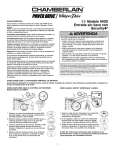
Model 940-315CB Security✚®
Wireless Keyless Entry
OWNER’S MANUAL
Instructions are Described and Illustrated Below
WARNING
WARNING
If you have a lighted push button that looks like the lighted
push button illustrated follow the instructions below.
To prevent possible SERIOUS INJURY or DEATH from a moving
gate or garage door:
• ALWAYS keep remote controls out of reach of children. NEVER
permit children to operate, or play with remote control
transmitters.
• Activate gate or door ONLY when it can be seen clearly, is
properly adjusted, and there are no obstructions to door travel.
• ALWAYS keep gate or garage door in sight until completely
closed. NEVER permit anyone to cross path of moving gate
or door.
1. Remove the cover from the Lighted
Door Control.
WARNING
CAUTION
2. Enter a four digit personal
identification number (PIN) of your
choice on the keypad. Then press
and hold ENTER.
3. While holding the ENTER button,
press and hold the “A” button on the
Lighted Door Control.
AVERTISSEMENT
AVERTISSEMENT
FEATURES
For use with any Security✚® garage door openers
having an orange “learn” button.
Personalized Password: Up to 10,000 possible
combinations. Password can be easily changed if desired.
Temporary Password: Can be added for visitors or
service persons. This temporary password can be limited
to a programmable number of hours or a programmable
number of entries.
Rolling Code: While your password remains constant
until you change it, the code between the Keyless Entry
and the receiver changes with each use, randomly
accessing over 100 billion new codes.
Operation: Opener activates when 4-digit password and
Enter button is pressed.
If wrong numbers are accidentally pressed, correction can
be made immediately. The Enter button will transmit only
the last four digits.
The Keypad will blink for 15 seconds after the password
is transmitted. During that time the Enter button can be
used to stop or reverse the door travel.
ATTENTION
AVERTISSEMENT
“A”
Button
4. Continue holding the ENTER and
“A” buttons while you press the “B”
button on the Lighted Door Control
(all three buttons are held).
“B”
Button
5. Release buttons when the motor unit
lights blink. It has learned the code. If
light bulbs are not installed, two
clicks will be heard.
If you have a multi-function wall control follow instructions
below.
1. Enter a four digit personal identification number (PIN) of your choice on
the keypad. Then press and hold
ENTER.
2. While holding the ENTER button,
press and hold the LIGHT button on
the Multi-Function Door Control.
THE KEYLESS ENTRY BATTERY
LOCK
LIGHT
WARNING
WARNING
3. Continue holding the ENTER and
LIGHT buttons while you press the
push bar on the Multi-Function Door
Control (all three buttons are held).
To prevent possible SERIOUS INJURY or DEATH:
• NEVER allow small children near batteries.
• If battery is swallowed, immediately notify doctor.
OCK
WARNING
CAUTION
LIGHT
4. Release buttons when the motor unit
lights blink. It has learned the code. If
light bulbs are not installed, two clicks
will be heard.
The 9 volt battery should produce
power for at least one year.
Replace when the keypad
illumination becomes dim.
Dispose of old batteries properly.
If neither of the two programming instructions match your
type and style of opener follow instructions below.
AVERTISSEMENT
AVERTISSEMENT
Press and release the “learn” button on motor unit. The
learn indicator light will glow steadily for 30 seconds. Within
30 seconds, enter a four digit personal identification number
(PIN) of your choice on the keypad. Then press and hold
the ENTER button. Release the button when the motor unit
lights blink. It has learned the code. If light bulbs are not
installed, two clicks will be heard.
ATTENTION
AVERTISSEMENT
NOTICE: To comply with FCC and or Industry Canada (IC) rules, adjustment or modifications of
this receiver and/or transmitter are prohibited, except for changing the code setting or replacing
the battery. THERE ARE NO OTHER USER SERVICEABLE PARTS.
Tested to Comply with FCC Standards FOR HOME OR OFFICE USE. Operation is subject to the
following two conditions: (1) this device may not cause harmful interference, and (2) this device
must accept any interference received, including interference that may cause undesired operation.
1
INSTALLATION
Typical
Keypad
Installation
Choose a convenient
location for installation.
Exterior Front Wall
It should be at eye
1-Piece or
level, reachable by the
Sectional Door
shortest person who
Door Jamb Edge
will use it, and within
(Optional Location
for 1-Piece Door)
sight of the door.
Door
Jamb
Face
For a one-piece door,
SECTIONAL DOOR ONLY
choose the optional
KEYPAD MUST BE INSTALLED
location shown in the
WITHIN SIGHT OF THE DOOR
illustration to avoid
injury as the door
swings up and out.
Test the reception of the Keyless
Entry by operating your opener
from the selected location. Change
the location if necessary.
Bottom
Remove the battery compartment
mounting hole
cover to access the bottom
mounting hole:
Battery
• Insert a small phillips screw driver
Battery
into the small hole at the bottom
Cover
of the cover and gently pull
outward to loosen.
• Slide the cover down to remove.
Center the keypad at eye level against the selected location.
Mark 10.62 cm (4-1/4") up the centerline from the bottom
and drill a 31 mm (1/8") pilot hole. Install top mounting
screw, allowing 31 mm (1/8") to protrude above surface.
Position keypad on screw head and adjust for snug fit.
With cover open so bottom mounting hole is visible, use a
punch to mark hole. Remove keypad and drill 31 mm (1/8")
pilot hole. Replace keypad and complete installation with
bottom screw, using care to avoid cracking plastic housing.
Do not overtighten.
To replace the battery cover, insert the lip at the top and
snap in place.
TO CHANGE AN EXISTING, KNOWN PIN
If the existing PIN is known, it may be changed by one
person without using a ladder.
1. Press the four buttons for the present PIN, then press
and hold the # button.
The opener light will blink twice. Release the # button.
2. Press the new 4-digit PIN you have chosen, then
press ENTER.
The motor unit lights will blink once when the PIN has been
learned.
Test by pressing the new PIN, then press ENTER. The door
should move.
TO SET A TEMPORARY PIN
You may authorize access by visitors or service people with
a temporary 4-digit PIN. After a programmed number of
hours or number of accesses, this temporary PIN expires
and will no longer open the door. It can be used to close the
door even after it has expired. To set a temporary PIN:
1. Press the four buttons for your personal entry PIN (not
the last temporary PIN), then press and hold the ✽ button.
The opener light will blink three times. Release the
button.
2. Press the temporary 4-digit PIN you have chosen, then
press ENTER.
The opener light will blink four times.
3. To set the number of hours this temporary PIN will work,
press the number of hours (up to 255), then press ✽.
OR
3. To set the number of times this temporary PIN will work,
press the number of times (up to 255), then press #.
The opener light will blink once when the temporary PIN has
been learned.
Test by pressing the four buttons for the temporary PIN,
then press Enter. The door should move. If the temporary
PIN was set to a certain number of openings, remember
that the test has used up one opening.To clear the
temporary password, repeat steps 1-3, setting the number
of hours or times to 0 in step 3.
SPECIAL NOTE: The temporary password can ONLY be
programmed to keypads working on a Chamberlain or
LiftMaster Garage Door Opener. It WILL NOT work on
keypads programmed to an external receiver.
The temporary password will continue to CLOSE the door
even after the time has expired. To eliminate this, program
a new temporary password into the keypad.
114A2621C
© 2006, The Chamberlain Group, Inc.
All Rights Reserved
Modelo 940-315CB Security✚®
Inalámbrico de Llave Digital
MANUAL DE PROPIETARIO
Las Instrucciónes se Describen e Ilustran Abajo
ADVERTENCIA
ADVERTENCIA
Se tiene una control de puerta iluminada como ilustran usar
las instrucciónes abajo.
Para evitar posibles LESIONES GRAVES o INCLUSO LA MUERTE con el
movimiento del portón o la puerta de cochera:
• SIEMPRE conserve los controles remotos donde los niños no los
alcancen. NUNCA deje que los niños usen ni jueguen con los
transmisores de control remoto.
• Active el portón o la puerta SÓLO si puede verlos claramente, si están
bien ajustados, y si no hay ningunaobstrucción en su trayectoria.
• SIEMPRE conserve el portón o la puerta de cochera a la vista hasta
que esté completamente cerrada. NUNCA permita que nadie cruce la
trayectoria de una puerta o portón en movimiento.
ADVERTENCIA
1. Extraiga la cubierta del Control de Puerta
Iluminada.
2. Ingrese un número de identificación
personal (PIN) que haya elegido, usando
el teclado. Luego oprima y mantenga
oprimido el botón ENTER.
PRECAUCIÓN
3. Mientras mantiene oprimido el botón
ENTER, oprima y mantenga oprimido el
botón “A” de Control de Puerta Iluminada.
CARACTERÍSTICAS
Para usarse con cualquier receptor de abridor de puertas de
garaje compatible Security✚®.
Contraseña personalizada: Hasta 10,000 combinaciones
posibles. La contraseña puede cambiarse fácilmente si así se
desea.
Contraseña provisoria: Puede agregarse para visitantes o
personas de servicio. Esta contraseña provisoria puede limitarse
a un número programable de horas o un número programable
de entradas.
Código cambiante: Mientras que la contraseña se mantiene
constante hasta que la cambie el usuario, el código entre el
sistema de llave digital y el receptor cambia con cada uso,
accesando en forma aleatoria más de 100 mil millones de
nuevos códigos.
Operación: El abridor se activa cuando se usa la contraseña de
4 dígitos y se oprime el botón Enter.
Si se presionan accidentalmente números equivocados, la
corrección puede hacerse inmediatamente. El botón Enter
transmitirá sólo los cuatro últimos dígitos.
El teclado parpadea durante 15 segundos después de que se
transmita la contraseña. Durante ese tiempo el botón Enter
puede usarse para detener o retroceder el recorrido de la puerta
4. Continúe oprimiendo los dos botones,
ENTER y botón “A”, mientras oprime
también el botón “B” de Control de Puerta
Iluminada (con los tres botones oprimidos).
Botón
“A”
Botón
“B”
5. Suelte los botones cuando las luces de la
unidad del motor empiecen a parpadear.
Ya aprendió el código. Si no se han puesto
bombillas, se escucharán dos chasquidos.
Se tiene una control de functiones múltiples de la puerta usar
las instrucciónes abajo.
1. Ingrese un número de identificación
personal (PIN) que haya elegido, usando el
teclado. Luego oprima y mantenga oprimido
el botón ENTER.
2. Mientras mantiene oprimido el botón
ENTER, oprima y mantenga oprimido el
botón de la luz (LIGHT) del control de
funciones múltiples de la puerta.
BATERÍA
ADVERTENCIA
LOCK
LIGHT
ADVERTENCIA
3. Continúe oprimiendo los dos botones,
ENTER y LIGHT, mientras oprime también
la barra del control de funciones múltiples
de la puerta (con los tres botones
oprimidos).
Para evitar la posibilidad de LESIONES GRAVES o INCLUSO LA
MUERTE:
• NUNCA permita que los niños pequeños estén cerca de las baterías.
• Si alguien se traga una batería, llame al médico de inmediato.
ADVERTENCIA
OCK
LIGHT
4. Suelte los botones cuando las luces de la
unidad del motor empiecen a parpadear. Ya
aprendió el código. Si no se han puesto
bombillas, se escucharán dos chasquidos.
La batería de 9 voltios debe producir
energía suficiente para un año por lo
menos. Cambie la batería cuando baje
la intensidad la iluminación del
teclado.
Deseche las baterías viejas de la
manera adecuada.
PRECAUCIÓN
En caso que ninguna de las instrucciónes de programación
corresponder con su tipo y modelo de abre puertas usar las
instrucciónes abajo.
Oprima y suelte el botón "Aprender" de la unidad del motor. La luz
indicadora de este botón estará encendida por 30 segundos. En 30
segundos, ingrese un número de identificación personal (PIN) que
haya elegido, usando el teclado. Luego oprima y mantenga
oprimido el botón ENTER.Suelte el botón cuando las luces de la
unidad del motor empiecen a parpadear. Ya aprendió el código. Si
no se han puesto focos, se escucharán dos chasquidos.
AVISO: Para cumplir con las reglas de la FCC y/o de Canadá (IC), las reglas, ajustes o modificaciones de
este receptor y/o transmisor están prohibidos, excepto por el cambio de la graduación del código o el
reemplazo de la pila. NO HAY OTRAS PIEZAS REPARABLES DEL USUARIO.
Se ha probado para cumplir con las normas de la FCC para USO DEL HOGAR O DE LA OFICINA. La
operación está sujeta a las dos condiciones siguientes:(1) este dispositivo no puede causar interferencia
perjudicial, y (2) este dispositivo debe aceptar cualquier interferencia recibida, incluyendo la interferencia
que puede causar una operación no deseable.
1
INSTALACIÓN
PARA CAMBIAR UN PIN EXISTENTE
Instalación
Tablero
Escoger una ubicación
típica
conveniente para la
instalación. Debe quedar
Puerta delantera exterior
al nivel de la vista, al
Puerta de
alcance de la persona
1 pieza o seccional
más baja que la vaya a
Borde del batinte de
usar, y quedando visible
la puerta (Ubicación opcional
la puerta.
para puertas de 1 pieza)
Para una puerta de una
Superficie del batiente de la puerta
pieza, elegir la ubicación
PUERTA SECCIONAL SOLAMENTE
opcional mostrada en la
EL TABLERO DEBE INSTALARSE A
ilustración para evitar
LA VISTA DE LA PUERTA
lesiones al oscilar la
puerta hacia arriba y
hacia afuera.
Pruebe la recepción de la Llave digital,
operando su abridor desde el punto que
haya elegido. Cambie la ubicación si es
necesario.
Quite la tapa del compartimento de las
Orificio de montaje
baterías para tener acceso al orificio
del fondo
para el montaje que se encuentra en la
parte inferior:
Pila
• Inserte un destornillador de cruz
Cubierta
(Phillips) en el orificio pequeño de la
parte inferior de la tapa y jale sua
vemente hacia afuera para aflojar.
• Deslice la tapa hacia abajo para sacala.
Coloque el teclado al centro de la ubicación elegida, al nivel de los
ojos. A partir de la parte inferior y el centro del teclado, marque
10.62 cm
(4-1/4 pulg.) hacia arriba y taladre un orificio piloto de 31 mm
(1/8 pulg.). Instale el tornillo de montaje de la parte superior,
dejando que sobresalga 31 mm (1/8 pulg.) de la superficie.
Acomode el teclado en la cabeza del tornillo y ajuste bien.
Deje abierta la tapa para que el orificio de montaje de la parte
inferior esté visible y marque donde debe taladrar. Quite el teclado
y taladre un orificio piloto de 31 mm (1/8 pulg.). Vuelva a colocar el
teclado y termine la instalación ajustando el tornillo de la parte
inferior. Tenga cuidado para evitar que la caja de plástico se agriete. No apriete en exceso.
Para volver a colocar la tapa del compartimento de las baterías,
inserte la pestaña de la parte superior; escuchará un chasquido
cuando quede en su lugar.
Si el PIN existente ya es conocido, una persona lo puede cambiar
sin usar una escalera.
1. Oprima los cuatro botones que correspondan al PIN actual,
luego oprima y mantenga oprimido el botón #.
La luz del abridor parpadeará dos veces. Suelte el botón #.
2. Oprima el nuevo PIN de cuatro dígitos y luego oprima Enter.
Las luces de la unidad del motor van a parpadear una vez cuando
el PIN se haya aprendido.
Pruebe oprimiendo el nuevo PIN, luego oprima ENTER. La puerta
debe moverse.
PARA PONER UN PIN TEMPORAL
Usted puede autorizar el acceso a sus visitas o a personal de
servicio con un PIN temporal de cuatro dígitos. Después de un
determinado número de horas programadas, o número de
accesos, este PIN temporal expira y no vuelve a abrir la puerta. Se
puede usar para cerrar la puerta aún después de que haya
expirado. Haga lo siguiente para poner un PIN temporal:
1. Oprima los cuatro botones correspondientes a su PIN de
entrada personal (no el último PIN temporal); luego oprima y
mantenga oprimido el botón ✽.
La luz del abridor va a parpadear tres veces. Suelte el botón.
2. Oprima los cuatro dígitos del PIN temporal que haya elegido,
luego oprima Enter.
La luz del abridor va a parpadear cuatro veces.
3. Para fijar el número de horas que el PIN temporal debe
funcionar, oprima el número de horas (hasta 255), luego
oprima ✽.
O
3. Para fijar el número de veces que el PIN temporal debe
funcionar, oprima el número de veces (hasta 255), luego
oprima #.
Las luz del abridor va a parpadear una vez cuando el PIN temporal
haya sido aprendido.
Pruebe oprimiendo los cuatro botones correspondientes al PIN
temporal, luego oprima Enter. La puerta debe moverse. Si el PIN
temporal se ha fijado para abrir la puerta un determinado número
de veces, recuerde que la prueba constituye una vez. Para borrar
la contraseña temporal, repita los pasos 1 al 3; fijando el número
de horas o de veces en 0, en el paso 3.
NOTA ESPECIAL: La clave temporaria puede programarse
SOLAMENTE en los tableros que funcionan con los abridores de
puertas de garaje Chamberlain o LiftMaster. NO funciona en
tableros programados en un receptor externo.
La clave temporaria continúa CERRANDO la puerta aún después
que ha finalizado el tiempo. Para eliminar esto, programar una
nueva clave temporaria en el tablero.
114A2621C
© 2006, The Chamberlain Group, Inc.
Todos los Derechos Reservados