1
User’s Guide
COFFEE
SOLUTIONTM
Item#CC500
1
ICK REFERENCE
WARRANTY
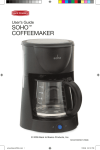
Congratulations! We hope you enjoy your new Back to Basics® Coffee SolutionTM.
The Coffee SolutionTM is designed for easy brewing and dispensing. You will find
that this appliance is versatile and easy to use. The Coffee SolutionTM is innovative
in that it offers two serving options, the traditional-style carafe for multiple serving as
well as one-hand dispensing for a single-cup coffee.
Due to the unique design and functionality of this appliance, please read all instructions before use. Save these instructions and refer to them for any cleaning and
care tips.
ONE-YEAR LIMITED WARRANTY
Back to Basics Products, Inc., warrants your new Coffee SolutionTM to be free from
defects in materials and workmanship under normal household use for a period of
1-year from the date of purchase. During this period, such defects will be repaired
or the product replaced at Back to Basics® discretion without charge. This warranty
does not cover the reusable filter or, exterior or interior damage caused by misuse,
accident or negligence.
A purchase receipt or other proof of original purchase will be required before warranty service is rendered. Please fill out and return the warranty registration card
located on page 11.
If a problem with this houseware item develops during or after the warranty period,
please contact Back to Basics Products, Inc. for service.
If service is required:
• Send a brief letter explaining the problem. Be sure to include your name,
address and phone number.
• For faster service, call 801.571.7349 or e-mail [email protected].
• Most service problems are resolved with the replacement of a broken or defective
part. If this is not the case, we will give you instructions for returning the unit.
Any appliance submitted for repair must be sent (transportation charges prepaid) to:
Back to Basics Products, Inc.
675 West 14600 South
Bluffdale, UT 84065
If you have any questions concerning the use or care of this product, or comments
regarding your experience with the product, please write a letter explaining the
nature of your concern.
2
QUICK REFERENCE
Coffee SolutionTM Parts
Reusable Filter
Lid
Filter Basket
Water Reservoir
Delay Brew Lever
Carafe
One-Hand
Dispensing Button
Warming Plate
Base
Cord Storage
Drip Screen
DISPLAY PANEL
“AUTO LIGHT”
(GREEN)
“BREW LIGHT”
(RED)
CLOCK
ON/AUTO/OFF
PROG
HOUR
MIN
3
IMPORTANT SAFEGAURDS
IMPORTANT SAFEGUARDS
WARNING
When using electrical appliances, basic safety precautions should
always be followed:
• Read all instructions before using.
• Close supervision is necessary when any appliance is used by or
near children.
• Re-programming required when unplugged. Allow unit to cool before
putting on or taking off parts and before cleaning remove contents
form carafe.
• Remove contents from carafe before cleaning.
• Never put hands on or in carafe while the appliance is plugged in.
• Do not operate this appliance with a damaged cord or plug, or if the appliance malfunctions, or if it is dropped or damaged in any manner. Contact
Back to Basics® Customer Service (See warranty, page 2) to return for
examination, repair, or electrical or mechanical adjustment.
• Do not use outdoors.
• Do not set a hot container on a cold surface.
• Do not use a cracked container or a container having a loose or weakend
handle.
• Do not let the cord hang over the edge of a table or counter.
• Do not let the cord come into contact with hot surfaces, including the
stove.
• Do not place on or near a hot gas or electrical burner or in a heated oven.
• Do not use this appliance for other than its intended use.
• Operate unit on a flat surface away from the edge of counter to avoid accidental tipping.
• Use handle and knobs to avoid touching hot surfaces. Burns can occur
from touching hot parts or from spilled, hot liquid.
• The coffee carafe is designed for use with this unit. It should never be
placed on a range top or in a microwave.
• Do not leave empty carafe on unit when it is in “ON” position. This may
result in the carafe becoming damaged and/or cracked.
• Never leave the house while the appliance is on.
• A short cord is provided to reduce the hazards resulting from becoming
entangled in or tripping over a longer cord.
• Extension cords may be used if care is exercised in their use. The marked
4
IMPORTANT SAFEGAURDS
electrical rating of the extension cord should be at least as great as the
electrical range of the appliance.
• To protect against fire, electrical shock, and injury to persons do not immerse cords, plugs, in water or other liquid.
• This appliance has a polarized plug (one blade is wider than the other).
To reduce risk of electric shock, this plug will fit into a polarized outlet only
one way. If the plug does not fit fully into the outlet, reverse the plug. If it
still does not fit, contact a qualified electrician. Do not modify the plug in
any way.
• Only use enclosed attachments with the Back to Basics® Coffee SolutionTM. Do not attempt to use any of the attachments with another manufacturer’s coffeemaker.
• Scalding may occur if water reservoir lid is removed during brewing cycle.
• Do not wash parts in dishwasher. Do not clean container with cleansers,
steel wool or other abrasive materials.
• Do not submerge unit in water.
• The carafe is designed for use with this appliance. It must never be used
on a range top.
• Do not clean carafe with cleansers, steel wool pads, or other
abrasive material.
• Do not touch hot surfaces, use handles or knobs.
• Unplg from outlet when not in use and before cleaning. Allow to cool
before putting on or taking off parts, and before cleaning the appliance.
SAVE THESE INSTRUCTIONS.
INTENDED FOR HOUSEHOLD USE
ONLY
ONLY.
5
OPERATION
Operation
Use and Care (assembly)
To use your Coffee SolutionTM, begin by assembling the unit.
Reusable Filter
Lid
Filter Basket
Water Reservoir
Delay Brew Lever
Carafe
Warming Plate
One-Hand
Dispensing Button
Base
Cord Storage
Drip Screen
1. Place unit on a clean, flat surface and plug into outlet.
2. For best possible taste, clean carafe and water reservoir before use.
See page 9.
3. To program clock and timer, see Other Features on page 8.
4. Remove carafe from unit and fill with desired amount of cold water.
Follow easy measuring marks to ensure correct amount of water.
Open lid and pour water into water reservoir. NOTE: The amount of
brewed coffee will always be less than the amount of water placed into
water reservoir; coffee grounds and the filter will absorb 10%.
5. With the lid still open, remove the filter basket. Place filter in the filter
basket. (Use quality disposable filters or use reusable filter provided.)
Measure one tablespoon (level) of drip or regular ground coffee for
each cup of coffee desired and place in filter. Be careful not to get any
grounds inside the unit.
6. Return filter basket with choice of filter to the unit and close lid. Do not
open lid during brewing cycle; leaving the lid down will preserve the
coffee’s flavor and heat.
6
OPERATION
7. Press the “ON/AUTO/OFF” button. The red “BREW” light will
illuminate during operation.
8. Upon completion of brew cycle, wait 1 minute before removing carafe
from the unit to allow any remnants to filter through. Dispense coffee
by one of the following methods:
A. Remove carafe and pour desired amount into cup(s). To keep
coffee warm, place the carafe back on the warming plate found on
the unit. WARNING: With the carafe off the unit, the warming
plate is exposed. Do not touch.
B. If only 1 cup is desired, you may use the one-hand dispensing
feature, under the carafe. To dispense, press cup against the OneHand Dispensing Button to release liquid into cup. Fill cup to the
desired amount. When desired amount is reached, release pressure
from One-Hand Dispensing Button. The carafe will stay warm
because of the warming plate on the unit.
One-Hand Dispensing Button
9. Switch unit to off by pressing the “ON/AUTO/OFF” button 2 times.
The red “BREW” light will no longer be illuminated. Remove carafe
and filter for cleaning.
10. Wait 10 minutes before brewing a second pot of coffee. Repeat
steps 1-10. Be sure unit is in the off position if the unit was left on
for over a 2-hr period. The unit is designed to automatically shut off
after 2-hours. Switch power to “OFF” when carafe is empty or when
the unit is not in use. NOTE: The second push of the ON/AUTO/OFF
button activtes the “AUTO” function when the green “AUTO” light is
illuminated.
7
OPERATION/TIPS
Other Features
Clock and Programmable Timer
“AUTO LIGHT”
(GREEN)
“BREW LIGHT”
(RED)
CLOCK
ON/AUTO/OFF
PROG
HOUR
MIN
1. To program clock, plug in unit and press the “PROG” button once. The
word “CLOCK” will appear on the screen.
2. Press the “HOUR” button on unit to set hour with AM or PM as appears
on clock. Press the “MIN” button until time of day is reached.
3. To program timer, make sure clock is set to the correct time of day. Press
the “PROG” button a second time until the word “TIMER” appears on the
screen.
4. Use “HOUR” and “MIN” buttons to set desired brew time. When brew
time is reached, press “PROG” button to confirm timer and to return to
time of day.
5. Push “ON/OFF” button twice until the “AUTO” light illuminated green. To
turn the program off, press “ON/AUTO/OFF” button once more, this will
return unit to programming mode.
6. If a new brew time is desired, repeat steps 3 & 4 above.
7. If the same brew time is desired for the next day, refill the water & coffee
then repeat step 5.
8. Re-programming the clock & times will be requested if unit is un-plugged.
Tips for general operation
• For best results, always clean unit after every use and use fresh, cold
water when brewing.
• Finer grinds will produce a fuller extraction and provide a richer, full-bodied
coffee while regular grinds will need more coffee per cup to produce the
strength of a finer grind.
• For stronger coffee, use more grinds; for weaker coffee, use less grinds.
• Grinding whole beans before use will produce optimum coffee.
8
CLEANING
• Store coffee in a cool, dry place and refrigerate after it has been opened to
maintain freshness. Do not reuse coffee grinds. This will impair the flavor
of your coffee.
Care and Cleaning
Initial Use
Before using your Coffee SolutionTM for the first time and after each use,
be sure to thoroughly wash the glass carafe, filter and filter basket in hot,
soapy water. Wipe the exterior of unit with a damp cloth to remove and
stains or smudges.
After Each Use
1. Before cleaning, make sure unit is turned off and is unplugged from the
wall.
2. Remove filter basket and dispose of coffee grounds and disposable filter,
if used.
3. To clean carafe and filter, soak in hot soapy water and rinse clean. DO
NOT WASH PARTS IN DISHWASHER.When cleaning carafe, do not use
abrasive materials which may damage carafe (a soft brush is recomended). Open lid and remove filter basket. Once all parts are clean, return
carafe and filter basket with reusable filter to the unit.
4. To clean exterior of unit, wipe with a damp cloth. DO NOT SUBMERGE
UNIT IN WATER.
5. To clean dispensing mechanism, turn carafe upside-down over sink. Using your index finger and your ring finger, push the two tabs located on
each side of the dispensing mechanism back towards the handle of the
carafe. (See picture)
Ring Finger
Middle Finger
Index Finger
9
CLEANING
6. While holding the two tabs into place, press down on the dispensing
mechanism with your middle finger. You can now release the two tabs
on either side of the dispensing mechanism while continuing to press
down on the dispensing mechanism. (See picture)
7. Flush with water for 30 seconds to remove coffee grounds. When
finished, release the dispensing mechanism.
8. Turn carafe right-side-up and allow water to drain from dispensing
mechanism.
9. Once water has drained from carafe, dry and return carafe to unit.
Extensive Cleaning
Extensive cleaning of your unit is recommended once a month. Mineral deposits can build up over time in the water reservoir causing
lengthy brew times and a decrease in the flavor of your coffee.
1. To clean, open lid and remove filter from the unit. Pour 1 pint white
vinegar into the water reservoir.
2. Replace filter to the unit and close lid. Push the “ON/ATUO/OFF”.
The red “BREW” light will illuminate.
3. Run white vinegar through a brewing cycle. Once brewing cycle is
finished, discard contents in carafe. Remove carafe from unit and
fill with 12 cups cold water. Pour water into the water reservoir and
repeat brewing cycle. Once brewing cycle is finished, switch unit to
“OFF”, unplug from the wall and discard contents in carafe.
4. Clean carafe and filter with hot, soapy water, with a soft brush; rinse
clean and dry.
5. When the unit has cooled, clean the exterior with a damp cloth. Your
unit is now clean and ready to brew.
© Copyright Back to Basics 2006
675 West 14600 South Bluffdale, UT 84065
10
WARRANTY
Please complete and return this product warranty card or register your product online
at: backtobasicsproducts.com within 10 days of purchase.
THIS INFORMATION IS FOR INTERNAL USE ONLY
Mr.
Mrs.
Model: Coffee SolutionTM CC500
Ms.
1. Name ___________________________________________________________________________
2. Address _________________________________________________________________________
City ______________________________________ State ______ Zip Code ___________
3. E-Mail Address __________________________________________________________________
4. Age:
18-24
5. Marital Status:
25-34
Married
Below $25,000
50+
Single
6. Number of Children in the House :
7. Income:
35-49
12 yrs and under _________ 13-18 yrs _________
$25,001-$50,000
$50,001-$75,000
$75,001+
8. Where was this product purchased? _______________________________________________
9. How did you become aware of this product?
____ Gift
____ TV advertisement
____ Print ad
____ Magazine article
____ Recommendation from friend
____ Saw product in store
____ TV shopping program
____ Internet
____ Other _________________________
10. What were the two most important reasons influencing your purchase:
____ Gift
____ Special offer
____ Product appearance
____ Ease of operation
____ Quality/durability
____ Product features
____ Recommended by sales person
____ Recommended by friend
____ Prior experience with Back to Basics
____ Back to Basics brand reputation
____ Value for price
____ Product packaging
____ Other _________________________
11. Why did you purchase this Back to Basics product?
____ To replacement/upgrade current product
____ Not satisfied with current product(s) already owned
____ First product(s) ever owned
____ Received as a gift
12. Would you be interested in being contacted via e-mail for promotions, recipes, new
product information, etc.?
YES
NO
COMMENTS _______________________________________________________________________
___________________________________________________________________________________
11
Fold here and mail registration card within 10 days of purchase to validate warranty.
Place
Stamp
Here
BACK TO BASICS PRODUCTS, INC.
675 West 14600 South
Bluffdale, UT 84065 USA
12