1
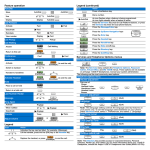
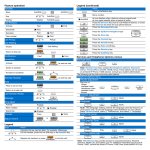
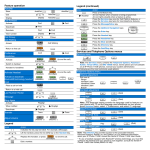
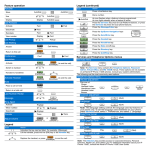
Feature 0peration
Legend (continued)
AutoDial
Icon
AutoDial
Store
Action
AutoDial
Dial a number.
AutoDial
Use
Display
Display
Press a line/feature key.
AutoDial
Call Forward
AutoDial
Activate
Forward
Deactivate
Forward
Forward
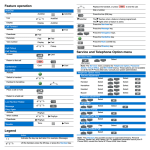
An icon flashes when a feature is being programmed.
An icon lights steadily when a feature is active.
Press the Services key once for Call Platform features, or press
the Services key twice for local telephone features.
Reinstate
Forward
Forward
Press the Message/Inbox key.
View number
Display
Forward
Press the Up/Down Navigation keys.
Call Pickup
Call Waiting
(
Pickup
Answer
(Hold)
)
Press the Enter key.
Press the Headset key.
Call Waiting
Press the Handsfree key.
Return to first call
(Goodbye)
Press the Directory key.
Conf
Conference
Handsfree
Conf
Press the Quit/Stop key.
(to end the call)
Activate
(Handsfree)
(Goodbye)
Switch to handset
Handset to handsfree
Activate Headset
Activate/ Deactivate Bluetooth®
Technology Headset*
(Services)
(Handsfree)
(to end the call)
(Headset)
(Goodbye)
(Headset)
(Headset)
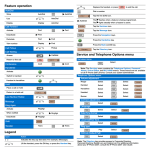
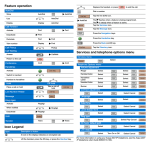
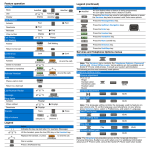
The following are the most commonly used options:
Telephone Options Menu
Volume Adjustment
Pick one of the
following:
Ringer
Handset Listen
Handsfree Listen
Headset Listen
Buzzer
Hold
Place a call on hold
Services and Telephone Options menus
Services Menu
(Hold)
Return to a held call
(Quit)
Contrast Adjustment
Last Number Redial
(Quit)
Message
(Msg/Inbox)
Language
Ring Again
(Quit)
RngAgn
Activate
When notified
Date/Time Format
RngAgn
(Quit)
RngAgn
Deactivate
Trans
Trans
Transfer
(Volume +)
(Volume -)
(Quit)
Play
OnHook Default Path
(On/Off)
Mute
(Quit)
Legend
Action
( )
(Quit)
Ring Type
Adjust Volume
Icon
Local DialPad Tone
Indicates the key cap text label. For example, (Message).
Lift the handset, press the line (DN) key or the Handset key.
Replace the handset, or press
to end the call.
(Goodbye)
* To use a headset equipped with Bluetooth® wireless technology, you must first
configure the headset and your phone to work together. For more information, see
the Avaya 1165E IP Deskphone User Guide.
Note: The Services menu contains the Telephone Options, Password Admin,
Virtual Office, and MG 1000B menus. Some options are not available on all Avaya
1165E IP Deskphones. Consult your system administrator.
Avaya 1165E IP Deskphone
Avaya 1165E
IP Deskphone
For Avaya Communication Server 1000
Quick Reference Card
Date: December 2010
Document Status: Standard
Document Release: 04.01
Document Number: NN43101-103
Copyright © 2010 Avaya Inc.
All Rights Reserved.
The Bluetooth word mark and logos are owned by the Bluetooth SIG, Inc. and any
use of such marks by Avaya is under license. Other trademarks and trade names
are those of their respective owners.