1
Projectors
PJ X3340 / PJ WX3340
PJ WX3340N
Desk Edge projectors
for better meetings
Brightness
3000
lumens
Display Colours
Connectivity
HDMI
1,073
million
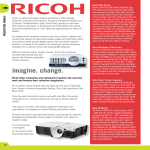
Ricoh Desk Edge projectors:
a new concept in business presentations
Better meetings
Topsy-turvy or back-to-front. However you describe the Ricoh PJ X3340
series, the message is clear: Ricoh ‘Desk Edge’ projectors aren’t like other
models. Instead, they offer customers something different and new.
At first glance, you might struggle to spot what makes them so special.
But only because we tend not to notice what we can’t see or hear or feel.
What is obvious is an impressively short throw distance and outstanding
image quality. Being able to place a projector on the table edge closest to
the screen has big benefits. It frees up space; eliminates lamp glare; and
removes the risk of shadows caused by obstructions to the light beam.
Needless to say, we didn’t stop there. In a break with tradition, we moved
all interfaces and vents from the back of the projector to the front: out of
sight and out of mind. The result is a neater, quieter, cooler environment
An uninterrupted view
Cool and quiet operation
The PJ X3340 series is designed to be placed right at
the front of a meeting room table. Able to display 80inch images from just 1.6 metres away (with WXGA
models), the projectors are perfect even for small
meeting rooms. Front edge projection means you
don’t have to worry about lamp glare or the shadows
cast by bottles, notebook screens or presenters.
Heat and fan noise generated by projectors can be a
problem in meetings. Unless you have a Ricoh Desk
Edge projector. Because the vents on our devices are
positioned at the front rather than the side, hot air
and noise is blown away from the table. Not into
people’s faces.
Clutter-free meetings
Automatic brightness control
Positioning interfaces on the front of the projector
won’t get rid of wires completely. But it does let
you keep them out of sight, as power and PC cables
can be routed around a table rather than across its
surface. This arrangement is neater and keeps the
table clear for notebooks and tablets.
This clever feature automatically adjusts image
brightness as light levels in a room change. In this
way, it optimises image quality at all times and
helps prolong lamp life. Because the projectors do
everything automatically, presenters have one less
thing to think about.
where the focus is entirely on the message not the medium.
Tidy desk, tidy mind
The ‘back-to-front’ design of the PJ X3340 series makes
meetings, neater, less obtrusive and more productive.
www.ricoh-europe.com/products/projectors
2
3
Leading from the front
Standard Features
Desk Edge design
Security built-in
Wide zoom
Password protection & key lock
The PJ X3340 series can project an 80-inch image
from within two metres of the projection surface.
This lets you position them at the front of a meeting
room table for improved comfort and still enjoy big
screen presentations. Even in small meeting rooms.
The projector can be protected with a password
to restrict access and prevent unauthorised use. A
useful key lock function prevents mistakes while
operating the projector.
Rear front design
An integrated Kensington lock and security bar help
prevent the removal and theft of devices.
Ricoh’s unique ‘rear-front’ design maximises
the benefits of table front operation by placing
interfaces and vents on the front of the projector.
This keeps the tabletop clear of cables and improves
comfort, as fan noise and hot air is directed away
from the table.
Auto image optimisation
With three models in the range, the PJ X3340
series has a model for every requirement.
PJ X3340: Standard
Every aspect of the PJ X3340 series is designed to
make meetings more productive. In addition to the
benefits of table front operation, the projectors
offer outstanding image quality and ease of use.
The combination of 3000 lumens output and a short
throw distance make the projectors suitable for all
meeting rooms, from the smallest to the brightest.
Models with wired and wireless networking add
even more flexibility.
So that they continue to meet your evolving needs,
the projectors are 3D-ready and support interactive
presentations. Ricoh’s optional Interactive kit
turns the projection surface into an interactive
whiteboard for enhanced collaboration.
Operation and set-up is quick and easy. Images are
automatically adjusted to remove any distortion and
optimised to suit ambient light levels and the colour
of the projection surface. There is even a built-in
timer to ensure presentations don’t over-run.
Automatic brightness control
Another Ricoh innovation, Automatic Brightness
Control optimises image quality whatever the
lighting conditions. Adjusting brightness in line with
changing light levels can also extend lamp life and
reduce carbon emissions.
Automatic keystone correction
Any distortion caused by projecting at an angle to
the screen is corrected automatically.
PJ WX3340: Widescreen
All the benefits of the PJ X3340 plus:
Eco-efficiency
Standby mode
Standby mode reduces power consumption to less
than 0.28W for lower energy bills.
Eco mode
Users can make further savings by selecting Eco
Mode to lower lamp brightness. This reduces energy
consumption and can extend lamp life by up to
40%, from 3,500 to 5,000 hours.
Carbon meter
PJ WX3340N: Network-ready
A useful meter helps businesses track and record
carbon emissions related to projector use.
Kensington lock and security bar
Integrated features
Integrated speaker
Built-in 10 watt speakers provide crisp clear audio and
remove the need for additional audio equipment.
Presentation Timer
A digital timer ensures presentations don’t over-run.
It can be displayed discretely in the corner during a
presentation or full-screen during Q&A.
Wall colour correction
The PJ X3340 series can adjust the colour of a
projected image to compensate for the projection
surface used, such as a whiteboard, blackboard or
coloured wall.
User logo function
The ability to display a company logo when the
projector starts up or when there is no signal
demonstrates ownership and creates a more
welcoming environment.
Future-proof
3D-ready
3D presentations can be viewed using optional
PJ 3D glasses.
Interactive kit
The DLP chip used in PJ X3340 series projectors is
interactive-ready. All you need to convert a projection
screen, or even a bare wall, into an interactive
whiteboard is Ricoh’s optional Interactive kit.
All the benefits of the PJ WX3340 plus:
www.ricoh-europe.com/products/projectors
4
5
Complete control: The PJ WX3340N
Added flexibility
Turn your projection surface into an interactive whiteboard with the Ricoh PJ
Interactive Kit.
The top of the range PJ WX3340N combines widescreen presentations with wired and
wireless network connectivity, the convenience of PC-free presentations and superior
device management.
Network connectivity
The PJ WX3340N has wired and wireless network
connectivity built-in, giving users more control
and greater flexibility in how presentations are
delivered, plus the freedom of wireless operation.
Users can send presentations to a projector
across a wired or wireless network. For wireless
operation, they can either communicate with the
projector via a wireless router or hub (Infrastructure
Communication Mode) or directly with the device
(Adhoc Communication Mode). In this way you can
enjoy wireless connectivity even if there is no LAN
access point in the conference or meeting room.
A projector server lets you send the same content
from one PC to four projectors on the network.
Easy set-up & use
A downloadable network utility simplifies wireless
set-up. To connect a computer and projector, all
you need to do is load the program and enter
a pass code. You don’t even need to choose
between Adhoc or Infrastructure mode: it’s all done
automatically.
Ease of use is enhanced with a time-saving Auto
focus feature unique to the PJ WX3340N. Place the
projector on the edge of the table and it will focus
itself automatically. It’s that simple.
Projector management
Projector Utility
Utility software supplied with the PJ WX3340N let you
manage multiple projectors on a network and includes
the ability to apply LAN settings and turn devices on
and off remotely. Because the software is compatible
with PJ Link, a standardised open protocol established
by the Japan Business Machine and Information
System Industries Association (JBMIA), you can also
control other brands of network projector.
The DLP chips used in Ricoh PJ X3340 series projectors incorporate new technology
from Texas Instruments that lets you use a digital pen to interact with projected
images. You can use the pen like a mouse to control applications, scroll, point and click;
or to draw and write on presentations or blank pages. Notes can be erased with the
pen, deleted, printed or saved.
The interactive capability can be activated whenever you wish. All that’s needed is
the optional Interactive Kit from Ricoh. This includes wireless modules for the PC and
projector, drawing software and a battery-powered digital pen.
The kit is as easy to use as you could hope. With wireless communication between the
pen and computer, just one cable is needed to link the notebook to the projector. No
calibration is required, even if you move the projector to a different room. And the pen
can be used to write directly on the screen or remotely.
@Remote compatibility
To ensure the smooth running of projectors, the @
Remote remote diagnostics service monitors network
projectors remotely over the internet providing
operating status reports.
This service is not available in some countries.
iPad Integration with Ricoh Smart Presenter
Ricoh Smart Presenter is a free software app that lets
you use an iPad to control a presentation and share
PDF material.
At its simplest, Ricoh Smart Presenter lets you take
advantage of the wireless connection between a
PJ WX3340N and iPad to deliver a PDF presentation
without the complication of cables. Alternatively, a
connection can be made using a VGA cable.
PC-free presentations
The PJ WX3340N incorporates a USB port for PCfree slideshows, with thumbnail previews for easy
content selection.
The feature works with USB memory devices and
Ricoh or Pentax digital cameras and supports JPEG
and MPEG2 formats for still and moving images.
Ricoh software can be used to save Microsoft
PowerPoint slides as JPEGs.
www.ricoh-europe.com/products/projectors
6
7
Specifications:
PJ X3340
PJ WX3340
PJ WX3340N
Single chip DLP
pixels
786,432 (1024×768)
1,024,000 (1280×800)
0.55 inch
0.65 inch
Panel size
Aspect
Projection system
Analog RGB signal (Real)
Analog RGB signal (Compression)
4:3
16:10
XGA (1024×768), SVGA (800×600), VGA (640×480) WXGA (1280×800), XGA (1024×768), SVGA (800×600), VGA (640×480) UXGA (1600×1200), SXGA (1280×1024), WXGA (1280×800) Input signal
UXGA (1600×1200), SXGA (1280×1024)
NTSC,PAL,SECAM,PAL-M,PAL-60,NTSC4.43,60Hz (Mono),50Hz (Mono)
Analog RGB frequency (Horizontal)
15-100kHz
Analog RGB frequency (Vartical)
23-85Hz
Lamp
High-Pressure mercury lamp :230W
Lamp life /(Eco)
3500/ (5000)
Projection screen size
30-200 inch
40-240 inch
Projection distance
0.68-7.2 m
0.77-7.33 m
Speaker
Connection terminal
10W mono
Computer 1 IN
Mini D-SUB15pin x 1
Computer 2 IN (Monitor IN / OUT)
Mini D-SUB15pin x 1
Video
RCA_1pin x 1
Audio IN
Mini Jack x 1
Audio OUT
Mini Jack x 1
Control (Sirial)
USB-TYPE-minB x1
HDMI
HDMI x 1
USB
N/A
TYPE-A x 1
LAN
N/A
RJ-45 x 1 (Compatible with 10BASE-T/100BASE-TX/1000BASE-T)
Wireless LAN
N/A
Compatible with IEEE 802.11a/b/g/n
Mainframe Color
Intelligent gray, Piano black
Resolution
1024x768 (XGA)
1280 x 800 (WXGA)
Color reproducibility
1,073,000,000
Brightness
3,000 lm
Contrast ratio
5000:1
Focus
Manual
Zoom ratio
Auto
1.5
External dimensions (WxDxH) - Excluding protruding parts
297×235×100
Weight
3.0 kg
Conditions for usage environment
3.1 kg
Temp: 5°C to 35°C, Relative humidity: 30% to 70%
Power source
100-240V 50/60HZ
Exhaust vent
Front
Projector mode
Standard, Rear, Ceiling, Rear ceiling
High atitude mode
Under 2500 meters (Other region) - Under 2000 meters (China)
Adjuster
Front :2 (Adjustable) Rear:1 (Fix)
AV Mute (Blank), Freeze, Re-size (Magnify), Auto keystone, Digital zoom (Reduction), Password protection, Wall Color Mode, Key lock, Security bar, Kensington lock, User logo, Eco mode, Automatic brightness
control, Carbon meter, Closed captioning, Color Universal Design, 3D projection (Ready), Presentation timer, Interactive ready (Point blank)
Major function
PC free presentation
Wireless LAN
Multi screen (1 PC to 4 projectors)
N/A
Yes
Projector management
N/A
Yes
Projection Server
N/A
Yes
Digital Camera (Ricoh & PENTAX)
N/A
Yes
@Remote
N/A
Yes
PJ link
N/A
Yes
Slide show
N/A
Still image/Animation
Thumbnail
N/A
Yes
Compatible format for USB memory
N/A
JPEG, MPEG2
File extension for USB memory
N/A
[.jpg], [.JPG], [.jpeg], [.mpeg], [.MPEG], [mpg], [MPG], [m2ts], [m2t],
[M2TS], [M2T]
Infrastructure mode
N/A
Yes
Ad-hoc mode
N/A
Yes
Network authentication
N/A
WPA-PSK, WPA2-PSK
Network encryption
N/A
WEP, TKIP, CCMP (AES)
Network Utility software
N/A
WindowsXP SP3 (Home/Professional),
Windows Vista SP2 (Ultimate/Business/HomePremium/HomeBasic)
32bit/64bit, Windows7 (Ultimate/Enterprise/Professional/Home
Premium) 32bit/64bit
Windows8 (Pro) 32bit/ 64bit
Mac OS X (10.6-10.8)
JPEG conversion software
N/A
WindowsXP SP3 (Home/Professional)
Windows Vista SP2 (Ultimate/Business/HomePremium/HomeBasic)
32bit/64bit
Windows 7 (Ultimate/Enterprise/Professional/Home Premium)
32bit/64bit
Windows 8 (Pro) 32bit/64bit
Projector Management Utility
N/A
WindowsXP SP3 (Home/Professional)
Windows Vista (Ultimate/Business/HomePremium/HomeBasic)
32bit/64bit
Windows 7 (Ultimate/Enterprise/Professional/HomePremium)
32bit/64bit
Windows Server 2008/2008R2 32bit/64bit
Windows 8 (Pro) 32bit/64bit
Intaractive software
N/A
Supported OS
www.ricoh-europe.com/products/projectors
WindowsXP SP3 (Home/Professional),
Windows7 SP1 (Ultimate/Enterprise/Professional/HomePremium)
32bit/64bit