1
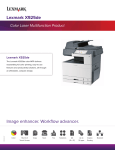
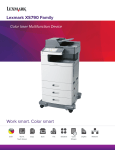
Lexmark XS925de
Color Laser
Multifunction Product
14CH3062
Image enhancer. Workflow advancer.
Color
Touch Screen
Copy
Scan
Fax
Solutions
A3 (11x17)
Up to
30 ppm
Duplex
Network
Why Lexmark?
Founded in 1991 from an IBM heritage in Lexington,
Kentucky, Lexmark is focused on delivering tailored
solutions to solve the unique challenges businesses
face. Lexmark's broad portfolio of high-quality products,
solutions and services help improve productivity,
increase efficiency and empower employees to
perform at their best.
the printer and conserve paper and energy. Our goal is
to design, package and deliver innovative products and
solutions in an environmentally responsible manner.
Make a lasting impression with
award-winning color
Environmental protection is
a shared responsibility
The Lexmark Cartridge Collection Program is active
around the world providing a variety of methods for free
returns of your empties to Lexmark or our collection
partners. Our goal: Make it easy to do the right thing.
The documents you print define an important
image—yours. That’s why Lexmark color MFPs help
businesses be more productive and stand out with
vibrant color. With the ability to print professionalquality color in-house, you can add instant impact
and save costs by virtually eliminating the need to
outsource print jobs. Lexmark also offers a host of
color-access and control tools to manage cost.
Through our work with industry groups, Lexmark helps
guide the formation of standards and guiding principles
for environmental sustainability.
Our memberships include:
AeA Europe
American National Standards Institute (ANSI)
Ecma International
Electronics Industry Citizenship Coalition (EICC)
European Information & Communications Technology
Industry Association (EICTA)
Information Technology Industry Council (ITI)
ITI Environmental Leadership Council
Eco-responsible
14CH3062
Printing responsibly means everyone wins—your
business, your budget and the environment. Lexmark’s
award-winning products are designed for ease of
use, high quality output and reliable performance,
with innovative capabilities that help you minimize
the number of cartridges you use over the life of
—2—
Overview
Affordable color output
• Robust connectivity makes it easy to integrate into
almost any network environment
The Lexmark XS925de delivers high quality 11x17
color multifunction performance. Enjoy the benefits of
vibrant, professional-quality output on a wide variety
of media, allowing you to do more color printing
in-house.
• Sleep Button and Hibernate Mode to reduce
energy costs
• Device management software available
Business productivity
• PANTONE® calibration for consistent color tones
The Lexmark XS925de combines high-performance
printing, copying, scanning and faxing with time-saving
solution applications designed to boost your productivity.
• Named Color Replacement for easy color matching
• Supports media up to 11.7 x 48 inches (banner)
• Lexmark Color Care Technology to manage color
usage and control costs
• Print and copy speeds as fast as 30 ppm in both black
and color
Easy and intuitive
• Advanced copy functions include the ability to interrupt
long print runs to make a quick copy, and proof the first
copy set before completing your copy job
The Lexmark XS925de is designed for easy
operation and maintenance.
• Scan to multiple destinations, including scan to email,
scan to FTP, scan to fax, scan to network, and more
• Extra large, easy to navigate 10.2-inch color touch
screen provides audible and tactile feedback to
make completing tasks intuitive
• Preloaded applications to drive greater efficiency, and
Lexmark Embedded Solutions Framework to further
extend the capabilities of the device
• Print and scan preview features help you select
documents or specific pages within a document
14CH3062
• Ability to change settings, such as duplex,
at the device
—3—
Solutions
Save time and money
through solutions
Reduce unnecessary printing and simplify work
processes through Lexmark solutions. The XS925de
features the Lexmark Embedded Solutions Framework
(eSF), our platform that enables you to add a wide
range of software applications directly
ontoMFPthe device.
Scan
SFP
to Network
Solutions are designed with your productivity in mind,
helping you streamline—or even eliminate—paper
SFP
MFP
intensive business processes.
The following are a few of the Lexmark solutions
available through your authorized Lexmark Business
Solutions Dealers:
Showroom
Card Copy
Scan
to Network
The right touch
The Lexmark e-Task color touch screen is a key
access point to your device. The extra large
customizable 10.2-inch interface gives you the ability
to preview thumbnails of documents prior to printing,
as well as change print jobs at the device. You can
even view, select and print specifiSFPc pages within
a Scan
MFP
to Network
document directly from the touch screen. Its easy-touse, intuitive navigation provides fast access to the
functions and shortcuts.
Display a customizable, scrolling slideshow on the color
touch screen to promote your business or products, or
to communicate important messages to your customers
or employees.
Card Copy
Card Copy
Save time and effort in copying identification cards,
licenses and insurance cards by automatically scanning,
enlarging and copying both sides of a two-sided card
onto one side of a sheet of paper.
Change Background
Change the touch screen background to your
corporate logo, custom images, a unique message or
select from preloaded screens.
The following are solutions that come preloaded on the
Card Copy
XS925de:
Forms and Favorites
Eliminate waste and inefficiencies associated with
preprinted forms. Store frequently printed forms,
marketing materials or other documents online,
then print them on demand.
SFP
MFP
Scan
to Network
14CH3062
SFP
—4—
Card Copy
Scan to Network - Basic
Scan
Card Copy
MFP
to Network document and route the image to
Scan
a hardcopy
one of 30 predefined personal or public shared
network folders.
Vertical Solutions
Professional-quality output is
only part of the story
Device management. Tools include administrative
access and passwords, HTTPS, SNMPv3, IP security
(IPSec) and 802.1x support to remotely monitor and
manage device usage.
By leveraging our industry expertise, you can
generate efficiency and increase productivity across
business processes to gain the power you need
to move ahead. Lexmark technology solutions
are tailored to your business environment—where
business interactions and decisions are happening.
Device hardening. Includes port filtering, TCP connection
filtering, hard disk encryption, hard disk wiping and
digitally signed firmware updates that enhance the
security of the device’s network interface.
Device operation. Reduce vulnerabilities with
authentication and authorization features, address book
lookup via LDAP over SSL and device lockout for
protection of user information.
Empower your employees with workflow solutions
that refine work processes, capture critical data and
deliver information to the right place, at the right time
and in the right format.
Lexmark has shown its strength and leadership with
respect to security.
Contact your Lexmark Business Solutions Dealer for
specific vertical solutions.*
• Forming and chairing the group that created the
IEEE 2600 standards for security on hardcopy devices
Keep sensitive information and
documents secure
• Becoming the first hard-copy device manufacturer
to take a holistic approach with the National
Information Assurance Partnership (NIAP) Common
Criteria evaluation
Lexmark builds network devices with security in mind
to protect your data and documents throughout your
entire workflow. Our wide range of security functions
include device management, device hardening and
device operation.
14CH3062
* Optional software available. Licensing fees may apply.
—5—
Key Features
Features that help you optimize your work
2.
5.
1.
6.
3.
2. 100-sheet automatic
document feeder (RADF)
Operate your device with ease
and confidence through smart
and intuitive navigation, easy
access to workflow solutions
and shortcuts, and the ability to
preview your documents and
print jobs at the device.
Save time by scanning both
sides of your document
with robust color-scanning
capabilities and an input
capacity of up to 100 pages.
3. Direct USB
4. Load multiple media types
The front USB port allows for
convenient walk-up preview,
printing and scanning, and is
compatible with most printable
image file formats.
150-sheet and 250-sheet
input trays and a multipurpose
feeder come standard,
allowing you to load three
media types.
5. Lexmark solutions
6. Eco-friendly features
7. Front-loading toner
cartridges
Reduce unnecessary printing
and simplify work processes
through solution applications
preloaded on your device.
Choose additional Lexmark
solutions to fit your unique
workflow needs.
Print responsibly with easyto-access features, including
Eco-Mode to reduce paper
and toner consumption, and
the Sleep Button to help you
save energy.
7.
4.
Lexmark XS925de color MFP
shown with optional paper drawers.
14CH3062
1. 10.2-inch, color touch screen
—6—
Cartridges are conveniently
located at the front of the
device for easy access.
XS925de Ordering Information
1.
1. 100-Sheet Automatic
Document Feeder
2.
2. 250-Sheet Output Bin
3. Integrated Duplex Unit
3.
4. 250-Sheet Input Tray
5.
5. 50-Sheet Multipurpose
Feeder
6.
6. 150-Sheet Input Tray
4.
7.
7. 550-Sheet Input Drawer
8. 550-Sheet Input Drawer
8.
9. 550-Sheet Input Drawer
9.
Standard
Optional
Lexmark XS925de shown
Part #24Z0387
Cabinet with Caster Base
(Only supports one additional
550-Sheet Drawer)
14CH3062
Compatible on the XS925de color MFP
Part #
24Z0037
24Z0035
24Z0034
24Z0036
Laser Toner/Print Cartridge
XS925 Black High Yield Toner Cartridge
XS925 Magenta High Yield Toner Cartridge
XS925 Cyan High Yield Toner Cartridge
XS925 Yellow High Yield Toner Cartridge
Part #
14F0245
Memory Options
256MB Flash Card
Part #
24Z0042
24Z0041
24Z0043
Application Solutions
Card for IPDS
Forms and Bar Code Card
Card for PRESCRIBE Emulation
Part #
27X0025
14F0037
14F0042
—7—
14T0220
1021294
14F0000
1021231
14F0100
Connectivity
MarkNet N8250 802.11b/g/n Wireless Print Server
MarkNet N8120 Gigabit Ethernet Print Server
MarkNet N8130 Fiber Ethernet 100BaseFX,
10BaseFL Print Server
MarkNet™ N7020e Gigabit Ethernet Print Server
USB Cable (2-meter)
Parallel 1284-B Interface Card
Parallel Cable (10-foot)
RS-232C Serial Interface Card
Part #
24Z0030
24Z0031
Paper Handling
550-Sheet Input Drawer
Cabinet with Caster Base
XS925de Product Specifications
Product specifications
Lexmark XS925de
Speeds
Black and Color
Copy, Print, Scan up to 30 ppm Letter
Paper Handling
Paper Capacity
Media Information
Standard Input: 450; Standard Output: 250
Maximum Input: 2,100 (500 + 550 + 550 + 250 + 150 + 50); Maximum Output: 250
Types: Card Stock, Envelopes, Glossy Paper, Labels, Plain Paper, Transparencies, Banner Media
Size: Letter, Legal, Ledger, Statement, Universal, Folio, Executive, A3, A4, A5, A6,
Oficio JIS-B5, Envelopes (7-3/4, 9, 10, DL, B5, C5)
ADF Capacity
Up to 100 Sheets
Copy
Touch Screen: 10.2-inch Color, Customizable Memory (Min/Max): 1536 MB/1536 MB
Copy Resolution: 600 x 600 dpi
Print
Time to First Page: As Fast as 9 Seconds (Black); As Fast as 11 Seconds (Color)
Resolution: 600 x 600 dpi; 1200 Image Quality
Processor: 1 GHz/Hard Drive: 160+GB
Connectivity (Standard): USB 2.0 Specification Hi-Speed Certified (Type B), Front USB 2.0 Specification Hi-Speed Certified Port (Type A), Rear USB 2.0
Specification Hi-Speed Certified Port (Type A), Ethernet 10/100/1000 BaseTX (RJ-45)
Connectivity (Optional): Parallel, Serial, Wireless
Scan
Simplex Scan Speed (Ltr/Black,Color): Up to 32 sides per minute
Duplex Scan Speed (Ltr/Black,Color): Up to 16 sides per minute
Scan Features: Resolution: 600 x 600 dpi; Flatbed Scanner with ADF
Scan Destinations: USB Thumbdrive, E-mail, FTP, lDSS, Network or USB Connected Computer, Windows Network Folder
File Formats: TIFF, JPG, PDF, XPS, Secure PDF
Fax
Resolution: 600 x 600 dpi
Fax Features: Fax Redirect, Group Fax, Manual Fax, Fax from PC, Up to 512-Character Shortcuts, Fax Preservation, LDAP Look-up, Caller ID,
Speed Dials, Block Junk Faxes, Broadcast, Fax Shortcuts, Fax Forwarding
Security
User authentication and authorization controls including LDAP; Card reader option to add an extra layer of security;
Hard disk encryption protects sensitive data on the disk drive; Automatic scheduled or manual disk wiping; IPSec, SNMPv3 and 802.1x network
security supported; Security-audit logging to help track and identify security risks
Supplies Yield
7,500*-Page Color (CMY) High Yield Toner Cartridges; 8,500*-Page Black High Yield Toner Cartridge
*Average continuous black or continuous composite CMY declared cartridge yield up to this number of standard pages in accordance with
ISO/IEC 19798.
Recommended Monthly Volume
Up to 10,000 Pages/Month
Contact your dealer about workflow solutions.
Based on approximately 5% print coverage. Actual yields may vary based on factors such as page coverage,
image type, job size, print/copy/fax modes, and duplexing.
Recommended Monthly Page Volume is a range of pages that helps customers evaluate Lexmark’s product
offerings based on the average number of pages customers plan to print on the device each month.
Lexmark recommends that the number of pages per month be within the stated range for optimum device
performance, based on factors including: supplies replacement intervals, paper loading intervals, speed, and
typical customer usage.
3 Maximum Monthly Duty Cycle is defined as the maximum number of pages a device could deliver in a month
using a multishift operation. This metric provides a comparison of robustness in relation to other Lexmark
printers and MFPs.
Lexmark and Lexmark with the diamond design are trademarks of Lexmark International, Inc., registered in the
United States and/or other countries. All other trademarks are the property of their respective owners. ENERGY
STAR® is a U.S. registered mark. Information in this document is subject to change without notice. Unison is a
trademark of Lexmark International, Inc. Information in this document is subject to change without notice.
1
14CH3062
2
AirPrint and the AirPrint logo are trademarks of Apple Inc.
—8—