1
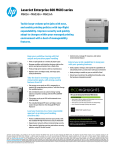
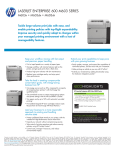
LaserJet Enterprise 600 M602 series
M602n • M602dn • M602x
Share this printer with workgroups to cut costs
and boost productivity. Tackle everyday printing
needs, influence print habits, and control printer
access with customized printing policies and
secure pull printing.
Keep your workflow moving with fast
output and precision paper handling
• Print at rapid speeds on a variety of paper types
• Manage workflow with intuitive features right on the
printer, and get quick prints from a flash drive
• Produce high print volumes with low maintenance
• Replace toner cartridges easily, and enjoy quiet,
clean performance
Take the lead in meeting companywide
conservation goals, with energy-saving
features from HP
• Expand your network without compromising security
• Effectively manage compliance and security issues
across your business
Extend your print capabilities to keep pace
with your growing business
• Easily update, manage, and expand the capabilities of
networked printers, and do more with your investment
• Make printing as mobile as you are with HP ePrint5
• Extend your investment by adding functionality using
the hardware integration pocket6
• Cut energy use as much as 45%, compared to a
majority of competing laser printers,7 with this Energy
Star qualified printer
• Get centralized access to custom energy-saving
options and printer settings with the HP EcoSMART
Console2
• Trim paper use by up to 50% with automatic twosided printing1
• Pre-installed Original HP toner cartridges reduce
waste. Recycle them for free through HP Planet
Partners3
Lead your business to a more responsible
approach to printing and handling
sensitive data
• Take control of printing practices and enforce security
policies, using HP Access Control4
• Control costs, manage IT resources, and reduce
environmental impact
HP LaserJet Enterprise 600 Color M602 Series
ECO INFORMATION
• Save energy—HP Auto-On/Auto-Off Technology turns your printer
On when you need it, Off when you don’t.1
• Save paper by up to 50% using automatic two-sided printing.
• Free, convenient cartridge recycling in 54 countries.
ENERGY STAR® Qualified Product
HP Auto-On and Auto-Off capabilities subject to printer and settings.
1
www.hp.com/ecosolutions
Please recycle your computing hardware and printing
supplies. HP asset management and recycling services
make responsible disposal easy.
1
Automatic two-sided printing is only available on the HP LaserJet Enterprise 600 M602dn and M602x printers. The Automatic Two-sided Printing Accessory may be purchased separately for the HP LaserJet Enterprise 600 M602n Printer. 2Expected availability late
2011. May require a firmware upgrade. 3Program availability varies. Original HP cartridge return and recycling is currently available in more than 50 countries and territories around the world through the HP Planet Partners program. For more information, or to request
return envelopes and bulk collection boxes, visit http://www.hp.com/recycle. 4HP Access Control must be purchased separately. 5Requires an Internet connection to the printer. Feature works with any Internet- and e-mail-capable device. Print times may vary. For a
list of supported documents and image types, see http://www.hp.com/go/eprintcenter. Some HP LaserJet products will require a firmware upgrade. 6Solutions deployed through the hardware integration pocket may require additional purchase. 7Energy data used
to calculate savings based on HP testing using the ENERGY STAR® program’s Typical Electricity Consumption (TEC) method vs. a majority of worldwide top-selling competitive models <$2,299 as of March 2011 using data reported in energystar.gov and eu_energystar.
org as of July 2011. Data extended to one year. Actual results may vary.
HP LaserJet Enterprise 600 M602 Series
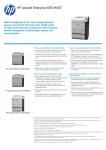
HP Laserjet Enterprise 600 M602x model shown
1 Intuitive 4-line color display with 10-button keypad
2 Hardware Integration Pocket for solution integration
6
3 Walkup USB port
1
2
4 Built-in automatic two-sided printing
7
5 Convenient front on/off switch
3
8
6 500-sheet output bin
4
7 One-door access to install regular or high-capacity
toner cartridges
8 100-sheet multipurpose tray 1 handles heavy custom
9
media up to 53 lb bond
5
9 Two 500-sheet input trays for a 1,100-sheet total
input capacity
10 HP Jetdirect 10/100/1000Base-TX Ethernet embedded
print server
Front view
10
11 512 MB total memory and an 800 MHz processor quickly
handle complex print jobs
11
12 Hi-Speed USB 2.0 port
12
I/O panel close-up
Series at a glance
M602n printer
M602dn printer
M602x printer
Part number
CE991A
CE992A
CE993A
Print speeds
Up to 52 ppm letter
Up to 52 ppm letter
Up to 52 ppm letter
Control panel
4-line color display, 10 key pad
4-line color display, 10 key pad
4-line color display, 10 key pad
Hardware integration pocket
√
√
√
100-sheet multipurpose tray 1
√
√
√
500-sheet tray 2
√
√
√
500-sheet tray 3
Optional
Optional
√
√
√
√
Optional
√
√
Regular (~ 10,000 pages) and highcapacity (~ 24,000 pages)1
Regular and high-capacity
Regular and high-capacity
Not available
Not available
Not available
500-sheet output bin
Automatic two-sided printing unit
Toner cartridges supported
HP high performance secure hard disk
Declared yield value for black cartridge in accordance with ISO/IEC 19752. Actual yields vary considerably based on images printed and other factors. For more information, visit www.hp.com/go/learnaboutsupplies.
1
Top features
The HP LaserJet
Enterprise 600
M602 Printer
series is HP’s
ultimate high-use
workgroup printer,
delivering advances
in productivity,
manageability,
and security.
The printer’s
top features are
highlighted below.
For a more indepth look at these
features and their
benefits, see the
pages that follow.
Heavy-duty reliability and breakthrough speeds
Secure printing with minimal intervention
Boost productivity with print speeds up to 52 ppm.1, 2 Produce
documents on a variety of media, including letterhead, envelopes,
labels, cardstock, and transparencies.
Monitor jobs and settings, using the 4-line color control panel.
A 10-key pad lets users enter a personal identification number (PIN)
to retrieve documents, adding security.2 Use the front facing, walkup USB port to print from flash drives.
Up to two 500-sheet paper trays and automatic two-sided printing
means less paper lying around and fewer trips to reload.2 Plus, a
100-sheet multipurpose tray adds versatility. Increase capacity to up
to 3,600 sheets with optional media accessories.
One-door access makes it easy to replace Original HP LaserJet
all-in-one toner cartridges. The updated design delivers clean, quiet
performance for distraction-free printing.
With HP Access Control,5 you can apply custom rules to printing and
imaging devices, and create a more secure printing environment.
Track resource use, prevent waste from unclaimed documents, and
offer multiple authentication options.
Command your printing environment and slash costs, with HP Web
Jetadmin. Use the HP Universal Print Driver to easily update the
entire managed printing environment. And add HP EcoSMART Fleet
to make and manage environmental goals.6
Enhance security on multiple networked devices. Protect sensitive
data by requiring a PIN for retrieval. The IPv6 protocol lets you
easily expand your network of IP addresses, while IPSec security
provides fast authentication and encryption for sensitive data.
Define and manage security policies across your business, monitor
printer compliance, and update all managed printers when policies
change, using the HP Imaging and Printing Security Center.
Outstanding energy and paper savings
Cut energy use as much as 45%, compared to a majority of competing
laser printers.12 Reduce energy use even more with HP Auto-On/AutoOff Technology, which turns the printer on or off in response to changes
in network activity.
Shrink your carbon footprint—track usage data in real time and
apply custom energy-saving options, using the HP EcoSMART
Console.3 An embedded web server helps you control device
settings to cut costs, reduce impact, and set policies on all managed
printers.
Automatic two-sided printing saves up to 50% on paper and
helps reduce office clutter.2 Pre-installed Original HP LaserJet
toner cartridges help you get up and running right away, with less
packaging waste. Recycling is easy and free through
HP Planet Partners.4
Extensibility to meet your needs
Update, manage, and extend printer capabilities, using
HP FutureSmart Firmware. Innovative extensibility simplifies the
process of deploying customized HP and third-party workflow and
document management solutions.
Print where business takes you. HP ePrint7 offers solutions for
printing within your secure company network8 or printing to public
locations like airports and hotels.9
Enhance functionality with a range of HP and key partner solutions.
Use the hardware integration pocket to house and integrate new
solutions.2, 10
Get the most out of your printer with HP accessories, supplies, and services.
500-sheet Paper Tray
Keep your workflow moving with fast output
and precision paper handling. High-capacity
paper trays, plus options to add more, give
capacity of up to 3,600 sheets
CE998A
HP Services
Downtime can have serious consequences, so HP provides support beyond
the standard warranty. You benefit from reduced risk, maximized uptime,
predictable service delivery and no unbudgeted repair costs. Choose from:
Optimized Care (optimum performance and stability):
4 hour Onsite Support, Maintenance Kit Replacement Service,
Installation with Network Configuration Service
Standard Care (high level of uptime)
Next Business Day Onsite Support, Maintenance Kit Replacement
Service, Installation with Network Configuration Service
Basic Care (minimum recommended support)
Next Business Day Onsite Support
Printer
HP LaserJet Enterprise 600 M602n
HP LaserJet Enterprise 600 M602dn
HP LaserJet Enterprise 600 M602x
CE991A
CE992A
CE993A
HP LaserJet Print Cartridges11
HP 90A Black LaserJet Toner Cartridge (~ 10,000 pages)
HP 90X Black LaserJet Toner Cartridge (~ 24,000 pages)
CE390A
CE390X
Accessories
HP LaserJet 500-sheet Input Tray Feeder
HP LaserJet 1500-sheet High-capacity Input Tray
HP LaserJet Custom Media Cassette
HP LaserJet Automatic Duplexer for Two-sided Printing Accessory
HP LaserJet Printer Stand
HP LaserJet 500-sheet 5-bin Mailbox
HP LaserJet 75-sheet Envelope Feeder
HP LaserJet 500-sheet Stacker
HP LaserJet 500-sheet Stapler/Stacker
HP LaserJet 1000 Staple Cartridge Pack
HP 512 MB 144-pin x32 DDR2 DIMM
HP LaserJet Printer 110V Maintenance Kit HP LaserJet Printer 220V Maintenance Kit HP Hi-Speed USB Cable (6 ft./1.8 m) HP USB Cable 2.0 (a-b) 3 meter HP Jetdirect ew2500 802.11b/g Wireless Print Server CE998A
CE398A
CB527A
CF062A
CF063A
CE997A
CE399A
CE404A
CE405A
Q3216A
CE483A
CF064A
CF065A
Q6264A
C6520A
J8021A
Next Business Day Onsite Support: Onsite service the next business day
after the service call is received
HP Care Pack Services
HP 3-year Next Business Day + DMR LaserJet M602 HW Support
HP 4-year Next Business Day + DMR LaserJet M602 HW Support
HP 5-year Next Business Day + DMR LaserJet M602 HW Support
HP 1-year Post Warranty Next Business Day + DMR LaserJet M602 Support HP 2-year Post Warranty Next Business Day LaserJet M602 Hardware Support HP Network Install Mono-mid LaserJet SVC
Maintenance Kit Replacement Service: Onsite replacement of your
printer’s maintenance kit including parts, materials, and labor
Connectivity
HP Jetdirect 2700w USB Wireless Print Server (available early 2012)
Installation with Network Configuration Service: Assembly, network
configuration, and basic administrator familiarization
Paper: www.hp.com/go/paper
4 hr Onsite Support: Onsite support within four hours after a service call
received within the coverage window
For more information about HP Care Pack, HP Contractual, or HP Managed
Print Services, visit www.hp.com/go/printservices
HZ490E
HZ488E
HZ489E
HZ501PE
HZ502PE
UC742E
J8026A
Software
HP Web Jetadmin: www.hp.com/go/wja
HP Easy Printer Care: www.hp.com/go/easyprintercare
HP Universal Print Driver: www.hp.com/go/upd
HP Install Network Printer Wizard: www.hp.com/go/inpw_sw
1
Measured using ISO/IEC 24734, excludes first set of test documents. For more information, see www.hp.com/go/printerclaims. Exact speed varies depending on the system configuration, software application, driver, and document complexity. 2Standard and
optional features vary by product and model. Please see “Series at a glance” on pages 2 for more information. 3Expected availability late 2011. May require a firmware upgrade. Some solutions may not be available at product introduction. 4Program availability
varies. Original HP cartridge return and recycling is currently available in more than 50 countries and territories around the world through the HP Planet Partners program. For more information, or to request return envelopes and bulk collection boxes, visit
www.hp.com/recycle. 5HP Access Control must be purchased separately. 6HP Web Jetadmin is free and can be downloaded at http://www.hp.com/go/webjetadmin. HP EcoSMART Fleet must be purchased separately. The HP Universal Print Driver is free and can be
downloaded at http://www.hp.com/go/upd. 8Requires an Internet connection to the printer. Feature works with any Internet- and e-mail-capable device. Print times may vary. For a list of supported documents and image types, see www.hp.com/go/eprintcenter. Some
HP LaserJet products will require a firmware upgrade. 9HP ePrint Enterprise requires an optional wireless accessory card: Internet- and email-capable BlackBerry® smartphone OS 4.5 or newer; iPhone® 3G or newer, running iOS 4.2 or later; HP webOS devices running
webOS 1.45 or 2.0; or Android™ device running version 1.4 or newer, with separately purchased wireless Internet service, HP ePrint Enterprise server software and HP ePrint services app. Solution works with PCL5/6, PCL3, PCL3GUI printers (HP and non-HP). BlackBerry
requires BlackBerry Enterprise Server (BES) deployment. HP webOS app available October 2011. 10Usage of HP ePrint at mobile print locations requires Internet- and email-capable smartphone with separately purchased wireless Internet service, and the HP ePrint
services app. Availability and cost of printing varies by mobile print location. Visit www.hp.com/go/eprintmobile to view the list of applicable smartphones and operating systems. HP webOS app available October 2011. 11Solutions deployed through the hardware
integration pocket may require additional purchase. 12Declared yield value in accordance with ISO/IEC 19752 and continuous printing. Actual yields vary considerably based on images printed and other factors. For details see www.hp.com/go/learnaboutsupplies.
13
Energy data used to calculate savings based on HP testing using the ENERGY STAR® program’s Typical Electricity Consumption (TEC) method vs. a majority of worldwide top-selling competitive models <$2,299 as of March 2011 using data reported in energystar.gov
and eu_energystar.org as of July 2011. Data extended to one year. Actual results may vary.
HP LaserJet Enterprise 600 M602 Series
Technical specifications
HP LaserJet Enterprise 600 M602dn (CE992A)
HP LaserJet Enterprise 600 M602n (CE991A)
Print speed1
HP LaserJet Enterprise 600 M602x (CE993A)
Black: Up to 52 ppm letter (up to 50 ppm A4)
First page out2
Black (A4, ready): As fast as 8.5 sec
HP ePrint capability
Yes
Printer management
HP Web Jetadmin; HP SureSupply; HP Utility (Mac)
Print resolution
Black (best): Up to 1200 x 1200 dpi; Black (normal): HP FastRes 1200 (1200 dpi effective quality), 600 dpi with HP Resolution Enhancement technology
Print technology
Laser
Control panel
2.29 x 5.33 cm 4-line color LCD display, 3 LED lights (Attention, Data, Ready), buttons (Information, Stop/Cancel, Return, Home, Folder, Left Arrow), 10 numeric keys
Processor
Type: ARM Cortex-A8 superscalar processor; Speed: 800 MHz
Memory
Standard: 512 MB; Maximum: 1 GB
Display
4-line LCD (color text and graphics)
Durability ratings
Duty cycle3: Up to 225,000 pages (A4/letter); Recommended monthly page volume4: Up to 3,000 to 15,000 pages
Paper
Standard: Up to 600 sheets;
Maximum: Up to 3,600 sheets
Input
Standard: Up to 1,100 sheets; Maximum: Up to 3,600 sheets
Standard: Up to 600 sheets (500 in the face down bin, 100 in rear face up door); Maximum: Up to 1,100 sheets (Rear face-up door: up to 100 sheets;
Output
Top output bin: up to 500 sheets; 5-bin mailbox: up to 500 sheets)
Automatic (standard)
Duplex print options
Manual (driver support provided)
Media types
Paper (bond, color, letterhead, plain, preprinted, prepunched, recycled, rough, light), envelopes, labels, cardstock, transparencies, shelf edge labels, user-defined
Media sizes
Multipurpose tray 1: 3 x 5 to 8.5 x 14 in; Tray 2, optional 500-sheet input tray: 5.83 x 8.27 to 8.5 x 14 in; Optional Custom media cassette: 4.02 x 5.83 to 6.69 x 11.10 in
Multipurpose tray 1: 16 to 53 lb; Tray 2, optional 500-sheet input tray, optional Custom media cassette, optional 1500-sheet High-capacity input tray: 16 to 32 lb;
Optional Envelope feeder: 20 to 28 lb; Optional Duplexer: 16 to 32 lb
Media Weight
1 Hi-Speed USB 2.0; 1 Gigabit Ethernet; 2 External Host USB (1 walk-up and 1 external accessible); 2 internal Host USB 2.0-like ports (for 3rd party connection);
Interfaces
1 Hi-Speed USB 2.0 HIP (for 3rd party connection)
Languages
HP PCL 6, HP PCL 5e (HP PCL 5e driver available from the Web only), HP postscript level 3 emulation, native PDF printing (v 1.4)
Network capabilities
Via HP Jetdirect 10/100/1000Base-TX Ethernet embedded print server (standard); 802.3az (EEE); IPsec (standard), 802.11 b/g/n wireless networking (optional)
105 internal TrueType fonts scalable in HP PCL, 92 internal scalable fonts in HP postscript Level 3 emulation (Euro symbol built-in); 1 internal Unicode Fonts (Andale Mono WorldType);
Fonts
2 Internal Windows Vista 8 Fonts (Calibri, Cambria); additional font solutions available via third-party flash memory cards; HP LaserJet Fonts and IPDS
Emulation available at http://www.hp.com/go/laserjetfonts
Network protocols
IPv4/IPv6: Apple Bonjour Compatible (Mac OS v10.2.4 or higher), SNMPv1/v2c/v3, HTTP, HTTPS, FTP, TFTP, Port 9100, LPD, WS Discovery, IPP, Secure-IPP, IPsec/Firewall; IPv6: DHCPv6,
MLDv1, ICMPv6; IPv4: Auto-IP, SLP, Telnet, IGMPv2, BOOTP/DHCP, WINS, IP Direct Mode, WS Print; Other: NetWare NDS, Bindery, NDPS, ePrint
Management security: SNMPv3, SSL/TLS, 802.1X authentication (EAP- PEAP, EAP-TLS), IPP over TLS, IPsec/Firewall with Certificate, Pre-Shared Key Authentication, and Kerberos
Security
Dimensions (w x d x h)
Authentication; Support for WJA-10 IPsec Configuration using IPsec Plug-in
Weight (with print
16.3 x 20 x 20.2 in (415 x 508 x 513 mm)
57.8 lb (26.3 kg)
52.1 lb (23.7 kg)
cartridges)
72.1 lb (32.8 kg)
PC: Microsoft Windows 7, Windows Vista , Windows XP (SP2 or higher), Windows Server 2003 (SP1 or higher), Windows Server 2008, Windows Server 2008 R2; 200 MB available hard
disk space; operating system compatible hardware system requirements, see http://www.microsoft.com
Mac: Mac OS X v10.5, 10.6; 150 MB available hard disk space; operating system compatible hardware system requirements, see: http://www.apple.com
®
System requirements,
Windows
16.3 x 20 x 15.7 in (415 x 508 x 398 mm)
16.3 x 16.9 x 15.7 in (415 x 428 x 398 mm)
®
®
®
®
®
®
Printer; Right-angled power cord; Software and documentation on CD-ROM; HP Black LaserJet Toner cartridge (~10,000 pages);
What’s in the box
Getting Started Guide; Support flyer; HP ePrint flyer; Warranty Guide (where applicable)
M602dn: Automatic duplexer for two-sided printing; M602x: 500-sheet input tray
Warranty
One-year, next business day, on-site limited warranty
Environmental ranges
Temperature range Humidity range Operating: 15 to 32°C (59 to 89.6°F)
Recommended: 15 to 32°C (59 to 89.6°F)
Storage: -30 to 60°C (-22 to 140°C)
Operating: 10 to 80% RH
Recommended: 10 to 80% RH
Non-operating: 10 to 90% RH
Acoustic5
Sound power emissions
Sound pressure (bystander position) Active, Print: 7.0 B(A), Idle/Ready: 4.3 B(A)
Active, Print: 56 dB(A), Idle/Ready: 30 dB(A)
Power
Power Supply Type
Power Supply required Power Consumption6
Typical Electricity Consumption (TEC) Internal (Built-in) power supply
Input voltage: 100 to 127 VAC (±10%), 50/60 Hz (± 3 Hz);
220 to 240 VAC (± 10%), 50/60 Hz (± 3 Hz)
820 watts (Printing), 21 watts (Ready), 5.5 watts (Sleep), 1.0 watt
(Auto-Off), 0.3 watts (Manual-Off)
3.763 kWh/Week
Safety approvals and requirements
IIEC 60950-1 (International); EN 60950-1 +A11 (EU); IEC 60825-1; UL/cUL Listed
(US/Canada); GS License (Europe); EN 60825-1 (Class 1 Laser/LED Device); Low
Voltage Directive 2006/95/EC with CE Marking (Europe);
other safety approvals as required by individual countries
Electromagnetic emission standard
CISPR 22: 2005 EN 55022: 2006 +A1 Class B, EN 61000-3-2: 2006,
EN 61000-3-3: 2008, EN 55024: 1998 +A1+A2, FCC Title 47 CFR, Part 15 Class B
(USA), ICES-003, Issue 4, (Canada), GB9254-2008, EMC Directive 2004/108/EC with
CE Marking (Europe), other EMC approvals as required by individual countries
1
Measured using ISO/IEC 24734, excludes first set of test documents. For more information see http://www.hp.com/go/printerclaims. Exact speed varies depending on the system configuration, software application, driver, and document
complexity. 2First page out time is measured from Tray 2. Exact speed varies depending on the system configuration, software application, driver and document complexity. 3Duty cycle is defined as the maximum number of pages per month of
imaged output. This value provides a comparison of product robustness in relation to other HP LaserJet or HP Color LaserJet devices, and enables appropriate deployment of printers and MFPs to satisfy the demands of connected individuals
or groups. 4HP recommends that the number of printed pages per month be within the stated range for optimum device performance, based on factors including supplies replacement intervals and device life over an extended warranty period.
5
Measured according to ISO 7779 and declared in accordance with ISO 9296; values are subject to change. For current information, see http://www.hp.com/support. Configuration tested: HP LaserJet Enterprise 600 M602dn printing duplex
mono on A4 paper. 6Power requirements are based on the country/region where the printer is sold. Do not convert operating voltages; this will damage the printer and void the product warranty. Power consumption in Auto-Off mode depends
on customer network switch capability, user configuration and network activity. Off-mode power may vary while checking network packets for print jobs.
© Copyright 2011-2012 Hewlett-Packard Development Company, L.P.
The information contained herein is subject to change without notice. The only warranties for HP products and services are set forth in the express warranty statements accompanying such products and
services. Nothing herein should be construed as constituting an additional warranty. HP shall not be liable for technical or editorial errors or omissions contained herein. ENERGY STAR and the ENERGY
STAR mark are registered U.S. marks. Microsoft, Windows, and Windows XP are registered trademarks of Microsoft Corporation. Windows Vista is either a registered trademark or trademark of Microsoft
Corporation in the United States and/or other countries.
To learn more, visit www.hp.com
4AA3-6459ENUC, July 2012, Rev 3