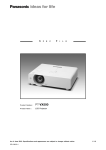
1
PT-VW430 Series
PT-VW330 Series
LCD Projectors
PT-VW435N
PT-VW430
PT-VX505N
PT-VX500
Advanced Portable Projectors
with High Brightness, Wireless Functions,*
and Abundant Features.
* Wireless function: PT-VW435N/VX505N/VX400NT only.
PT-VW330
PT-VX400NT
PT-VX400
PT-VX41
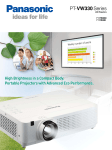
Advanced Portable Projectors for Versatile Use
Presenting the PT-VW430 Series with its brighter,
crisper projection, and the PT-VW330 Series with its
versatile eco functions. Wireless-ready models are also
available in both series.
This wide-ranging line-up supports every situation —
from business to education.
* Featured image: PT-VW430 Series
PT-VW430
SERIES
Superbly Bright Portables
Portable projectors with distinctively high brightness of 5,000 lm* and 4,000:1* contrast.
The Daylight View Basic function produces easy-to-see images even in bright rooms, and the new
Wireless Manager ME 6.0 enables high-speed wireless projection.**
* PT-VX505N/VX500: 5,000 lm, 4,000:1 contrast. PT-VW435N/VW430: 4,300 lm, 3,500:1 contrast. ** Wireless projection: PT-VW435N/VX505N only.
NEW
NEW
PT-VW435N ***
WXGA
1.6x Zoom
4,300 lm
PT-VW430 ***
3,500:1
Wireless Function
WXGA
4,300 lm
PT-VX505N ***
3,500:1
1.6x Zoom
XGA
1.6x Zoom
5,000 lm
4,000:1
Wireless Function
PT-VX500 ***
XGA
5,000 lm
4,000:1
1.6x Zoom
*** Product numbers vary depending on the market. The general guideline is as follows:
The product number in South America and Taiwan is PT-VW435NU, VW430U, VX505NU and PT-VX500U. The product number in Europe (except the UK) and CIS is PT-VW435NE, VW430E,
VX505NE and PT-VX500E. The product number in the UK, Asia (except Taiwan), Oceania, Middle East, and Africa is PT-VW435NEA, VW430EA, VX505NEA and PT-VX500EA.
PT-VW330
SERIES
Compact and Eco-friendly
Enhanced performance in a compact, lightweight body.
Advanced Eco performance, Easy Setting and Wireless Projection
set a new standard for portable projectors.*
* Easy Setting and Wireless Projection: PT-VX400NT only.
PT-VW330 **
WXGA
1.6x Zoom
3,000 lm
PT-VX400NT **
2,000:1
Side-by-Side/P-in-P
XGA
1.6x Zoom
4,000 lm
2,000:1
Wireless Function
PT-VX400 **
XGA
4,000 lm
PT-VX41**
2,000:1
XGA
4,000 lm
2,000:1
1.6x Zoom
** Product numbers vary depending on the market. The general guideline is as follows:
The product number in South America and Taiwan is PT-VW330U, VX400NTU, VX400U and PT-VX41U. The product number in Europe (except the UK) and CIS is PT-VW330E, VX400NTE, VX400E and
PT-VX41E. The product number in the UK, Asia (except Taiwan), Oceania, Middle East, and Africa is PT-VW330EA, VX400NTEA, VX400EA and PT-VX41EA.
1
Superb Performance in a Compact Body
A Highly Bright Portable with 5,000 lm/4,300 lm*1
VW435N
VW430
VX505N
VX500
VW435N
The PT-VX505N/VX500 and PT-VW435N/VW430 rank high in the portable
projector category with their high brightness of 5,000 lm and 4,300 lm,
respectively. All models also incorporate a variable iris that produces a high
contrast of 4,000:1/3,500:1.*1 This all combines to provide brighter, sharper
projection for versatile situations.
4,000 lm/3,000 lm*2 of Brightness in a
Compact Body
VW330
VX400NT
VX400
The Daylight View Basic Function Ensures
Clear Images Even in Brightly Lit Rooms
VW430
VX505N
VW430
VX500
Panasonic’s Daylight View Basic technology achieves sharp, easy-to-see
images by clearly reproducing the details in dark image areas, which were
previously difficult to see in brightly lit rooms. A built-in sensor measures the
ambient light, and the Daylight View Basic function adjusts the halftone color
and brightness level according to the surrounding illumination.
VX505N
VX500
VW330
VX400NT
VX400
VX41
The PT-VW330/VX400NT/VX400/VX41 have a maximum lamp replacement
cycle of 5,000 hours.*4 The air filters of the PT-VW330/VX400NT/VX400/VX41
also have a replacement cycle of 6,000 hours.*5 This reduces maintenance
hassles for long periods of use, and helps to lower maintenance costs and
reduce environmental impact.
Air Filter
Model
Lamp
Replacement
Cycle*4
Replacement
Cycle*5
Types
PT-VW435N/VW430
VX505N/VX500
4,000 hours
4,000 hours
Pleated Micro Cut Filters*6
(in 2 locations)
PT-VW330/
VX400NT/
VX400/VX41
5,000 hours
6,000 hours
Three-layered Air Filters
(in 2 locations)
VX41
A remarkable 4,000 lm/3,000 lm*2 of brightness have been achieved in a
compact, easy-to-carry body, weighing only 3.6 kg (7.9 lb) or less.*3 Bright,
clear images enhance a variety of viewing situations and applications.
VW435N
Long-Lasting Lamps and Air Filters
Quiet 29-dB*7 Design Does Not Interrupt
Meetings or Classes
VW435N
VW430
VX505N
VX500
VW330
VX400NT
VX400
VX41
The quiet design keeps noise levels down to 29 dB,*7 so the sound of the
cooling fan is hardly noticeable. This helps the audience to keep their
attention on the speech when someone is giving a presentation or on the
screen images during quiet scenes.
Versatile Eco Performance Helps the Environment
Intelligent Lamp Control System
Reduces Power Consumption
VX400
VX41
VW330
Conventional Lamp System
Normal mode
Lamp output
VX400NT
Eco mode
Bright
Input signal level
Dark
Intelligent Lamp Control System
Lamp output
VW330
When the lamp power is set
to Auto, the intelligent lamp
control system automatically
adjusts the lamp output
in accordance with the
brightness of the projected
image and reduces it by up
to 70 %. It also combines with
color shift correction, which
corrects the shift in the color
balance that occurs when
the lamp output drops. As a
result, power consumption
is effectively reduced while
excellent color reproduction is
maintained.
Displaying the Total Amount of Reduced
Power Consumption and CO2 Emission
Auto mode
Up to
70%
Bright
Input signal level
Dark
Dark scene
VX400
VX41
Environmentally Friendly
Standby Power Consumption
VW435N
Bright scene
VX400NT
When the lamp power is set to Eco1, Eco2 or Auto, you can display the
total amount of reduced power consumption and decreased CO2 emission
compared to when the lamp
power is set to Normal. It can
be shown by day, month or
year. Quantitatively checking
these reduction amounts helps
to increase the awareness
of energy saving and the
environment.
VW430
VX505N
VX500
VW330
VX400NT
VX400
VX41
When the Standby mode is set to Eco, the standby power consumption is up to
0.48 W.*8 This lowers running costs, and helps to reduce environment impact.
Ecology-Conscious Design
• No halogenated flame retardants are used in the cabinet.
• Lamp power switching further reduces power consumption.
• Non-coated cabinet for easy recycling (For the PT-VW435N/VW430/VX505N/VX500).
• Standby power consumption of only 0.48 W*8 has been achieved.
• Lead-free glass is used for the lens.
• RoHS compliant
*1 The PT-VX505N/VX500 has 5,000 lm of brightness and 4,000:1 contrast ratio. The PT-VW435N/VW430 has 4,300 lm of brightness and 3,500:1 contrast ratio.
*2 The PT-VX400NT/VX400/VX41 has 4,000 lm and the PT-VW330 has 3,000 lm of brightness.
*3 Weight by model: PT-VX400NT: approx. 3.6 kg (7.9 lb), PT-VW330/VX400: approx. 3.5 kg (7.7 lb), PT-VX41: approx.3.4 kg (7.5 lb).
*4 This is the maximum value when the lamp power is set to Eco (Eco1 or Eco2 in the PT-VW330/VX400NT/VX400/VX41), with the lamp turned on for 2 hours and off for 0.25 hour.
Increases in the lamp on cycle or extended use with the lamp continuously turned on will shorten the lamp replacement cycle. When the lamp power is set to Normal,
the lamp replacement cycle is 2,500 hours for the PT-VW435N/VW430/VX505N/VX500 and 3,000 hours for the PT-VW330/VX400NT/VX400/VX41.
*5 The lamp power: PT-VW435N/VW430/VX505N/VX500: Eco, PT-VW330/VX400NT/VX400/VX41: Eco1 or Eco2. The usage environment affects the duration of the filter.
*6 Electrostatic filters.
*7 When the PT-VW435N/VW430/VX505N/VX500 lamp power is set to Eco (Eco1 or Eco2 in the PT-VW330/VX400NT/VX400/VX41).
*8 Standby power consumption: PT-VW435N/VW430/VX505N/VX500: 0.3 W, PT-VW330/VX400NT/VX400/VX41: 0.48 W. Standby mode: Eco. When the Standby mode is set to Eco,
network functions such as standby on via LAN are not available. Also, only certain commands can be received for external control using the serial terminal.
2
Convenient Functions for Portable and Ceiling-Mounted Applications
Easy Wireless Projection from Multiple PCs
Wireless Projection from iPad/iPhone
VW435N
Wireless Projection Advantages
Smoother, more productive meetings:
Set-up is easy and multiple participants can bring and use
their own notebook PCs for projection.
Presentations can be made from anywhere in the room:
PCs can be arranged in a flexible layout without passing
around cables.
Smart presentations with iOS devices:
PDF files, JPEG images, web pages, and photos* can be projected by
wireless transmission from iPad, iPhone, and iPod touch.
* Photos taken with the built-in camera on iOS devices.
• Wireless Manager ME 6.0/5.5*9 Multifunctional Application Software
VW435N
VX505N
VX400NT
The Wireless Manager ME 6.0/5.5*9 application provided with the projector
allows easy transfer*10 of data from the screen of a personal computer*11
through a PC’s wireless LAN function.*12 It can be used to transfer audio
files.*13 Screen images from multiple computers can also be projected, and
Multi-Live mode allows the simultaneous projection of up to 16 computers. The
newest Wireless Manager ME 6.0, which supports the PT-VW435N/VX505N,
greatly shortens the starting time and increases the transfer speed. The
graphical user interface (GUI) has been redesigned to make operation simpler
and easier to understand. This all combines to make presentations more
flexible and effective.
Four-Window Index Style
displays thumbnails of four
computer screens.
16-Window Index Style
displays thumbnails of
16 computer screens.
The new GUI makes operation more intuitive (Wireless Manager ME 6.0)
VX400NT
USB Display Function for Easy Projection
Using a USB Cable
VW435N
VX505N
VX400NT
By installing the Wireless Manager ME 6.0/5.5 application in a personal
computer in advance and connecting*17 the USB ports on the projector and the
computer with a USB cable, Wireless Manager ME 6.0/5.5 will automatically
start up and output computer images and sound from the projector. Multi-Live
mode and other functions can also be used in the same manner as when using
a wireless connection.
USB Memory Viewer for Projection
without a Personal Computer
VW435N
Four-Window Multi Style
displays up to four
computer screens at a time.
VX505N
The “Panasonic Wireless Projector for iOS” application, which is free and
available on the App Store, allows wireless projection from an iPad, iPhone or
iPod touch. You can send PDF files transferred from a PC via iTunes to the
Documents*16 folder of this application, and JPEG images saved to the
Photos*16 folder of your iPad, iPhone or iPod touch. You can also project
websites with the built-in web browser, and photos taken with the built-in
camera iOS devices. Presentations can
be done using only the wireless
projector and an iPad, iPhone or iPod
touch. Various touch screen operations,
such as rotating the direction of the
screen, flicking to turn pages, and
pinching to zoom in or out, are possible.
For more information, please visit
http://panasonic.net/avc/projector/ios/
VX505N
VX400NT
JPG/BMP image files and text files
stored on a USB memory device can be
projected by simply inserting the USB
memory device into the USB port of the
PT-VW435N/VX505N/VX400NT. This
makes it easy to give presentations
without having to use a computer.
Featured image: PT-VW435N/VX505N
1.6x Zoom Lens Allows Flexible Installation
VW435N
VW430
VX505N
VX500
VW330
VX400NT
VX400
When projecting onto a 100-inch wide screen, the 1.6x zooms lens lets the
PT-VW435N/VW430, for example, support a wide range of projection distances,
from 2.5 to 4.1 meters (8.2 to 13.5 feet).
Projection start/stop button
Pause button
Status indication
Other buttons
(Display projector list, Option, Minimize, Exit)
VW435N
• The Optional Easy Wireless Stick (ET-UW100)
Simplifies Wireless Projection
VW435N
VX505N
Lens Shift Moves the Image Vertically
Without Distortion
VW430
VX505N
VX500
The PT-VW435N/VW430/VX505N/
VX500 feature the Lens Shift function
in the vertical direction. It moves the
image position vertically without
distorting it.
VX400NT
The ET-UW100 integrates a wireless
application and a wireless LAN adapter.
Simply plug it into the computer’s USB port
for easy wireless projection*14 of the
computer screen.*11 Multi-Live mode*15
lets you project images from up to 16
computers simultaneously.
HDMI Input Terminal and Abundant Interfaces
VW435N
ET-UW100
For more information about wireless function, please visit
http://panasonic.net/avc/projector/
3
VW430
VX505N
VX500
VW330
VX400NT
VX400
VX41
Extensive interfaces include an HDMI input terminal, 2 sets of computer (RGB)
input terminals, a wired LAN terminal, and a serial (RS-232C) terminal for
external control. These features support a wide range of system architectures
for portable or ceiling-mounted use.
*9 The PT-VW435N/VX505N includes Wireless Manager ME 6.0, and the PT-VX400NT includes Wireless Manager ME 5.5. *10 DVD video, Blu-ray video and content set with DRM (Digital Rights Management)
cannot be transferred. *11 Wireless Manager ME 6.0 and the ET-UW100 are supported by Windows®XP/Windows Vista®/Windows®7 and Macintosh (Mac OS X v10.6/v10.7). Wireless Manager ME 5.5 is
supported by Windows®XP/Windows Vista®/Windows®7 and Macintosh (Mac OS X v10.4/v10.5/v10.6/v10.7). *12 If the computer is not equipped with a wireless LAN function, a wireless LAN card is required.
In the case of Macintosh computers, only the built-in wireless LAN function is supported. Network functions such as Live mode and Multi-Live mode can also be used with a wired LAN.
*13 Windows®7 and Windows Vista® computers must be logged on to using the Administrator’s account. The first time that a Windows®7 computer is used, the sound driver may require setting.
*14 The ET-UW100 will not transfer audio files. *15 Multi-Live mode supports only the 16-Window Index Style. *16 Files that are saved anywhere other than these locations cannot be projected.
Also, PDF files that contain animation, links, have open passwords, or have been scanned at high resolution cannot be sent. *17 The first time a USB cable is connected, a USB driver must be installed.
A Wide Variety of Functions for Easy Setup
VW435N
VW430
VX505N
VX500
VW330
VX400NT
VX400
VX41
• Auto Input Signal Search
The Auto Input Signal Search function automatically detects the input signal
and selects the input channel based on the signal. This function lets you start a
presentation without any complicated setup required.
• Input Guidance Function
If the input signal cannot be detected, the Input Guidance function will display
connection instructions on the projector screen, for easy setup.
• Real-Time Keystone Correction*18
With Real-Time Keystone Correction, the projector automatically senses if you
adjust its angle (in the vertical direction) during operation and instantly makes
whatever keystone correction is necessary for optimal viewing.
• Color-board and Blackboard modes
Color-board and Blackboard modes adjust the colors to make high-quality
projection possible in rooms that don’t have a screen.
Easy Setting Function for Even Easier Setup
Easy Remote Monitoring and Control over a LAN
VW435N
When the Auto Setup button is pressed, a camera inside the projector detects
the condition of the projected image. In addition to Auto Input Signal Search and
Auto Setup, the projector then makes the following adjustments. This makes
setup even easier.
• Focus Assist
A focusing guide is displayed to help the focus adjustment.
VX505N
VX500
Crestron RoomView™
VW435N
VX400NT
VW430
VW330
VX400NT
VX400
VX41
Web browser on a computer connected through a LAN system lets you remotely
operate projectors and check their status. An e-mail messaging function can
also notify you when a lamp needs replacement, and indicate the overall
projector status. In addition, Multi Projector Monitoring and Control Software is
available for monitoring and
Auditorium
Seminar room
controlling multiple Panasonic
projectors from a single PC. The
wired LAN terminal is compatible
with PJLink™ (class1), an open
protocol that is used by many
Lecture room
Classroom
manufacturers, to enable
integrated control of systems that
contain different brands of
projectors.
VW430
VX505N
VX500
The LAN terminal allows a computer connected to the network to use Crestron
RoomView™ application software to manage and control system devices.
Side-by-Side and P-in-P Function*20 (PT-VW330)
for Effective Presentations and Lectures
VW330
Two different image sources can be simultaneously displayed onto a single
screen. You can also switch to P-in-P (Picture-in-Picture) mode and display a
sub-window onto the main screen. The sub-window can be positioned at any of
the four corners (upper left, upper right, lower left, lower right) to expand the
usable area as only a wide-screen projector can do.
• Screen Fitting
The projection screen size and horizontal/vertical Keystone correction
(trapezoidal correction) are automatically adjusted to fit the screen.*19
Side-by-Side Mode
P-in-P Mode
Easy Lamp/Air Filter Replacement
Simplifies Maintenance
VW435N
• Wall Color Compensation
When projecting onto a colored wall, blackboard, or other similar surface, the
white balance is automatically adjusted.
VW430
VX505N
VX500
VW330
VX400NT
VX400
VX41
For easier maintenance, you can replace the lamp from the top even after the
projector is installed on the ceiling. And the PT-VW435N/VW430/VX505N/VX500
have one air filter on the side and one on the back, while the PT-VW330/
VX400NT/VX400/VX41 have one on the side and one on the bottom. This
eliminates the need to detach the projector from its ceiling bracket and greatly
simplifies maintenance.
10-Watt Speakers and a Microphone Input
Enables Audio Playback Directly from the
Projector
VW435N
VW430
VX505N
VX500
VW330
VX400NT
VX400
VX41
These portable projectors feature highoutput 10-watt speakers that produce a
high sound volume without requiring
external speakers. They also feature a
microphone input terminal that allows
microphone sounds to be output from the
projector. These features make
presentations even more effective.
Featured image: PT-VW430 Series
Other Features
• Direct Power Off right after use
• A carrying bag with a handy shoulder strap comes with the projector
• Effective theft prevention with the startup logo*21
• Projector identification system for remote control allocation of up to six
projectors
• The Wireless Mouse function (PT-VW435N/VX505N/VX400NT) enables you to
operate a computer’s mouse pointer by the projector’s wireless remote control
• Built-in closed caption decoder
• AMX D. D. compliant
*18 Keystone correction is performed in the PT-VX400NT when using the Easy Setting function. *19 If the screen border cannot be detected, the projection screen size adjustment is not made. In this case,
only the horizontal/vertical Keystone correction is done. *20 This function is not effective for some source combinations. *21 The included Logo Transfer Software is required to upload a new logo.
4
Specifications
Model
Power supply
Power consumption
Panel size
LCD panel
Display method
Pixels
PT-VW435N
Screen size (diagonal)
Brightness*³
Center-to-corner uniformity*³
Contrast*³
Resolution
HDMI
RGB (analog)
YPBPR (YCBCR)
Video/S-Video
Optical axis shift
Keystone correction range
Installation
HDMI IN
Terminals
USB A
USB B
Built-in speaker
Noise level
Cabinet materials
Dimensions (W × H × D)
Weight
Operating environment
Standard
Wireless
Infrastructure mode
Ad-hoc mode*8
Supplied accessories
PT-VX500
1.6x manual zoom (throw ratio: 1.18–1.90:1),
manual focus, F 1.60–2.12, f 15.28–24.62 mm
280 W x 1, lamp replacement cycle (lamp power: Normal/Eco): 2,500 hours/4,000 hours*²
0.76–7.62 m (30–300 inch),
0.76–7.62 m (30–300 inch),
16:10 aspect ratio
4:3 aspect ratio
4,300 lm (lamp power: Normal)
5,000 lm (lamp power: Normal)
85 %
3,500:1 (full on/full off, lamp power: Normal, Iris: On)
4,000:1 (full on/full off, lamp power: Normal, Iris: On)
1,280 x 800 pixels*⁴
1,024 x 768 pixels*⁵
fH: 25–80 kHz, f V: 50–85 Hz, dot clock: 162 MHz or lower
fH: 15–100 kHz, fV: 50–100 Hz, dot clock: 140 MHz or lower
(Signals exceeding the dot clock rate of 140 MHz are downsampled.)
fH: 15.75 kHz, f V: 60 Hz [480i(525i)]
fH: 15.63 kHz, f V: 50 Hz [576i(625i)]
fH: 31.50 kHz, f V: 60 Hz [480p(525p)]
fH: 31.25 kHz, f V: 50 Hz [576p(625p)]
fH: 45.00 kHz, f V: 60 Hz [720(750)/60p]
fH: 37.50 kHz, f V: 50 Hz [720(750)/50p]
fH: 33.75 kHz, f V: 60 Hz [1080(1125)/60i]
fH: 28.13 kHz, f V: 50 Hz [1080(1125)/50i]
fH: 15.75 kHz, f V: 60 Hz [NTSC/NTSC4.43/PAL-M/PAL60], fH: 15.63 kHz, f V: 50 Hz [PAL/PAL-N/SECAM]
Vertical: +48 %
Vertical: +40 %
Vertical: ±30°
(±20° when Real-Time Keystone)
Ceiling/floor, front/rear
HDMI 19-pin x 1 (compatible with HDCP)
480p, 576p, 720/60p, 720/50p, 1080/60i, 1080/50i, 1080/60p, 1080/50p, VGA (640 x 480)-WUXGA (1,920 x 1,200)*6
D-sub HD 15-pin (female) x 1 (RGB/YPBPR/YCBCR x 1)
D-sub HD 15-pin (female) x 1 (RGB x 1), (input/output selectable using on-screen menu)
(When Monitor Out is selected, the COMPUTER IN 1 signal is output.)
RCA pin x 1 (Composite VIDEO)
Mini DIN 4-pin x 1 (S-VIDEO)
RCA pin x 2 (L-R x 1) for VIDEO/S-VIDEO input
M3 x 1 (L-R x 1)
Lamp
COMPUTER IN 1
COMPUTER IN 2/
MONITOR OUT
VIDEO IN
S-VIDEO IN
AUDIO IN
COMPUTER AUDIO IN 1
COMPUTER AUDIO IN 2
(MIC IN)
AUDIO OUT
SERIAL IN
LAN
PT-VX505N
100-240 V AC, 50/60 Hz
365 W (0.3 W when standby mode set 365 W (0.3 W when standby mode set 365 W (0.3 W when standby mode set 365 W (0.3 W when standby mode set
1
1
to Eco* , 12.9 W when standby mode to Eco* , 11.5 W when standby mode to Eco*1, 12.9 W when standby mode to Eco*1, 11.5 W when standby mode
set to Network.)
set to Network.)
set to Network.)
set to Network.)
15 mm (0.59 inches)
16 mm (0.63 inches)
diagonal (16:10 aspect ratio)
diagonal (4:3 aspect ratio)
Transparent LCD panel (x 3, R/G/B)
1,024,000 (1,280 x 800) x 3,
786,432 (1,024 x 768) x 3,
total of 3,072,000 pixels
total of 2,359,296 pixels
Lens
Scanning
frequency
PT-VW430
M3 x 1 (L-R x 1) for audio input or for microphone connection (variable)
M3 x 1 (L-R x 1) for output (variable)
D-sub 9-pin (female) x 1 for external control (RS-232C compliant)
RJ-45 x 1 (for network connection, 10Base-T/100Base-TX, compliant with PJLink™ (class 1))
USB type-A (for the USB Memory
USB type-A (for the USB Memory
—
Viewer) x 1
Viewer) x 1
—
USB type-B (for the USB Display/
Wireless Mouse) x 1
USB type-B (for the USB Display/
—
—
Wireless Mouse) x 1
4 cm round shape x 1, output power: 10.0 W (monaural)
37 dB (lamp power: Normal), 29 dB (lamp power: Eco)
Molded plastic
379 x 107 x 305 mm (14.9” x 4.2” x 12.0”) (with legs at shortest position, not including protruding parts)
Approximately 4.8 kg (10.6 lbs)
Operating temperature: 0°C-40°C [32°F-104°F]*7 (less than 1,200 m [3,937 ft] above sea level, Fan control: OFF),
0°C-30°C [32°F-86°F] (between 1,200 m and 2,000 m [3,937 ft and 6,562 ft] above sea level, Fan control: ON1),
0°C-30°C [32°F-86°F] (between 2,000 m and 2,700 m [6,562 ft and 8,858 ft] above sea level, Fan control: ON2)
Operating humidity: 20 %-80 % (no condensation)
IEEE802.11b/g/n
—
IEEE802.11b/g/n
—
WPA-PSK (TKIP/AES), WPA2-PSK
WPA-PSK (TKIP/AES), WPA2-PSK
(TKIP/AES), 128 bit/64 bit WEP,
(TKIP/AES), 128 bit/64 bit WEP,
WPA-EAP/WPA2-EAP
WPA-EAP/WPA2-EAP
—
—
(PEAP[MS-CHAPv2/GTC],
(PEAP[MS-CHAPv2/GTC],
EAP-FAST [MS-CHAPv2/GTC],
EAP-FAST [MS-CHAPv2/GTC],
EAP-TTLS[MD5/MS-CHAPv2])
EAP-TTLS[MD5/MS-CHAPv2])
128 bit/64 bit WEP
—
128 bit/64 bit WEP
—
Power cord x 1*9, power cord holder x 1, wireless remote control unit, batteries (AAA/R03/LR03 type x 2),
carrying bag x 1, computer cable (1.8 m, for VGA) x 1
Software CD-ROM
Software CD-ROM
Software CD-ROM (Logo Transfer
Software CD-ROM (Logo Transfer
(Logo Transfer Software, Multi
(Logo Transfer Software, Multi
Software, Multi Projector Monitoring
Software, Multi Projector Monitoring
Projector Monitoring & Control
Projector Monitoring & Control
& Control Software)
& Control Software)
Software, Wireless Manager ME 6.0)
Software, Wireless Manager ME 6.0)
*1 When the Standby mode is set to Eco, network functions such as standby on via LAN are not available. Also, only certain commands can be received for external control using the serial terminal.
*2 The values given for the recommended lamp replacement cycles are maximum. *3 Measurement, measuring conditions, and method of notation all comply with ISO 21118 international standards.
*4 Input signals that exceed this resolution will be converted to 1,280 x 800 pixels. *5 Input signals that exceed this resolution will be converted to 1,024 x 768 pixels.
*6 Compliant with VESA CVT-RB. *7 When the ambient temperature is between 35°C and 40°C (95°F and 104°F), the lamp power should be set to Eco.
*8 Not supported by IEEE802.11n. *9 Power cords available (x 2) for the PT-VW435NEA/VW430EA/VX505NEA/VX500EA.
Dimensions
379 (14-29/32)
107 (4-7/32)
unit: mm (inch)
Terminals
305 (12)
* Featured image: PT-VW435N/VX505N.
* The PT-VW430/VX500 are not equipped with USB A/USB B terminals.
5
Specifications
Model
PT-VW330
PT-VX400NT
Power supply
322 W (0.48 W when standby mode
set to Eco*¹, 12.5 W when standby
mode set to Network.)
Power consumption
15 mm (0.59 inches)
diagonal (16:10 aspect ratio)
Panel size
LCD panel
1,024,000 (1,280 x 800) x 3,
total of 3,072,000 pixels
PT-VX41
322 W (0.48 W when standby mode set to Eco*¹,
10.0 W when standby mode set to Network.)
1.2x manual zoom
(throw ratio: 1.7–2.1:1), manual focus,
F 1.60–1.76, f 22.33–26.80 mm
245 W x 1, lamp replacement cycle (lamp power: Normal/Eco1, Eco2): 3,000 hours/5,000 hours*²
0.76–7.62 m (30–300 inch),
1.02–7.62 m (40–300 inch),
0.76–7.62 m (30–300 inch), 4:3 aspect ratio
16:10 aspect ratio
4:3 aspect ratio
3,000 lm (lamp power: Auto/Normal)
4,000 lm (lamp power: Auto/Normal)
85 %
2,000:1 (full on/full off, lamp power: Auto)
1,280 x 800 pixels*⁴
1,024 x 768 pixels*⁵
fH: 25–80 kHz, f V: 50–85 Hz, dot clock: 162 MHz or lower
fH: 15–100 kHz, fV: 50–100 Hz, dot clock: 140 MHz or lower
(Signals exceeding the dot clock rate of 140 MHz are downsampled.)
1.6x manual zoom (throw ratio: 1.2–1.9:1),
manual focus, F 1.65–2.33, f 15.47–24.53 mm
Lens
Lamp
Screen size (diagonal)
Brightness*³
Center-to-corner uniformity*³
Contrast*³
Resolution
HDMI
RGB (analog)
Scanning
frequency
fH: 15.63 kHz, f V: 50 Hz [576i(625i)]
fH: 15.75 kHz, f V: 60 Hz [480i(525i)]
fH: 31.25 kHz, f V: 50 Hz [576p(625p)]
fH: 31.50 kHz, f V: 60 Hz [480p(525p)]
fH: 37.50 kHz, f V: 50 Hz [720(750)/50p]
fH: 45.00 kHz, f V: 60 Hz [720(750)/60p]
fH: 28.13 kHz, f V: 50 Hz [1080(1125)/50i]
fH: 33.75 kHz, f V: 60 Hz [1080(1125)/60i]
fH: 15.75 kHz, f V: 60 Hz [NTSC/NTSC4.43/PAL-M/PAL60], fH: 15.63 kHz, f V: 50 Hz [PAL/PAL-N/SECAM]
49:1
9:1
Vertical: ±40°, Horizontal: ±30°
Vertical: ±30°
Vertical: ±30°
(Vertical: ±30°, Horizontal: ±20° when
(±20° when Real-Time Keystone)
(±20° when Real-Time Keystone)
Auto Keystone)
Ceiling/floor, front/rear
HDMI 19-pin x 1 (compatible with HDCP)
480p, 576p, 720/60p, 720/50p, 1080/60i, 1080/50i, 1080/60p, 1080/50p, VGA (640 x 480)-WUXGA (1,920 x 1,200)*⁶
D-sub HD 15-pin (female) x 1 (RGB/YPBPR/YCBCR x 1)
D-sub HD 15-pin (female) x 1 (RGB x1), (input/output selectable using on-screen menu)
(When Monitor Out is selected, the COMPUTER IN 1 signal is output.)
RCA pin x 1 (Composite VIDEO)
Mini DIN 4-pin x 1 (S-VIDEO)
RCA pin x 2 (L-R x 1) for VIDEO/S-VIDEO input
M3 x 1 (L-R x 1)
YPBPR (YCBCR)
Video/S-Video
Optical axis shift
Keystone correction range
Installation
HDMI IN
COMPUTER IN 1
COMPUTER IN 2 /
MONITOR OUT
VIDEO IN
S-VIDEO IN
AUDIO IN
COMPUTER AUDIO IN 1
COMPUTER AUDIO IN 2
(MIC IN)
M3 x 1 (L-R x 1) for audio input or for microphone connection (variable)
AUDIO OUT
SERIAL IN
LAN
USB A
—
USB B
—
M3 x 1 (L-R x 1) for output (variable)
D-sub 9-pin (male) x 1 for external control (RS-232C compliant)
RJ-45 x 1 (for network connection, 10Base-T/100Base-TX, compliant with PJLink™ (class 1))
USB type-A (for the USB Memory
—
Viewer) x 1
USB type-B (for the USB Display/
Wireless Mouse) x 1
3.7 cm round shape x 1, output power: 10.0 W (monaural)
35 dB (lamp power: Normal), 29 dB (lamp power: Eco1, Eco2)
Molded plastic
Built-in speaker
Noise level
Cabinet materials
—
350 x 97 x 254 mm (13.8” x 3.8” x 10.0”)
(with legs at shortest position,
not including protruding parts)
Approximately 3.5 kg (7.7 lbs)
Approximately 3.6 kg (7.9 lbs)
Approximately 3.5 kg (7.7 lbs)
Approximately 3.4 kg (7.5 lbs)
Operating temperature: 5°C–35°C (41°F–95°F), operating humidity: 20 %-80 % (no condensation)
—
IEEE802.11b/g/n
—
WPA-PSK (TKIP/AES), WPA2-PSK
(TKIP/AES), 128 bit/64 bit WEP,
WPA-EAP/WPA2-EAP
—
—
(PEAP[MS-CHAPv2/GTC],
EAP-FAST [MS-CHAPv2/GTC],
EAP-TTLS[MD5/MS-CHAPv2])
—
128 bit/64 bit WEP
—
Power cord x 1*⁸, power cord holder x 1, wireless remote control unit, batteries (AAA/R03/LR03 type x 2),
carrying bag x 1, computer cable (1.8 m, for VGA) x 1, filter cover
Dimensions (W x H x D)
350 x 97 x 277 mm (13.8” x 3.8” x 10.9”) (with legs at shortest position, not including protruding parts)
Weight
Operating environment
Standard
Wireless
PT-VX400
16 mm (0.63 inches)
diagonal (4:3 aspect ratio)
Transparent LCD panel (x 3, R/G/B)
786,432 (1,024 x 768) x 3,
total of 2,359,296 pixels
Display method
Pixels
Terminals
100-240 V AC, 50/60 Hz
322 W (0.48 W when standby mode
set to Eco*¹, 14.5 W when standby
mode set to Network.)
Infrastructure mode
Ad-hoc mode*⁷
Supplied accessories
Software CD-ROM (Logo Transfer
Software, Multi Projector Monitoring &
Control Software)
Software CD-ROM
(Logo Transfer Software, Multi
Projector Monitoring & Control
Software, Wireless Manager ME 5.5)
Software CD-ROM (Logo Transfer Software,
Multi Projector Monitoring & Control Software)
*1 When the Standby mode is set to Eco, network functions such as standby on via LAN are not available. Also, only certain commands can be received for external control using the serial terminal.
*2 The values given for the recommended lamp replacement cycles are maximum. *3 Measurement, measuring conditions, and method of notation all comply with ISO 21118 international standards.
*4 Input signals that exceed this resolution will be converted to 1,280 x 800 pixels. *5 Input signals that exceed this resolution will be converted to 1,024 x 768 pixels.
*6 Compliant with VESA CVT-RB. *7 Not supported by IEEE802.11n. *8 Power cords available (x 2) for the PT-VW330EA/VX400NTEA/VX400EA/VX41EA.
Dimensions
unit: mm (inch)
Terminals
97 (3-7/8)
PT-VW330/VX400NT/VX400
350 (13-3/4)
277 (10-7/8)
97 (3-7/8)
PT-VX41
350 (13-3/4)
254 (10)
* Featured image: PT-VX400NT.
* The PT-VW300/VX400/VX41 are not equipped with USB A/USB B terminals.
6
Projection distance
unit: meters (feet)
PT-VW435N/VW430
PT-VX505N/VX500
(16:10 aspect ratio; throw ratio: 1.18–1.90:1)
Upper edge of projected image
Diagonal
image size
H
L
Projected image
L
H
Lower edge of projected image
• The value for L (distance to screen) varies slightly depending on the
zoom lens characteristics.
• At the shortest projection distance, the zoom lens characteristics may
cause slight image distortion.
min.(wide) max.(tele)
0.7 (2.3)
1.2 (3.9)
0.01 - 0.20 (0.03 - 0.66)
0.76 [30"]
0.7 (2.3)
1.1 (3.6)
0.05 - 0.23 (0.16 - 0.75)
1.0 (3.3)
1.6 (5.2)
0.01 - 0.27 (0.03 - 0.89)
1.02 [40"]
0.9 (3.0)
1.5 (4.9)
0.06 - 0.31 (0.20 - 1.02)
1.27 [50"]
1.3 (4.3)
2.0 (6.6)
0.01 - 0.34 (0.03 - 1.12)
1.27 [50"]
1.2 (3.9)
1.9 (6.2)
0.08 - 0.38 (0.26 - 1.25)
1.52 [60"]
1.5 (4.9)
2.5 (8.2)
0.02 - 0.40 (0.07 - 1.31)
1.52 [60"]
1.4 (4.6)
2.3 (7.5)
0.09 - 0.46 (0.30 - 1.51)
1.78 [70"]
1.8 (5.9)
2.9 (9.5)
0.02 - 0.47 (0.07 - 1.54)
1.78 [70"]
1.7 (5.6)
2.7 (8.9)
0.11 - 0.53 (0.36 - 1.74)
2.03 [80"]
2.0 (6.6)
3.3 (10.8)
0.02 - 0.54 (0.07 - 1.77)
2.03 [80"]
1.9 (6.2)
3.1 (10.2)
0.12 - 0.61 (0.40 - 2.00)
2.29 [90"]
2.3 (7.5)
3.7 (12.1)
0.02 - 0.61 (0.07 - 2.00)
2.29 [90"]
2.2 (7.2)
3.5 (11.5)
0.14 - 0.69 (0.46 - 2.26)
2.54 [100"]
2.5 (8.2)
4.1 (13.5)
0.03 - 0.67 (0.10 - 2.20)
2.54 [100"]
2.4 (7.9)
3.9 (12.8)
0.15 - 0.76 (0.49 - 2.49)
3.05 [120"]
3.1 (10.2)
4.9 (16.1)
0.03 - 0.81 (0.10 - 2.66)
3.05 [120"]
2.9 (9.5)
4.7 (15.4)
0.18 - 0.91 (0.59 - 2.99)
3.81 [150"]
3.8 (12.5)
6.2 (20.3)
0.04 - 1.01 (0.13 - 3.31)
3.81 [150"]
3.6 (11.8)
5.8 (19.0)
0.23 - 1.14 (0.75 - 3.74)
5.08 [200”]
5.1 (16.7)
8.3 (27.2)
0.05 - 1.35 (0.16 - 4.43)
5.08 [200"]
4.8 (15.7)
7.8 (25.6)
0.31 - 1.52 (1.02 - 4.99)
6.35 [250"]
6.4 (21.0)
10.3 (33.8)
0.07 - 1.68 (0.23 - 5.51)
6.35 [250"]
6.0 (19.7)
9.7 (31.8)
0.38 - 1.91 (1.25 - 6.27)
7.62 [300"]
7.7 (25.3)
12.4 (40.7)
0.08 - 2.02 (0.26 - 6.63)
7.62 [300"]
7.2 (23.6)
11.7 (38.4)
0.46 - 2.29 (1.51 - 7.51)
PT-VX400NT/VX400
(4:3 aspect ratio; throw ratio: 1.2–1.9:1)
Diagonal
image size
min.(wide)
max.(tele)
min.(wide) max.(tele)
0.76 [30"]
(16:10 aspect ratio; throw ratio: 1.2–1.9:1)
Height from the
edge of screen to center
of lens (H)
Height from the
edge of screen to center
of lens (H)
Projection distance (L)
Diagonal
image size
1.02 [40"]
PT-VW330
Projection distance (L)
(4:3 aspect ratio; throw ratio: 1.18–1.90:1)
Height from the
edge of screen to center
of lens (H)
Projection distance (L)
Diagonal
image size
PT-VX41
Projection distance (L)
min.(wide)
max.(tele)
(4:3 aspect ratio; throw ratio: 1.7–2.1:1)
Height from the
edge of screen to center
of lens (H)
Projection distance (L)
Diagonal
image size
min.(wide)
max.(tele)
Height from the
edge of screen to center
of lens (H)
0.76 [30"]
0.7 (2.3)
1.2 (3.9)
0.01 (0.03)
0.76 [30"]
0.7 (2.3)
1.1 (3.6)
0.05 (0.16)
1.02 [40"]
1.4 (4.6)
1.7 (5.6)
0.06 (0.20)
1.02 [40"]
1.0 (3.3)
1.6 (5.2)
0.01 (0.03)
1.02 [40"]
0.9 (3.0)
1.5 (4.9)
0.06 (0.20)
1.27 [50"]
1.7 (5.6)
2.1 (6.9)
0.08 (0.26)
1.27 [50"]
1.3 (4.3)
2.0 (6.6)
0.01 (0.03)
1.27 [50"]
1.2 (3.9)
1.9 (6.2)
0.08 (0.26)
1.52 [60"]
2.1 (6.9)
2.5 (8.2)
0.09 (0.30)
1.52 [60"]
1.5 (4.9)
2.5 (8.2)
0.02 (0.07)
1.52 [60"]
1.4 (4.6)
2.3 (7.5)
0.09 (0.30)
1.78 [70"]
2.5 (8.2)
3.0 (9.8)
0.11 (0.36)
1.78 [70"]
1.8 (5.9)
2.9 (9.5)
0.02 (0.07)
1.78 [70"]
1.7 (5.6)
2.7 (8.9)
0.11 (0.36)
2.03 [80"]
2.8 (9.2)
3.4 (11.2)
0.12 (0.39)
2.03 [80"]
2.0 (6.6)
3.3 (10.8)
0.02 (0.07)
2.03 [80"]
1.9 (6.2)
3.1 (10.2)
0.12 (0.39)
2.29 [90"]
3.2 (10.5)
3.8 (12.5)
0.14 (0.46)
2.29 [90"]
2.3 (7.5)
3.7 (12.1)
0.02 (0.07)
2.29 [90"]
2.2 (7.2)
3.5 (11.5)
0.14 (0.46)
2.54 [100"]
3.5 (11.5)
4.2 (13.8)
0.15 (0.49)
2.54 [100"]
2.5 (8.2)
4.1 (13.5)
0.03 (0.10)
2.54 [100"]
2.4 (7.9)
3.9 (12.8)
0.15 (0.49)
3.05 [120"]
4.2 (13.8)
5.1 (16.7)
0.18 (0.59)
3.05 [120"]
3.1 (10.2)
4.9 (16.1)
0.03 (0.10)
3.05 [120"]
2.9 (9.5)
4.7 (15.4)
0.18 (0.59)
3.81 [150"]
5.3 (17.4)
6.4 (21.0)
0.23 (0.75)
3.81 [150"]
3.8 (12.5)
6.2 (20.3)
0.04 (0.13)
3.81 [150"]
3.6 (11.8)
5.8 (19.0)
0.23 (0.75)
5.08 [200”]
7.1 (23.3)
8.5 (27.9)
0.31 (1.02)
5.08 [200”]
5.1 (16.7)
8.0 (26.2)*
0.05 (0.16)
5.08 [200”]
4.8 (15.7)
7.8 (25.6)
0.31 (1.02)
6.35 [250"]
8.8 (28.9)
10.6 (34.8)
0.38 (1.25)
6.35 [250"]
6.4 (21.0)
8.0 (26.2)*
0.07 (0.23)
6.35 [250"]
6.0 (19.7)
8.0 (26.2)*
0.38 (1.25)
7.62 [300"]
10.6 (34.8)
12.7 (41.7)
0.46 (1.51)
7.62 [300"]
7.7 (25.3)
8.0 (26.2)*
0.08 (0.26)
7.62 [300"]
7.2 (23.6)
8.0 (26.2)*
0.46 (1.51)
* There is no guarantee of the lens performance when the projection distance exceeds 8.0 m (26.2 feet).
Optional
accessories
Ceiling mount bracket
for high ceilings*1
Ceiling mount bracket
for low ceilings*1
Bracket assembly
ET-PKV200B
PT-VW435N/
VW430/
VX505N/
VX500
Replacement filter
unit
ET-RFV200
Replacement lamp
unit
Easy Wireless Stick*2
ET-LAV200
ET-PKV100H
ET-PKV100S
ET-UW100
ET-PKV100B
ET-RFV100
ET-LAV100
PT-VW330/
VX400NT/
VX400/
VX41
For use with PT-VW435N/
VX505N/VX400NT.
*1 This product is used together with an optional bracket assembly (sold separately).
*2 The ET-UW100 is available in the following countries and regions as of July 2012. North America, England, Germany, France, Spain, Italy, Belgium, Austria, Sweden, Norway, Denmark,
Switzerland, Holland, Finland, Portugal, Greece, and Japan.
Caution
Do not install the projector in locations that are subject to excessive water, humidity, steam or oily smoke. Doing so may result in fire, malfunction or electric shock.
NOTE ON USE
1 The projector uses a high-voltage mercury lamp under high internal pressure. This lamp may break, emitting
a popping sound, or fail to illuminate, due to impact or extended use.
2 The high-wattage lamp becomes very hot during operation. Please observe the following precautions:
• Never place objects on top of the projector while it is in operation.
• Make sure there is an unobstructed space of 1,000 mm (39-3/8 in) or more around the projector’s exhaust
openings.
• If stacking projector units, care must be taken to provide the recommended space between units. These
space requirements also apply to installation where only one projector unit is operating at one time and the
other unit is used as a backup.
• If the projector is placed in a box or enclosure, the temperature of the air surrounding the projector
must match the operating temperature listed in the specifications table during use. Also, make sure the
projector’s intake and exhaust openings are not blocked. Ensure there is sufficient ventilation to prevent
hot air from the exhaust openings being recirculated into the intake opening.
3 The lamp replacement cycle duration becomes shorter if the projector is operated repeatedly for short
periods.
• The lamp replacement cycle varies greatly depending on individual lamp characteristics and usage
conditions.
• The brightness of the lamp will gradually decrease with use.
4 Due to natural characteristics of lamps, screen brightness may fluctuate. This is not an indication of faulty lamp
performance.
For more information about Panasonic projectors, please visit:
Projector Global Web Site – panasonic.net/avc/projector
Facebook – www.facebook.com/panasonicprojector
YouTube – www.youtube.com/user/PanasonicProjector
Weights and dimensions shown are approximate. Specifications and appearance are
subject to change without notice. Product availability differs depending on region and country.
This product may be subject to export control regulations. The projection distances and throw
ratios given in this brochure are for use only as guidelines. For more detailed information,
please consult the dealer from whom you are purchasing the product. The PJLink trademark is an
application trademark in Japan, the United States, and other countries and regions or registered
trademarks. Crestron RoomView is a trademark of Crestron Electronics, Inc. All other trademarks
are the property of their respective trademark owners. Projection images simulated.
© 2012 Panasonic Corporation. All rights reserved.
All information included here is valid as of July 2012.
PT-VW330G4 Printed in Japan.