1
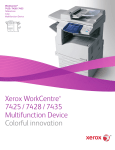
WorkCentre 5325/5330/5335
Multifunction System
TM
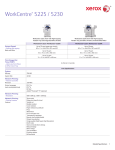
WorkCentre 5300 Series
shown with Mobile Stand
WorkCentre 5300 Series
shown with High-Capacity Tandem
Tray, Integrated Office Finisher and
High Capacity Feeder
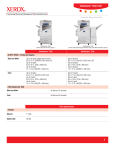
WorkCentre 5300 Series
shown with High-Capacity Tandem
Tray and Office Finisher LX with
Booklet Maker
WorkCentre 5325
WorkCentre 5330
WorkCentre 5335
Configurations
Copy: Black and white copying
Copy / Print / Colour Scan to Email, USB, Device Folder / Optional Network Scan / Optional Fax
Speed
Black and white
Up to 25 ppm (pages per minute)
A4/210 x 297 mm LEF
Up to 30 ppm
A4/210 x 297 mm LEF
Up to 35 ppm
A4/210 x 297 mm LEF
Up to 14 ppm
A3/297 x 420 mm
Up to 16 ppm
A3/297 x 420 mm
Up to 17 ppm
A3/297 x 420 mm
First-Page-Out Time
Copy
WorkCentre 5325/5330: As fast as 4.2 seconds
WorkCentre 5335: As fast as 4.0 seconds
Print
As fast as 11.0 seconds
Paper Handling
Duplex Automatic Document Feeder (Standard)
1
Capacity1
110 sheets
Speed
55 images per minute (A4 long edge feed (LEF)
Sizes
A5 to A3 SEF
Custom sizes: 85 x 125 mm to 297 x 432 mm (one-sided); 110 x 125 mm to 297 x 432 mm (two-sided)
Weights
38 to 128 gsm (one-sided); 50 to 128 gsm (two-sided)
Paper capacities are based on 75 gsm stock; capacities will vary with different weight stocks.
Detailed Specifications
1
WorkCentre 5325/5330/5335
TM
Bypass Tray (Standard)
Capacity1
50 sheets
Sizes
Custom sizes: 89 x 98 mm to 297 x 432 mm
Weights
60 to 215 gsm
Types
Same as front-loading trays plus envelopes, postcards and labels
Two Tray with Stand configuration
Capacity1
Trays 1 and 2: 520 sheets each
Sizes
Custom sizes: 140 x 182 mm to 297 x 432 mm
Weights
Tray 1: 60 to 105 gsm
Tray 2: 60 to 215 gsm
Types
Plain Paper
Recycled
Bond
Custom Type 1 through 5
Heavyweight
Extra Heavyweight
Punched
Letterhead
Pre-printed
Total Capacity
1,090 sheets
Two Tray with High-Capacity Tandem Tray configuration
Capacity1
Trays 1 and 2: 520 sheets each
High-Capacity Tandem Tray: 2,000 sheets
Sizes
Trays 1 and 2: Custom sizes: 140 x 182 mm to 297 x 432 mm
High-Capacity Tandem Tray: Standard selectable sizes: A4 and B5
Weights
60 to 215 gsm
Types
Plain Paper
Recycled
Bond
Custom Type 1 through 5
Heavyweight
Extra Heavyweight
Punched
Letterhead
Pre-printed
Total Capacity
3,090 sheets
High Capacity Feeder (HCF) (Optional with High-Capacity Tandem Tray configuration only)
Capacity1
2,000 sheets
Sizes
Standard Sizes: A4, B5 LEF
Weights
60 to 215 gsm
Envelope Tray (Optional – replaces Tray 1)
1
Capacity1
Up to 60 envelopes
Sizes
DL, C5
Custom sizes: 98 x 148 mm to 162 x 241 mm
Weights
75 to 90 gsm
Paper capacities are based on 75 gsm stock; capacities will vary with different weight stocks.
Detailed Specifications
2
WorkCentre 5325/5330/5335
TM
Output / Finishing
Dual Catch Tray (Standard)
Capacity1
Up to 250 sheets each, lower tray offsets
Sizes
89 x 98 mm to 297 x 432 mm
Weights
60 to 215 gsm
Integrated Office Finisher (Optional)
Stacking Tray1
• 500 sheets of A4
• 250 sheets of A3
Sizes
89 x 98 mm to 297 x 432 mm
Weights
60 to 215 gsm
Stapling
Single
Auto stapling:
• 50 sheets maximum: A4/B5-size sheets (less than 90 gsm)
• 30 sheets maximum: A3/B4-size sheets (less than 90 gsm)
Office Finisher LX (Optional)
Stacking Tray
2,000 sheets unstapled or 1,000 sheets single staple or 750 sheets dual staple (90 gsm/A4)
Sizes
89 x 98 mm to 297 x 432 mm
Weights
60 to 215 gsm
Stapling
• Single and dual
• Auto stapling (50 sheets maximum less than 90 gsm)
• A3, A4, B4 and B5 sizes supported
Hole Punch for Office Finisher LX (Optional)
• 2-hole punch
• 4-hole punch
Booklet Maker (Score/Crease, Saddle-stitch Staple) for Office Finisher LX (Optional)
Capacity
40 booklets (1-15 sheets per booklet – 80 gsm or less; 2-10 sheets per booklet – over 80 gsm)
Sizes
A4/210 x 297 mm
A3/297 x 420 mm
Saddle-stitch Stapling
2-15 sheets / 8 – 60 page booklet
55 to 90 gsm
Convenience Stapler (Optional)
Capacity1
• 50-sheet stapling
• 5,000 staples
• Requires a separate power outlet
Copy Specifications
1
Document Scanner
Duplex Automatic Document Feeder with 110-sheet capacity1
Sides (input:output)
1:1, 1:2, 2:2 and 2:1
Quantity
1 to 999
Resolution
600 x 600 dpi
Concurrency
Concurrent scanning and printing
Paper capacities are based on 75 gsm stock; capacities will vary with different weight stocks.
Detailed Specifications
3
WorkCentre 5325/5330/5335
TM
Digital Imaging
Auto rotation
Image shift
Edge erase
Auto centering
Original type selection (photo and text, photo, text, map) with subtypes
Lighter/darker
Background suppression
Auto and manual contrast
Sharpness
Reduction/Enlargement
Variable zoom from 25% to 400% in 1% increments
Anamorphic zoom
Six user-programmable percentages
Copy Features
Annotation
Automatic booklet creation
Automatic tray selection
Automatic two-sided
Auto reduction/enlargement to fit selected paper size
Background Suppression
Book copying
Build Job (enables special programming for different pages in one document – can be used for inserts, different
paper sources and mixing input from the document glass and the document feeder)
Covers insertion (front only, front and back, back only, blank or printed)
Delete Outside/Delete Inside
Electronic pre-collation
Form Overlay
Hole Punch (requires Office Finisher LX and Hole Punch options)
ID Card Copy
Mixed-size originals
Multi-position stapling (requires Office Finisher LX and Booklet Maker options)
Multi-up – 2, 4 or 8 up
Negative/mirror image
Page Layout
Poster mode
Saddle-stitch booklets (requires Office Finisher LX and Booklet Maker options)
Sample set
Single position stapling (requires Integrated Office Finisher)
Watermark
Foreign Device Interface
(Optional)
Interface to third-party access control devices, coin machines and card readers
Supports a variety of vending stations available through the Xerox Alliance Partner Programme
Print Specifications
System
Copier
Copier/Printer/Scanner
Memory
1 GB
1 GB / 2 GB with optional PostScript Kit
Hard Drive
160 GB minimum
Network Printing – Network Controller
Processor
667 MHz
Supported Page
Description Languages
on the Device
PCL® 5e
PCL 6
HP-GL / HP-GL2
TIFF/PDF
XPS®
Adobe® Postscript® 3™
Supported Page
Description Languages
on the Driver
PCL 6
Adobe® Postscript® 3™
Network Printing – Resolution
1200 x 1200 dpi
Detailed Specifications
4
WorkCentre 5325/5330/5335
TM
Network Printing – Printing Features
Features
Automatic two-sided
Banner Sheets
Bidirectional status
Booklet creation
Cover selection
Delay Print (specific time)
Draft Mode
Fit to new paper size
Hole Punch (requires Office Finisher LX and Hole Punch options)
Image Quality (High speed, high resolution)
Mirror image
N-up
Output tray selection
Paper selection by attribute
Print from USB
Reduce/enlarge
Saddle-stitch booklet making (requires Office Finisher LX and Booklet Maker options)
Sample Set
Save to Device Folder
Secure Print
Store and recall driver settings
Transparency separators
Connectivity
10/100/1000Base-TX Ethernet
High speed USB 2.0 direct print
Wireless Ethernet (IEEE 802.11b) via third-party adaptors
Client Operating Systems
Microsoft® Windows® XP SP3 (32- and 64-bit), Windows Server 2003 (32- and 64-bit), Windows Vista
(32- and 64-bit), Windows Server 2008 (32- and 64-bit), Windows 7 (32- and 64-bit)
Mac OS® 10.5 and above
Netware: 5.11J / 5.12J
AIX 5 v5.3
HP UX 11.0, 11i v2
Oracle® Solaris 9, 10
Linux® Fedora Core 12-14
Red Hat Enterprise Linux® 4
Network Protocols
TCP/IP: HTTP/HTTPS, Internet Printing Protocol, LPR/LPD, Raw Socket Printing/Port 9100, NetBIOS, IPv6
Netware: Bindery and NDS IPX/SPX, NDPS®/NEPS (with Server Gateway), TCP/IP
AppleTalk®: EtherTalk®
Microsoft Windows Networking over IP and NetBEUI
(All protocols not in use can be disabled)
WSD, IPP
SMB (Windows network)
Administrative Protocols
DHCP, BOOTP, SNMP, WINS, DDNS, SLP® v2, HTTP, RARP, DHCP Autonet, SSL
Fonts
Postscript 3: 136 Type 1 fonts, 2 Multiple Master fonts
PCL: 82 scalable fonts, line printer bitmap font
Printer Drivers
Operating System
PCL 6
PostScript
Print Drivers
Windows® 2003/XP SP3 (32- and
64-bit)
Windows Vista 32- and 64-bit)
Windows Server 2008 (32- and
64-bit)
Windows 7 (32- and 64-bit)
(Microsoft® certified)
Bidirectional with user-selectable
interface (standard2 and
enhanced3)
Bidirectional with user-selectable
interface (standard2 and
enhanced3)
Macintosh® OS 10.5 and above
N/A
Bidirectional with user-selectable
interface
Linux (HP-UX 11.0, 11i
AIX 5 (Red Hat® Enterprise, Fedora
Core 12-14))
N/A
Bidirectional with Xerox Custom
Graphical User Interface
2
Standard: Driver based on Microsoft tree structure user interface (includes Xerox features and functionality)
3
Enhanced: Xerox custom graphical user interface
Detailed Specifications
5
WorkCentre 5325/5330/5335
TM
Xerox Mobile Express
Driver® (X-MED)
Makes it easy for mobile users to find, use and manage Xerox and non-Xerox devices in every new location. Plug
into a new network, and X-MED automatically discovers available printers and provides status and capability
information. Save a list of “favourite” printers for each location, store application print settings for use on any
printer in any network, and greatly reduce mobile support calls to IT.
• Printers are automatically discovered
• Printer list can be managed based on location
• Gives Bidirectional feedback device status, supplies, queue management
Xerox Global Print Driver®
(X-GPD)
A truly universal print driver that lets IT administrators install, upgrade and manage Xerox and non-Xerox
devices from a single driver. It provides a consistent, easy-to-use interface for end-users, reducing the number of
support calls, and simplifying print services management.
• Printers are automatically discovered
• Printer list can be managed based on location
• Gives Bidirectional feedback device status, supplies, queue management
Print Submission Tools
• Command prompt LPR/UNIX tool for print submission
• Contents Bridge tool supports TIFF/PDF/XPS and Office 2007 direct print
Device Management
Management Support
• SNMP Version 1, SNMP Version 2c and Version 3 trap over TCP/IP and IP
• MIB access (IETF-MIB II RFC 1213), Host Resources
• MIB RFC 2790, Printer MIB RFC 1759 v. 2
IP Filter
Allows administrator to control print access to device via IP address. Restricts access to device to/from network.
Xerox CentreWare® Web
• CentreWare Web is an innovative office software package that installs, configures, manages, monitors and
reports on SNMP compliant networked printers and multifunction devices in the enterprise – regardless of
manufacturer. Robust and easy to use, CentreWare Web allows System Administrators to manage diverse
environments from a single location. Using their Web browsers, System Administrators perform multiple
administrative functions including installing, configuring and monitoring networked devices. Customers track
usage within the account via the report features of CentreWare Web.
Xerox CentreWare® for
HP® OpenView®
• Xerox CentreWare for HP OpenView will be extended to provide for the identification of this device in the
general discovery performed by HP OpenView Network Node Manager. It provides the ability to see the
current status of discovered Xerox printers/devices under a Xerox Printer Map and IP Map via colour-coded
icons. In addition, CentreWare for HP OpenView provides traps and message updates to the OpenView alarm
browser and provides the ability to launch CentreWare Internet Services for device management directly from
HP OpenView.
CentreWare for IBM
Tivoli NetCool/OMNIbus
• Xerox CentreWare for IBM Tivoli OMNIbus is device management software that provides simple
administration of Xerox products within the IBM Tivoli OMNIbus and Tivoli Network Manager network
management toolsets.
CentreWare
for Unicenter
• Xerox CentreWare for Unicenter provides simple administration of Xerox products within the Unicenter
network management tool. It is an easy to install enhancement that expands Unicenter management
capability to Xerox networked products. Once successfully installed, you will be able to see all the discovered
Xerox printers under one Unicenter Business Process View screen. In addition, CentreWare for Unicenter
provides full integration with Event Management, and the choice to integrate with Problem Management
and Advanced Help Desk.
CentreWare Management
Pack for Microsoft System
Centre Operations
Manager (SCOM)
• Xerox CentreWare Management Pack for System Centre Operations Manager (SCOM) provides the added
identification of Xerox devices to the SCOM database. In addition, the Management Pack provides Xerox
device management within the SCOM user interface. Once successfully installed, you will be able to see all
the discovered Xerox printers under one Xerox device folder. Using the management pack, Alerts, Events,
State, Tasks and Diagram views will be available for Operators and Administrators to manage Xerox devices.
Alerts and events will be created for conditions that are relevant to the device’s ability to print.
Xerox CentreWare®
CentreWare MC Snap-in supports printer discovery and management via a Microsoft Management Console
for Microsoft Management (MMC) link to an embedded Web server. It is a general-purpose management display framework for hosting
Console (MMC)
administrative tools.
Xerox Novell Distributed
Print Services Solution
(NDPS)
• Novell OES 2.0/1.0 – In this environment the Xerox solution includes a snap-in for iManager, a tool for driver
installation, and facilities for installation across one or more OES Servers.
• Novell NetWare (NetWare 6.5, 6.0, 5.x) – In this environment the Xerox solution includes a snap-in for
iManager (NetWare 6.5 SP3 and newer), a printer control snap-in for NWAdmin, a print agent creation utility
that allows for discovery of Xerox devices, a tool for driver installation, facilities for installation across one or
more NetWare Servers, and integration of the Xerox NDPS Gateway.
Detailed Specifications
6
WorkCentre 5325/5330/5335
TM
Xerox Device Manager
Xerox Device Manager collects and manages the data that drives fact-based decisions for your enterprise device
management environment. It is a single tool to install print queues and configure, manage, monitor and report
on both networked and locally connected devices – regardless of vendor – across your enterprise. Xerox Device
Manager provides:
• Device monitoring and troubleshooting
• Extensive reporting and discovery of new devices
• Usage collection, chargeback and billing capabilities
Xerox Device Types for
SAP R/3 Environment
Information available
at www.xeroxofficesap
solutions.com
Simplifies printing in SAP R/3 environments by providing users of SAP R/3 v4.6C, 4.x and 3.x ERP applications
with enhanced WorkCentre printing functionality (PostScript and PCL):
• Simplex or duplex printing
• Finishing – single or dual stapling
• Tray pull location from any tray
• Print security via PIN ID capability at the WorkCentre
Xerox SAP R/3 Intelligent
Barcode Utility (Optional)
Information available
at www.xeroxofficesap
solutions.com
• Provides built-in process intelligence that allows the printing of barcodes on any appropriately configured
PostScript printer on the SAP R/3 4.x (or higher) network. Used in conjunction with Xerox Device Types for SAP
R/3 Environment and Xerox Font Centre Barcode Fonts. Utility automatically calculates checksum, placement
of start/stop characters, and encoding of data string Web server embedded the network controller
• Tray status/contents
• Consumables status
Xerox Barcode Pro PS
Information available
at www.xeroxofficesap
solutions.com
Enables intelligent PostScript printing on Xerox multifunction systems by storing Xerox software as well as
the barcode fonts on the printer hard disk. Enables the printing of barcodes from any application (client or
mainframe) that supports PostScript printing. Automatically calculates the check digit, places start/stop and
middle bar characters in the data string, compresses and encodes the data string, and rotates the barcode
through 90 or 270 degrees.
Smart eSolutions
MeterAssistant®
Automates the process of collecting and submitting meter reads for tracking and billing of Xerox device usage.
Eliminates the need for time-consuming end-user involvement and ensures that meter reads are submitted to
Xerox on time.
• Device Direct or via Smart eSolutions Client for Windows or via CentreWare Web.
SuppliesAssistant®
Automatically orders supplies for Xerox output devices based on actual usage, eliminating the need to manually
manage supplies inventory.
• Device Direct or via Smart eSolutions Client for Windows or via CentreWare Web.
CentreWare® Internet Services – Integrated Device Web Page
Device Status
Web server embedded on device controller
• Tray status/contents
• Consumables status
Print Queue Viewing
Complete job print queue management – promote and delete
Job Submission
• Print-ready files (PS, PCL, TIFF, PDF, XPS)
• Output feature selection
Device Administration
Allows simple, remote installation setting of configuration options and management of the device
Browsers
Netscape Navigator®,
Mozilla Firefox®
Microsoft® Internet Explorer
Apple® Safari™
Fax Specifications
PSTN One-line or Three-line Fax (Optional)
Speed / Modem(s)
ITY (CCITT) group 3 quality/resolution superfine/600x600, super fine/400 x 400, fine/200x200,
standard/200x100 dpi
Speed
V.34 modem(s): 33,600 bps. Less than four seconds per page transmission time. ISDN via third-party adaptor.
Compression
G3 Auto
Forced 4800 bps
G4 Auto
Detailed Specifications
7
WorkCentre 5325/5330/5335
TM
Fax Send Features
Fax from print driver (LAN Fax)
Auto fax transmission reduction
Page-by-page job status at the machine
Fax from glass
Delay start
Automatic memory resend
Automatic cover sheets
Priority send
Broadcast
Booklet Scan
PSTN Fax
Phone number entry via keyboard or address book
Secure Fax via FCODE
Up to 50 group dials with up to 20 recipients per group
Fax Receive Features
• One- or two-sided printing
• Reduction at reception to fit available paper
• FCODE Secure Fax
Fax Forwarding
When enabled with the scan and fax kit, faxes can be received into a folder. Using Job Flow Sheets, images that
are in the folder can be routed to an Email, an FTP or SMB location or a Fax
Fax Reports
Activity report
Dial directory
Transmission confirmation
Pending fax
Folder
Fax Receive Mailboxes
Up to 200 password-protected mailboxes
Auto Dialing
Auto redial, Batch send
Fax Print Features
One- or two-sided printing
Quantity
Staple on/off
Collate on/off
Finisher output tray selection
Secure print on/off
Internet Fax (Included with One- or Three-line Fax Option)
Capability
Direct document transmission to remote Internet Fax machines or email clients (SMTP)
Reception and automatic printout of documents in black and white sent via email from remote Internet Fax
machines or email clients
Maximum Scan Area
297 x 432 mm
Address Directory Access
Downloaded address list (comma-separated value file format)
File Formats
TIFF-S, TIFF-F, TIFF-J
Resolutions
600 x 600 dpi
400 x 400 dpi
200 x 200 dpi
200 x 100 dpi
Bit Depth: 1 bit (monochrome)
Network Protocols
SMTP
POP3
Compliance
ITU-T T.37 compliant
Fax over IP (Optional with Copy/Print/Scan configuration)
Resolution
T.38 compliant IP fax/resolution superfine/600x600, super fine/400 x 400, fine/200x200, standard/200x100 dpi
Detailed Specifications
8
WorkCentre 5325/5330/5335
TM
Fax Send Features
LAN Fax - Fax from print driver
Auto fax transmission reduction
Page-by-page job status at the machine
Fax from platen
Delay start
Automatic memory resend
Automatic cover sheets
Priority send
Broadcast
Booklet Scan
Fax Receive Features
One- or two-sided printing
Reduction at reception to fit available paper
Junk Fax prevention
Fax Forward
Faxes can be received into a folder on the device hard drive. Images that are in the folder can be routed to a
combination of Email addresses, FTP or SMB sites or locations, or Fax destinations
Fax Reports
Activity report
Address Book
Transmission confirmation
Pending fax
Folder List
Fax Receive Folders
Up to 200 password-protected folders
Auto Dialing
Auto redial, Batch send
Scan Specifications
Scanning (Full Network Scan Optional)
4
Capability
Colour scanning, grey scale, black and white
Concurrency
Scan while the system is printing or while it is transferring Scan to Network or Fax jobs
Input Speed
Scan at 55 ipm Colour / Black and white 216 x 279 mm/A4 long edge feed
Resolution
600 x 600 dpi
400 x 400d pi
300 x 300 dpi
200 x 200 dpi
Bit depth: 1-bit (monochrome), 8-bit (greyscale), 24-bit (colour)
Maximum Scan Area
297 x 432 mm
Network Protocol
FTP via TCP/IP
Microsoft® SMB via TCP/IP
HTTP/Web DAV (scan template only)
File Formats
PDF Image Only
PDF (Searchable)4
PDF (Linearised)
PDF (A-1 Level A)
TIFF v.6
JPEG
XPS
Compression Method
MH (photo)
MMR (text, text/photo)
JBIG2 (PDF)
MRC Compression4
Document Management
Fields4
One to six user-programmable metadata fields per scan job
Customised fields viewed on user interface
Variable data entered using virtual keyboard
Only for Network Scan through templates
Requires Full Network Scan Kit
Detailed Specifications
9
WorkCentre 5325/5330/5335
TM
Scan Features
Bound originals
Edge erase
Reduction/enlargement
Fit to size
Scan presets
Original type (photo and text, photo, text)
Background Suppression
Supported Scan
Destinations
Scan to remote email destinations via direct SMTP addresses or via various network scanning software options
Scan to Folder
Supported Scan
Destinations
(Optional - Requires Full
Network Scan Kit)
Scan to Application (workflow, Electronic Document Management System/Repositories)
Scan to Microsoft® Exchange 2000 Web Folders
Scan to PC Desktop® (Professional and SE editions)
Scan to SMB or FTP
Scan to Home
Scan to PC
WSD Scan (Microsoft® Client OS)
Scan to PC Desktop SE
(Optional)
• A desktop and server-based offering that provides document imaging, archiving, editing and
organisation tools
• Nuance PaperPort – image viewing and file management software
• Nuance OmniPage (for desktop/client installation) – OCR and file format conversion software
• Image Retriever – provides fully automated retrieval of scanned images direct from a scan enabled Xerox
WorkCentre to individual desktops.
Scan to PC Desktop Pro
(Optional)
• A desktop and server-based offering that provides document imaging, archiving, editing and organisation
tools
• The PaperPort Personal Scanning Platform empowers office workers with the ability to customise, directly
from the desktop, the scanning menus available to them on Xerox EIP enabled Multifunction devices.
• Nuance PaperPort Pro – image viewing and file management software
• Nuance OmniPage Pro (for desktop/client installation) – OCR and file format conversion software
• Image Retriever – provides fully automated retrieval of scanned images direct from a scan enabled Xerox or
through email WorkCentre to individual desktops. Also includes an Email inbox polling capability.
Scan to Email (Standard with Copy/Print/Scan configuration)
Capability
•
•
•
•
Network Protocol
SMTP, S/MIME, LDAP, LDAP with SSL, POP3, SMTP with SSL
Authentication
Device login with network user name and password
Single sign-on supports: Kerberos (UNIX/Windows 2003 Server), SMB, (Windows 2000/Windows 2003 Server) ,
LDAP
Directory Access
Corporate address list via LDAP
Downloaded address list (comma-separated file format)
Colour scanning, grey scale, black and white
Direct document email from device
Manual or directory Exchange/Notes/LDAP address searching
“From” field auto-populated from LDAP (when authentication is used)
Scan to Folder5 (Standard with Copy/Print/Scan configuration)
Capability
Colour scanning, grey scale, black and white
Features
Images can be scanned, printed and faxed directly to the device hard drive and stored in a folder.
Features
(Requires optional kits)
Scanned images that are stored in the folder can then be printed, emailed, sent via fax, sent via IFax, routed to
a PC, an FTP or SMB server.
Thumbnail Preview (Optional)
Capability
5
Images that are stored in the folder on the device hard drive can be viewed at the User Interface.
Requires optional kits for Fax and Network Forwarding
Detailed Specifications
10
WorkCentre 5325/5330/5335
TM
Device Specifications
Security
WorkCentre 5325/5330/5335 Copier
WorkCentre 5325/5330/5335 Copier/Printer/Scanner
Capability
256-bit Hard Disk Encryption
Image Overwrite
802.1X
Annotation
Audit Log
Authentication with LDAP/Kerberos/SMB
Email over SSL
IPsec
Image Overwrite
LDAP over SSL
Encrypted Password Protected PDF
SNMP v3.0
Secure Print
Watermark
Encrypted Scan to Email (S/MIME)
Secure Web Page via SSL (HTTPS)
SSL/TLS
IP filtering
PDF/XPS digital signatures
Digital certificate management
OCSP/CRL
IPv6
256-bit Hard Disk Encryption
Authentication
Optional secure device login with network user name and password
Remote Authentication: Kerberos (Windows Server 2003, Windows Server 2008, Windows 7, UNIX), SMB
(Windows Server 2003, Windows Server 2008, Windows Vista, Windows 7)
Local Authentication
LDAP
Secure Access Unified ID
System (Optional)
Convenient Card-based user identification allows users to login at the Multifunction system with their pre-existing
identification card
Accounting
Auditron
(Local Accounting)
Controls and tracks copy, print, fax and scan usage
Accounting with ThirdParty Server Applications
(optional with Copier/
Printer/Scanner)
Up-to-the-minute data on how the system is being used; comprehensive usage tracking and reporting; print,
scan, copy and fax
Accounting Control
Xerox Standard Accounting
Job based accounting (optional)
Supports Foreign Device Interface
Active directory user profile – Controls copy and print usage and feature/pathway control
Xerox Page Accountant
Accounting – Xerox Standard Accounting (Copier/Printer/Scanner only)
Tracking
Copy, Print, Fax and Scan usage
Accounting
Up to 2,500 User accounts (User ID); Up to 500 Group accounts (Department)
Features
Enable/disable via the web UI or the GUI in tools, admin can manage the feature remotely via the web UI,
Data can be exported via a CSV file, user required to enter XSA ID into the print driver when submitting a print
job, similar to secure print.
Monthly Duty Cycle
WorkCentre 5325: Up to 100,000 pages / month
WorkCentre 5330: Up to 125,000 pages / month
WorkCentre 5335: Up to 150,000 pages / month
Detailed Specifications
11
WorkCentre 5325/5330/5335
TM
Xerox Extensible Interface Platform® (EIP)
Xerox EIP is a software platform inside the WorkCentre 5300 series that enables personalised solutions you can
access right from the device touch screen. These applications can leverage your existing databases and meet
your specific business challenges.
Basic Configurations
Copier:
Copier/Printer/Scanner:
WorkCentre 5325/5330/5335 with 2 Tray and
Stand
WorkCentre 5325/5330/5335 with 2 Tray and Stand
WorkCentre 5325/5330/5335 with 2 Tray and
High-Capacity Tandem Tray Module
WorkCentre 5325/5330/5335 with 2 Tray and High-Capacity
Tandem Tray Module
Optional Accessories
Hardware Options
One-line or three-line PSTN Fax with Internet Fax
Integrated Office Finisher
Office Finisher LX
Booklet Maker for Office Finisher LX
2 and 4 Hole Punch for Office Finisher LX
Envelope Tray (replaces tray 1)
2000 Sheet High Capacity Feeder
Work Surface
Tray Lock Kit
Wireless Network Adaptor
Foreign Device Interface
Convenience Stapler
Controller Options
Network Scan Kit
Adobe Postscript 3 Kit (Required for Mac printing)
Fax over IP Kit
Server Fax Enablement Kit
Network Accounting Enablement Kit
Thumbnail Preview Kit
Searchable PDF Kit
Copier Upgrade Kit (Copier to Copy / Print and Scan configuration)
Software Options
Scan to PC Desktop® (Professional or SE edition)
Xerox Secure Access Unified ID System®
Xerox Mobile Print Solution
Electrical
Input Voltage
220–240 V Nominal, 50/60 Hz, 8A
Warm Up
40 seconds (maximum)
Low-Power Recovery
12 seconds (maximum)
Required Temperature
Range
10° to 32° C
Required Relative
Humidity
15 to 85%
Detailed Specifications
12
WorkCentre 5325/5330/5335
TM
Power Consumption
220 - 240V
Running (Avg):
Standby:
Low Power Mode:
Sleep Mode:
WorkCentre 5325
WorkCentre 5330
WorkCentre 5335
Copier
Copier/Printer/
Scanner
Copier
Copier/Printer/
Scanner
Copier
Copier/Printer/
Scanner
724 watts
115 watts
87 watts
1.6 watts
706 watts
122 watts
87 watts
1.8 watts
742 watts
111 watts
87 watts
1.6 watts
720 watts
108 watts
87 watts
1.8 watts
783 watts
115 watts
87 watts
1.6 watts
757 watts
118 watts
87 watts
1.8 watts
2,469 BTU/Hr
392 BTU/Hr
2,407 BTU/Hr
416 BTU/Hr
2,530 BTU/Hr
379 BTU/Hr
2,455 BTU/Hr
368 BTU/Hr
2,670 BTU/Hr
392 BTU/Hr
2,581 BTU/Hr
402 BTU/Hr
Heat Emission
220 - 240V
Running:
Standby:
Noise Emission
Sound Power (LWAd)
Standby:
Running:
3.82 B
6.46 B
3.82 B
6.56 B
3.82 B
6.65 B
Sound Pressure (LpAm)
Standby:
Running:
20 dB
47 dB
20 dB
48 dB
20 dB
50 dB
Dimensions and Weights
Width
Depth
Height
Weight
Base Unit with Bypass
Tray Closed
597 mm
637.5 mm
1,115 mm
100 kg
Base Unit with Office
Finisher LX
1,239 mm
651 mm
1,115 mm
137.2 kg
Base Unit with High
Capacity Feeder
932 mm
648 mm
1,115 mm
129 kg
Certifications
FCC Class A Compliant (U.S./Canada)
ENERGY STAR®
89/336/EEC (Europe)
TUV Listed
CB Certified (IEC 60950-1/EN 60950-1)
2006/95/EC
Windows Hardware Quality Labs
Blue Angel (Europe)
EcoLogo Certified
Common Criteria (ISO 15408) - Pending
GS Mark
Environmental Choice
NOM/GOST
Detailed Specifications
13
WorkCentre 5325/5330/5335
TM
Supplies
Description
Order Number
Toner Cartridges
Black - Metered
006R01158
Staple Refills
Integrated Office Finisher
008R12941
Office Finisher LX
008R12941
Integrated Office Finisher
008R12964
Office Finisher LX
008R12964
Booklet Maker for Office Finisher LX
008R12897
Description
Order Number
Smart Kit® Drum Cartridge
013R00591
Staple Cartridges
Smart Kits®
©2011 Xerox Corporation. All rights reserved. Contents of this publication may not be reproduced in any form without permission of Xerox
Corporation. XEROX®, XEROX and Design® and WorkCentre™ are trademarks of Xerox Corporation in the United States and/or other countries.
Adobe® and PostScript® 3™ are registered trademarks or trademarks of Adobe Systems, Incorporated. PCL® is a registered trademark of HewlettPackard. As an ENERGY STAR® partner, Xerox Corporation has determined that this product meets the ENERGY STAR guidelines for energy efficiency.
ENERGY STAR and the ENERGY STAR mark are registered U.S. marks. All other trademarks are the property of their respective manufacturers. The
information in this brochure is subject to change without notice. 10/11
W5BSS-01EA