1
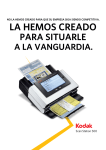
The information organizer that won’t take up your whole desk. ScanMate Or your whole day. i920 Scanner For Free rranty 3-Year wa Know what it feels like to get ahead. The compact Kodak ScanMate i920 Scanner saves desk space with its small footprint, and saves time by automating repetitive tasks. Plus, it creates crisp, clear images and easily readable text on the first scan. So you can Eight great things you can do with the Kodak ScanMate i920 Scanner to get ahead. Save space Compact, highly portable design takes up less desk space Save time odak’s Smart Touch performs K multiple-step scanning and organizing operations automatically make quick work of your scanning tasks. And get back to business. With Kodak’s Smart Touch functionality, the ScanMate i920 gets important business documents into your information network in an instant. That’s because Smart Touch automates multiple-step scanning operations by capturing, processing, and sending information for you. At the touch of a Make great images K odak’s Perfect Page document imaging is built in — just press the button and get great images with bright colors and crisp text Scan it all eliably handles a wide range of R documents with the 20-sheet automatic document feeder, including extra-long documents, business cards, ID cards, and embossed hard cards Stay in contact undled software helps you easily B edit and synchronize business card info with your contact applications Integrate easily WAIN and ISIS drivers allow T quick compatibility with most scanning software Do more odak Capture Pro Software lets K you quickly scan, process, utilize, and manage documents — no third-party software to buy button, Smart Touch helps you make e-mail attachments, picture files, searchable PDFs, and more. Plus it files documents or sends them to “the cloud.” For example, if a business configured its ID card scanning process as Option 2, an employee could simply select “2” on the scanner display. The ID card would be scanned, processed, and its image sent to the proper destination — automatically. The Kodak ScanMate i920 Scanner. The small, but powerful, way to clear off your desk and get ahead of your day. Get peace of mind O ur three-year limited warranty supports Kodak’s commitment to superior workmanship ScanMate i920 Scanner Technical specifications Recommended Daily Volume Up to 500 pages per day Throughput Speeds (portrait, letter size) Black and white/grayscale: up to 20 ppm/40 ipm at 200dpi Colour: up to 15 ppm/30 ipm at 200 dpi (Throughput speeds may vary depending on your choice of driver, application software, operating system, and PC.) ScanMate i920 Scanner Optical Resolution Technical specifications Max./Min. Document Size Recommended Daily Volume Paper Thickness and Weight 600 dpi 216 mm x 1651 mm / 80 mm x 52 mm Up to 500 pages per day 30-116 g/m2 paper; ID card and embossed hard card thickness: up to 1.25 mm Throughput Speeds (portrait, letter size) Black and white/grayscale: up to 20 ppm/40 ipm at 200dpi Color: up to 15 ppm/30 ipm at 200 dpi ADF: up to 20 sheets of 75 g/m2 paper (Throughput speeds may vary depending on your choice of driver, application software, operating system, and PC.) Optical Resolution 600 dpi Feeder Connectivity The feeder can handle a variety of small documents, such as identification cards, business cards, insurance cards, and embossed hard cards. USB 2.0 Max. /Min. Document Size 216 mm x 1651 mm (8.5 in. x 65 in.)/80 mm x 52 mm (3.2 in. x 2.1 in.) Bundled Software TWAIN, ISIS, WIA drivers; Smart Touch; and NewSoft Presto! BizCard Paper Thickness and Weight 30-116 g/m2 (8-31 lb.) paper; ID card and embossed hard card thickness: up to 1.25 mm (0.05 in.) Imaging Features Feeder Perfect Page iThresholding, automatic image straightening (deskew), auto ADF: up to 20 sheets of 75 g/m2 (20 lb.)Scanning, paper image rotation, electronic colour dropout, dual stream scanning, image The feeder can handle acropping, variety of small documents, such as identification cards, business cards, insurance cards, and embossed hard cards. merge, image edge fill, content-based blank page removal, automatic brightness and Connectivity USB 2.0 Bundled Software TWAIN, ISIS, WIA drivers; Smart Touch; and NewSoft Presto! BizCard searchable PDF Limited Warranty* Imaging Features Three yearsautomatic (Advance Unit Replacement, Next Business Perfect Page Scanning, iThresholding, image straightening (deskew), auto cropping,Day) image rotation, electronic color dropout, dual stream scanning, image merge, image edge fill, content-based blank page removal, automatic brightness and contrast AC power supply File Format Outputs Electrical Requirements File Format Outputs Environmental Factors contrast Single and multi-page TIFF, JPEG, RTF, BMP, single and multi-page PDF, Single and multi-page TIFF, JPEG, Star RTF, BMP, single and multi-page PDF, searchable PDF Energy qualified scanner Limited Warranty Operating Systems Three years (Advanced Windows Unit Replacement) Supported XP SP3 (32-bit and 64-bit), Windows XP x64 Edition SP3, Electrical Requirements AC power supply Dimensions Windows Vista SP1 (32-bit and 64-bit), Windows 7 SP1 (32-bit and 64-bit) Height: 78 mm with tray closed Environmental Factors Energy Star qualified scanner Width: 289 mm with tray closed Supported Operating Systems Windows XP SP3 (32-bit and 64-bit), Windows XP x64 Edition SP3, Windows Vista SP1 (32-bit and 64-bit), Weight: 1.2 kg without power adapter Windows 7 SP1 (32-bit and 64-bit) Depth: 107 mm with tray closed *There may be geographical limitations to the availability of Services. For full details please contact your Reseller of Kodak products or your local Kodak Service & Support organisation. Dimensions Height: 78 mm (3.1 in.) with tray closed Width: 289 mm (11.4 in.) with tray closed Depth: 107 mm (4.2 in.) with tray closed Weight: 1.2 kg (2.7 lb.) without power adapter Kodak enables customers to capture and use valuable information from electronic and paper documents. Our document imaging solutions include scanners and capture software, and industry-leading service Kodakaward-winning enables customers to capture and use valuable information from and and support. smallOur offices to global operations, electronic paper From documents. document imaging solutionsKodak includehas the right solution scanners to feed your business the information it needs.service award-winning and capture software, and industry-leading and support. From small offices to global operations, Kodak has the right Toto learn solution feed more: your business the information it needs. www.kodak.com/go/i920 www.kodak.com/go/pro To learn more: www.kodak.com/go/i920 Printed using Kodak Technologies. Printed using Kodak Technologies. United Kingdom, Phone: +44 870 8502351, Fax: +44 870 850 2352 Eastman Kodak Company Nordic, Phone: +46 (8) 555 638 31, Fax: +46 (8) 555 995 04 343 State Street, Rochester, 14650 Fax: 1-800-944-6171 Africa, Phone: +44 1442NY 846547, +44 1442 846606 Germany, Kodak Canada,Austria Inc. and Switzerland, Phone: +49 711 406 2535, Fax: +49 711 406 3619 Eastern Europe, Middle East, Phone: +36 1 454 3031, Fax: +36 1 387 9113 Toronto, Ontario M9RNear 0A1 and 1-800-465-6325 France, Phone: +33 1 40 01 31 80, Fax: +33 1 40 01 39 81 Spain and Portugal, Phone: +34.913.753.375 Fax: +33.140.01.34.98 Italy, Phone: +39 0266028338, Fax: +39 0266028358 The Netherlands, Phone: +31 33 2998751, Fax: +31 20 6545227 Belgium and Luxembourg, Phone: +32 2 352 27 04, Fax: +32 2 352 30 28 © Kodak, 2011. Kodak and Kodak ScanMate are trademarks. DoldeMedien 47_11 Subject to technical change without notice. CAT No. WE-EN 015 It’s time for you and Kodak The Kodak ScanMate i920 Scanner is compatible with Evernote, gDocScan and Microsoft SharePoint applications.