1
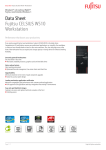
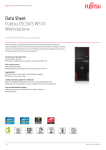
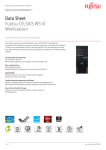
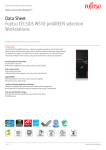
Data Sheet Fujitsu CELSIUS W510 Workstation Windows®. Life without Walls™. Fujitsu recommends Windows 7. Data Sheet Fujitsu CELSIUS W510 Workstation Performance that boosts your productivity The CELSIUS W510 is a productivity workstation with the latest Intel® Xeon® processors and professional graphics that act together to deliver performance and flexibility. This system is the ideal choice for business environments such as 3D CAD, financial forecasting and digital content creation, giving you the performance to boost your productivity. Extremely powerful workstations Get more done in less time The fastest available processors, graphics cards and hard disk drives Noise-reduced system Silent working enviroment Optimized thermal management, low-noise chassis and silent fans Upgradeability Minimum downtime in the event of rapid component upgrades Screw less access system design Leading workstation application certification Maximum compatibility and performance with customer-preferred applications Full support for ISV applications and easy integration into existing IT environments Easy and rapid hard disk changes Customer can access and replace hard disks screwless at the front Cold plug access Page 1 / 7 http://ts.fujitsu.com/celsius Data Sheet Fujitsu CELSIUS W510 Workstation Windows®. Life without Walls™. Fujitsu recommends Windows 7. Components Processor Operating system Operating system Operating system compatible Operating system notes Intel® Core™ i3-2100 processor (2 Cores / 4 Threads, 3.10 GHz, 3 MB, Intel® HD Graphics 2000) Intel® Xeon® processor E3-1280 (4 Cores / 8 Threads, 3.50 GHz, 8 MB) Intel® Xeon® processor E3-1275 (4 Cores / 8 Threads, 3.40 GHz, 8 MB, Intel® HD Graphics P3000) Intel® Xeon® processor E3-1270 (4 Cores / 8 Threads, 3.40 GHz, 8 MB) Intel® Xeon® processor E3-1245 (4 Cores / 8 Threads, 3.30 GHz, 8 MB, Intel® HD Graphics P3000) Intel® Xeon® processor E3-1240 (4 Cores / 8 Threads, 3.30 GHz, 8 MB) Intel® Xeon® processor E3-1235 (4 Cores / 8 Threads, 3.20 GHz, 8 MB, Intel® HD Graphics P3000) Intel® Xeon® processor E3-1230 (4 Cores / 8 Threads, 3.20 GHz, 8 MB) Intel® Xeon® processor E3-1225 (4 Cores / 4 Threads, 3.10 GHz, 6 MB, Intel® HD Graphics P3000) Intel® Xeon® processor E3-1220 (4 Cores / 4 Threads, 3.10 GHz, 8 MB) Genuine Windows® 7 Professional 64-bit Genuine Windows® 7 Professional 32-bit Genuine Windows® 7 Home Premium 64-bit Genuine Windows Vista® Business 64-bit Genuine Windows Vista® Business 32-bit Genuine Windows® XP Professional x64 Edition Genuine Windows® XP Professional Linux Red Hat® certification pending Novell® certification pending For some configurations third party drivers are currently not available or configuration restrictions may apply. Memory modules 2 GB (1 module(s) 2 GB) DDR3, unbuffered, ECC, 1333 MHz, PC3-10600, DIMM 2 GB (1 module(s) 2 GB) DDR3, unbuffered, non-ECC, 1333 MHz, PC3-10600, DIMM 4 GB (1 module(s) 4 GB) DDR3, unbuffered, ECC, 1333 MHz, PC3-10600, DIMM 4 GB (1 module(s) 4 GB) DDR3, unbuffered, non-ECC, 1333 MHz, PC3-10600, DIMM 8 GB (1 module(s) 8 GB) DDR3, unbuffered, ECC, 1333 MHz, PC3-10600, DIMM Graphics add on cards (optional) High-end 3D: ATI FirePro™ V7900, 2 GB, PCIe x16, 4 x DP Midrange 3D: ATI FirePro™ V5900, 2 GB, PCIe x16, DL-DVI-I, 2x DP Ultra-high-end 3D: NVIDIA® Quadro® 5000, 2.5 GB, PCIe x16, DL-DVI-I, 2x DP, DVI, VGA High-end 3D: ATI FirePro™ V7800, 2 GB, PCIe x16, DL-DVI-I, 2x DP High-end 3D: NVIDIA® Quadro® 4000, 2 GB, PCIe x16, DL-DVI-I, 2x DP Midrange 3D: ATI FirePro™ V5800, 1 GB, PCIe x16, DL-DVI-I, 2x DP Midrange 3D: NVIDIA® Quadro® 2000, 1 GB, PCIe x16, DL-DVI-I, 2x DP Entry 3D: ATI FirePro™ V4800, 1 GB, PCIe x16, DL-DVI-I, 2x DP Entry 3D: NVIDIA® Quadro® 600, 1 GB, PCIe x16, DL-DVI-I, DP Entry 3D: NVIDIA® Quadro® 400 , 512 MB, PCIe x16, 1x DVI-I, DP Entry 3D: ATI FirePro™ V3800, 512 MB, PCIe x16, DL-DVI-I, DP Professional 2D: NVIDIA® Quadro® NVS 450, 512 MB, PCIe x16, 4 x DP Professional 2D: NVIDIA® Quadro® NVS 300, 512 MB, PCIe Gen2 x16, 2x DVI/VGA Remote Graphics: CELSIUS RemoteAccess Card, PCIe x1, 2x DVI-I NVIDIA® Quadro® 5000, NVIDIA® Quadro® 4000 and ATI FirePro™ V7800 require CELSIUS W510 Power. Notes Hard disk notes Page 2 / 7 One Gigabyte equals one billion bytes, when referring to hard disk drive capacity. 2.5-inch drives will be mounted in the 3.5-inch bays 24/7 ready (business critical HDDS required) http://ts.fujitsu.com/celsius Data Sheet Fujitsu CELSIUS W510 Workstation Drives (optional) Windows®. Life without Walls™. Fujitsu recommends Windows 7. Blu-ray Disc™ Triple Writer DVD-ROM DVD Super Multi MultiCard Reader 20in1, USB 2.0, 3.5-Inch MultiCard Reader 20in1 USB 3.0 front con., 3.5-Inch Interface add on cards/components (optional) WLAN III, 802.11g/Draft-n (Windows only) USB 3.0 PCIe x1 Parallel Interface Gigabit Ethernet PCIe x1, DS FireWire PCI-Card IEEE1394 eSATA Interface Dual serial card PCIe x1, powered Dual serial card PCIe x1 Base unit Mainboard Mainboard type Formfactor Chipset Processor socket Processor quantity maximum Memory slots Supported capacity RAM (max.) Memory frequency Memory notes CELSIUS W510 CELSIUS W510power LAN Integrated WLAN Audio codec Audio features D3067 ATX Intel® C206 LGA 1155 1 4 DIMM (DDR3) ECC/non-ECC 32 GB 1333 MHz In configurations with 4 GB and more the visible memory may be reduced to approximately 3.5 GB or less (for 32-bit operating systems) and configurations with 8 GB the visible memory may be reduced to approximately 7.5 GB or less (depending on system configuration). 10/100/1000 MBit/s Intel® 82579 LM Optional (for Windows only) Conexant CX20642 5.1 surround sound, High Definition audio, Internal speaker supports audio playback I/O Controller Serial ATA total thereof SATA III thereof eSATA SATA RAID support 6 2 1, optional 0, 1, 10, 5 Interfaces Audio: in (rear) Audio: out (rear) Audio: in Audio: out Internal speakers USB 2.0 total USB front USB rear USB internal VGA DisplayPort DVI Serial (RS-232) 2 1 1 1 1 14 4 8 1+1 1 (depends on processor, via DVI to VGA adapter) 1 (depends on processor) 1 (depends on processor) 1, (9 pin) Page 3 / 7 http://ts.fujitsu.com/celsius Data Sheet Fujitsu CELSIUS W510 Workstation Interfaces Mouse / Keyboard (PS/2) Ethernet (RJ-45) Parallel eSATA Interface Module notes 2 1 1, optional 1, optional Anytime USB charge functionality Drive bays Drive bays total 3.5-inch internal bays 3.5-inch external bays 5.25-inch external bays 8 4 2 2 Slots PCI-Express 2.0 x16 PCI-Express 2.0 x4 (mech. x16) PCI-Express x1 PCI (32-bit / 33 MHz) 1 x (312 mm) full height 1 x (210 mm) full height 2 x (312 mm) full height 3 x (312 / 170 mm) full height Graphics on board Shared video memory TFT resolution (VGA) TFT resolution (DVI) TFT resolution (DisplayPort) Graphics features Graphics notes Electrical values Power efficiency note Rated voltage range Rated frequency range Operating voltage range Page 4 / 7 Windows®. Life without Walls™. Fujitsu recommends Windows 7. up to 1759 MB 1024 x 768 pixel 1280 x 1024 pixel 1360 x 768 pixel 1440 x 900 pixel 1600 x 900 pixel 1600 x 1200 pixel 1680 x 1050 pixel 1920 x 1080 pixel 1920 x 1200 pixel 1360 x 768 pixel 1440 x 900 pixel 1600 x 900 pixel 1680 x 1050 pixel 1920 x 1080 pixel 1920 x 1200 pixel 1360 x 768 pixel 1440 x 900 pixel 1600 x 900 pixel 1680 x 1050 pixel 1920 x 1080 pixel 1920 x 1200 pixel 2560 x 1440 pixel 2560 x 1600 pixel Dual display support DirectX 10.1 HDCP support Open GL® 3.0 For multi monitoring mode, graphics card and integrated graphics run in parallel (Microsoft® Windows 7® only) Tested resolutions, depending on display type additional resolutions and frequencies possible Shared memory depending on main memory size and operating system Resolution (color depth up to 32 Bit/pixel) For TFT we recommend using 60Hz power supply efficiency (at 230V; 20% / 50% / 100% load) : 87% / 90% / 87% 100 V - 240 V 50 Hz - 60 Hz 90 V - 264 V http://ts.fujitsu.com/celsius Data Sheet Fujitsu CELSIUS W510 Workstation Electrical values Operating line frequency range Max. output of single power supply 47 Hz - 63 Hz 300 W (CELSIUS W510); 500 W (CELSIUS W510power) Noise for standard configuration (HDD, ODD, FDD) Noise emission According to ISO9296 (LpAm at bystander position) Idle mode 18 dB(A) Office mode 18 dB(A) Noise notes / description Actual noise emissions may vary depending on configuration Dimensions / Weight / Environmental Dimensions (W x D x H) Operating position Weight Weight notes Operating ambient temperature Operating relative humidity Compliance Product Model Germany Europe USA/Canada Global Compliance notes Compliance link Security System protection Audit proof protection Access protection Additional Software Additional software (optional) Additional software (included as a CD/ DVD) Manageability Manageability technology Page 5 / 7 Windows®. Life without Walls™. Fujitsu recommends Windows 7. According to ISO9296 (LpAm at bystander position) 18 dB(A) 18 dB(A) Actual noise emissions may vary depending on configuration 186 x 481 x 430 mm Vertical / horizontal 16 kg Actual weight may vary depending on configuration 10 - 35C 5 - 85 % (relative humidity) CELSIUS W510 CELSIUS W510power MTB-D3067 GS in progress CE FCC Class B cCSAus RoHS (EU & China) ENERGY STAR® 5.0 in progress EPEAT® in progress (dedicated regions) Medical EMC standard IEC60601-1-2 in combination with medical kit Energy Star compliance may vary depending on actual configuration https://sp.ts.fujitsu.com/sites/certificates/default.aspx Kensington Lock support Eye for padlock Seal option Intrusion switch Optional: Integrated cabinet lock Boot sector virus protection Write protect option for the Flash EPROM Embedded security (TPM 1.2) Control of all USB interfaces External USB ports can be disabled separately Control of external interfaces Hard disk password User and supervisor BIOS password Optional: Access protection via SmartCard reader Optional: SmartCase Logon+ Recovery DVD for Windows® Drivers & Utilities DVD (DUDVD) CyberLink PowerDVD BD (playback software for Blu-ray Disc™, only with Blu-ray Disc™ drive / Blu-ray playback is not supported under Windows XP if the system runs on Intel onboard graphics) Norton Internet Security (incl. Firewall) DeskUpdate Driver management http://ts.fujitsu.com/celsius Data Sheet Fujitsu CELSIUS W510 Workstation Manageability Manageability software DeskView components Supported standards Manageability link Windows®. Life without Walls™. Fujitsu recommends Windows 7. DeskView 10.x client management including: On/Offline remote client management Detailed system inventory management and reports BIOS Management Remote power management System notifications Security Remote Control DeskView Helpdesk Integration WMI BootP (made4you) PXE http://ts.fujitsu.com/solutions/it_infrastructure_solutions/manageability/featurefinder.html Input device / components Input devices (optional) Optical USB tilt wheel mouse Optical USB/PS2 tilt wheel mouse Space Explorer USB Keyboard Warranty Standard Warranty 3 years (depending on country) Service level On-site Service (depending on country) Maintenance and Support Services - the perfect extension Recommended Service 5x9, Response Time: Next Business Day Service Weblink http://ts.fujitsu.com/Supportservice Page 6 / 7 http://ts.fujitsu.com/celsius Windows®. Life without Walls™. Fujitsu recommends Windows 7. Data Sheet Fujitsu CELSIUS W510 Workstation More information Fujitsu platform solutions More information Copyrights In addition to Fujitsu CELSIUS W510, Fujitsu provides a range of platform solutions. They combine reliable Fujitsu products with the best in services, know-how and worldwide partnerships. Learn more about Fujitsu CELSIUS W510, please contact your Fujitsu sales representative or Fujitsu Business partner, or visit our website. http://ts.fujitsu.com/celsius Dynamic Infrastructures With the Fujitsu Dynamic Infrastructures approach, Fujitsu offers a full portfolio of IT products, solutions and services, ranging from clients to datacenter solutions, Managed Infrastructure and Infrastructure as-aService. How much you benefit from Fujitsu technologies and services depends on the level of cooperation you choose. This takes IT flexibility and efficiency to the next level. Fujitsu green policy innovation All rights reserved, including intellectual property rights. Changes to technical data reserved. Delivery subject to availability. Any liability that the data and illustrations are complete, actual or correct is excluded. Designations may be trademarks and/or copyrights of the respective manufacturer, the use of which by third parties for their own purposes may infringe the rights of such owner. For further information see http://ts.fujitsu. com/terms_of_use.html Copyright Fujitsu Technology Solutions Computing Products www.fujitsu.com/global/services/computing/ Software www.fujitsu.com/software/ Contact FUJITSU Technology Solutions Website: http://ts.fujitsu.com 2011-05-25 CE-EN Page 7 / 7 Fujitsu Green Policy Innovation is our worldwide project for reducing burdens on the environment. Using our global know-how, we aim to resolve issues of environmental energy efficiency through IT. Please find further information at http://www. fujitsu.com/global/about/environment/ Disclaimer Technical data are subject to modification and delivery subject to availability. Any liability that the data and illustrations are complete, actual or correct is excluded. Designations may be trademarks and/or copyrights of the respective manufacturer, the use of which by third parties for their own purposes may infringe the rights of such owner All rights reserved, including intellectual property rights. Changes to technical data reserved. Delivery subject to availability. Any liability that the data and illustrations are complete, actual or correct is excluded. Designations may be trademarks and/or copyrights of the respective manufacturer, the use of which by third parties for their own purposes may infringe the rights of such owner. For further information see http://ts.fujitsu.com/terms_of_use.html Copyright Fujitsu Technology Solutions http://ts.fujitsu.com/celsius