1
SyncMaster 460DRN-A
LCD Display
User Manual
Safety Instructions
Notational
Note
These safety instructions must be followed to ensure your safety and prevent property damage.
Make sure to read the instructions carefully and use the product in the correct manner.
Warning / Caution
Failure to follow directions noted by this symbol could result in bodily
harm or damage to the equipment.
Notational Conventions
Prohibited
Important to read and understand at all times
Do not disassemble
Disconnect the plug from the
outlet
Do not touch
Ground to prevent an electric
shock
Power
When not used for extended period of time, set your computer to DPM.
If using screen saver, set it to active screen mode.
The images here are for reference only, and are not applicable in all cases
(or countries).
Shortcut to Anti-Afterimage Instructions
Do not use a damaged power cord or plug or a damaged or
loose power outlet.
•
Otherwise, this may result in electric shock or fire.
Do not touch the power plug with wet hands when removing or
plugging the plug into the outlet.
•
Otherwise, this may result in electric shock.
Make sure to connect the power cord to a grounded power outlet.
•
Otherwise, it may result in electric shock or personal injury.
Safety Instructions
Ensure that the power plug is plugged into the power outlet
firmly and correctly.
•
Otherwise, this may result in fire.
Do not forcefully bend or pull the power plug and do not place
any heavy material on it.
•
Otherwise, this may result in fire.
Do not connect multiple appliances to the same power outlet.
•
Otherwise, this may cause fire due to overheating.
Do not disconnect the power cord while using the product.
•
Otherwise, this may result in damage to the product due to
electric shock.
To disconnect the apparatus from the mains, the plug must be
pulled out from the mains socket, therefore the mains plug shall
be readily operable.
•
This may cause electric shock or fire.
Use only the power cord provided by our company. Do not use
the provided power cord of another product.
•
Otherwise, this may result in fire or electric shock.
Installation
Be sure to contact an authorized Service Center when installing your
monitor in a location with heavy dust, high or low temperatures, high humidity, and exposed to chemical substances and where it operates for 24
hours such as at airports, train stations etc.
Failure to do so may cause serious damage to your monitor.
Ensure that at least four persons lift and move the product.
•
Otherwise, it may be dropped and cause personal injury, and/
or damage the product.
When installing the product in a cabinet or rack, make sure that
the front end of the bottom of the product does not project out.
•
Otherwise, it may fall or cause personal injury.
•
Use a cabinet or rack of a size appropriate to the product.
DO NOT PLACE CANDLES, MOSQUITO REPELLANT, CIGARETTES AND ANY HEATING APPLIANCES NEAR THE PRODUCT.
•
Otherwise, this may result in fire.
Safety Instructions
Keep heating appliances as far away from the power cord or the
product as possible.
•
Otherwise, this may result in electric shock or fire.
When putting the product down, make sure to put it down softly.
•
Otherwise, this may result in damage to the screen display.
Do not place the front of the product on the floor.
•
Otherwise, this may result in damage to the screen display.
Install your product in a well ventilated location. Ensure that
there is a clearance of more than 10 cm from the wall.
•
Otherwise, it may result in fire due to an increase in the internal
temperature.
Ensure that the packaging vinyl is kept away from children.
•
Otherwise, it may result in serious harm (suffocation) if children
play with it.
Clean
When cleaning the monitor case or the surface of the TFT-LCD screen,
wipe with a slightly moistened, soft fabric.
When cleaning the power plug pins or dusting the power outlet,
clean it with a dry cloth.
•
Otherwise, it may result in fire.
When cleaning the product, make sure to disconnect the power
cord.
•
Otherwise, it may result in electric shock or fire.
When cleaning the product, disconnect the power cord and
clean it softly with a dry cloth.
•
(Do not use chemicals such as wax, benzene, alcohol, thinner,
mosquito repellant, lubricant, or cleaner.) These may change
the appearance of the product surface and peel off the indication labels on the product.
Since the product housing is easily scratched, make sure to use
the specified cloth only.
•
Use the specified cloth adding only a little water. As the product
may be scratched if there is any foreign material on the cloth,
make sure to shake it thoroughly before using it.
Safety Instructions
Others
The product is a high voltage product. Ensure that users do not
disassemble, repair or modify the product themselves.
•
Otherwise, this may result in electric shock or fire. If the product
needs to be repaired, contact a Service Center.
If there is a strange smell or a strange sound or smoke is coming
from the product, disconnect the power plug immediately and contact a Service Center.
•
Otherwise, this may result in electric shock or fire.
When you drop the product or the case is broken, turn the power
off and disconnect the power cord. Contact a Service Center.
•
Otherwise, this may result in electric shock or fire.
If thunder or lightening is occurring, do not touch the power cord
or antenna cable.
•
Otherwise, this may result in electric shock or fire.
Do not try to move the monitor by pulling only the wire or the
signal cable.
•
Otherwise, it may fall and result in electric shock, damage to
the product or fire due to damage to the cable.
Do not lift or move the product back and forwards or right and
left while only holding the power cord or signal cables.
•
Otherwise, it may fall and result in electric shock, damage to
the product or fire due to damage to the cable.
Make sure that the ventilating opening is not blocked.
•
Otherwise, it may result in fire due to an increase in the internal
temperature.
Do not use or keep combustible spray or flammable material
near the product.
•
Otherwise, this may result in an explosion or fire.
Do not insert any metal, such as chopsticks, coins, pins and
steels, or inflammable objects, such as matches or paper, inside
the product (through the ventilating openings, input and output
terminals, etc).
•
If water or foreign material enters the product, disconnect the
power cord and contact a Service Center.
•
Otherwise, this may result in electric shock or fire.
When using a fixed screen for a long time, an afterimage or stain
may occur.
•
If you are not using your product for a long period of time, put
it into sleep mode or use a moving screen saver.
Safety Instructions
Set a resolution and frequency appropriate to the product.
•
Otherwise, your eyesight may be damaged.
When using headphones or earphones, do not turn the volume
too high.
•
Having the sound too loud may damage your hearing.
If you continually move closer to the product screen, your eyesight may be failing.
Take a rest for at least five (5) minutes after using the monitor
for one (1) hour.
This reduces the weariness of your eyes.
Do not install it in an unstable location such as an unstable rack
or uneven surface or a location exposed to vibrations.
•
Otherwise, it may fall and cause personal injury and/or damage
the product.
•
If you use the product in a location exposed to vibrations, it may
damage the product and result in fire.
When moving the product, turn the power off and disconnect
the power plug, antenna cable, and all the cables connected to the
product.
•
Otherwise, it may result in electric shock or fire.
Ensure that children do not hang onto the product or climb up
onto the product.
•
The product may fall and cause personal injury or death.
If you do not use the product for a long period of time, disconnect
the power cord from the power outlet.
•
Otherwise, this may result in overheating or fire due to dust,
and may result in fire due to electric shock or leakage.
Do not place any heavy items or toys or confectionery, such as
cookies etc. that may attract the attentions of children onto the
product.
•
Your children may hang onto the product causing it to fall and
this may result in personal injury or death.
Be careful that children do not place the battery in their mouths
when removed from the remote control. Place the battery in a location that children or infants cannot reach.
•
If children have had the battery in their mouths, consult your
doctor immediately.
Safety Instructions
When replacing the battery, insert it with right polarity (+, -).
•
Otherwise, the battery may become damaged or it may cause
fire, personal injury or damage due to leakage of the internal
liquid.
Use only the specified standardized batteries, and do not use a
new battery and a used battery at the same time.
•
Otherwise, the batteries may be damaged or cause fire, personal injury or damage due to a leakage of the internal liquid.
The batteries (and rechargeable batteries) is not ordinary refuse
and must be returned for recycling purposes. The customer is responsible for returning the used or rechargeable batteries for
recycling purposes as the consumer.
•
The customer can return used or rechargeable batteries to a
nearby public recycling center or to a store selling the same
type of the battery or rechargeable battery.
Do not drop any objects onto the product or cause any impact
to the product.
•
Otherwise, this may result in electric shock or fire.
Do not put any heavy objects on the product.
•
This may result in personal injury and/or damage to the product.
Power Installation Guide
Make sure to read and follow the instructions carefully and correctly. Failing to do so, may result in death, serious personal injury or fire.
•
Before installing the product, make sure to check the power requirements for the installation location.
If you want to install the product in a power environment (power cable, power outlet, circuit
breaker, etc.) with a current/power capacity lower than the current product consumption/
power consumption, install a separate power transformer according to the 'Rated Capacities' table.
The consumer should pay the expenses for this.
•
Make sure to connect the product to a dedicated power outlet and do not connect it to a
multi-plug extension cord.
If you have to use a multi-plug extension cord, refer to the current consumption in the
'Rated Capacities' table and use a multi-plug with the permitted current specifications
greater than the total current consumption of the products connected to it.
•
When using a dedicated power extension cable, use a high-capacity power cable.
Use a power cable with a permitted current of 12.5 A or more.
Rated Current of the Power Plug /Cord/Appliance Coupler
•
Use a power cable with 12.5 A or more.
Safety Instructions
Refer to the Cable Safety Specifications.
•
UL specifications - Use a cable with 14 AWG or more
•
KS specification - Use a cable with 20.SQ or more
•
IEC specification - Use a cable with 2.5 SQ or more
Introduction
Package Contents
Note
Please make sure the following items are included with your LCD Display.
If any items are missing, contact your dealer.
Contact a local dealer to buy optional items.
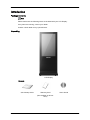
Unpacking
LCD Display
Manuals
Quick Setup Guide
Warranty Card
(Not available in all locations)
User's Guide
Introduction
Cables
GND Cable (3)
Others
Shock Sensor
Remote Control
Batteries (AAA X 2)
(Not available in all locations)
Sold separately
DVI Cable
LAN Cable
Your LCD Display
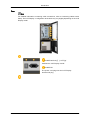
Front
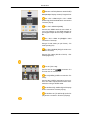
MENU button [MENU]
Opens the on-screen menu and exits from the menu. Also use to exit the
OSD menu or return to the previous menu.
Introduction
Navigate buttons (Up-Down buttons)
Moves from one menu item to another vertically or adjusts selected menu
values.
Adjust buttons (Left-Right buttons) / Volume buttons
Moves from one menu item to another horizontally or adjusts selected
menu values. When OSD is not on the screen, push the button to adjust
volume.
ENTER button [ENTER]
Activates a highlighted menu item.
SOURCE button [SOURCE]
Switches from PC mode to Video mode. Changing the source is only allowed for external devices that are connected to the LCD Display at the
time.
[PC] → [DVI] → [AV] → [HDMI] → [MagicInfo]
PIP
Push the PIP button to turn the PIP screen On / Off.
More than one PIP cannot overlap on screen as BNC and the component
use the same terminal.
Power button [
]
Use this button for turning the LCD Display on and off.
Brightness Sensor
The product's Brightness Sensor function automatically detects the surrounding brightness using a brightness sensor and adjusts its brightness
accordingly.
Power indicator
Shows PowerSaver mode by blinking green
Note
See PowerSaver described in the manual for further information regarding
power saving functions. For energy conservation, turn your LCD Display
OFF when it is not needed or when leaving it unattended for long periods.
Remote Control Sensor
Aim the remote control towards this spot on the LCD Display.
Camera : Records and saves the event that occurred in front of the screen
when an impact is applied to the product. (Refer to the descriptions about
the shock sensor.)
Bluetooth transceiver : Enables users to connect Bluetooth devices.
Speaker
Introduction
Rear
Note
For detailed information concerning cable connections, refer to Connecting Cables under
Setup. The LCD Display 's configuration at the back may vary slightly depending on the LCD
Display model.
POWER S/W ON [ │ ] / OFF [O]
Switches the LCD Display On/Off.
POWER IN
The power cord plugs into the LCD Display
and the wall plug.
Introduction
RS232C OUT/IN (RS232C Serial PORT)
MDC(Multiple Display Control) Program Port
PC / DVI / HDMI IN [PC / DVI / HDMI
AUDIO IN] (PC/DVI/HDMI Audio Connection
Terminal (Input))
PC / DVI / HDMI IN [HDMI]
Connect the HDMI terminal at the back of
your LCD Display to the HDMI terminal of
your digital output device using a HDMI cable.
PC / DVI / HDMI IN [RGB](PC Video
Connection Terminal)
Using a D-Sub Cable (15 pin D-Sub) - PC
mode (Analog PC)
PC / DVI / HDMI IN [DVI] (PC Video Connection Terminal)
Using a DVI Cable (DVI-D to DVI-D) - DVI
mode (Digital PC)
DC OUT [5V/1.5A]
Connect this to the POWER connector of a
TV tuner box or network box.
AV IN [VIDEO] (VIDEO Connection Terminal)
Connect the [ VIDEO ] terminal of your monitor to the video output terminal of the external device using a VIDEO cable.
AV AUDIO IN [L-AUDIO-R](LCD Display
Audio Connection Terminal (Input))
AV AUDIO OUT [L-AUDIO-R] (LCD Display Audio Connection Terminal (Output))
Introduction
LAN (LAN Connection Terminal)
USB(USB Connection Terminal)
Keyboard / Mouse, Mass Storage Device
Compatible.
Note
The number of LCD Displays that can be
connected to loopout may differ depending
on the cables, signal source etc. With cables
where there is no degradation or signal
source, up to ten LCD Displays can be connected.
Circuit Breaker
A circuit-breaking unit designed to prevent
fire or electric shock caused by an electric
leakage.
Side
1.
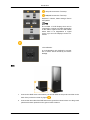
Connect the GND wires to the bottom part of both sides of the product and then to the
back of the product as shown by figure (
2.
).
Connect the other side of the GND wires to the ground box when indoors or to the ground
pole that has been pushed into the ground when outdoors.
Introduction
Note
The ground (GND) is used to prevent product noise and to protect people from electric shock
due to electric leakage.
Remote Control
Note
The performance of the remote control may be affected by a TV or other electronic device
operating near the LCD Display , causing a malfunction due to interference with the frequency.
POWER
OFF
Number Buttons
DEL
button
+ VOL MUTE
TV/DTV
MENU
INFO
COLOR BUTTONS
TTX/MIX
STILL
AUTO
S.MODE
MDC
LOCK
SOURCE
ENTER/PRE-CH
CH/P
D.MENU
GUIDE
RETURN
Up-Down Left-Right buttons
EXIT
SRS
MagicInfo
P.MODE
Introduction
DUAL/MTS
PIP
SWAP
1.
POWER
Turns the product On.
2.
Off
Turns the product Off.
3. Number Buttons
Press to change the channel.
4. DEL
The "-" button operates only for DTV. It is used to select
MMS (multi-channel) for a DTV.
button
5. + VOL -
Adjusts the audio volume.
6.
Pauses (mutes) the audio output temporarily. This is displayed on the lower left corner of the screen. The audio
resumes if MUTE or - VOL + is pressed in the Mute mode.
MUTE
7. TV/DTV
Selects the TV and DTV mode directly.
8. MENU
Opens the on-screen menu and exits from the menu or
closes the adjustment menu.
9.
Activates a highlighted menu item.
10.
INFO
Current picture information is displayed on the upper left
corner of the screen.
11.COLOR BUTTONS
Press to add or delete channels and to store channels to the
favorite channel list in the “Channel List” menu.
12.
TV channels provide written information services via teletext.
TTX/MIX
- Teletext Buttons
For more information > TTX / MIX
13.STILL
Press the button once to freeze the screen. Press it again
to unfreeze.
14.AUTO
Adjusts the screen display automatically in PC mode. By
changing the resolution in the control panel, auto function is
performed.
15. S.MODE
When pressing this button, the current mode is displayed at
the bottom centre of the screen. The LCD Display has a
built-in high fidelity stereo amplifier. Then press the button
again to circle through available preconfigured modes.
( Standard → Music → Movie → Speech → Custom )
16.MDC
MDC Quick Launch Button.
17.LOCK
Activates or deactivates all function keys on both the remote
control and the LCD Display except for the Power and LOCK
buttons.
Introduction
18.
SOURCE
Press the button to change the input signal SOURCE.
Changing the SOURCE is only allowed for external devices
that are connected to the monitor at the time.
19.
ENTER/PRE-CH
This button is used to return to the immediately previous
channel.
20. CH/P
In TV mode, selects TV channels.
21.D.MENU
DTV menu display
22.GUIDE
Electronic Program Guide (EPG) display.
23.
RETURN
24. Up-Down Left-Right buttons
25.
26.
EXIT
SRS
Returns to the previous menu.
Moves from one menu item to another horizontally, vertically
or adjusts selected menu values.
Exits from the menu screen.
Selects SRS TruSurround XT mode.
27.MagicInfo
MagicInfo Quick Launch Button.
28. P.MODE
When you press this button, current picture mode is displayed on the lower center of the screen.
AV / HDMI / TV : P.MODE
The LCD Display has four automatic picture settings that are
preset at the factory. Then push button again to circle
through available preconfigured modes. ( Dynamic →
Standard → Movie → Custom )
PC / DVI / MagicInfo: M/B (MagicBright)
MagicBright is a feature providing the optimum viewing environment depending on the contents of the image you are
watching. Then push button again to circle through available
preconfigured modes. (Entertain → Internet → Text → Custom )
29.
DUAL/MTS
DUALSTEREO/MONO, DUAL l / DUAL ll and MONO/NICAM
MONO/NICAM STEREO can be operated depending on the
broadcasting type by using the DUAL button on the remote
control while watching TV.
MTSYou can select MTS (Multichannel Television Stereo) mode.
FM Stereo
Audio Type
MTS/S_Mode
Default
Mono
Mono
Stereo
Mono ↔ Stereo
Manual
Change
Introduction
SAP
30. PIP
Mono ↔ SAP
Mono
Every time you press the button, a PIP screen appears.
- This fuction does not work for this LCD Display.
31.SWAP
Swaps the contents of the PIP and main image. The image
in the PIP window will appear on the main screen, and the
main screen image will appear in the PIP window.
- This fuction does not work for this LCD Display.
Using the Software
Touch Screen
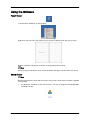
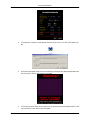
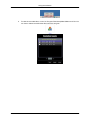
1. Double-click "Calibrate" on the Desktop.
Right-click over the icon in the system tray and select "Calibrate" from the pop-up menu.
When the points are displayed, touch the corresponding points exactly.
Note
Since you may not be able to touch a point located at the edge, connect and use a mouse.
Shock Sensor
Note
Records and saves the event that occurred in front of the screen when an impact is applied
to the product.
1.
To adjust the sensitivity of the shock sensor, run the "C:\Program Files\SetupVMon
\VSetting.exe" file.
Using the Software
2.
To enable the camera to interoperate with the shock sensor, run the "VProcMan.exe “
file.
3.
If an impact is applied to the product, the following messages are displayed and the event
that occurred in front of the screen is recorded.
4.
To exit the program, right-click over the icon in the system tray and select Exit from the
pop-up menu or click “Exit” in the “ProcMan”.
Using the Software
5.
To view the recorded video, run the "C:\Program Files\SetupVMon\VMenu.exe" file. You
can view or delete recorded video files using this program.
Introduction
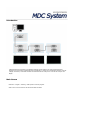
A Multiple Display Control (MDC) is an application allowing various displays to be easily and simultaneously
operated on a PC. RS-232C, a standard of serial communication, is used for the communication between a PC and
a display. Therefore, a serial cable should be connected between the serial port on a PC and the serial port on a
display.
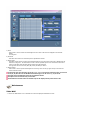
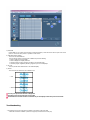
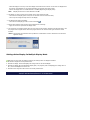
Main Screen
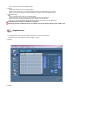
Click Start > Program > Samsung > MDC System to start the program.
Select a set to see the volume of the selected set within the slider.
Main Icons
Select Button
Remocon
Info Grid
Safety Lock
Display Selection
Port Selection
Control Tools
1. Use the main icons to switch into each screen.
2. Allows you to enable or disable the remote control signal receiving function of the display unit.
3. Set the Safety Lock function.
When setting the Lock function, you can only operate power and lock buttons on the remote control and set.
4. The setting for the PC Serial Port can change. The original value is COM1.
5. Click Select all or Clear to select or clear all displays.
6. Use Grid to view brief information on selected display.
7. Select a display from Display Selection.
8. Use Control Tools to control displays.
<Note> The remote control Enable/Disable function operates whether or not the power is On/Off, and this
applies to all displays connected to the MDC. However, regardless of the status at the time the MDC is
shut down, the remote control signal receiving function of all displays is initialized to Enable when the
MDC is closed.
Port Selection
1. The Multiple Display Control is originally set to COM1.
2. If any port other than COM1 is used, COM1 through COM4 can be selected in the Port Selection Menu.
3. If the exact port name that is connected to the LCD Display using a serial cable is not selected, communication will
be unavailable.
4. The selected port is stored in the program and used for the next program as well.
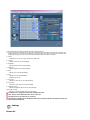
Power Control
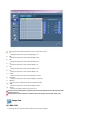
1. Click Power Control of the main icons and the Power Control screen appears.
Info Grid shows some basic information necessary to Power Control.
1)
(Power Status)
2) Input
3) Image Size
4) On Timer
5) Off Timer
2. Use the Select All button or Check Box to choose a display to control.
Power Control allows controlling some of the functions of the selected display.
1) Power On/Off
- Turns the power of the selected display On/Off.
2) Volume
- Controls the volume level of the selected display.
It receives the volume value of the selected display from the sets and displays it in the slider.
(When you cancel the selection or choose Select All, the value returns to the default value 10)
3)
(Mute On/Off)
- Turns on/off the Mute function of the selected display.
When selecting one set at a time, turn on the Mute function for the selected set.
The Mute function is disabled automatically when you adjust the volume level.
(The values return to the default settings when you undo the selections or choose "Select All".)
The Power Control feature is available for all displays.
The Volume Control and Mute features are available only for the displays whose power status is ON.
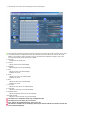
Input Source
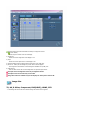
1. Click Input Source of the main icons and the Input Source control screen appears.
Click Select All or use Check Box to select a display to control.
• TV Mode
• PC Mode
Info Grid shows some basic information necessary to Input Source Control.
1)
PC
- Changes the Input Source of the selected display to PC.
2)
BNC
- Changes the Input Source of the selected display to BNC.
3)
DVI
- Changes the Input Source of the selected display to DVI.
4)
TV
- Changes the Input Source of the selected display to TV.
5)
DTV
- Changes the Input Source of the selected display to DTV.
6)
AV
- Changes the Input Source of the selected display to AV.
7)
S-Video
- Changes the Input Source of the selected display to S-Video.
8)
Component
- Changes the Input Source of the selected display to Component.
9)
MagicInfo
- The Input source of MagicInfo works only on MagicInfo model.
10)
HDMI
- Changes the Input Source of the selected display to HDMI.
11)
Channel
- Channel arrow appears when the Input Source is TV.
TV Source can be selected only in products with TV and controlling channels is allowed only when
Input Source is TV.
The Input Source Control feature is available only for the displays whose power status is ON.
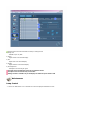
Image Size
PC, BNC, DVI
1. Click Image Size of the main icons and the Image Size control screen appears.
Info Grid shows some basic information necessary to Image Size Control.
1)
( Power Status)
- Shows the power status of the current display.
2) Image Size
- Shows the current Image Size of the display in use.
3) Input
- Shows the current Input Source of the display in use.
4) Info Grid displays only the displays whose Input Source is PC, BNC, DVI.
5) PC Source - When you click Image Size, the PC Source tab first appear.
- The Image Size Control button controls Image Size available for PC, BNC, DVI.
6) Video Source
- Click the Video Source tab to control Image Size for respective Input Source.
The Input source of MagicInfo works only on MagicInfo model.
The Input source of TV works only on TV model.
Image Size Control is available only for the displays for which power status is ON.
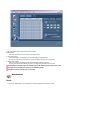
Image Size
TV, AV, S-Video, Component, DVI(HDCP), HDMI, DTV
1. Click Image Size of the main icons and the Image Size control screen appears.
Info Grid shows some basic information necessary to Image Size Control.
1) Click the Video Source tab to adjust Image Size for TV, AV, S-Video, Component, DVI(HDCP), HDMI, DTV.
Click Select All or use Check Box to select a display to control.
2) Info Grid displays only the display having TV, AV, S-Video, Component or DVI(HDCP) as input source.
3) Switch Image Size of the selected display randomly.
Note: Auto Wide, Zoom1 and Zoom2 are not available for selection when the input signal type for
Component and DVI (HDCP) is 720p or 1080i.
(The Auto Wide mode is available only for TV, AV, and S-Video.)
4) The screen modes can only be adjusted when a TV (PAL only) is connected and the Image Size item is set to Auto
Wide.
The Input source of MagicInfo works only on MagicInfo model.
The Input source of TV works only on TV model.
The Image Size Control feature is available only for the displays whose power status is ON.
Time
1. Click Time of the main icons and the Time Control screen appears.
Info Grid shows some basic information necessary to Time Control.
1) Current Time
- Set the current time for the selected display (PC Time).
- To change the current time, first change the PC Time.
2) On Time Setup
- Set the Hour, Minute, AM/PM of On Time Setup, Status, Source, Volume of the selected display.
3) Off Time Setup
- Set the Hour, Minute, and AM/PM, Status for Off Time Setup of the selected display.
4) Shows the On Time settings.
5) Shows the Off Time settings.
The Input source of MagicInfo works only on MagicInfo model.
The Input source of TV works only on TV model.
Time Control is available only for the displays for which the power status is ON.
At On Time Setup, TV Source functions only for TV Model.
At On Time Setup, MagicInfo Source functions only for MagicInfo Model.
PIP
PIP Size
1. Click PIP of the main icons and the PIP control screen appears.
Click Select All or use Check Box to select a display to control.
Info Grid shows some basic information necessary to PIP Size Control.
1) PIP Size
- Shows the current PIP Size of the display in use.
2) OFF
- Turns off the PIP of the selected display.
3) Large
- Turns on the PIP of the selected display and changes the size to Large.
4) Small
- Turns on the PIP of the selected display and changes the size to Small.
5) Double 1
- Turns on the PIP of the selected display and changes the size to Double 1.
6) Double 2
- Turns on the PIP of the selected display and changes the size to Double 2.
7) Double 3 (Picture By Picture)
- Turns on the PBP of the selected display and changes the size to Double 3.
The Input source of MagicInfo works only on MagicInfo model.
The Input source of TV works only on TV model.
PIP Size can be controlled with turning on the LCD Display power.
PIP
PIP Source
1. Click PIP of the main icons and the PIP control screen appears.
Info Grid shows some basic information necessary to PIP Source Control.
1) PIP Source
- PIP Source can be controlled with turning on the LCD Display power.
2) PC
- Changes the source of the PIP of the selected display to PC.
3) BNC
- Changes the source of the PIP of the selected display to BNC.
4) DVI
- Changes the source of the PIP of the selected display to DVI.
5) AV
- Changes the source of the PIP of the selected display to AV.
6) S-Video
- Changes the source of the PIP of the selected display to S-Video.
7) Component
- Changes the source of the PIP of the selected display to Component.
8) HDMI
- Changes the source of the PIP of the selected display to HDMI.
Note: Some of the PIP Sources may not be available for selection, depending on the input source type
of the Main Screen.
The Input source of MagicInfo works only on MagicInfo model.
The PIP Control feature is available only for the displays whose power status is ON and the PIP
function is set to ON.
Settings
Picture
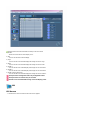
1. Click Settings of the main icons and the Settings Control screen appears.
Info Grid shows some basic information necessary to Settings Control.
When each function is selected, the set value of the selected function is displayed in the slide.When selected, each
function fetches the value for the set and displays it on the slide bar. When "Select All" is chosen, the default value
is displayed. Changing a value in this screen will automatically change the mode to "CUSTOM."
1) Picture
- Available only for TV, AV, S-Video, Component, HDMI, DTV.
2) Contrast
- Adjusts Contrast of the selected display.
3) Brightness
- Adjusts Brightness of the selected display.
4) Sharpness
- Adjusts Sharpness of the selected display.
5) Color
- Adjusts Color of the selected display.
6) Tint
- Adjusts Tint of the selected display.
- Available only for NT.
7) Color Tone
- Adjusts the Color Tone for the selected display.
8) Color Temp
- Adjusts the Color Temp for the selected display.
9) Brightness Sensor
- Adjusts the Brightness Sensor for the selected display.
10) Dynamic Contrast
- Adjusts the Dynamic Contrast for the selected display.
The Input source of MagicInfo works only on MagicInfo model.
Color Temp is only enabled if the Color Tone is set to Off.
The Input source of TV works only on TV model.
This feature is available only for the displays whose power status is ON and if no selection is made, the
factory default is displayed.
Settings
Picture PC
1. Click Settings of the main icons and the Settings Control screen appears.
Info Grid shows some basic information necessary to Settings Control. When each function is selected, the set value
of the selected function is displayed in the slide. When selected, each function fetches the value for the set and
displays it on the slide bar. When "Select All" is chosen, the default value is displayed. Changing a value in this
screen will automatically change the mode to "CUSTOM."
1) Picture PC
- Available only for PC, BNC, DVI.
2) Contrast
- Adjusts Contrast of the selected display.
3) Brightness
- Adjusts Brightness for the selected display.
4) Red
- Adjusts red Color of the selected display.
- Available only for NT.
5) Green
- Adjusts green Color of the selected display.
- Available only for NT.
6) Blue
- Adjusts blue Color of the selected display.
- Available only for NT.
7) Color Tone
- Adjusts the Color Tone for the selected display.
8) Color Temp
- Adjusts the Color Temp for the selected display.
9) Brightness Sensor
- Adjusts the Brightness Sensor for the selected display.
10) Dynamic Contrast
- Adjusts the Dynamic Contrast for the selected display.
The Input source of MagicInfo works only on MagicInfo model.
The Input source of TV works only on TV model.
Color Temp is only enabled if the Color Tone is set to Off.
This feature is available only for the displays whose power status is ON and if no selection is made, the
factory default is displayed.
Settings
Audio
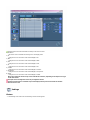
1. Click Settings of the main icons and the Settings Control screen appears.
Info Grid shows some basic information necessary to Settings Control. When each function is selected, the set value
of the selected function is displayed in the slide. When selected, each function fetches the value for the set and
displays it on the slide bar. When "Select All" is chosen, the default value is displayed. Changing a value in this
screen will automatically change the mode to "CUSTOM."
1) Audio
- Controls audio settings for all input sources.
2) Bass
- Adjusts Bass of the selected display.
3) Treble
- Adjusts Treble of the selected display.
4) Balance
- Adjusts Balance of the selected display.
5) SRS TS XT
- SRS TS XT Sound ON/OFF of the selected display.
6) Sound Select
- Select either Main or Sub when PIP is On.
The Input source of MagicInfo works only on MagicInfo model.
The Input source of TV works only on TV model.
This feature is available only for the displays whose power status is ON and if no selection is made, the
factory default is displayed.
Settings
Image Lock
1. Click Settings of the main icons and the Settings Control screen appears.
Info Grid shows some basic information necessary to Settings Control.
1) Image Lock
- Available only for PC, BNC.
2) Coarse
- Adjusts Coarse of the selected display.
3) Fine
- Adjusts Fine of the selected display.
4) Position
- Adjusts Position of the selected display.
5) Auto Adjustment
- Self-Adjust to the incoming PC signal.
The Input source of MagicInfo works only on MagicInfo model.
The Input source of TV works only on TV model.
Settings Control is available only for the displays for which the power status is ON.
Maintenance
Lamp Control
1. Click on the "Maintenance" icon in the Main Icon column to display the Maintenance screen.
An "Info Grid" showing several basic data items appears.
1) Maintenance
- Allows the Maintenance Control function for all input sources.
2) Auto Lamp Control
- Automatically adjusts the backlight of the selected display at a specified time.
The Manual Lamp Control automatically turns off if you adjust using the Auto Lamp Control.
3) Manual Lamp Control
- Allows you to adjust the backlight of the selected display regardless of the time.
The Auto Lamp Control automatically turns off if you adjust using the Manual Lamp Control.
The Maintenance Control feature is available only for the displays whose power status is ON.
The Input source of MagicInfo works only on MagicInfo model.
The Input source of TV works only on TV model.
Maintenance
Scroll
1. Click on the "Maintenance" icon in the Main Icon column to display the Maintenance screen.
1) Scroll
- This function is used to remove the afterimages that occur when a still screen is displayed on the selected
display
for a long time.
2) Pixel Shift
- This allows the screen to be moved finely at the specified time interval.
3) Safety Screen
- The Safety Screen function is used to prevent afterimages from occurring when a still screen is displayed on the
monitor for a long time. The Interval item is used to set the repetition cycle in hour units and the Time item is
used to set the time when the Safety Screen function must be performed.
The Type item can be set to Scroll, Pixel, Bar, Eraser, All White, or Pattern.
4) Safety Screen2
- This function is used to prevent afterimages from occurring. There are five (5) types that you can select and
control with this function.
For the Scroll type, the Time item can be set to 1, 2, 3, 4 or 5. For the Bar and Eraser types, it can be set
to 10, 20, 30, 40 or 50. For the All White and Pattern type, it can be set to 1, 5, 10, 20 or 30.
The Input source of MagicInfo works only on MagicInfo model.
The Input source of TV works only on TV model.
The Maintenance Control feature is available only for the displays whose power status is ON.
Maintenance
Video Wall
1. Click on the "Maintenance" icon in the Main Icon column to display the Maintenance screen.
1) Video Wall
- A Video Wall is a set of video screens that are connected together, so that each screen shows a part of the whole
picture or so that the same picture is repeated on each screen.
2) Video Wall (Screen divider)
- The screen can be divided into.
You can select a number of screens with a different layout when dividing.
z Select a mode from Screen divider.
z Select a display from Display Selection.
z The place will be set up by pressing a number in the selected mode.
z The MDC program supplied by Samsung supports up to 5x5 LCD Displayes.
3) On / Off
- Turns on/off the Video Wall function of the selected display.
4) Format
- The format can be selected to see a divided screen.
z
Full
z
Natural
You may not operate this function in MagicInfo.
The Input source of TV works only on TV model.
The Maintenance Control function is available only for the displays where the power status is ON.
Troubleshooting
1. The display you wish to control does not appear on the Power Control Info Grid
- Check the connection of RS232C. (Check if it is properly connected to the Com1 port)
- Check the displays to see if any of the other displays connected have the same ID. If more than one displays have
the same ID, those displays are not properly detected by the program due to data conflict.
- Check if the Display Set ID is a number between 0 and 25. (Adjust using the Display menu)
Note :
A Display Set ID must be a value between 0 and 25 .
2. The display you wish to control does not appear on the other Control Info Grids
- Check to see if the display power is ON. (You can check this in Power Control Info Grid)
- Check if you can change the input source of the display.
3. The dialogue box appears repeatedly.
- Check to see if the display you wish to control is selected.
4. Both On Timer and Off Timer have been set but different time is showing.
- Apply current time to synchronize the display clocks.
5. The remote may not function properly when you turn off the remote Function, disconnect the RS-232C cable, or exit
the program in an Irregular manner. Rerun the program and turn the remote function again to Restore normal
functions.
<Note> This program may malfunction due to problems in communication circuits or interference from electronic
appliances nearby.
Settings Value Display In Multiple Display Mode
When there are more than one displays connected, the settings values are displayed as follows.
1. No selection: Displays the Factory Default Value.
2. Selected one display: Fetches and displays the settings value for the selected display.
3. Selected one display (ID1) and add another display (ID3): The program, which was displaying the settings value of
ID 1, fetches and displays the value of ID3.
4. Selected all sets using Select All: Returns to the Factory Default Value.
Adjusting the LCD Display
Input
Available Modes
•
PC / DVI
•
AV
•
HDMI
•
MagicInfo
Note
The TV menu is available when a TV tuner box is installed.
Source List
MENU → ENTER → [Input] → ENTER → [Source List]
→
,
→ ENTER
Use to select PC, DVI or other external input sources connected to the LCD Display. Use to
select the screen of your choice.
1.
PC
2.
DVI
3.
AV
4.
HDMI
5.
MagicInfo
Note
•
The direct button on the remote control is the 'SOURCE' button.
•
For PC and DVI, this is deactivated if the cable is disconnected.
Edit Name
MENU → ENTER → [Input] →
→ ENTER → [Edit Name]
Adjusting the LCD Display
→
,
→ ENTER
Name the input device connected to the input jacks to make your input source selection
easier.
1.
PC
2.
DVI
3.
AV
4.
HDMI
Picture [PC / DVI / MagicInfo Mode]
Available Modes
•
PC / DVI
•
AV
•
HDMI
•
MagicInfo
MagicBright
MENU →
→
,
→ ENTER → [Picture] → ENTER → [MagicBright]
→ ENTER
MagicBright is a feature providing the optimum viewing environment depending on the contents of the image you are watching. Currently four different modes are available: Entertain,
Internet, Text and Custom. Each mode has its own pre-configured brightness value. You can
easily select one of the four settings by simply pressing the MagicBright control button.
(Not available in Dynamic Contrast mode of On.)
1.
Entertain
High brightness
Adjusting the LCD Display
For watching motion pictures such as a DVD or VCR.
2.
Internet
Medium brightness
For working with a mixture of images such as texts and graphics.
3.
Text
Normal brightness
For documents or works involving heavy text.
4.
Custom
Although the values are carefully chosen by our engineers, the pre-configured values
may not be comfortable to your eyes depending on your taste.
If this is the case, adjust the brightness and contrast by using the OSD menu.
Custom
By using the on-screen menus, the contrast and brightness can be changed to your personal
preference.
MENU →
→ ENTER → [Picture] →
→ ENTER → [Custom]
(Not available in Dynamic Contrast mode of On.)
Note
By adjusting the picture using the Custom function, MagicBright will change to Custom mode.
Contrast
MENU →
→ ,
→ ENTER → [Picture] →
→ ENTER → [Custom] → ENTER→ [Contrast]
→ ENTER
Adjusts the Contrast.
Brightness
MENU →
ness]
→ ,
→ ENTER → [Picture] →
→ ENTER → [Custom] →
→ ENTER → [Bright-
→ ENTER
Adjusts the Brightness.
Sharpness
MENU → → ENTER → [Picture] →
[Sharpness]
→ ENTER → [Custom] →
→
→ ENTER →
Adjusting the LCD Display
→ ,
→ ENTER
Adjusts the Sharpness.
Color Tone
MENU →
→
,
→ ENTER → [Picture] →
→
→ENTER → [Color Tone]
→ ENTER
The color tones can be changed.
(Not available in Dynamic Contrast mode of On.)
1.
Off
2.
Cool
3.
Normal
4.
Warm
5.
Custom
Note
If you set the Color Tone to Cool, Normal, Warm, or Custom, the Color Temp function is
disabled.
If you set the Color Tone to Off, the Color Control function is disabled
Color Control
Adjusts individual Red, Green, Blue color balance.
MENU →
→ ENTER → [Picture] →
→
→ → ENTER → [Color Control]
(Not available in Dynamic Contrast mode of On.)
Note
If you adjust the picture by using the Color Control function, Color Tone will turn to the Custom mode.
Red
MENU →
→ [Red]
→ ENTER → [Picture] →
→
→ → ENTER → [Color Control] → ENTER
Adjusting the LCD Display
→ ,
→ ENTER
Green
MENU → → ENTER → [Picture] → → → → ENTER → [Color Control] → → ENTER
→ [Green]
→ ,
→ ENTER
Blue
MENU → → ENTER → [Picture] →
ENTER → [Blue]
→ ,
→
→ → ENTER → [Color Control] →
→
→
→ ENTER
Color Temp
MENU →
→ ,
→ ENTER → [Picture] →
→
→ → ENTER → [Color Temp]
→ ENTER
Color Temp is a measure of the 'warmth' of the image colors.
(Not available in Dynamic Contrast mode of On.)
Note
This function is only enabled if the Color Tone is set to Off.
Image Lock
Image Lock is used to fine-tune and get the best image by removing noise that creates unstable images with jitters and shakiness. If satisfactory results are not obtained using the Fine
adjustment, use the Coarse adjustment and then use Fine again.
(Available in PC mode only)
(Not available in Dynamic Contrast mode of On.)
MENU →
→ ENTER → [Picture] →
→
→ → → ENTER → [Image Lock]
MENU → → ENTER → [Picture] →
→ [Coarse]
→
→ → → ENTER → [Image Lock] → ENTER
Coarse
Adjusting the LCD Display
→ ,
→ ENTER
Removes noise such as vertical stripes. Coarse adjustment may move the screen image
area. You may relocate it to the center using the horizontal control menu.
Fine
MENU → → ENTER → [Picture] →
ENTER → [Fine]
→ ,
→
→ → → ENTER → [Image Lock] →
→
→ ENTER
Removes noise such as horizontal stripes. If the noise persists even after Fine tuning, repeat
it after adjusting the frequency (clock speed).
H-Position
MENU → → ENTER → [Picture] →
→ ENTER → [H-Position]
→ ,
→
→ → → ENTER → [Image Lock] →
→
→
→ → → ENTER → [Image Lock] →
→
→ ENTER
Adjusts the screen location horizontally.
V-Position
MENU → → ENTER → [Picture] →
→ → ENTER → [V-Position]
→ ,
→ ENTER
Adjusts the screen location vertically.
Auto Adjustment
MENU →
→ ENTER → [Picture] →
→
→
→ → → ENTER → [Auto Adjustment ]
The values of Fine, Coarse, Position are adjusted automatically. By changing the resolution
in the control panel, the auto function is performed.
(Available in PC mode only)
(Not available in Dynamic Contrast mode of On.)
Note
The direct button on the remote control is the 'AUTO' button.
Adjusting the LCD Display
Signal Balance
This is used to make up for the weak RGB signal transmitted by a long signal cable.
MENU →
ance]
→ ENTER → [Picture] →
→
→
→ → → → ENTER → [Signal Bal-
(Available in PC mode only)
(Not available in Dynamic Contrast mode of On.)
Signal Balance
MENU → → ENTER → [Picture] →
ance] → ENTER → [Signal Balance]
→
,
→
→
→ → → → ENTER → [Signal Bal-
→ ENTER
Selects either On or Off with the signal control.
Signal Control
MENU → → ENTER → [Picture] →
→ ENTER → → [Signal Control]
1.
→
→
→ → → → ENTER → [Signal Balance]
R-Gain
MENU → → ENTER → [Picture] → → → → → → → ENTER → [Signal
Balance] → ENTER → → [Signal Control] → ENTER → [R-Gain]
→ ,
2.
→ ENTER
G-Gain
MENU → → ENTER → [Picture] → → → → → → → ENTER → [Signal
Balance] → ENTER → → [Signal Control] → → ENTER→ [G-Gain]
→ ,
3.
→ ENTER
B-Gain
MENU → → ENTER → [Picture] → → → → → → → ENTER → [Signal
Balance] → ENTER → → [Signal Control] → → → ENTER→ [B-Gain]
Adjusting the LCD Display
→ ,
4.
→ ENTER
R-Offset
MENU → → ENTER → [Picture] → → →
Balance] → ENTER → → [Signal Control] → →
→ ,
5.
→ → → → ENTER → [Signal
→ → ENTER→ [R-Offset]
→ ENTER
G-Offset
MENU → → ENTER → [Picture] → → → → → → → ENTER → [Signal
Balance] → ENTER → → [Signal Control] → → → → → ENTER→ [G-Offset]
→ ,
6.
→ ENTER
B-Offset
MENU → → ENTER → [Picture] → → → → → → → ENTER → [Signal
Balance] → ENTER → → [Signal Control] → → → → → → ENTER → [BOffset]
→ ,
→ ENTER
Size
MENU →
→
,
→ ENTER → [Picture] →
→
→ → → → → ENTER → [Size]
→
→ ENTER
The Size can be switched.
(Not available in Dynamic Contrast mode of On.)
1.
16:9
2.
4:3
Dynamic Contrast
MENU →
Contrast]
→ ENTER → [Picture] →
→
→
→ → → → → → ENTER → [Dynamic
Adjusting the LCD Display
,
→
→ ENTER
Dynamic Contrast automatically detects the distribution of the visual signal and adjusts to
create an optimum contrast.
1.
Off
2.
On
Brightness Sensor
MENU → → ENTER → [Picture] →
[Brightness Sensor]
→ ,
→
→
→
→
→
→
→
→
→ ENTER →
→ENTER
Brightness Sensor is to automatically detect distribution of inputted visual signal and adjust
to create optimum brightness.
1.
Off
2.
On
Picture [ AV / HDMI Mode]
Available Modes
•
PC / DVI
•
AV
•
HDMI
•
MagicInfo
Mode
MENU →
→ ENTER → [Picture] → ENTER → [Mode]
Adjusting the LCD Display
,
→
→ ENTER
The LCD Display has four automatic picture settings ("Dynamic", "Standard", "Movie" and
"Custom") that are preset at the factory.
Dynamic, Standard, Movie, or Custom can be activated.
(Not available in Dynamic Contrast mode of On.)
1.
Dynamic
2.
Standard
3.
Movie
4.
Custom
Note
The direct button on the remote control is the 'P.MODE' button.
Custom
By using the on-screen menus, the contrast and brightness can be changed to your personal
preference.
MENU →
→ ENTER → [Picture] →
→ ENTER → [Custom]
(Not available in Dynamic Contrast mode of On.)
Contrast
MENU →
→ ,
→ ENTER → [Picture] →
→ ENTER → [Custom] → ENTER→ [Contrast]
→ ENTER
Adjusts the Contrast.
Brightness
MENU →
ness]
→ ,
→ ENTER → [Picture] →
→ ENTER → [Custom] →
→ ENTER → [Bright-
→ ENTER
Adjusts the Brightness.
Sharpness
MENU → → ENTER → [Picture] →
[Sharpness]
→ ,
→ ENTER
→ ENTER → [Custom] →
→
→ ENTER →
Adjusting the LCD Display
Adjusts the picture Sharpness.
Color
MENU →
[Color]
→ ,
→ ENTER → [Picture] →
→ ENTER → [Custom] →
→
→
→ ENTER →
→ ENTER → [Custom] →
→
→ → → ENTER
→ ENTER
Adjusts the picture Color.
Tint
MENU →
→ [Tint]
→ ,
→ ENTER → [Picture] →
→ ENTER
Adds a natural tone to the display.
Color Tone
MENU →
→
,
→ ENTER → [Picture] →
→
→ ENTER → [Color Tone]
→ ENTER
The color tones can be changed. The individual Color components are also user adjustable.
(Not available in Dynamic Contrast mode of On.)
1.
Off
2.
Cool2
3.
Cool1
4.
Normal
5.
Warm1
6.
Warm2
Note
If you set the Color Tone to Cool2, Cool1, Normal, Warm1, or Warm2, the Color Temp function
is disabled.
Adjusting the LCD Display
Color Temp
MENU →
→ ,
→ ENTER → [Picture] →
→ → → ENTER → [Color Temp]
→ ENTER
Color temp is a measure of the 'warmth' of the image colors.
(Not available in Dynamic Contrast mode of On.)
Note
This function is only enabled if the Color Tone is set to Off.
Size
MENU →
→
,
→ ENTER → [Picture] →
→
→
→ → ENTER → [Size]
→ ENTER
The Size can be switched.
1.
16:9
2.
Zoom 1
3.
Zoom 2
4.
4:3
5.
Just Scan
(Not available in Dynamic Contrast mode of On.)
Note
The Zoom1, Zoom2 are not available HDMI.
The Just Scan are available in HDMI.
Digital NR (Digital Noise Reduction)
MENU →
→ ENTER → [Picture] →
→
→
→ → → ENTER → [Digital NR]
Adjusting the LCD Display
→
,
→ ENTER
Turns the Digital Noise Reduction feature Off/On. The Digital Noise Reduction feature allows
you to enjoy clearer and crisper images.
1.
Off
2.
On
Film Mode
MENU →
→
,
→ ENTER → [Picture] →
→
→
→
→
→
→ ENTER → [Film Mode ]
→ ENTER
The Film Mode feature offers you a theater-quality viewing experience.
(In HDMI mode, this function can be available when the input signal is interlaced scan; it
cannot be available with progressive scan signal.)
1.
Off
2.
On
Dynamic Contrast
MENU →
Contrast ]
→
,
→ ENTER → [Picture] →
→
→
→ → → → → ENTER → [Dynamic
→ ENTER
Dynamic Contrast automatically detects the distribution of the visual signal and adjusts to
create an optimum contrast.
1.
Off
2.
On
Brightness Sensor
MENU → → ENTER → [Picture] →
[Brightness Sensor]
→
→
→
→
→
→
→
→ ENTER →
Adjusting the LCD Display
→ ,
→ENTER
Brightness Sensor is to automatically detect distribution of inputted visual signal and adjust
to create optimum brightness.
1.
Off
2.
On
Sound
Available Modes
•
PC / DVI
•
AV
•
HDMI
•
MagicInfo
Mode
MENU →
→
,
→ → ENTER → [Sound] → ENTER → [Mode]
→ ENTER
The LCD Display has a built-in high fidelity stereo amplifier.
1.
Standard
Selects Standard for the standard factory settings.
2.
Music
Selects Music when watching music videos or concerts.
3.
Movie
Selects Movie when viewing movies.
4.
Speech
Selects Speech when watching a show that is mostly dialogue (i.e., news).
5.
Custom
Adjusting the LCD Display
Selects Custom if you want to adjust the settings according to your personal preferences.
Custom
The sound settings can be adjusted to suit your personal preferences.
MENU →
→ → ENTER → [Sound] → → ENTER → [Custom ]
Note
•
You can hear the sound even when sound value is set to 0.
•
If you adjust sound using Custom function, Mode will turn to Custom mode.
Bass
MENU →
→ ,
→ → ENTER → [Sound] → → ENTER → [Custom ]→ENTER→ [Bass]
→ ENTER
Emphasizes low frequency audio.
Treble
MENU →
→ ,
→ → ENTER → [Sound] → → ENTER → [Custom ]→ →ENTER→ [Treble]
→ ENTER
Emphasizes high frequency audio.
Balance
MENU →
ance]
→ ,
→ → ENTER → [Sound] → → ENTER → [Custom ]→ → →ENTER→ [Bal-
→ ENTER
Allows you to Adjusts the sound balance between the left and right speakers.
Auto Volume
MENU →
→
,
→ → ENTER → [Sound] → → → ENTER → [Auto Volume]
→ ENTER
Adjusting the LCD Display
Reduces the difference in volume control between broadcasters.
1.
Off
2.
On
SRS TS XT
MENU →
→
,
→ → ENTER → [Sound] → → → → ENTER → [SRS TS XT]
→ ENTER
SRS TS XT is a patented SRS technology that solves the problem of playing 5.1 multichannel
content over two speakers. TruSurround delivers a compelling, virtual surround sound experience through any two-speaker playback system, including internal television speakers. It
is fully compatible with all multichannel formats.
1.
Off
2.
On
Note
The direct button on the remote control is the 'SRS' button.
Setup
Available Modes
•
PC / DVI
•
AV
•
HDMI
•
MagicInfo
Language
MENU →
→ → → ENTER → [Setup] → ENTER → [Language ]
Adjusting the LCD Display
→
,
→ ENTER
You can choose one of 11 languages.
Note
The language chosen affects only the language of the OSD. It has no effect on any software
running on the computer.
Time
Selects from one of 4 time settings, Clock Set, Sleep Timer, On Timer, and Off Timer.
MENU →
→ → → ENTER → [Setup] →
→ ENTER → [Time ]
Clock Set
MENU →
Set]
→
,
/ ,
→ → → ENTER → [Setup] →
→ ENTER → [Time ] → ENTER→ [Clock
→ ENTER
Current Time Setting.
Sleep Timer
MENU →
Timer]
→
,
→ → → ENTER → [Setup] →
→ ENTER → [Time ] →
→ ENTER
Turns the LCD Display off automatically at certain times.
1.
Off
2.
30
3.
60
→ ENTER→ [Sleep
Adjusting the LCD Display
4.
90
5.
120
6.
150
7.
180
On Timer
MENU → → → → ENTER → [Setup] →
[On Timer]
→
,
/ ,
→ ENTER → [Time ] → →
→ ENTER→
→ ENTER
Turns the LCD Display on automatically at a preset time. Controls the mode and the volume
level at the time the LCD Display turns on automatically.
Off Timer
MENU → → → → ENTER → [Setup] →
→ [Off Timer]
→
,
/ ,
→ ENTER → [Time ] → → →
→ ENTER
→ ENTER
Turns the LCD Display off automatically at a preset time.
Menu Transparency
MENU →
→ → → ENTER → [Setup] → →
→ ENTER → [Menu Transparency]
Adjusting the LCD Display
→
,
→ ENTER
Change the transparency of the background of the OSD.
1.
High
2.
Medium
3.
Low
4.
Opaque
Safety Lock PIN
MENU →
→ → → ENTER → [Setup] → → →
→ ENTER → [Safety Lock PIN ]
→ [0∼9, 0∼9, 0∼9, 0∼9] → [0∼9, 0∼9, 0∼9, 0∼9] → [0∼9, 0∼9, 0∼9, 0∼9]
The password can be changed.
Energy Saving
MENU →
→
,
→ → → ENTER → [Setup] → → → →
→ ENTER → [Energy Saving]
→ ENTER
This feature adjusts the power consumption of the unit in order to save energy.
1.
Off
2.
On
Note
If you want to reduce the standby power consumption, set Energy Saving to On. However,
when Energy Saving is On, you cannot use the remote Power On function of the MDC and
the WOL (Wake On LAN) function of MagicInfo.
Adjusting the LCD Display
HDMI Black Level
MENU →
Level ]
→
,
→ → → ENTER → [Setup] → → → →
→
→ ENTER → [HDMI Black
→ ENTER
When a DVD or set-top box is connected to your TV via HDMI, it may cause a degradation
in the screen quality, such as an increase in the black level, a low contrast, or discoloration,
etc., depending on the external device connected. In this case, adjust the screen quality of
your TV by configuring the HDMI black level.
1.
Normal
2.
Low
Video Wall
A Video Wall is a set of video screens connected together, so that each screen shows a part
of the whole picture or where the same picture is repeated on each screen.
When the Video Wall is on, you can adjust the Video Wall screen setting.
MENU →
Wall ]
→ → → ENTER → [Setup] → → → →
→
→
→ ENTER → [Video
Note
When Video Wall is running, the Auto Adjustment, Image Lock, and Size functions are not
available. Video Wall does not operate in MagicInfo mode.
Video Wall
MENU → → → → ENTER → [Setup] → → → →
Wall ]→ ENTER → [Video Wall ]
→
,
→
→
→ ENTER
Turns Off/On the Video Wall function of the selected display Off/On.
1.
Off
→ ENTER → [Video
Adjusting the LCD Display
2.
On
Format
MENU → → → → ENTER → [Setup] → → → →
Wall ]→ → ENTER → [Format]
→
,
→
→
→ ENTER → [Video
→
→ ENTER → [Video
→
→ ENTER → [Video
→ ENTER
The Format can be selected to see a divided screen.
1.
Full
Provides a full screen without any margins.
2.
Natural
Displays a natural image with the original aspect ratio intact.
Horizontal
MENU → → → → ENTER → [Setup] → → → →
Wall ]→ → → ENTER → [Horizontal]
→
,
→
→ ENTER
Sets how many parts the screen should be divided horizontally.
Five adjustment levels: 1, 2, 3, 4, and 5.
Vertical
MENU → → → → ENTER → [Setup] → → → →
Wall ]→ → → → ENTER → [Vertical]
→
Adjusting the LCD Display
→
,
→ ENTER
Sets how many parts the screen should be divided vertically.
Five adjustment levels: 1, 2, 3, 4, and 5.
Screen Divider
MENU → → → → ENTER → [Setup] → → → →
Wall ]→ → → → → ENTER → [Screen Divider]
→
→
→ ENTER → [Video
The screen can be divided into several images. A number of screens can be selected with a
different layout when dividing.
•
Select a mode in Screen Divider.
•
Select a display in Display Selection.
•
The selection will be set up by pressing a number in the selected mode.
Safety Screen
The Safety Screen function is used to prevent afterimages that may appear when a still picture
is displayed on the screen over a long time.
•
The Safety Screen function scrolls the screen for the specified period of time.
•
This function is not available when the power is turned off.
MENU → → → → ENTER → [Setup] → → → → → → → → ENTER → [Safety
Screen]
Pixel Shift
Pixel Shift
MENU → → → → ENTER → [Setup] → → → → → → → → ENTER → [Safety
Screen] → ENTER → [Pixel Shift] → ENTER → [Pixel Shift] → , → ENTER
Adjusting the LCD Display
To prevent after-images on the screen you can use this function, so that every minute pixels
on the LCD are moved in horizontal or vertical direction.
1.
Off
2.
On
Note
The Pixel Shift is not available when Video Wall is On.
Horizontal Dot
MENU → → → → ENTER → [Setup] → → → → → → → → ENTER → [Safety
Screen] → ENTER → [Pixel Shift] → → ENTER → [Horizontal Dot] → , → ENTER
Sets how many pixels the screen moves horizontally.
Five adjustment levels: 0, 1, 2, 3, and 4.
Vertical Line
MENU → → → → ENTER → [Setup] → → → → → → → → ENTER → [Safety
Screen] → ENTER → [Pixel Shift] → → → ENTER → [Vertical Line] → , → ENTER
Sets how many pixels the screen moves vertically.
Five adjustment levels: 0, 1, 2, 3, and 4.
Adjusting the LCD Display
Time
MENU → → → → ENTER → [Setup] → → → → → → → → ENTER → [Safety
Screen] → ENTER → [Pixel Shift] → → → → ENTER → [Time] → , → ENTER
Set the time interval for performing the horizontal or vertical movement, respectively.
Timer
Timer
MENU → → → → ENTER → [Setup] → → → → → → → → ENTER → [Safety
Screen] → → ENTER → [Timer] → ENTER → [Timer] → , → ENTER
You can set the timer for Screen Burn Protection.
If you start the operation to erase any residual image, the operation will be performed for the
set period of time and then automatically finish.
1.
Off
2.
On
Mode
MENU → → → → ENTER → [Setup] → → → → → → → → ENTER → [Safety
Screen] → → ENTER → [Timer] → → ENTER → [Mode] → , → ENTER
You can change the Safety Screen Type.
1.
Scroll
Adjusting the LCD Display
2.
Bar
3.
Eraser
Period
MENU → → → → ENTER → [Setup] → → → → → → → → ENTER → [Safety
Screen] → → ENTER → [Timer] → → → ENTER → [Period] → , → ENTER
Use this function to set the execution period for each mode set in the timer.
Time
MENU → → → → ENTER → [Setup] → → → → → → → → ENTER → [Safety
Screen] → → ENTER → [Timer] → → → → ENTER → [Time] → , → ENTER
Within the set period of time specify a time for execution.
•
Mode-Scroll : 1~5 sec
•
Mode-Bar, Eraser : 10~50 sec
Scroll
MENU → → → → ENTER → [Setup] → → → → → → → → ENTER → [Safety
Screen] → → → ENTER → [Scroll]
This function prevents after-images on the screen by moving all the pixels on the LCD according to a pattern.
Use this function when there are remaining after-images or symbols on the screen, especially
when you displayed a still image on the screen for a long time.
Adjusting the LCD Display
Bar
MENU → → → → ENTER → [Setup] → → → → → → → → ENTER → [Safety
Screen] → → → →ENTER → [Bar]
This function prevents after-images on the screen by moving long black and white vertical
lines.
Eraser
MENU → → → → ENTER → [Setup] → → → → → → → → ENTER → [Safety
Screen] → → → → →ENTER → [Eraser]
This function prevents after-images on the screen by moving a rectangular pattern.
Resolution Select
MENU → → → → ENTER → [Setup] → → → →
[Resolution Select ]
→
,
→
→
→
→
→ENTER →
→ ENTER
When the picture is not displayed properly on the screen when setting the graphics card
resolution of the computer to 1024 x 768 @ 60Hz, 1280 x 768 @ 60Hz, 1360 x 768@ 60Hz
or 1366 x768 @ 60Hz, by using this function(Resolution Select), you can have the picture
displayed on the screen in the specified resolution.
Note
Available in PC mode only
Adjusting the LCD Display
1.
Off
2.
1024 X 768
3.
1280 X 768
4.
1360 x 768
5.
1366 X 768
Note
Selecting the menu is only allowed when the graphics resolution is set to 1024 x 768 @ 60Hz,
1280 x 768 @ 60Hz, 1360 x 768@ 60Hz or 1366 x768 @ 60Hz.
Power On Adjustment
MENU → → → → ENTER → [Setup] → → → →
→ [Power On Adjustment ]
→
,
→
→
→
→
→ → ENTER
→ ENTER
Adjusts the Power On time for the screen.
Caution: Set the Power On time to be longer to avoid overvoltage.
Side Gray
MENU → → → → ENTER → [Setup] → → → →
ENTER → [Side Gray]
→
,
→ ENTER
Select the brightness of the grey for the screen background.
1.
Off
2.
Light
→
→
→
→
→ → →
Adjusting the LCD Display
3.
Dark
Reset
Reverts the product settings to factory defaults. The Reset function is only available when
PC / DVI is being used.
MENU → → → → ENTER → [Setup] → → → →
→ ENTER → [Reset ]
→
→
→
→
→ → →
→
→
→
→
→ → →
→
→
→
→
→ → →
→
→
→
→
→ → →
Image Reset
MENU → → → → ENTER → [Setup] → → → →
→ ENTER → [Reset ]→ ENTER → [Image Reset ]
→ , → ENTER
Note
Available in PC mode only
Note
The Reset function is not available when Video Wall is On.
Color Reset
MENU → → → → ENTER → [Setup] → → → →
→ ENTER → [Reset ]→ → ENTER → [Color Reset ]
→ ,
→ ENTER
Lamp Control
MENU → → → → ENTER → [Setup] → → → →
→ → ENTER → [Lamp Control ]
→ ,
→ ENTER
Adjusts the inverter lamp in order to reduce energy consumption.
Note
This function does not operate when Dynamic Contrast is set to On in PC, DVI, AV, HDMI,
TV modes.
Multi Control
Available Modes
•
PC / DVI
Adjusting the LCD Display
•
AV
•
HDMI
•
MagicInfo
Multi Control
Assigns an individual ID to the SET.
MENU →
→ → →
→ ENTER → [Multi Control ] → ENTER
→ , → [0~9]
•
ID Setup
Assigns distinctive IDs to the SET.
•
ID Input
Use to select the transmitter functions of the individual SET. Only a SET where the ID
corresponds to the transmitter setting becomes activated.
MagicInfo
Available Modes
•
PC / DVI
•
AV
•
HDMI
•
MagicInfo
Note
•
For MagicInfo, a remote control is available for MagicInfo. However, it is recommended
using a separate USB keyboard.
•
For MagicInfo in Device mode, moving external devices while booting may cause errors.
Set up external devices only if the LCD Display turns on.
•
Do not unplug the LAN cable used for the network (ex: video display). Otherwise, the
program (MagicInfo) may stop. If you do unplug the cable, restart the system.
•
Do not unplug the LAN cable used by an USB device (ex: video display). Otherwise, the
program (MagicInfo) may stop.
•
To access other sources, press the SOURCE button in MagicInfo.
Adjusting the LCD Display
•
The preset password for the LCD Display is "000000".
•
The server program's Power-On option works only if the LCD Display's power is completely shut off.
Please make sure not to use the Power-On option when the LCD Display is in the process
of shutting down since this may cause system errors on the LCD Display.
•
In the OSD image of MagicInfo, Network mode is the same as Device.
•
When using MagicInfo with the MagicInfo-i Server Program: perform Network mode.
•
When using MagicInfo with the device directly connected to LCD Display : execute Device
mode.
•
Press ESC to directly go to the MagicInfo Window screen.
•
To setup MagicInfo on a Windows screen, a keyboard and mouse are required.
•
To setup MagicInfo on a Windows screen, refer to the MagicInfo Server Help.
It is highly recommended not to turn off the AC power during an operation.
•
For pivoted LCD Displays, ticker transparency is not supported.
•
For pivoted LCD Displays, a screen resolution of up to 720*480(SD) is supported for
movies.
•
For drive D:, EWF is not applied.
•
When the contents of Setup have been changed when EWF is in the Enable state, to save
the changes in the disk, you must Commit them.
•
By selecting Disable, Enable or Commit, the system is restarted.
Note
When the temperature is lower than 5°, the MagicInfo warming up OSD message is displayed
on the screen and heating device pre-heats the system. MagicInfo can only be booted up
when the temperature is equal to or higher than 5°.
MagicInfo
1. Select MagicInfo in the Source List menu.
2. The MUI Install screen appears. Select the language you want to use.
3. Press the Install button.
Adjusting the LCD Display
If you select Do not show again and click the Install button, the Scheduler screen is displayed
after rebooting.
4. Connect your keyboard and mouse and press the “ESC” keys on your keyboard.
5. The Windows Desktop is displayed and the MagicInfo-i icon (the image will be inserted)
appears. Move the cursor over the icon.
Note
If the MagicInfo-i icon is not displayed on the notification area, double click the MagicInfo-i
icon on the window desktop. The icon will appear.
6. Right-click on the MagicInfo-i icon (the image will be inserted) and select 'Run' from the
displayed menu.
7. The Player screen of MagicInfo-i is displayed.
Note
For more information, refer to the MagicInfo-i manual.
Troubleshooting
Self-Test Feature Check
Note
Check the following items yourself before calling for assistance. Contact a Service Center for problems
that you cannot solve by yourself.
Self-Test Feature Check
1.
Turn off both your computer and the LCD Display.
2.
Unplug the video cable from the back of the computer.
3.
Turn on the LCD Display.
The figure shown below ("Check Signal Cable") appears on a black background when the LCD
Display is working normally even though no video signal is detected: While in the Self-Test mode,
the LED power indicator remains green and the figure moves around on the screen.
4.
Turn off your LCD Display and reconnect the video cable; then turn on both your computer and
the LCD Display
If your LCD Display screen remains blank after using the previous procedure, check your video controller and computer system; your LCD Display is functioning properly.
Warning Messages
You can even view the screen at a resolution of 1366 x 768. However, you will receive the following
message for a minute; You can choose to change the screen resolution or stay in the current mode
during that time. And if the resolution is more than 85Hz, you will see the black screen because the
LCD Display does not support over 85Hz.
Note
Refer to Specifications > Preset Timing Modes for the resolutions or frequencies supported by the
LCD Display.
Maintenance and Cleaning
1) Maintaining the LCD Display Case.
Clean with a soft cloth after disconnecting the power cord.
52
Troubleshooting
•
Do not use benzene, thinner or other flammable substances, or a wet cloth.
•
We recommend that a SAMSUNG cleansing agent is used
to prevent damage to the screen.
2) Maintaining the Flat Panel Display Screen.
Clean with a soft cloth (cotton flannel) smoothly.
•
Never use acetone, benzene or thinner.
(They may cause flaws or deformation of the screen surface.)
•
The user will be required to pay costs and related expenses
for repairing damages caused.
Symptoms and Recommended Actions
Note
A LCD Display recreates visual signals received from the computer. Therefore, if there is a problem
with the computer or the video card, this can cause the LCD Display to become blank, have poor
coloring, become noisy, and video mode not supported, etc. In this case, first check the source of the
problem, and then contact a Service Center or your dealer.
1.
Check if the power cord and the video cables are properly connected to the computer.
2.
Check if the computer beeps more than 3 times when booting.
(If it does, request an a service for the main board of the computer.)
3.
If you installed a new video card or if you assembled the PC, check if you installed the Adaptor
(video).
4.
Check if the scanning ratio of the video screen is set to between 50 Hz ~ 85 Hz.
(Do not exceed 60Hz when using the maximum resolution.)
5.
If you have problems in installing the Adaptor (video) driver, boot the computer in Safe Mode,
remove the Display Adaptor in the "Control Panel -> System -> Device Administrator" and then
reboot the computer to reinstall the Adaptor (video) driver.
Check List
Note
•
The following table lists possible problems and their solutions. Before calling for assistance, check
the information in this section to see if you can remedy any problems for yourself. If you do need
assistance, please call the phone number on the Information section or contact your dealer.
•
For more network-related information, refer to the MagicInfo Troubleshooting section.
Problems related to the Installation (PC Mode)
Note
Problems related to the LCD Display installation and their solutions are listed.
Q:
The LCD Display screen flickers.
53
Troubleshooting
A:
Check if the signal cable between the computer and the LCD Display is securely connected.
Q:
When the product’s internal cooling system operates, condensation may occur on the product
surface under certain atmospheric temperature and humidity conditions.
A:
This symptom does not affect the product performance and will disappear as the atmospheric
temperature and humidity conditions change.
Problems related to the Screen
Note
Problems related to the LCD Display screen and their solutions are listed.
Q:
The screen is blank and the power indicator is off.
A:
Ensure that the power cord is firmly connected and the LCD Display is on.
Q:
"Check Signal Cable" message.
A:
Ensure that the signal cable is firmly connected to the PC or video sources.
A:
Ensure that the PC or video sources are turned on.
Q:
"Not Optimum Mode" message.
A:
Check the maximum resolution and the frequency of the video adaptor.
A:
Compare these values with the data in the Preset Timing Modes. Chart.
Q:
The picture rolls vertically.
A:
Check if the signal cable is securely connected. Re-connect it, if necessary.
Q:
The image is not clear; picture is blurred.
A:
Run Frequency Coarse and Fine tuning.
A:
Turn on again after removing all accessories (video extension cable, etc.)
A:
Set the resolution and frequency to the recommended ranges.
Q:
The picture image is unstable and shakes.
A:
Check if the resolution and frequency set for the computer video card falls in the range supported
by the LCD Display. If not, reset them referring to the current Information under the LCD Display
menu and Preset Timing Modes.
Q:
Ghost images are shown in the picture.
A:
Check if the resolution and frequency set for the computer video card falls in the range supported
by the LCD Display. If not, reset them referring to the current Information under the LCD Display
menu and Preset Timing Modes.
Q:
The image is too light or too dark.
A:
Adjusts the brightness and contrast.
(Refer to the Brightness, Contrast)
Q:
The screen color is inconsistent.
54
Troubleshooting
A:
Adjust color using Custom under OSD Color Adjustment menu.
Q:
The color image is distorted by dark shadows.
A:
Adjust color using Custom under OSD Color Adjustment menu.
Q:
The color white is poor.
A:
Adjust color using Custom under OSD Color Adjustment menu.
Q:
The power Indicator blinks green.
A:
The LCD Display is currently saving the changes made to the settings to the OSD memory.
Q:
The screen is blank and the power indicator light is steady green or blinks every 0.5 or 1 seconds.
A:
The LCD Display is using its power management system.
A:
Press a key on the keyboard.
Q:
The screen is blank and it is blinking.
A:
If you see the "TEST GOOD" message on the screen when you pressing the MENU button,
check the cable connection between the LCD Display and the computer to ensure that the connector is properly connected.
Problems related to Audio
Note
Problems related to audio signals and their solutions are listed below.
Q:
No sound.
A:
Ensure that the audio cable is firmly connected to both the audio-in port on your LCD Display
and the audio-out port on your sound card.
A:
Check the volume level.
Q:
The sound level is too low.
A:
Check the volume level.
A:
If the volume is still too low after turning the control to its maximum, check the volume control
on the computer sound card or software program.
Q:
The sound is too high or too low.
A:
Adjusts the Treble and Bass to the appropriate levels.
Problems related to the Remote Control
Note
Problems related to the remote control and their solutions are listed.
Q:
The remote control buttons do not respond.
A:
Check the polarities (+/-) of the batteries.
A:
Check if the batteries are empty.
A:
Check if the power is on.
55
Troubleshooting
A:
Check if the power cord is securely connected.
A:
Check if a special fluorescent or neon lamp is on in the vicinity.
Problems related to MagicInfo
Note
Making a Bootable USB Flash Disk.
Q:
Making a Bootable USB Flash Disk
A:
1) You can turn a common 512-MB or bigger USB storage media into a bootable disk using a
USB bootable disk creation tool. (For example, the HP USB Disk Storage Format Tool)
A:
2) Copies the OS ghost image and executables to your USB disk.
A:
3) Enter the BIOS menu of your set by pressing the F2 key in the BIOS logo screen. Then, enable
the USB Boot First option by selecting that option and pressing the Enter key in the Boot menu.
A:
4) Switch your set on while your USB disk is connected and boot up in DOS mode.
A:
5) Run C:\ghost.exe and choose Local → Partition → From Image from the menu. Choose the
ghost image to update your USB disk with and choose the target disk.
A:
6) When the ghost image update finishes, the set will be rebooted automatically.
Q:
How can I change the frequency?
A:
The frequency can be changed by reconfiguring the video card.
Q&A
Note
That video card support can vary, depending on the version of the driver used. (Refer to the
computer or the video card manual for details.)
Q:
How can I Adjusts the resolution?
A:
Windows XP:
Set the resolution in the Control Panel → Appearance and Themes → Display → Settings.
A:
Windows ME/2000:
Set the resolution in the Control Panel → Display → Settings.
* Contact the video card manufacturer for details.
Q:
How can I set the Power Saving function?
A:
Windows XP:
Set the resolution in the Control Panel → Appearance and Themes → Display → Screen Saver.
Set the function in the BIOS-SETUP of the computer. (Refer to the Windows / Computer Manual).
A:
Windows ME/2000:
Set the resolution at the Control Panel → Display → Screen Saver.
56
Troubleshooting
Set the function in the BIOS-SETUP of the computer. (Refer to the Windows / Computer Manual).
Q:
How can I clean the outer case/LCD Panel?
A:
Disconnect the power cord and then clean the LCD Display with a soft cloth, using either a
cleaning solution or plain water.
Do not leave any detergent or scratches on the case. Do not let any water enter the LCD Display.
Q:
How can I play the video?
A:
The video supports the MPEG1 and WMV codecs only. Install the corresponding codec to play
the video. Note that some of the codecs can be incompatible.
Note
Before calling for assistance, check the information in this section to see if you can remedy any problems yourself. If you do need assistance, please call the phone number on the Information section or
contact your dealer.
57
Specifications
General
General
Model Name
SyncMaster 460DRN-A
LCD Panel
Size
46 " Diagonal (116 cm)
Display area
1018.35 mm (H) x 572.5 mm (V)
Pixel Pitch
0.7455 mm (H) x 0.7455 mm (V)
Synchronization
Horizontal
30 ~ 81 kHz
Vertical
56 ~ 85 Hz
Display Color
16.7 M
Resolution
Optimum resolution
1366 x 768 @ 60 Hz
Maximum resolution 1920 x 1080 @ 60 Hz (RB)
Input Signal, Terminated
RGB Analog, DVI Compliant Digital RGB
0.7 Vp-p ±5 %
Separate H/V sync, Composite, SOG
TTL level (V high ≥ 2.0 V, V low ≤ 0.8 V)
Maximum Pixel Clock
165 MHz (Analog,Digital)
Power Supply
Monitor Set : AC 100 - 240 V~ (+/- 10 %), 50/60 Hz ± 3 Hz
Air Conditioner : AC 240 V, 50 Hz ± 3 Hz
Signal Cable
15pin-to-15pin D-sub cable, Detachable
DVI-D to DVI-D connector, Detachable
Dimensions (W x H x D) / Weight
742.0 x 1947.3 x 675.5 mm / 29.2 x 76.7 x 26.6 inch / 165 kg / 363.8 lbs
Specifications
Environmental considerations
Operating Monitor
set
Temperature : 50°F ~ 109.4°F (10°C ~ 43°C)
Humidity : 10 % ~ 80 %, non-condensing
With Air Temperature : -22°F ~ 109.4°F (-30°C ~ 43°C)
conditioner
Humidity : 10 % ~ 80 %, non-condensing
Storage
Temperature : -4°F ~ 113°F (-20°C ~ 45°C)
Humidity : 5 % ~ 95 %, non-condensing
Plug and Play Capability
This LCD Display can be installed on any Plug & Play compatible system. The
interaction of the LCD Display and the computer systems will provide the best operating conditions and LCD Display settings. In most cases, the LCD Display
installation will proceed automatically, unless the user wishes to select alternate
settings.
Dot Acceptable
TFT-LCD panels manufactured by using advanced semiconductor technology with
precision of 1ppm (one millionth) above are used for this product. But the pixels of
RED, GREEN, BLUE and WHITE color appear to be bright sometimes or some
black pixels may be seen. This is not from bad quality and you can use it without
any problems.
For example, the number of TFT-LCD sub pixels contained in this product are
3,147,264.
Note
Design and specifications are subject to change without prior notice.
Class A Equipment
Preset Timing Modes
If the signal transferred from the computer is the same as the following Preset Timing Modes,
the screen will be adjusted automatically. However, if the signal differs, the screen may go
blank while the power LED is on. Refer to the video card manual and adjusts the screen as
follows.
Display Mode
Horizontal
Frequency
(kHz)
IBM, 640 x 350
31.469
70.086
25.175
+/-
IBM, 640 x 480
31.469
59.940
25.175
-/-
IBM, 720 x 400
31.469
70.087
28.322
-/+
MAC, 640 x 480
35.000
66.667
30.240
-/-
MAC, 832 x 624
49.726
74.551
57.284
-/-
MAC, 1152 x 870
68.681
75.062
100.000
-/-
VESA, 640 x 480
37.861
72.809
31.500
-/-
VESA, 640 x 480
37.500
75.000
31.500
-/-
Vertical Fre- Pixel Clock
quency (Hz)
(MHz)
Sync Polarity
(H/V)
Specifications
Display Mode
Horizontal
Frequency
(kHz)
Vertical Fre- Pixel Clock
quency (Hz)
(MHz)
Sync Polarity
(H/V)
VESA, 800 x 600
35.156
56.250
36.000
+/+
VESA, 800 x 600
37.879
60.317
40.000
+/+
VESA, 800 x 600
48.077
72.188
50.000
+/+
VESA, 800 x 600
46.875
75.000
49.500
+/+
VESA, 848 x 480
31.020
60.000
33.750
+/+
VESA, 1024 x 768
48.363
60.004
65.000
-/-
VESA, 1024 x 768
56.476
70.069
75.000
-/-
VESA, 1024 x 768
60.023
75.029
78.750
+/+
VESA, 1152 x 864
67.500
75.000
108.000
+/+
VESA, 1280 X 768
47.776
59.870
79.500
-/+
VESA, 1280 X 960
60.000
60.000
108.000
+/+
VESA, 1280 X 1024
63.981
60.020
108.000
+/+
VESA, 1280 X 1024
79.976
75.025
135.000
+/+
VESA, 1360 x 768
47.712
60.015
85.500
+/+
VESA, 1366 x 768
47.712
59.790
85.500
+/+
VESA, 1600 x 1200
75.000
60.000
162.000
+/+
VESA, 1920 x 1080
66.587
59.934
138.500
+/-
Horizontal Frequency
The time to scan one line connecting the right edge
to the left edge of the screen horizontally is called the
Horizontal Cycle and the inverse number of the Horizontal Cycle is called the Horizontal Frequency.
Unit: kHz
Vertical Frequency
Like a fluorescent lamp, the screen has to repeat the
same image many times per second to display an
image to the user. The frequency of this repetition is
called the Vertical Frequency or Refresh Rate. Unit:
Hz
Information
For Better Display
Adjust the computer resolution and screen injection rate (refresh rate) on the
computer as described below to enjoy the best picture quality. You can have an
uneven picture quality on screen if the best picture quality is not provided for TFTLCD.
•
Resolution: 1366 x 768
•
Vertical frequency (refresh rate): 60 Hz
TFT-LCD panels manufactured by using advanced semiconductor technology
with a precision of 1ppm (one millionth) and above is used for this product. But the
pixels of RED, GREEN, BLUE and WHITE color seem to be bright sometimes or
some of black pixels could be seen. This is not from bad quality and you can use
it without any problems.
•
For example, the number of TFT-LCD sub pixels contained in this product are
3,147,264.
When cleaning the monitor and the panel outside, please apply the recommended small amount of cleaner by using a soft cloth to polish. Do not force the
LCD area but rub softly. If excessive force is applied, you may stain it.
If you are not satisfied with the picture quality, you can get better quality of
picture by performing the "Auto Adjustment function" in display screen that is appeared as window termination button is pressed. If there's still noise after the
automatic adjustment, use the Fine/Coarse adjustment function.
When viewing a fixed screen for an extended period of time, a residual image
or blurriness may appear. Change the mode to energy save or set a screensaver
to move the picture when you need to be away from the monitor for an extended
period of time.
PRODUCT INFORMATION (Image Retention Free)
What is Image Retention ?
Image retention may not occur when a LCD panel is operated under normal conditions.
Normal conditions are defined as continuously changing video patterns. When the
LCD panel is operated for a long time with a fixed pattern (over 12 hours), there
may be slight difference in voltage between electrodes that work the liquid crystal
(LC) in a pixel. The voltage difference between electrodes increases with time,
forcing the liquid crystal to lean. When this occurs, the previous image may be seen
when the pattern is changed. To prevent this, the accumulated voltage difference
must be decreased.
Information
Power Off, Screen Saver, or Power Save Mode
•
Turn the power off for 4 hours after 20 hours in use
•
Turn the power off for 2 hours after 12 hours in use
•
Set the Monitor to power off with the PC Display Properties Power Scheme.
•
Use a Screen saver if possible - Screen saver in one color or a moving image
is recommended.
Change the Color Information periodically
Note
Use Two different colors
Rotate the Color Information with 2 different colors every 30 minutes.
Information
•
Avoid using a combination of characters and background color with large difference in luminance.
Avoid using Grey colors, which can cause Image retention easily.
Avoid: Colors with big difference in luminance (Black & White, Grey)
Change the characters color periodically
•
Use Bright colors with little difference in luminance.
- Cycle : Change the characters color and background color every 30 minutes
•
Every 30 minutes, change the characters with movement.
•
All area display Moving image together with Logo periodically.
- Cycle: Display moving image together with Logo for 60 seconds after 4 hours
in use.
•
The best way to protect your monitor from Image retention is to turn Power off,
or set your PC, or System to operate a Screen Saver program when you are
not using it. Also Warranty service will be limited based on instruction guide.
Apply the Screen Scroll function on Product
•
Apply the Screen Scroll function
- Symptom: Horizontal Bar with Black Color move up and down.
- Select method
•
Instruction Guide : OSD Menu -> Set Up -> Safety Screen -> Screen Scroll
•
Time Interval : 1 ~ 10 hours ( Recommend : 1 )
•
Time Period : 1 ~ 5 second ( Recommend : 5 )
Information
Note
( Please check CD's User Guide at "OSD Function", some model's will not available )
Apply the Screen Pixel function on Product
•
Apply the Screen Pixel function
- Symptom: Dot with Black Color move up and down.
- Select method
•
•
Instruction Guide : OSD Menu -> Set Up -> Safety Screen -> Pixel
•
Time Interval : 1 ~ 10 hours ( Recommend : 1 )
•
Time Period : 10 ~ 50 second ( Recommend : 50 )
Apply the Screen Bar function
- Symptom: Horizontal / Vertical Bar with Black Color move up and down.
- Select method
•
Instruction Guide : OSD Menu -> Set Up -> Safety Screen -> Bar
•
Time Interval : 1 ~ 10 hours ( Recommend : 1 )
•
Time Period : 10 ~ 50 second ( Recommend : 50 )
Note
( Please check CD's User Guide at "OSD Function", some model's will not available. )
Apply the Screen Erasing function on Product
•
Apply the Screen Erasing function
- Symptom: 2 Vertical blocks move with erasing the display
Information
- Select method
•
Instruction Guide : OSD Menu -> Set Up -> Safety Screen -> Eraser
•
Time Interval : 1 ~ 10 hours ( Recommend : 1 )
•
Time Period : 10 ~ 50 second ( Recommend : 50 )
Note
( Please check CD's User Guide at "OSD Function", some model's will not available )
Appendix
Contact SAMSUNG WORLDWIDE
Note
If you have any questions or comments relating to Samsung products, please contact the
SAMSUNG customer care center.
North America
U.S.A
1-800-SAMSUNG(726-7864) http://www.samsung.com/us
CANADA
1-800-SAMSUNG(726-7864) http://www.samsung.com/ca
MEXICO
01-800-SAMSUNG
(726-7864)
http://www.samsung.com/mx
Latin America
ARGENTINA
0800-333-3733
http://www.samsung.com/ar
BRAZIL
0800-124-421
http://www.samsung.com/br
4004-0000
CHILE
800-SAMSUNG(726-7864)
http://www.samsung.com/cl
COLOMBIA
01-8000112112
http://www.samsung.com/co
COSTA RICA
0-800-507-7267
http://www.samsung.com/latin
ECUADOR
1-800-10-7267
http://www.samsung.com/latin
EL SALVADOR
800-6225
http://www.samsung.com/latin
GUATEMALA
1-800-299-0013
http://www.samsung.com/latin
HONDURAS
800-7919267
http://www.samsung.com/latin
JAMAICA
1-800-234-7267
http://www.samsung.com/latin
NICARAGUA
00-1800-5077267
http://www.samsung.com/latin
PANAMA
800-7267
http://www.samsung.com/latin
PUERTO RICO
1-800-682-3180
http://www.samsung.com/latin
REP. DOMINICA
1-800-751-2676
http://www.samsung.com/latin
TRINIDAD & TO- 1-800-SAMSUNG(726-7864) http://www.samsung.com/latBAGO
in
VENEZUELA
0-800-100-5303
http://www.samsung.com/latin
Europe
AUSTRIA
0810 - SAMSUNG (7267864, http://www.samsung.com/at
€ 0.07/min)
Appendix
Europe
BELGIUM
02 201 2418
http://www.samsung.com/be
(Dutch)
http://www.samsung.com/
be_fr (French)
CZECH REPUBLIC 800
(800-726786)
SAMSUNG http://www.samsung.com/cz
DENMARK
8 - SAMSUNG (7267864)
http://www.samsung.com/dk
EIRE
0818 717 100
http://www.samsung.com/ie
FINLAND
30 - 6227 515
http://www.samsung.com/fi
FRANCE
01 4863 0000
http://www.samsung.com/fr
GERMANY
01805
SAMSUNG http://www.samsung.de
(7267864, € 0,14/Min)
HUNGARY
06-80-SAMSUNG (726-7864) http://www.samsung.com/hu
ITALIA
800-SAMSUNG (726-7864)
http://www.samsung.com/it
LUXEMBURG
02 261 03 710
http://www.samsung.com/lu
NETHERLANDS
0900-SAMSUNG
http://www.samsung.com/nl
(0900-7267864) ( € 0,10/Min)
NORWAY
3 - SAMSUNG (7267864)
http://www.samsung.com/no
POLAND
0 801 1SAMSUNG(172678)
http://www.samsung.com/pl
022 - 607 - 93 - 33
PORTUGAL
808
20
(7267864)
-
SAMSUNG http://www.samsung.com/pt
SLOVAKIA
0800 - SAMSUNG (726-7864) http://www.samsung.com/sk
SPAIN
902 - 1 - SAMSUNG (902 172 http://www.samsung.com/es
678)
SWEDEN
075 - SAMSUNG (726 78 64) http://www.samsung.com/se
SWITZERLAND
0848 - SAMSUNG (7267864, http://www.samsung.com/ch
CHF 0.08/min)
U.K
0845 SAMSUNG (7267864)
http://www.samsung.com/uk
CIS
ESTONIA
800-7267
http://www.samsung.com/ee
LATVIA
8000-7267
http://www.samsung.com/lv
LITHUANIA
8-800-77777
http://www.samsung.com/lt
KAZAKHSTAN
8-10-800-500-55-500
http://www.samsung.com/
kz_ru
KYRGYZSTAN
00-800-500-55-500
RUSSIA
8-800-555-55-55
TADJIKISTAN
8-10-800-500-55-500
UKRAINE
8-800-502-0000
http://www.samsung.ua
UZBEKISTAN
8-10-800-500-55-500
http://www.samsung.com/
kz_ru
http://www.samsung.ru
Appendix
Asia Pacific
AUSTRALIA
1300 362 603
http://www.samsung.com/au
CHINA
800-810-5858
http://www.samsung.com/cn
400-810-5858
010-6475 1880
INDIA
HONG KONG:3698 - 4698
http://www.samsung.com/hk
3030 8282
http://www.samsung.com/in
1-800-3000-8282
1800 110011
INDONESIA
0800-112-8888
http://www.samsung.com/id
JAPAN
0120-327-527
http://www.samsung.com/jp
MALAYSIA
1800-88-9999
http://www.samsung.com/my
NEW ZEALAND
0800 SAMSUNG (0800 726 http://www.samsung.com/nz
786)
PHILIPPINES
1-800-10-SAMSUNG
(726-7864)
http://www.samsung.com/ph
1-800-3-SAMSUNG
(726-7864)
02-5805777
SINGAPORE
1800-SAMSUNG(726-7864) http://www.samsung.com/sg
THAILAND
1800-29-3232, 02-689-3232
http://www.samsung.com/th
TAIWAN
0800-329-999
http://www.samsung.com/tw
VIETNAM
1 800 588 889
http://www.samsung.com/vn
Middle East & Africa
SOUTH AFRICA
0860-SAMSUNG(726-7864) http://www.samsung.com/za
TURKEY
444 77 11
http://www.samsung.com/tr
U.A.E
800-SAMSUNG(726-7864)
http://www.samsung.com/ae
8000-4726
Terms
Dot Pitch
The image on a monitor is composed of red, green and blue
dots. The closer the dots, the higher the resolution. The distance between two dots of the same color is called the 'Dot
Pitch'. Unit: mm
Vertical Frequency
The screen must be redrawn several times per second in
order to create and display an image for the user. The frequency of this repetition per second is called the Vertical
Frequency or Refresh Rate. Unit: Hz
Example: If the same light repeats itself 60 times per second, this is regarded as 60 Hz.
Horizontal Frequency
The time to scan one line connecting the right edge to the
left edge of the screen horizontally is called the Horizontal
Appendix
Cycle. The inverse number of the Horizontal Cycle is called
Horizontal Frequency. Unit: kHz
Interlace and Non-Interlace
Methods
Showing the horizontal lines of the screen from the top to
the bottom sequentially is called the Non-Interlace method
while showing odd lines and then even lines in turn is called
the Interlace method. The Non-Interlace method is used for
the majority of monitors to ensure a clear image. The Interlace method is the same as that used in TVs.
Plug & Play
This is a function that provides the best quality screen for
the user by allowing the computer and the monitor to exchange information automatically. This monitor follows the
international standard VESA DDC for the Plug & Play function.
Resolution
The number of horizontal and vertical dots used to compose
the screen image is called the 'resolution'. This number
shows the accuracy of the display. A high resolution is good
for performing multiple tasks as more image information can
be shown on the screen.
Example: If the resolution is 1366 x 768, this means the
screen is composed of 1366 horizontal dots (horizontal resolution) and 768 vertical lines (vertical resolution).
Correct Disposal
Correct Disposal of This Product (Waste Electrical & Electronic Equipment) Europe only
(Applicable in the European Union and other European countries with separate collection systems)
This marking on the product, accessories or literature
indicates that the product and its electronic accessories (e.g. charger, headset, USB cable) should not
be disposed of with other household waste at the end
of their working life. To prevent possible harm to the
environment or human health from uncontrolled
waste disposal, please separate these items from
other types of waste and recycle them responsibly to
promote the sustainable reuse of material resources.
Household users should contact either the retailer
where they purchased this product, or their local government office, for details of where and how they can
take these items for environmentally safe recycling.
Business users should contact their supplier and
check the terms and conditions of the purchase contract. This product and its electronic accessories
should not be mixed with other commercial wastes
for disposal.
Appendix
Correct disposal of batteries in this product - Europe only
(Applicable in the European Union and other European countries with separate battery return systems.)
This marking on the battery, manual or packaging indicates that the batteries in this product should not
be disposed of with other household waste at the end
of their working life. Where marked, the chemical
symbols Hg, Cd or Pb indicate that the battery contains mercury, cadmium or lead above the reference
levels in EC Directive 2006/66. If batteries are not
properly disposed of, these substances can cause
harm to human health or the environment.
To protect natural resources and to promote material
reuse, please separate batteries from other types of
waste and recycle them through your local, free battery return system.
Note
The rechargeable battery incorporated in this product is not user replaceable. For information
on its replacement, please contact your service provider.
Authority
Information in this document is subject to change without notice.
© 2009 Samsung Electronics Co., Ltd. All rights reserved.
Reproduction in any manner whatsoever without the written permission of Samsung Electronics Co., Ltd. is strictly forbidden.
Samsung Electronics Co., Ltd. shall not be liable for errors contained herein or for incidental
or consequential damages in connection with the furnishing, performance, or use of this material.
Samsung is the registered trademark of Samsung Electronics Co., Ltd.; Microsoft, Windows
and Windows NT are registered trademarks of Microsoft Corporation; VESA, DPM and DDC
are registered trademarks of Video Electronics Standard Association; the ENERGY STAR®
name and logo are registered trademarks of the U.S. Environmental Protection Agency
(EPA). All other product names mentioned herein may be the trademarks or registered trademarks of their respective owners.