1
Data Sheet
Cisco WAP4400N Wireless-N Access Point: PoE
Cisco Small Business Access Points
High-Speed Wireless Access That Extends Network Connectivity
Highlights
●
Supports high-bandwidth applications with the 802.11n standard; backward compatible with
802.11b and g devices
●
Connects to Power over Ethernet devices, simplifying installation and eliminating the need
for and cost of installing external power supplies
●
Protects business information with enhanced security, including rogue access point
detection, advanced encryption, and select access filters
●
Increases wireless throughput and range and expands the range to reduce “dead spots” in
the wireless coverage area with MIMO technology
●
Simplifies installation and configuration with easy-to-use web interface
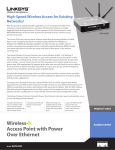
Figure 1.
Cisco WAP4400N Wireless-N Access Point: PoE
Product Overview
With the growth in high-bandwidth applications, such as storage and video, in the workplace,
network performance is essential. Wireless technology is no longer lagging behind wired
®
performance. The Cisco WAP4400N Wireless-N Access Point (Figure 1) answers the growing
business need for access, speed, and security.
The Cisco WAP4400N uses the latest wireless networking technology, Wireless-N (draft 802.11n).
By overlaying the signals of multiple radios, Wireless-N’s multiple-input, multiple-output (MIMO)
technology multiplies the effective data rate. Unlike ordinary wireless networking technologies that
are confused by signal reflections, MIMO actually uses these reflections to increase the range and
reduce “dead spots” in the wireless coverage area.
The Cisco Wireless-N Access Point lets you connect Wireless-N (802.11n), Wireless-G (802.11g),
and Wireless-B (802.11b) devices to your wired network, so you can add PCs to the network with
© 2008 Cisco Systems, Inc. All rights reserved. This document is Cisco Public Information.
Page 1 of 4
Data Sheet
no cabling hassle. Power over Ethernet (PoE) support makes the access point easy to install - you
can mount it anywhere, even without ready access to a power plug. With appropriate PoE support
at the other end, you need to run only one cable to the access point to deliver both data and
power. Of course, you can also use the included AC adapter if power is available nearby.
Moreover, the integrated quality of service (QoS) features provide consistent voice and video
quality on both the wired and wireless networks, enabling the deployment of business-quality voice
over IP (VoIP) and video applications.
To protect your data and privacy, the Cisco Wireless-N Access Point supports both Wired
Equivalent Privacy (WEP) and the industrial-strength wireless security of Wi-Fi Protected Access
(WPA), encoding all your wireless transmissions with powerful encryption. The MAC address filter
with advanced logging lets you both control and stay apprised of who accesses your wireless
network. Configuration is a snap with the web browser-based configuration utility.
The Cisco WAP4400N Wireless-N Access Point is the best way to add wireless access to your
existing business network.
Features
●
Draft 802.11n wireless networking delivers greater throughput and extended range,
maximizing the number of wireless clients per access point for your small business
●
Full backward compatibility for 802.11b and 802.11g devices
●
Easy installation and configuration via a web interface
●
Supports WEP, WPA Pre-Shared Key (WPA-PSK), WPA2-PSK, WPA2-ENT, and WPAENT authentication (802.11i ready)
●
Adjustable dipole antennas with MIMO 2x3 diversity
●
Gigabit Ethernet LAN interface
●
Supports PoE or external DC power
●
Supports Simple Network Management Protocol (SNMP) and features an intuitive webbased interface
●
Wi-Fi Multimedia (WMM) wireless QoS
●
Upgradable to 802.11e
Specifications
Table 1 lists the specifications, package contents, and minimum requirements for the Cisco
WAP4400N Wireless-N Access Point.
Table 1.
Specifications for the Cisco WAP4400N Wireless-N Access Point: PoE
Specifications
Standards
● Draft IEEE 802.11n, IEEE 802.11g, IEEE 802.11b, IEEE 802.3, IEEE 802.3u, IEEE
802.3af (PoE), 802.1x (security authentication)
● 802.11i ready (security WPA2), 802.11e ready (wireless QoS)
Ports
Ethernet, Power
Buttons
Reset
Cabling type
Unshielded twisted pair (UTP) Category 5, Category 5 Ethernet or above for Gigabit
Ethernet Interface
LEDs
Power, Ethernet, Wireless, PoE
Operating system
Linux
© 2008 Cisco Systems, Inc. All rights reserved. This document is Cisco Public Information.
Page 2 of 4
Data Sheet
Setup/Configuration
Web user interface
Built-in web user interface for easy browser-based configuration (HTTP/HTTPS)
Management
SNMP version
SNMP version 1, 2c, 3
● Event logging
● Remote syslog
Event logging
Web firmware upgrade
Firmware upgradable through web browser
Diagnostics
Flash, RAM, LAN, WLAN
Dynamic Host Configuration
Protocol (DHCP)
DHCP client
Operating Modes
Access point
Access point mode
Wireless
Spec/modulation
Radio and modulation type: 802.11b/DSSS, 11g/OFDM, 11n/OFDM
Channels
Operating channels: 11 North America, 13 most of Europe (ETSI and Japan)
Internal antennas
None
External antennas
3 (omnidirectional)
Transmit power
Transmit power (adjustable) at normal temp range:
● 802.11b: 16 dBm at 1TX, 19 dBm at 2TX
● 802.11g: 13 dBm at 1TX, 16 dBm at 2TX
● 802.11n: 13 dBm at 1TX, 16 dBm at 2TX
Antenna gain in dBi
2
Receiver sensitivity
802.11.n: 300 Mbps at -69 dBm, 802.11.g: 54 Mbps at -73 dBm,
802.11.b: 1 Mbps at -88 dBm
Security
WEP/WPA/WPA2
WEP 64-bit/128-bit, WPA-PSK, WPA2-PSK, WPA-ENT, WPA2-ENT
Access control
Wireless connection control: MAC-based
Service set identifier (SSID)
broadcast
SSID broadcast enable/disable
802.1X
IEEE 802.1X support
Quality of Service
QoS
● 4 queues
● WMM wireless priority
General
● New access point detection (used with Cisco WPC4400N Wireless-N Business Notebook Adapter
● New client detection (used with Cisco WPC4400N)
● Auto-channel selection
Environmental
Dimensions
7.80 x 5.16 x 7.80 in.
(W x H x D)
(198 x 131 x 198 mm)
Unit weight
0.84 lb (38 g)
Power
● 12V 1A DC input, and IEEE 802.3af compliant PoE
● Max power draw: 5.04W
Certification
FCC, CE, IC
Operating temperature
32º to 104ºF (0º to 40ºC)
Storage temperature
-4º to 158ºF (-20º to 70ºC)
Operating humidity
10% to 85% noncondensing
Storage humidity
5% to 90% noncondensing
Package Contents
© 2008 Cisco Systems, Inc. All rights reserved. This document is Cisco Public Information.
Page 3 of 4
Data Sheet
● Cisco WAP4400N Wireless-N Access Point
● User guide on CD-ROM
● Ethernet network cable
● Power adapter
● Product stands
● Registration card
Minimum Requirements
● 802.11b, 802.11g, 802.11n wireless adapter with TCP/IP protocol installed per PC
● Switch/router with PoE support or PoE injector when used with PoE
● Web-based configuration: Java-enabled web browser
Product Warranty
3-year limited hardware warranty with return to factory replacement and 90-day limited software warranty
Cisco Limited Warranty for Cisco Small Business Series Products
This Cisco Small Business product comes with 3-year limited hardware warranty with return to
factory replacement and a 90-day limited software warranty. In addition, Cisco offers software
application updates for bug fixes and telephone technical support at no charge for the first 12
months following the date of purchase. To download software updates, go to:
http://www.cisco.com/go/smallbiz.
Product warranty terms and other information applicable to Cisco products are available at
http://www.cisco.com/go/warranty.
For More Information
For more information on Cisco Small Business products and solutions, visit:
http://www.cisco.com/smallbusiness.
Printed in USA
© 2008 Cisco Systems, Inc. All rights reserved. This document is Cisco Public Information.
C78-501857-00 11/08
Page 4 of 4