1
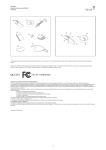
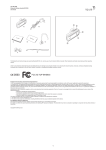
Iqua BHS-312 Bluetooth Wireless headset BHS-312 User Guide 1 3 2 a) 4 b) 6 Product specifications Model Size Weight Talktime Standby time Charging time Battery type Bluetooth Standard Supported Bluetooth profiles Connection Paired devices Operating Distance Operating temperature range Storage temperature range c) 5 EN Overview of the product 1. Multifunction button Power on/off, answer/end call 2. Volume+ button Increase the volume 3. Volume- button Decrease the volume 4. Charging connector Mini-USB charging connector 5. Indicator light Status indication with blue and red light 6. Ear piece BHS-312 50 (L) x 23 (W) x 12.5 (H) mm 15g Up to 9h Up to 200h Within 2h Li-Polymer battery Bluetooth Specification 2.0 /Class II Handsfree 1.5 and Headset 1.1 Point-to-point Up to 8, one at a time 10 meters 0°C to 45°C -20°C to 55°C Sales package contents a. Headset b. Wall Charger c. User Guide Getting started you hear a tone. Charging the battery Before using BHS-312 for the first time, you must charge it for approximately 2 hours. When the battery is fully charged, it provides up to 9 hours of talk time and up to 200 hours of standby time. Always use the charger provided in the sales package. 1. Connect the charger cable to BHS-312. 2. Plug the charger into a wall socket. The red light will turn on. 3. When the battery is fully charged, the red light will turn off Switch between phone & headset To transfer call from BHS-312 to your phone or vice versa, press and hold both Multifunction and Volume – buttons. You will hear a tone when the transfer is successful. Erase paired devices BHS-312 can be paired to up to 8 devices. Once it is already paired to 8 devices, the 9th paired device will replace the 1st paired device. You can also erase the paired device list of the headset in order to pair it with new devices. While the headset is powered on but not connected with any Bluetooth device, press and hold the Volume + button for 5 seconds until you hear a tone. Switching on and off Reset hardware In case the headset is jammed you may do hardware reset and restart the headset. Plug charger to headset and at the same time press and hold the Volume + button. Release Volume + button, the headset will be powered off. Switching on BHS-312 When the headset is powered off, press and hold the Multifunction -button until the blue light flashes. Switching off BHS-312 When the headset is powered on, press and hold the Multifunction -button until the red light flashes. Light indication summary The BHS-312’s LED lights can be blue or red and are usually accompanied by a sound signal. Power on / off Blue LED flashes once/Red LED flashes once Powered on but no Bluetooth connection Blue LED flashes once every 5 seconds Connection active Blue LED flashes twice every 8 seconds Pairing mode Blue and red LED flashes alternately Battery low Battery low tone is played Battery charging Red LED is on continuously Pairing BHS-312 to your mobile phone Pairing is the process of linking BHS-312 with your compatible Bluetooth mobile phone. After this process is completed, you can use BHS-312 with the paired mobile phone. If you want to use BHS-312 with another mobile phone, you must repeat the pairing process again. Even though BHS-312 can be paired with up to 8 compatible phones it can only be connected to one phone at a time. Once it is paired with 8 phones, the 9th paired device will replace the 1st paired device. For latest compatibility information please visit www.iqua.com Power management This product is powered by a built-in rechargeable battery and a solar panel which can not be changed. Do not attempt to replace either of those objects. Rechargeable battery can be charged and discharged hundreds of times, but it will eventually wear out. After a period of time that will vary depending on the use and usage conditions you may find that the built-in battery will power your product for only a couple of hours requiring you to charge more frequently. Do charge your device only with the charger provided in the sales package. Unplug the charger when not in use. Do not leave the device connected to the charger for longer period than needed, since overcharging may shorten the battery lifetime. If left unused a fully charged battery will discharge itself over time. Temperature extremes may affect the ability of the battery to charge. Always try to keep the device between 15 °C and 25 °C (59 °F and 77 °F). Leaving the device in hot or cold places such as in closed car in summer or winter conditions will reduce the capacity and lifetime of the battery. A device with hot or cold battery may not work for a while even when the battery is fully charged. Battery performance is particularly limited in temperatures well below freezing. Do not charge in humid environment. Pairing process 1. Power on the headset, press and hold both Volume + and Volume - buttons until the blue and red lights start flashing alternately. 2. Release the button. BHS-312 is now in pairing mode. 3. Check your phone user guide for details on how to search and pair. 4. When phone has found the headset, it will show Iqua BHS-312 on its screen. 5. In order to pair with the phone, enter the PIN code 0000. 6. After pairing, BHS-312 automatically connects with your mobile phone. Once pairing and connection are succeeded, blue light flashes twice every 8 seconds. The headset is now ready to make and receive calls. Disconnecting BHS-312 and your phone Easiest way to disconnect BHS-312 and your phone is simply switch off the BHS-312. Reconnecting the paired BHS-312 to a compatible phone To reconnect BHS-312 to the last phone used, simply switch on the headset and it will automatically connect to the phone. There are occasions when headset is temporarily out of Bluetooth operating range (up to10 meters, e.g. user wearing the headset walks away from the phone), the headset will be disconnected from the phone and user will hear a warning tone from the headset. Headset is now in “powered on but no Bluetooth connection” –mode (blue light flashes once every 5 seconds). If the headset is back in range within 10 minutes, BHS-312 auto- reconnects with the last phone. If the headset is out of range for over 10 minutes, long press both Multifunction and Volume + buttons or both Multifunction and Volume – buttons to reactivate the connection. Care and Maintenance – Do not expose the device to liquid, moisture or humidity as it is not waterproof. – Do not use or store the device in dusty, dirty areas. Its moving parts and electronic components can be damaged. – Do not store the device in hot areas. High temperatures can shorten the life of electronic devices, damage batteries, and warp or melt certain plastics. – Do not store the device in cold areas. When the device returns to its normal temperature, moisture can form inside the device and damage electronic circuit boards. – Do not drop, knock, or shake the device. Rough handling can break internal circuit boards and fine mechanics. – Do not use harsh chemicals, cleaning solvents, or strong detergents to clean the device. – Use a soft, clean, dry cloth to clean any lenses. – Do not expose your device to contact with sharp objects as this will cause scratches and damage. – Do not stick anything inside the device as this may damage internal components. – Do not dismantle the device or the charger as they do not contain serviceable parts and taking apart the device may expose you to dangerous voltages or other hazards – Act according to your local rules and do not dispose of this product as part of your normal household waste. Follow the applicable separate collection system for electrical and electronic products. Call Functions Answer a call Press the Multifunction -button shortly to answer an incoming call. End a call To end an active call, press shortly the Multifunction -button. You will hear a tone when the call is ended. Reject a call When you receive an incoming call that you do not want to answer, double press the Multifunction-button to reject. Redial the last dialed number Press and hold the Volume+ button until you hear a tone.*With some phone models, press the Volume + button again to dial the number displayed on the phone. Voice dialing (when supported by the phone) Press and hold the Volume – button until you hear a tone (Voice Dial feature activated on the phone), speak the voice tag. Refer to the user guide of your phone for details. Some phone models do not support voice dialing. How to get service for my IQUA Product? If you believe that you are entitled to a repair or replacement of your IQUA product based on your statutory rights under the applicable national laws relating to the sale of consumer products or warranty given by the retailer who has sold the IQUA Product to you, please contact your retailer. Adjusting volume Press the Volume + button to increase the volume. Press Volume – button to decrease volume. Mute & un-mute During an on-going a call, press and hold both Multifunction and Volume + buttons until 1 DECLARATION OF CONFORMITY We, Iqua Ltd., declare under our sole responsibility, that the product, BHS-312, conforms with the provisions of the following Council Directive: 1999/5/EC. A copy of the Declaration of Conformity can be found at http://www.iqua.com/declaration_of_conformity 取决于使用方式和使用条件),您会发现内置电池只会给产品供电仅仅数小时,以致需要 频繁充电。仅仅使用销售包中提供的充电器对设备充电。不使用时请拔出充电器。当不需 要充电时,不要将设备连接到充电器。因为过度充电会缩短电池的寿命。如果充满电的电 池闲置不用,一段时间后会自行放电。 极温状态会影响电池的充电能力。通常尽量保存设 备在 15~25°C(59~77°F)之间。 把设备放置在冷或热的环境中,如冬天或夏天放置在 密闭车内,将减少电池的容量和使用寿命。过冷或过热条件下的电池设备可能即使充满电 也会效果不佳。电池性能适当限制在非结冰条件下。不要在潮湿环境下充电。 Copyright © 2007 Iqua Ltd ᆒઐᎧۣዸ – 设备不要暴露在液体、潮湿或湿度大的环境中,由于它不具备防水功能。 – 不要在多灰尘或脏的环境下使用该设备。它的移动配件 & 电子元件可能会 被损坏。 – 不要存放设备在高温区域。高温会缩短电子装置的寿命,损坏电池,使特定 塑料元件变形或熔化。 – 不要放置该设备在低温的区域。当该设备返回常温时,潮气可能在设备内形 成并损坏电路板。 – 不要坠落、敲击或振动该设备。粗暴行为可能破坏内部电路板和精密机械 结构。 – 不要使用强烈腐蚀的化学药品、清洗剂或强力去垢剂清洁该设备。 – 使用柔软、干净、干燥的布料清洁所有镜头。 – 不要将该设备暴露接触尖锐物体,因为这样会刮伤和损坏设备。 – 不要刺戮设备内部,因为这样可能损坏内部部件。 – 不要拆开设备或充电器,因为它们不属于耐用部件。拆卸该设备可能导致触 电或其它人身伤害。 – 遵守当地法律,不要把该产品当作日常废物乱丢。按照收集废旧电子和电气 产品原则分类处理该设备。 Iqua BHS-312 SC BHS-312 ౸ዀᇄሣऐ૦ ઓ၄ݿ ޘອগၤ 1. ࣶถږ 开机/关机 接听电话/结束通话 2. ፒᐐଝږ 增大音量 3. ፒିቃږ 减小音量 4. ߠ࢟ᄿ Mini USB 充电接头 5. ᒎာࡾ 蓝灯与红灯状态指示 6. ᄧᄺ ሾ၉۞ดྏǖ a. 耳机 b. 充电器 c. 用户手册 ဧྜྷඡ ྙੜࡻ IQUA ޘອॲᇗ? 根据与销售消费性产品相关的国家法律,或者向您提供 IQUA 产品的零售商的担保,如果 您认为有权要求维修或更换 IQUA 产品,请与零售商联系。 ࢟ߔߠ࢟ 第一次使用 BHS-312 之前,必须充电大约两小时。当电池充满电后,耳机可以提供长达 9 小时的通话时间和长达 200 小时待机时间。 请务必使用销售包中提供的充电器。 1. 将充电器连接到 BHS-312。 2. 将充电器插入墙壁插座。红色指示灯会亮起。 3. 当电池充满电时,红色指示灯熄灭。 ጙᒘဉී IQUA 有限公司正重声明,本公司独家生产的 BHS-312 产品,符合如下委员会法令的规 定 : 1999/5/EC. 该一致性申明副本请参见:http://www.iqua.com/declaration_of_conformity Copy right © 2007 Iqua Ltd ఎ૦Ꭷਈ૦ BHS-312 ఎ૦ 当耳机处于关机状态,按多功能按钮直到蓝色指示灯闪烁为止。 Iqua BHS-312 BHS-312 ਈ૦ 当耳机处于开机状态,按多功能按钮直到红色指示灯闪烁为止。 Bluetooth Wireless headset BHS-312 คู่มือการใช้งาน BHS-312 Ꭷጤࣅ࢟જ࣪ 配对是将 BHS-312 与兼容蓝牙功能的移动电话连接的过程。配对完成后,您可以将 BHS-312 用于配对的移动电话。如果将 BHS-312 使用于其它移动电话,必须重复该配对 过程。即使BHS-312 最多可以与 8 台兼容电话配对,但它每次只能连接一台移动电话。 一旦 BHS-312 完成与 8 台移动电话的配对,第九台配对的移动电话将会取代第一台配对 的移动电话。 有关最新的兼容性信息,请访问网站 www.iqua.com ภาพรวมของผลิตภัณฑ์ 1. ปุ่มมัลติฟังก์ชั่น ใช้เปิด/ปิด รับสาย/วางสาย 2. ปุ่มเพิ่มระดับเสียง ใช้เพิ่มระดับเสียง 3. ปุ่มลดระดับเสียง ใช้ลดระดับเสียง 4. ตัวเชื่อมต่อการชาร์จ ตัวเชื่อมต่อการชาร์จ Mini-USB 5. ไฟบอก ใช้บอกสถานะด้วยไฟสีน้ำเงินและไฟสีแดง 6. หูฟัง ࣪ਭ߈ǖ 1. 打开耳机,按住音量增加按钮和音量减小按钮,直到蓝色和红色指示灯开始交替闪烁 为止。 2. 松开按钮。BHS-312 进入于配对模式。 3. 关于如何搜索与配对的详细说明,请阅读您的移动电话说明书 4. 当移动电话发现配对的蓝牙耳机,该移动电话屏幕就会显示 Iqua BHS-312。 5. 为了与移动电话配对,请输入 PIN 码 0000 6. 配对完成后,BHS-312 将自动连接到您的移动电话。一旦配对与连接成功,蓝色指示 灯每 8 秒闪烁两次。耳机进入预备状态,可拔打电话和接听来电。 อุปกรณ์ในชุดผลิตภัณฑ์ a. ชุดหูฟัง b. เครื่องชาร์จ c. คู่มือการใช้งาน ࣥఎ BHS-312 Ꭷጤࣅ࢟જࡼೌ 断开 BHS-312 与移动电话的最简单的办法,就是关闭 BHS-312。 การเริ่มต้นการใช้งาน การชาร์จแบตเตอรี่ ᒮቤೌ࣪ࡼ BHS-312 Ꭷభରྏࡼጤࣅ࢟જ 要重新连接 BHS-312 与最后使用过的移动电话,打开蓝牙耳机,它将自动连接到该移动 电话。某些场合,当耳机暂时在蓝牙操作范围之外,(最远十米,例如,用户带着耳机走 开远离移动电话),耳机会与移动电话断开,用户将会听到耳机发出的警告提示音。 耳机在“开机但没有蓝牙连接” 的状态(蓝色指示灯每 5 秒钟闪烁一次)。如果耳机在 10 分钟内返回操作范围,BHS-312 自动连接最后连接过的移动电话。如果耳机在范围外 超过 10 分钟,长按多功能按钮与音量增加按钮,或长按多功能按钮与音量减小按钮来重 新恢复连接。 ก่อนการใช้ BHS-312 เป็นครั้งแรก คุณต้องชาร์จประมาณ 2 ชั่วโมง เมื่อแบตเตอรี่ชาร์จเต็มชุดหูฟังจะใช้ส นทนาได้นานถึง 9 ชั่วโมงและนานถึง 200 ชั่วโมงหรือเวลารอรับสาย ควรใช้เครื่องชาร์จที่ให้มาในชุดผลิตภัณฑ์เสมอ 1. เชื่อมต่อสายเครื่องชาร์จกับ BHS-312 2. เสียบปลั๊กเครื่องชาร์จเข้าไปที่เต้ารับไฟฟ้าที่ผนัง ไฟสีแดงจะสว่าง 3. เมื่อชาร์จแบตเตอรี่เต็มแล้ว ไฟสีแดงจะดับลง ᄰજถ ᄧ࢟જ 短按多功能按钮便可接听来电。 การเปิดและปิด การเปิด BHS-312 உၦᄰજ 要结束正在进行的通话,短按多功能按钮。当通话结束时,您会听到提示音。 เมื่อชุดหูฟังปิด กดปุ่ม มัลติฟังก์ชั่น จนกว่าไฟสีน้ำเงินจะกระพริบ ࢟ 当您收到不想接听的来电,双按多功能按钮拒听来电。 การปิด BHS-312 เมื่อชุดหูฟังเปิด กดปุ่ม มัลติฟังก์ชั่น จนกว่าไฟสีแดงจะกระพริบ ᒮ݄ࠨ࢟ࡼࡌڰજ 按音量增加按钮直到您听到提示音。*有些型号的移动电话,再次按音量增加按钮 (Vol +) 来拨打移动电话屏幕中显示的号码。 การจับคู่ BHS-312 กับโทรศัพท์มือถือของคุณ การจับคู่เป็นขั้นตอนการเชื่อมต่อ BHS-312 กับบูทูธของคุณให้โทรศัพท์ใช้งานได้ หลังจากขั้นตอนนี้สำเร็ จ คุณสามารถใช้ BHS-312 กับโทรศัพท์มอื ถือทีถ่ กู จับคู่ ถ้าคุณต้องการใช้ BHS-312 กับโทรศัพท์มอื ถืออี กเครื่อง คุณต้องทำขั้นตอนการจับคู่ซ้ำอีกครั้ง ถึงแม้ว่า BHS-312 สามารถจับคู่ได้กับโทรศัพท์มือถือที่เข้า กันได้ถึง 8 เครื่อง สามารถเชื่อมต่อกับโทรศัพท์มือถือเพียงหนึ่งเครื่องต่อหนึ่งครั้ง เมื่อถูกจับคู่กับโทรศัพท์ มือถือ 8 เครื่อง อุปกรณ์ที่ถูกจับคู่เครื่องที่ 9 จะแทนที่อุปกรณ์เครื่องที่ถูกจับคู่ที่ 1 สำหรับข้อมูลที่ตรงกันล่าสุด กรุณาเข้าไปที่เว็ปไซต์ www.iqua.com Ꭻፒ݄DŽࡩጤࣅ࢟જᑽߒকถDž 按音量减小按钮直到您听到提示音(语音拔号在电话中激活),说出语音标签。详细资料 请参照移动电话说明书。有些型号的移动电话不支持语音拨号。 ፒࢯᑳ 按音量增加按钮或音量减小按钮来调高或调低音量。 ஸፒ & ऻஸፒ 正在进行中的通话,按多功能按钮和音量增加按钮直到您听到提示音。 กระบวนการจับคู่ ࢟જᎧऐ૦ᒄମࡼᓞધ 要将电话从 BHS-312 转接到您的移动电话,或要将电话从移动电话转接到 BHS-312,按 多功能按钮与音量减小按钮。当转换成功后,您会听到提示音。 1. เปิดชุดหูฟงั กดปุม ่ ทัง้ เพิม่ ระดับเสียงและลดระดับเสียงจนกระทัง่ ไฟสีนำ้ เงินและสีแดงเริม่ กระพริบสลับกัน 2. ปล่อยปุ่ม ขณะนี้ BHS-312 กำลังอยู่ในโหมดการจับคู่ 3. ตรวจสอบคู่มือการใช้งานโทรศัพท์มือถือของคุณเกี่ยวกับรายละเอียดในการค้นหาและจับคู่ 4. เมื่อโทรศัพท์ของคุณพบกับชุดหูฟัง โทรศัพท์จะแสดง Iqua BHS-312 ที่หน้าจอ 5. เพื่อจับคู่กับโทรศัพท์มือถือให้ใส่รหัส 0000 6. หลังจากจับคู่ BHS-312 จะเชื่อมต่อโทรศัพท์มือถือของคุณอัตโนมัติ หลังจากจับคู่และการเชื่อมต่อสำเร็ จแล้ว ไฟสีนำ้ เงินจะกระพริบสองครัง้ ทุก 8 วินาที ขณะนีช้ ดุ หูฟงั พร้อมแล้วสำหรับการโทรและการรับสาย ࿎߹ጯ࣪ࡼጤࣅ࢟જ BHS-312 能与多达 8 台移动电话配对。一旦已经与 8 台移动电话配对,第 9 台配对的移 动电话将会取代第一台配对的移动电话。为了与新的移动电话配对,您也可以删除已与耳 机配对的移动电话列表。当耳机处于开机状态,但不能与任何蓝牙设备连接,按音量增加 按钮 5 秒钟直到您听到提示音。 ᒮᒙ፮ୈ 万一耳机有混乱,可以重装硬件和重新开启耳机。将充电器插到耳机,同时按住音量增加 按钮。松开音量增加按钮,耳机将会关机。 การยกเลิกการเชื่อมต่อ BHS-312 และโทรศัพท์ของคุณ วิธีการที่ง่ายที่สุดในการยกเลิกการเชื่อมต่อ BHS-312 และโทรศัพท์ของคุณคือปิด BHS-312 การเชื่อมต่ออีกครั้งของ BHS-312 ที่ถูกจับคู่กับโทรศัพท์ที่เข้ากันได้ ᒎာࡾগገ BHS-312LED 指示灯可以是蓝色或是红色,而且通常伴随声音提示 开机 / 关机 蓝色 LED 闪烁一次/红色LED闪烁一次 开机但无蓝牙连接 蓝色 LED 每 5 秒闪烁一次 连接 激活 蓝色 LED 每 8 秒闪烁二次 配对模式 蓝色和红色 LED 交替闪烁 电池电量低 电量低提示音响起 电池充电 红色 LED 指示灯持续亮起 ในการเชื่อมต่อ BHS-312 กับโทรศัพท์ที่ใช้ครั้งสุดท้าย ให้เปิดชุดหูฟังและชุดหูฟังจะเชื่อมต่อโทรศัพท์ขอ งคุณอัตโนมัติ มีโอกาสที่เมื่อชุดหูฟังออกจากระยะการทำงานของบูทูธ (ถึง 10 เมตร เช่น ผู้ใช้ใส่ชุดหูฟังเดินออกไปจากโ ทรศัพท์) ชุดหูฟังจะไม่เชื่อมต่อจากโทรศัพท์และผู้ใช้จะได้ยินเสียงเตือนจากชุดหูฟัง ชุดหูฟังขณะนี้ “เปิดแ ต่ไม่มีการเชื่อมต่อบูทูธ” – โหมด (ไฟสีน้ำเงินกระพริบหนึ่งครั้งทุก 5 วินาที) ถ้าชุดหูฟังกลับไปในระยะภา ยใน 10 นาที BHS-312 จะเชื่อมต่อโทรศัพท์ล่าสุดอัตโนมัติ ถ้าชุดหูฟังออกไปจากระยะเกิน 10 นาที ให้ก ดปุ่มทั้งปุ่ม มัลติฟังก์ชั่น และปุ่ม เพิ่มระดับเสียง นานๆหรือทั้งปุ่ม มัลติฟังก์ชั่น และปุ่ม ลดระดับเสียง เพื่อเ ปิดใช้งานการเชื่อมต่ออีกครั้ง ࢟Ꮞಯ 该产品由内置的可再充电电池和一个不能更换的太阳电池板供电。不要试图更换两者中的 任何一件。充电电池可以充电和放电数百次,但它最终会耗尽。在一段时间后(时间长短 2 TH ฟังก์ชั่นการโทร การรับสาย Iqua BHS-312 Set kepala Tanpa Wayar Bluetooth BHS-312 Risalah Panduan Pengguna กดปุ่ม มัลติฟังก์ชั่น สั้นๆเพื่อรับสายที่โทรเข้า การวางสาย Gambaran keseluruhan produk 1. Bebutang Multifunction Menghidup/ mematikan kuasa, menjawab/ menamatkan panggilan 2. Bebutang Volume+ Menguatkan kelantangan bunyi 3. Bebutang Volume- Memperlahankan kelantangan bunyi 4. Penyambung pengecasan Penyambung pengecasan Mini-USB 5. Lampu penunjuk Petunjuk status dengan lampu biru dan merah 6. Alat pendengaran telinga ในการวางสาย กดปุ่ม มัลติฟังก์ชั่น สั้นๆคุณจะได้ยินเสียงเมื่อการจบการโทร การปฏิเสธการรับสาย เมื่อคุณรับสายที่โทรเข้าที่คุณไม่ต้องการรับสาย ให้กดสองครั้งที่ปุ่ม มัลติฟังก์ชั่น เพื่อปฏิเสธ การเรียกซ้ำเลขหมายที่โทรล่าสุด เมื่อต้องการโทรออกหาเลขหมายล่าสุด กดปุ่ม เพิ่มระดับเสียง จนกระทั่งคุณได้ยินเสียง *สำหรับโทรศัพท์บ างรุ่นอาจไม่รองรับการเรียกซ้ำ สำหรับโทรศัพท์บางรุ่น ให้กดปุ่ม เพิ่มระดับเสียง อีกครั้งเพื่อเรียกเลขหมาย ที่แสดงที่โทรศัพท์ Kandungan pakej jualan a. Set kepala b. Pengecas Dinding c. Risalah Panduan Pengguna การโทรออกด้วยเสียง ( เมื่อโทรศัพท์รองรับ ) Untuk Bermula กดปุ่ม เพิ่มระดับเสียง จนกระทั่งคุณได้ยินเสียง (ลักษณะเสียงที่โทรออกเปิดใช้งานที่โทรศัพท์) พูดแท็กเสีย ง ดูรายละเอียดที่คู่มือการใช้โทรศัพท์มือถือของคุณ สำหรับโทรศัพท์บางรุ่นจะไม่รองรับการโทรด้วยเสียง Mengecas bateri Sebelum menggunakan BHS-312 untuk pertama kali, anda hendaklah terlebih dahulu mengecasnya kira-kira 2 jam. Apabila bateri sudah tercas sepenuhnya, set kepala ini memberikan masa bercakap sehingga 9 jam dan masa tunggu sedia sehingga 200 jam. Sentiasa gunakan pengecas yang disediakan dalam pakej jualan. 1. Sambungkan kabel pengecas kepada BHS-312. 2. Pasangkan palam pengecas ke soket dinding. Lampu merah akan menyala. 3. Apabila bateri telah tercas sepenuhnya, lampu merah akan padam. การปรับระดับเสียง กดปุ่ม เพิ่มระดับเสียง เพื่อเพิ่มระดับเสียง กดปุ่ม ลดระดับเสียง เพื่อลดระดับเสียง การปิดเสียง/การเปิดเสียง ในระหว่างที่ใช้การโทร ให้กดปุ่ม มัลติฟังก์ชั่น และปุ่ม เพิ่มระดับเสียง จนกระทั่งคุณได้ยินเสียง การสลับระหว่างโทรศัพท์และชุดหูฟัง Menghidup dan mematikan เพื่อโอนสายจาก BHS-312 ไปยังโทรศัพท์ของคุณ ให้กดปุ่ม มัลติฟังก์ชั่น และปุ่ม ลดระดับเสียง จนกระทั่ งคุณจะได้ยินเสียงเมื่อการโอนสายสำเร็จแล้ว Menghidupkan BHS-312 Apabila set kepala mati, tekan dan tahan bebutang Multifunction sehingga lampu birunya berkelip-kelip. การลบอุปกรณ์ที่ถูกจับคู่ Mematikan BHS-312 Apabila set kepala hidup, tekan dan tahan bebutang Multifunction sehingga lampu merahnya berkelip-kelip. BHS-312 สามารถจับคู่ได้ถึง 8 อุปกรณ์ เมื่อจับคู่ถึง 8 อุปกรณ์แล้ว อุปกรณ์ที่ถูกจับคู่เป็นคู่ที่ 9 จะแทนที่อุ ปกรณ์ที่ถูกจับคู่ที่ 1 คุณสามารถลบรายการอุปกรณ์ที่ถูกจับคู่ของชุดหูฟังเพื่อจับคู่กับอุปกรณ์ใหม่ เมื่อชุดหู ฟังเปิดใช้งานแต่ไม่ถูกเชื่อมต่อกับอุปกรณ์บูทูธใดๆ ให้กด เพิ่มระดับเสียง เป็นเวลา 5 วินาที จนกระทั่งคุณ ได้ยินเสียง Memasangkan BHS-312 dengan telefon bimbit anda Pemasangan adalah proses menghubungkan BHS-312 kepada telefon bimbit serasi Bluetooth anda. Setelah proses ini selesai, anda boleh menggunakan BHS-312 bersama dengan telefon bimbit yang telah dipasangkan dengannya. Jika anda ingin menggunakan BHS-312 dengan telefon bimbit lain, anda hendaklah mengulangi proses pemasangan ini sekali lagi. Walaupun BHS-312 boleh dipasangkan dengan 8 telefon serasi, ia hanya boleh bersambung kepada satu telefon sahaja pada satu-satu masa. Apabila ia telah dipasangkan dengan 8 telefon, peranti kesembilan yang dipasangkan akan menggantikan peranti pertama yang dipasangkan dengannya. Untuk maklumat keserasian terkini sila lawati www.iqua.com Proses pemasangan 1. Hidupkan set kepala, tekan dan tahan bebutang Volume + dan Volume – sehingga lampu biru dan merahnya mula berkelip secara berganti-ganti. 2. Lepaskan bebutang tadi. Sekarang BHS-312 berada dalam mod pemasangan. 3. Semak manual telefon bimbit anda untuk mengetahui lebih lanjut tentang cara mencari dan memasang. 4. Apabila telefon telah menjumpai set kepala, ia akan memaparkan Iqua BHS-312 pada skrinnya. 5. Untuk memasangkannya dengan telefon, masukkan kod PIN 0000. 6. Setelah selesai pemasangan, BHS-312 akan bersambung ke telefon bimbit anda secara automatik. Sebaik sahaja pemasangan dan penyambungan berjaya, lampu biru akan berkelip sebanyak dua kali setiap 8 saat. Sekarang, set kepala anda sedia untuk membuat dan menerima panggilan. การรีเซทฮาร์ดแวร์ ในกรณีที่ชุดหูฟังติดขัดคุณอาจจะรีเซทฮาร์ดแวร์และรีสตาร์ทชุดหูฟัง เสียงเครื่องชาร์จที่ชุดหูฟังและขณะเ ดียวกันให้กดปุ่ม เพิ่มระดับเสียง ปล่อยปุ่ม เพิ่มระดับเสียง ชุดหูฟังจะถูกปิด สรุปเกี่ยวกับไฟแสดงสถานะ ไฟ LED ของ BHS-312 สามารถเป็นสีน้ำเงินหรือสีแดงและมักมีสัญญาณเสียงประกอบ เปิด / ปิด ไฟสีนำ้ เงินกระพริบหนึง่ ครัง้ /ไฟสีแดงกระพริบหนึง่ ครัง้ เปิดใช้งานแต่ไม่มีการเชื่อมต่อบูทูธ ไฟสีน้ำเงินกระพริบหนึ่งครั้งทุก 5 วินาที การเชื่อมต่อเปิดใช้งาน ไฟสีน้ำเงินกระพริบสองครั้งทุก 8 วินาที โหมดการจับคู่ สีน้ำเงินและสีแดงกระพริบสลับกัน แบตเตอรี่ต่ำ เสียงแบตเตอรี่ต่ำแสดง กำลังชาร์จแบตเตอรี่ ไฟสีแดงเปิดตลอด การจัดการพลังงาน ผลิตภัณฑ์นี้ใช้พลังงานจากแบตเตอรี่ที่สามารถชาร์จซ้ำได้และแผงโซลาร์ซึ่งไม่สามารถเปลี่ยนได้ อย่าพยาย ามเปลีย่ นวัสดุใดๆ แบตเตอรีแ่ บบชาร์จได้สามารถชาร์จได้และไม่ชาร์จได้ถงึ ร้อยครัง้ แต่แบตเตอรีจ่ ะเสือ่ มส ภาพในที่สุด หลังจากเวลาดังกล่าวแบตเตอรี่จะมีประสิทธิภาพต่างการขึ้นอยู่กับการใช้งานและสภาพการใช้ งาน คุณอาจจะพบว่าพลังงานในแบตเตอรี่จะให้พลังงานกับผลิตภัณฑ์ของคุณเพียงสองสามชั่วโมงเท่านั้นซึ่ งต้องการให้คณ ุ ชาร์จบ่อยขึน้ ให้ชาร์จอุปกรณ์ของคุณกับเครือ่ งชาร์จทีใ่ ห้มาในชุดอุปกรณ์ผลิตภัณฑ์เท่านัน้ ถอดปลั๊กเครื่องชาร์จออกเมื่อไม่ใช้ ห้ามค้างอุปกรณ์ให้เชื่อมต่อกับเครื่องชาร์จนานเกินความจำเป็น เนื่องจา กการชาร์จอาจจะทำให้อายุการใช้งานแบตเตอรี่สั้นลง แบตเตอรี่ที่ชาร์จเต็มแล้วจะคายประจุออกเองตามระ ยะเวลา ระดับอุณหภูมิที่รุนแรงอาจจะกระทบต่อประสิทธิภาพของการชาร์จแบตเตอรี่ ควรเก็บอุปกรณ์ให้อ ยู่อุณหภูมิระหว่าง 15 °C และ 25 °C (59 °F และ 77 °F) การวางอุปกรณ์ให้อยู่สถานที่ร้อนหรือเย็น เช่น ในรถทีอ่ ยูใ่ นสภาวะทีร่ อ้ นหรือเย็นจะเป็นการลดประสิทธิภาพและอายุการใช้งานแบตเตอรี่ อุปกรณ์ทใ่ี ช้งา นกับแบตเตอรี่ที่ร้อนหรือเย็นอาจจะไม่ทำงานชั่วขณะถึงแม้จะชาร์จแบตเตอรี่เต็มแล้วก็ตาม ประสิทธิภาพข องแบตเตอรี่จะลดลงอย่างมากเมื่ออยู่ในอุณหภูมิจุดเยือกแข็ง อย่าชาร์จแบตเตอรี่ในสภาพที่มีความชื้น Memutuskan sambungan antara BHS-312 dan telefon anda Cara termudah untuk memutuskan sambungan antara BHS-312 dan telefon anda adalah dengan mematikan BHS-312. Menyambungkan semula BHS-312 yang telah dipasangkan dengan telefon yang serasi dengannya Untuk menyambungkan semula BHS-312 kepada telefon terakhir yang bersambung dengannya sebelum ini, hanya hidupkan set kepala dan ia akan bersambung kepada telefon tersebut secara automatik. Ada masa-masanya di mana set kepala berada di luar kawasan operasi Bluetooth (sehingga 10 meter, cth. pengguna yang menggunakan set kepala ini berjalan menjauhi telefon), set kepala ini akan terputus sambungan dari telefon dan pengguna akan mendengar nada amaran dari set kepala. Sekarang, set kepala berada dalam mod “hidup tetapi tiada sambungan Bluetooth” (lampu biru berkelip sekali setiap 5 saat). Jika set kepala kembali ke kawasan operasi dalam masa 10 minit, BHS-312 akan bersambung secara automatik dengan telefon yang terakhir bersambung dengannya. Jika set kepala berada di luar kawasan operasi lebih dari 10 minit, tekan dan tahan kedua-dua bebutang Multifunction dan Volume + atau bebutang Multifunction dan Volume –untuk mengaktifkan semula sambungan. การดูแลและการบำรุงรักษา – อย่าให้อปุ กรณ์สมั ผัสกับของเหลว ความเปียกชืน้ หรือความชืน้ เนือ่ งจากอุปกรณ์กนั น้ำไม่ได้ – อย่าใช้หรือเก็บอุปกรณ์ในพื้นที่ที่มีฝุ่น สกปรก เนื่องจากการทำให้ชิ้นส่วนที่เลื่อนได้และอุป กรณ์อิเล็กทรอนิกส์ชำรุดเสียหายได้ – อย่าเก็บอุปกรณ์ไว้ในพื้นที่ร้อน อุณหภูมิที่สูงสามารถทำให้อายุการใช้งานอุปกรณ์อิเล็กทรอ นิกส์สั้นลง แบตเตอรี่ชำรุดและทำให้ส่วนที่เป็นพลาสติกบิดงอเสียหายและละลายได้ – อย่าเก็บอุปกรณ์ไว้ในพื้นที่เย็น เมื่ออุปกรณ์กลับสู่อุณหภูมิปกติ ความเปียกชื้นสามารถก่อตัว ภายในอุปกรณ์และทำลายแผงวงจรอิเล็กทรอนิกส์ได้ – อย่าโยน เคาะ หรือเขย่าอุปกรณ์ การใช้อุปกรณ์อย่างไม่ระมัดระวังอาจจะทำลายแผงวงจรภา ยในและกลไกให้แตกได้ – อย่าใช้สารเคมีที่มีฤทธิ์รุนแรง น้ำยาทำความสะอาด หรือผงซักฟอกในการทำความสะอาดอุ ปกรณ์ – ใช้ผ้านุ่ม สะอาด แห้งในการทำความสะอาดกระจก – อย่าให้อุปกรณ์ของคุณสัมผัสกับวัตถุมีคมเนื่องจากการจะทำให้เกิดรอยขีดข่วนและชำรุดเสี ยหายได้ – อย่าใส่สิ่งใดลงไปในอุปกรณ์เพราะอาจจะทำให้ชิ้นส่วนภายในชำรุดเสียหายได้ – อย่าถอดชิ้นส่วนของอุปกรณ์หรือเครื่องชาร์จเนื่องจากไม่มีชิ้นส่วนที่สามารถซ่อมแซมได้แ ละการถอดชิ้นส่วนออกจากอุปกรณ์อาจทำให้คุณได้รับอันตรายจากแรงดันไฟฟ้าหรืออันตร ายอื่นๆ – ปฎิบัติตามกฎระเบียบที่ใช้ในท้องถิ่นของท่านและอย่าทิ้งอุปกรณ์ร่วมกับขยะปกติในครัวเรื อน ให้กำจัดผลิตภัณฑ์นี้ในระบบรวบรวมสำหรับผลิตภัณฑ์ไฟฟ้าและอิเล็กทรอนิกส์ Fungsi Panggilan Menjawab panggilan Tekan dengan ringan bebutang Multifunction untuk menjawab panggilan masuk. Menamatkan panggilan Untuk menamatkan panggilan aktif, tekan dengan ringan bebutang Multifunction. Anda akan mendengar nada apabila panggilan telah ditamatkan. Menolak panggilan Apabila anda menerima panggilan masuk yang tidak ingin dijawab, tekan bebutang Multifunction sebanyak dua kali untuk menolak panggilan tersebut. Mendail semula nombor terakhir yang didail Tekan dan tahan bebutang Volume+ sehingga anda mendengar nada. *Dengan sesetengah model telefon, tekan bebutang Volume + sekali lagi untuk mendail nombor yang terpapar pada telefon. Pendailan suara (jika disokong oleh telefon) Tekan dan tahan bebutang Volume – sehingga anda mendengar nada (Fungsi Pendailan Suara diaktifkan di telefon), sebutkan tag suara. Sila rujuk kepada risalah panduan pengguna telefon anda untuk butiran terpeinci. Sesetengah model telefon tidak menyokong pendailan suara. Melaraskan kelantangan bunyi Tekan bebutang Volume + untuk menguatkan bunyi. Tekan bebutang Volume - untuk memperlahankan bunyi. ฉันสามารถส่งผลิตภัณฑ์ IQUA เข้ารับบริการได้อย่างไร หากคุณเชื่อมั่นว่าคุณมีสิทธิในการที่จะซ่อมหรือเปลี่ยนผลิตภัณฑ์ IQUA ตามสิทธิอันชอบธรรมตามกฎหม ายภายใต้กฎหมายกฎหมายที่บังคับใช้ภายในประเทศเกี่ยวกับการจำหน่ายสินค้าอุปโภคบริโภคหรือรับประ กันผู้ค้าปลีกผู้จัดจำหน่ายผลิตภัณฑ์ IQUA ให้กับคุณ กรุณาติดต่อผู้ค้าปลีกของคุณ Bisu & Nyah-bisu Semasa panggilan, tekan dan tahan kedua-dua bebutang Multifunction dan Volume + sehingga anda mendengar nada. คำประกาศเรื่องความสอดคล้อง Bertukar antara telefon & set kepala Untuk memindahkan panggilan dari BHS-312 ke telefon anda atau sebaliknya, tekan dan tahan kedua-dua bebutang Multifunction and Volume –. Anda akan mendengar nada apabila pemindahan telah berjaya. บริษัท, Iqua Ltd., ขอประกาศภายใต้ความรับผิดชอบของเราแต่เพียงผู้เดียวว่าผลิตภัณฑ์ BHS-312 นี้มีคว ามสอดคล้องกับบทบัญญัติของ Council Directive: 1999/5/EC สำเนาของคำประกาศเรื่องความสอดคล้ องพบได้ที่ http://www.iqua.com/declaration_of_conformity Memadam peranti terpasang BHS-312 boleh dipasangkan dengan 8 peranti. Apabila ia telah dipasangkan dengan 8 telefon, peranti kesembilan yang dipasangkan akan menggantikan peranti pertama yang Copyright © 2007 Iqua Ltd 3 MY dipasangkan dengannya. Anda juga boleh memadam senarai peranti terpasang bagi set kepala ini untuk memasangnya dengan peranti lain. Semasa set kepala hiudp tetapi tidak bersambung dengan mana-mana peranti Bluetooh, tekan dan tahan bebutang Volume + selama 5 saat sehingga anda mendengar nada. FCC ID: TUF-BHS603 Mengeset semula perkakas Jikalau set kepala anda tersekat (jammed) anda mungkin perlu mengeset semula perkakas dan mulakan semula set kepala. Cucukkan palam pengecas ke set kepala dan pada masa yang sama tekan dan tahan bebutang Volume+. Lepaskan bebutang Volume+, set kepala akan mati. Federal Communications Commission (FCC) Statement 15.21 You are cautioned that changes or modifications not expressly approved by the part responsible for compliance could void the user’s authority to operate the equipment. Ringkasan petunjuk lampu Lampu LED BHS-312 boleh jadi biru atau merah dan kebiasaannya ia disertai dengan isyarat bunyi. Kuasa hidup/ mati LED biru berkelip sekali/ LED merah berkelip sekali Kuasa hidup tetapai tiada sambungan Bluetooth LED biru berkelip sekali setiap 5 saat Sambungan aktif LED biru berkelip dua kali setiap 8 saat Mod pemasangan LED biru dan merah berkelip bergantiganti Bateri lemah Nada bateri lemah dibunyikan Pengecasan bateri LED merah menyala berterusan 15.105(b) NOTE: This equipment has been tested and found to comply with the limits for a Class B digital device, pursuant to part 15 of the FCC rules. These limits are designed to provide reasonable protection against harmful interference in a residential installation. This equipment generates, uses and can radiate radio frequency energy and, if not installed and used in accordance with the instruction manual, may cause harmful interference to radio communications. However, there is no guarantee that interference will not occur in a particular installation. If this device does cause harmful interference to radio or television reception, which can be determined by turning the equipment off and on, the user is encouraged to try to correct the interference by one or more of the following measures: – Reorient or relocate the receiving antenna. – Increase the separation between the equipment and receiver. – Connect the equipment into an outlet on a circuit different from that to which the receiver is connected. – Consult the dealer or an experienced radio/TV technician for help. This device complies with Part 15 of the FCC Rules. Operation is subject to the following two conditions: 1.This device may not cause interference and 2.This device must accept any interference, including interference that may cause undesired operation of the device. Pengurusan kuasa Produk ini dibekali kuasa oleh bateri boleh cas terbina dalam dan panel suria yang tidak boleh diganti. Jangan sesekali cuba untuk mengganti salah satu daripadanya. Bateri boleh cas boleh dicas dan dinyahcas beratus-ratus kali, tetapi lama-kelamaan ia akan haus. Selepas suatu tempoh masa yang berbeza-beza bergantung kepada keadaan penggunaannya, anda akan dapati bateri terbina dalam ini hanya mampu membekalkan kuasa kepada peralatan anda untuk dua jam sahaja dan ia memerlukan anda mengecasnya dengan lebih kerap lagi. Cas peranti anda dengan menggunakan pengecas yang disediakan dalam pakej jualan ini sahaja. Cabut palam pengecas jika tidak digunakan. Jangan biarkan peranti bersambung kepada pengecas lebih lama daripada masa yang diperlukan, kerana pengecasan berlebihan mungkin memendekkan jangka hayat bateri. Jika dibiarkan tidak digunakan bateri yang tercas penuh akan menyahcas sendiri mengikut masa. Tinggi rendah suhu yang melampau boleh menjejaskan keupayaan pengecasan bateri. Sentiasa pastikan peranti berada dalam keadaan suhu antara 15 °C dan 25 °C (59 °F dan 77 °F). Meninggalkan peranti di dalam tempat yang panas atau sejuk seperti di dalam kereta tertutup pada musim panas atau sejuk akan mengurangkan keupayaan dan memendekkan jangka hayat bateri. Peranti yang baterinya panas atau sejuk mungkin tidak dapat berfungsi seketika walaupun bateri itu tercas penuh. Prestasi bateri sangat terhad dalam telaga suhu di bawah takat beku. Jangan cas bateri di dalam persekitaran yang lembap. FCC Radiation Exposure Statement: This equipment complies with FCC radiation exposure limits set forth for an uncontrolled environment. End users must follow the specific operating instructions for satisfying RF exposure compliance. This transmitter must not be co-located or operating in conjunction with any other antenna or transmitter. The Bluetooth word mark and logos are owned by Bluetooth® SIG, Inc. and any use of such marks by IQUA is licensed. Other trademarks and trade names belong to their respective owners. Penjagaan dan Penyelenggaraan – Jangan dedahkan peranti kepada cecair atau lembapan kerana ia tidak kalis air. – Jangan guna atau simpan peranti di dalam tempat yang berhabuk dan kotor. Bahagian boleh gerak dan komponen elektroniknya boleh rosak. – Jangan simpan peranti di tempat panas. Suhu tinggi boleh memendekkan jangka hayat peranti elektronik, merosakkan bateri dan meleding atau mencairkan sesetengah plastik. – Jangan simpan peranti di tempat sejuk. Apabila peranti kembali ke suhu normalnya, lembapan mungkin akan terbentuk di dalam peranti dan merosakkan papan litar elektroniknya. – Jangan jatuhkan, ketuk atau goncang peranti ini. Pengendalian yang kasar boleh mematahkan papan litar dan bahagian mekanik halusnya. – Jangan gunakan bahan kimia, pelarut atau bahan pencuci yang kuat untuk membersihkan peranti ini. – Gunakan kain yang lembut, bersih dan kering untuk membersihkan kantakantanya. – Jangan dedahkan peranti anda kepada sentuhan dengan objek tajam kerana ini akan menyebabkan calar dan kerosakan. – Jangan lekatkan apa-apa di bahagian dalam peranti kerana ini boleh merosakkan komponen dalamnya. – Jangan buka peranti atau pengecas kerana kedua-duanya tidak mempunyai bahagian yang perlu diservis dan dengan membukanya anda mungkin terdedah kepada voltan berbahaya atau bahaya lain. – Bertindak mengikut undang-undang dan peraturan tempatan dan jangan buang produk ini sebagai sebahagian daripada buangan isi rumah biasa. Ikut sistem pungutan berasingan yang berkenaan bagi barangan elektrik dan elektronik. Under no circumstances does IQUA assume any liability for loss of or damage to or corruption of data, for any loss of profit, loss of business, revenues, contracts, anticipated savings increased costs or expenses or for any indirect, special, incidental or consequential damages howsoever caused. Copyright © 2007 Iqua Ltd Bagaimana untuk mendapatkan perkhidmatan bagi Produk IQUA saya? Jika anda yakin anda layak mendapatkan perkhidmatan pembaikan atau ganti bagi produk IQUA anda berdasarkan hak berkanun di bawah undang-undang negara yang boleh dikenakan berkaitan penjualan barangan konsumer atau jaminan yang diberikan oleh wakil penjual yang telah menjual Produk IQUA ini kepada anda, sila hubungi wakil penjual anda. AKUAN PEMATUHAN Kami, Iqua Ltd., mengaku di bawah tanggungjawab kami sendiri, bahawa produk ini, BHS-312, mematuhi peruntukan-peruntukan Arahan Majlis berikut: 1999/5/EC. Salinan Akuan Pematuhan ini boleh didapati di http://www.iqua.com/declaration_of_conformity 4