1
AUDIO AMP/MIXER
QUICK START GUIDE
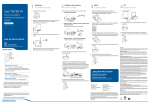
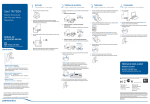
WHAT’S IN THE BOX
PS3/PS4 SETUP
* use instead of optical
R
L
A Headset
V
D
B Mixer
C Xbox chat cable
B
D Optical cable
A
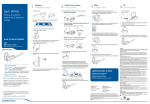
WHAT’S IN THE BOX
XBOX HDMI SETUP
* use instead of optical
A Headset
HDMI
D
B Mixer
B
C Xbox chat cable
D Optical cable
A
C
* Xbox One requires Microsoft stereo
headset adapter + 2.5mm to 3.5 mm adapter (not
included)
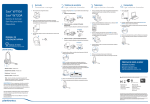
WHAT’S IN THE BOX
PC SETUP
A Headset
B Mixer
B
C Xbox chat cable
A
D Optical cable
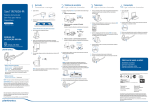
CONTROL OVERVIEW
Master volume
Power on/off
Mobile mode
Game mode
ame chat and
G
game audio
balancer
obile and game
M
audio balancer
obile controls
M
call answer/end,
play/pause audio
Master mute
EQ selector
1 tone = pure,
2 tones = seismic,
3 tones = intensify
AUDIO SETTINGS Use these settings as a starting point to get optimum sound performance.
Game/Chat audio
Game audio only
Phone call
+ Game audio
— Lower chat
— Lower phone
— Game audio
+ Raise chat
+ Raise phone
plantronics.com/documentation
i
plantronics.com/support
We, Plantronics, 345 Encinal Street, Santa Cruz, California, 95060 USA, (800) 544-4660,
declare under our sole responsibility RIG audio amp/mixer complies with Part 15 of the FCC
Rules. Operation is subject to the following two conditions: (1) this device may not cause
harmful interference, and (2) this device must accept any interference received, including
interference that may cause undesired operation.
Note: This equipment has been tested and found to comply with the limits for a Class B
digital device, pursuant to part 15 of the FCC Rules. These limits are designed to provide
reasonable protection against harmful interference in a residential installation. This
equipment generates, uses, and can radiate radio frequency energy and, if not installed and
used in accordance with the instructions, may cause harmful interference to radio
communications. However, there is no guarantee that interference will not occur in a
particular installation. If this equipment does cause harmful interference to radio or
television reception, which can be determined by turning the equipment off and on, the user
is encouraged to try to correct the interference by one or more of the following measures:
—Reorient or relocate the receiving antenna.
—Increase the separation between the equipment and receiver.
—Connect the equipment into an outlet on a circuit different from that to which the receiver
is connected.
—Consult the dealer or an experienced radio/TV technician for help.
Changes or modifications not expressly approved by the party responsible for compliance
could void the user’s authority to operate the equipment.
© 2014 Plantronics, Inc. Plantronics and RIG are trademarks of Plantronics, Inc. registered
in the US and other countries.
Patents: CN ZL201330532415.X; EM 002330746; Patents pending.
201861-03 11.14