1
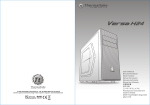
Versa H 13
© 2014 Thermaltake Technology Co., Ltd. All Rights Reserved. A-2014.10
All other registered trademarks belong to their respective companies. www.thermaltake.com
Tested To Comply
With FCC Standards
FOR HOME OR OFFICE USE
User's Manual
Benutzerhandbuch
Mode d’emploi
Manual del usuario
Manuale dell’utente
Manual do Utilizador
安裝說明書
用戶手冊
ユーザーズマニュアル
Руководство пользователя
kullanıcı elkitabı
(EEE Yönetmeliğine Uygundur)
คู ่ ม ื อ การใช้
Contents
Chapter 1. Product Introduction
1.1
Specification
02
1.2
Accessory
02
1.3
Warning and Notice
03
Chapter 2. Installation Guide
2.1
Side Panel Disassembly
05
2.2
PSU Installation
06
2.3
Motherboard Installation
07
2.4
5.25" Device Installation
08
2.5
3.5" HDD Installation
10
2.6
2.5" HDD Installation
11
2.7
PCI Slot Usage
12
2.8
Radiator Installation
13
Chapter 3. Leads Installation
Micro Case
Dimension (H*W*D)
378 x 198 x 426 mm (15 x 7.8 x 16.8 inch)
Material
SPCC
Cooling System
Rear (exhaust) :
120 x 120 x 25 mm Turbo fan (1000rpm, 16dBA)
Drive Bays
- Accessible
- Hidden
1 x 5.25”
3 x 3.5” or 3 x 2.5”
Expansion Slots
4
Motherboards
6.7” x 6.7” (Mini ITX), 9.6” x 9.6” (Micro ATX)
Fan Support
Front:
1 x 120mm or 2 x 120mm
Top:
1 x 120mm or 2 x 120mm
Rear:
1 x 120mm
Radiator Support
Front:
1 x 120mm or 1 x 240mm
Top:
1 x 120mm or 1 x 240mm
Rear:
1 x 120mm
Clearance
CPU cooler height limitation: 155mm
VGA length limitation: 330mm
PSU length limitation: 160mm
ODD length limitation: 150mm
Parts Name
Q ' ty
3.1
Case LED Connection
14-19
Screw # 6-32 x 6 mm
5
PSU
3.2
USB 2.0 Connection
14-19
Screw M3 x 7 mm
25
Motherboard , ODD, SSD
Stand-off # 6-32 x 6 mm
9
Motherboard
Figure
3.3
USB 3.0 Connection
14-19
3.4
Audio Connection
14-19
Chapter 4. Other
4.1
Thermaltake Power Supply Series (Optional)
*Picture for reference only
*Information in the user manual is subject to change without notice
1
Case Type
20
Used for
HDD Rail
4
3.5"HDD
Screw TA3 x 6mm
4
HDD Rail
Screw # 6-32 x 5 mm
4
Slot
PCI Bracket
1
PCI
Ø5 x 10 mm
8
Fan
Cable Tie
5
Cable Management
2
Warning and Notice
CPU Cooler Height Limitation
VGA ( Add- on card) Length Limitation
Atenção!!
- Limite de altura para o dissipador do CPU:
O limite de altura para o dissipador do CPU é 155 mm (6,1 polegadas).
- Limite de comprimento para VGA (placa gráfica):
O limite de comprimento para VGA (placa gráfica) é 330 mm (13 polegadas).
<155 mm
警告!!
- CPU散熱器的高度限制:
CPU散熱器的高度限制為155mm(6.1英吋)。
<330 mm
- VGA(顯示卡)的長度限制:
VGA(顯示卡)的長度限制為330mm(13英吋)。
警告!!
Warning!!
- Height limit for the CPU heatsink:
The height limit for the CPU heatsink is 155 mm (6.1 inches).
- Length limit for the VGA (graphics card):
- CPU散热器的高度限制:
CPU散热器的高度限制为155mm(6.1英寸)。
- VGA(显卡)的长度限制:
VGA(显卡)的长度限制为330mm(13英寸)。
The length limit for the VGA (graphics card) is 330 mm (13 inches).
警告
Warnung!!
- Höhenbeschränkung für CPU-Kühler:
Die Höhenbeschränkung für den CPU-Kühler liegt bei 155 mm (6,1 Zoll).
- Längenbeschränkung für die VGA (Grafikkarte):
- CPUヒートシンクの高さ制限:
CPUヒートシンクの高さ制限は155 mmです。
- VGA(グラフィックスカード)の長さ制限:
VGA(グラフィックスカード)の長さ制限は330 mmです。
Die Längenbeschränkung für die VGA (Grafikkarte) beträgt 330 mm (13 Zoll).
Внимание!
Avertissement !
- Hauteur limite du dissipateur thermique du processeur :
La hauteur limite du dissipateur thermique du processeur est de 155 mm (6,1 pouces).
- Longueur limite de la carte VGA (carte graphique) :
- Ограничение по высоте для радиатора ЦП.
Ограничение по высоте для радиатора ЦП составляет 155 мм (6,1 дюйма).
- Ограничение по длине для платы VGA (графическая плата).
Ограничение по длине для платы VGA (графическая плата) составляет 330 мм (13 дюйма).
La longueur limite de la carte VGA (carte graphique) est de 330 mm (13 pouces).
Uyarı!!
Precaución
- Límite de altura para el disipador de calor de la CPU:
El límite de altura para el disipador de calor de la CPU es de 155 mm (6,1 pulgadas).
- Límite de longitud para la tarjeta gráfica (VGA):
El límite de longitud para la tarjeta gráfica (VGA) en de 330 mm (13 pulgadas).
CPU ısı alıcısı için yükseklik sınırı 155 mm’dir (6,1 inç).
- VGA (grafik kartı) için uzunluk sınırı:
VGA (grafik kartı) için uzunluk sınırı 330 mm’dir (13 inç).
- Kasaya üst ön fanı takıyorsanız, lütfen ilk 5,25” bölmesine aygıt takmayın.
Attenzione!
คำเตื อ น!!
- Limite di altezza per il dissipatore di calore della CPU:
- ขี ด จำกั ด ความสู ง สำหรั บ ฮี ต ซิ ง ก์ ข อง CPU:
Il limite di altezza per il dissipatore di calore della CPU è 155 mm (6,1’’).
- Limite di lunghezza per la VGA (schede grafiche):
Il limite di lunghezza per la VGA (scheda grafica) è 330 mm (13’’).
3
- CPU ısı alıcısı için yükseklik sınırı:
ขี ด จำกั ด ความสู ง สำหรั บ ฮี ต ซิ ง ก์ ข อง CPU คื อ 155 มม. (6.1 นิ ้ ว )
- ขี ด จำกั ด ความยาวสำหรั บ VGA (การ์ ด แสดงผล):
ขี ด จำกั ด ความยาวสำหรั บ VGA (การ์ ด แสดงผล) คื อ 330 มม. (13 นิ ้ ว )
4
PSU Installation
Side Panel Disassembly
English /
Remove the screws on the back of the chassis,
and open the side panel.
Deutsch /
Entfernen Sie die Schrauben auf der Rückseite
des Gehäuses und öffnen Sie das Seitenteil.
Français /
Enlevez les vis à l’arrière du châssis et ouvrez le
panneau latéral.
Español /
Extraiga los tornillos de la parte posterior de la
caja y abra el panel lateral.
5
繁體中文 /
English /
Place the power supply in proper location and
secure it with screws.
繁體中文 /
將電源供應器放在正確的位置,並用螺絲固定
鎖上。
Deutsch /
Installieren Sie das Netzteil an seiner Position und
sichern Sie es mit Schrauben.
简体中文 /
恰当定位电源供应器位置并以螺丝安全固定。
Français /
Mettez l'alimentation dans le bon endroit et
sécurisez-la avec des vis.
日本語 /
電源装置を適切な場所に取り付け、ねじで固
定します。
Español /
Coloque el suministro de alimentación en el lugar
adecuado y asegúrelo con tornillos.
Русский /
Установите блок питания в надлежащее
место и закрепите его винтами.
Italiano /
Posizionare l'alimentatore in modo appropriato e
fissarlo utilizzando le viti.
Türkçe /
Güç kaynağını uygun konuma yerleştirin ve
vidalarla sabitleyin.
Português/
Coloque a fonte de alimentação na devida
localização e aparafuse.
ภาษาไทย /
วางแหล่งจ่ายไฟในตำแหน่งที่เหมาะสมแล้วขันสกรู
ยึดให้แน่น
移除機殼後方螺絲,將側窗打開。
简体中文 /
卸除机壳后方螺丝,将侧窗打开。
日本語 /
シャーシ背面のねじを取り外し、サイドパネ
ルを開きます。
Русский /
Открутите винты на задней стенке корпуса
и откройте боковую панель.
Italiano /
Rimuovere le viti sulla parte posteriore dello
chassis e aprire il pannello laterale.
Türkçe /
Kasanın arkasındaki vidaları çıkarın ve yan
paneli açın.
Português/
Remova os parafusos na parte de trás da caixa e
abra o painel lateral.
ภาษาไทย /
ถอดสกรูที่ด้านหลังของแชสซีส์
แล้วเปิดแผงด้านข้าง
6
5.25" Device Installation
Motherboard Installation
2
4
1
3
7
English /
1.Lay down the chassis.
2.Install the motherboard in proper location and
secure it with screws.
繁體中文 /
1. 將機殼平放。
2. 將主機板放置在合適的位置並用零件包中之螺
絲固定。
Deutsch /
1.Legen Sie das Gehäuse auf die Seite.
2.Installieren Sie die Hauptplatine in ihrer
vorgesehenen Position und sichern Sie sie mit
Schrauben.
简体中文 /
1. 放平机箱。
2. 在合适的位置安装主板并以螺丝安全固定。
Français /
1.Posez à plat le châssis.
2.Installez la carte mère dans l'endroit approprié et
sécurisez-la avec des vis.
日本語 /
1.シャーシを下に置きます。
2.マザーボードを適切な場所に取り付け、ねじで
固定します。
Español /
1. Tumbe el chasis.
2. Instale la placa madre en la ubicación adecuada
y asegúrela con tornillos.
Русский /
1. Раскройте системный блок.
2. Установите материнскую плату в надлежащее
место и закрепите ее винтами.
Italiano /
1.Poggiare lo chassis.
2.Installare la scheda madre nella posizione
appropriata e fissarla con le viti.
Türkçe /
1.Kasayı yan yatırın.
2.Ana kartı uygun konuma takın ve vidalarla
sabitleyin.
Português/
1. Deixe a caixa.
2. Instale a motherboard no local adequado e
aparafuse.
ภาษาไทย /
1.วางแชสซีส์นอนลง
2.ติดตั้งเมนบอร์ดในตำแหน่งที่เหมาะสมแล้วขันสก
รูยึดให้แน่น
English /
1. Remove the 5.25” drive bay cover.
2. Turn the lock device counterclockwise to unlock and
remove the lock device.
3. Place 5.25” device into the drive bay.
4. Find the proper openings. Put back the lock device
and turn lock device clockwise to lock.
Deutsch /
1. Entfernen Sie die Abdeckung des 5,25 Zoll Schachts.
2. Drehen Sie die Verriegelungseinheit gegen den
Uhrzeigersinn, um die Einheit zu entsperren und die
Verriegelungseinheit zu entfernen.
3. Platzieren Sie die 5,25 Zoll Einheit in den
Laufwerkschacht.
4. Finden Sie die passenden Öffnungen. Bringen Sie die
Verriegelungseinheit wieder an und drehen Sie sie im
Uhrzeigersinn, um sie wieder zu sperren.
Français /
1. Retirez le couvercle de la baie de lecteur 5.25"
2. Tournez le verrou dans le sens inverse des aiguilles
d'une montre pour déverrouiller et retirez le verrou.
3. Mettez le périphérique 5.25” dans la baie de lecteur.
4. Cherchez les ouvertures adéquates. Remettez le
verrou et tournez le verrou dans le sens des aiguilles
d'une montre pour verrouiller.
Español /
1. Extraiga la cubierta de la bahía de unidad de 5,25
pulgadas.
2. Gire el dispositivo de cierre en sentido contrario a las
agujas del reloj para abrir y extraiga el dispositivo de
cierre.
3. Coloque el dispositivo de 5,25 pulgadas en la bahía
de unidad.
4. Localice las aperturas adecuadas. Vuelva a colocar
el dispositivo de cierre y gírelo en el sentido de las
agujas del reloj para cerrar.
Italiano /
1. Rimuovere il coperchio dell'alloggiamento dell'unità
da 5,25 pollici
2. Ruotare il dispositivo di blocco in senso antiorario per
sbloccarlo e rimuoverlo.
3. Posizionare il dispositivo da 5,25” nell'alloggiamento
dell'unità.
4. Individuare le aperture appropriate. Riposizionare il
dispositivo di blocco e ruotarlo in senso orario per
bloccarlo.
Português/
1. Remova a cobertura da baía da unidade de 5,25”.
2. Rode o dispositivo de bloqueio para a esquerda, para
desbloquear e remova o dispositivo de bloqueio.
3. Coloque o dispositivo de 5,25” na baia da unidade.
4. Encontre as devidas aberturas. Volte a colocar o
dispositivo de bloqueio e rode para a direita para
bloquear.
8
3.5" HDD Installation
繁體中文 /
1. 移除5.25”擴充槽的擋板。
2. 依逆時鐘方向轉動將5.25”無螺絲機構扣具取下。
3. 插入硬體裝置。
4. 尋找適當的孔位,將無螺絲機構扣具放回磁架,
依順時針方向旋轉5.25”無螺絲機構固定硬體。
简体中文 /
1. 卸下 5.25” 驱动器槽盖。
2. 逆时针转动锁定设备以解除锁定,然后卸下锁定设备。
3. 将 5.25” 设备放入驱动器槽。
4. 找出合适的开口位置。 放回锁定设备,顺时针转 动将其
锁定。
日本語 /
1. 5.25”ドライブベイのカバーを取り外します。
2. ロックデバイスを反時計方向に回してロック解 除し、
ロックデバイスを取り外します。
3. 5.25” デバイスをドライブベイに取り付けます。
4. 適切な取付け穴を確認し、ロックデバイスを元に戻し、
つまみを時計方向に回してデバイスをロックします。
Русский /
1. Снимите крышку 5,25 - дюймового отсека.
2. Поверните запирающее устройство против
часовой стрелки, чтобы открыть и снять его.
3. Установите 5,25-дюймовое устройство в отсек.
4. Найдите нужные отверстия. Вставьте обратно
запирающее устройство и закройте его, повернув
по часовой стрелке.
Türkçe /
1. 5.25” sürücü bölmesi kapağını çıkarın.
2. Kilit aygıtını açmak için saatin ters yönünde
döndürün ve çıkarın.
3. 5.25” aygıtı, sürücü bölmesinin içine yerleştirin.
4. Uygun açıklıkları bulun. Kilit aygıtını yerine takın ve
kilitlemek için saat yönünde döndürün.
ภาษาไทย /
1. ถอดฝาปิดช่องไดรฟ์ขนาด 5.25” ออก
2. หมุนอุปกรณ์ล็อคทวนเข็มนาฬิกาเพื่อปลดล็อค
แล้วถอดอุปกรณ์ล็อคออก
3. ใส่อุปกรณ์ขนาด 5.25” เข้าในช่องไดร์ฟ
4. ขยับให้เข้าที่พอดี
ใส่อุปกรณ์ล็อคกลับเข้าไปแล้วหมุนอุปกรณ์ล็อคตามเข็มนา
ฬิกาเพื่อล็อคให้อยู่กับที่
English /
1. Install the hard disk drive onto the sliding
rack and tighten it.
2. Slide in the hard disk drive along the
sliding rail at the back of the enclosure,
and tighten it with the screws.
Deutsch /
1. Installieren Sie die Festplatte auf dem
Gehäuseschlitten und ziehen Sie sie fest.
2. Schieben Sie die Festplatte über die
Gleitschiene bis an das hintere Ende
des Gehäuses und sichern Sie es mit
Schrauben.
Français /
1. Installez le disque dur sur le rack, puis
fixez-le.
2. Faites glisser le disque dur le long du
rail situé à l’arrière du boîtier, puis
fixez-le à l’aide des vis.
Español /
1. Instale la unidad de disco duro en la
bandeja deslizante y apriétela.
2. Deslice la unidad de disco duro por el
raíl deslizante situado en la parte
posterior de la caja y apriétela con los
tornillos.
Italiano /
1. Installare l’unità disco rigido nel vano
scorrevole e fissarla.
2. Far scorrere l'unità disco rigido
sull’apposita guida nella parte
posteriore e fissarla con le viti.
9
繁體中文 /
1. 將硬碟安裝在硬碟滑軌架上並鎖上.
2. 將硬碟沿機殼後方滑軌滑入並用螺絲鎖上.
简体中文 /
1. 将硬盘安装在硬盘滑轨架上并锁上.]
2. 将硬盘沿机壳后方滑轨滑入并用螺丝锁上.
日本語 /
1. ハードディスクドライブをスライドラッ
クに取り付け、締め付けます。
2. 筐体後部のスライドレールに沿ってハ
ードディスクドライブをスライドさせ、
ねじで締め付けます。
Русский /
1. Установите жесткий диск в сдвижную
подставку и зафиксируйте его.
2. Установите жесткий диск по
направляющей на задней части
корпуса и зафиксируйте его винтами.
Türkçe /
1. Sabit disk sürücüsünü hareketli rafın
üzerine yerleştirin ve sabitleyin.
2. Sabit disk sürücüsünü hareketli rayla
birlikte kasanın arkasına doğru kaydırın
ve vidalarla sabitleyin.
10
PCI Slot Usage
2.5" HDD Installation
English /
1. Place the 2.5” HDD on proper location and secure
it with screws.
11
繁體中文 /
1. 將 2.5” 硬碟置於適當位置,然後用螺絲固定。
Deutsch /
1. Platzieren Sie die 2,5 Zoll HDD an ihrer Position
简体中文 /
1. 将 2.5” 硬盘置于正确位置并以螺丝固定。
用螺丝固定硬盘
Français /
1. Mettez le disque dur 2.5” dans le bon
emplacement et sécurisez le avec des vis.
日本語 /
1. 適切な場所に2.5” HDDを置き、
ねじで締め付けます。
Español /
1. Sitúe el HDD de 2,5 pulgadas en la ubicación
adecuada del HDD y asegúrelo con tornillos.
Русский /
1. Установите 2,5-дюймовый жесткий диск в
надлежащий отсек и закрепите его винтами.
Italiano /
1. Posizionare l’HDD da 2,5” nella posizione
appropriata e fissarlo con le viti.
Türkçe /
1. 2.5” HDD’yi uygun konuma yerleştirin ve vidalarla
sabitleyin.
Português /
1. Coloque o disco rígido de 2,5” na devida
localização e aparafuse.
ภาษาไทย /
1. ใส่ HDD ขนาด 2.5”
ในตำแหน่งที่เหมาะสมแล้วขันสกรูยึดให้แน่น
English /
1. Loosen the screws with a screwdriver.
2. Install the PCI card in proper location and secure
it with screws.
繁體中文 /
1. 用螺絲起子將螺絲取下.
2. 將擴充卡放置在合適的位置並用螺絲固定。
Deutsch /
1. Lösen Sie die Schrauben mit einem
Schraubendreher.
2. Installieren Sie die PCI-Card in der
vorgesehenen Position und sichern Sie sie mit
Schrauben.
简体中文 /
1. 用螺丝起子将螺丝取下.
2. 将扩充卡放置在合适的位置并用螺丝固定。
Français /
1. Desserrez les vis à l’aide d’un tournevis.
2. Installez la carte PCI dans l'endroit approprié et
fixez-la avec des vis.
Español /
1. Afloje los tornillos con un destornillador.
2. Instale la tarjeta PCI en la ubicación adecuada y
asegúrela con tornillos.
Italiano /
1. Allentare le viti con un cacciavite.
2. Installare la scheda PCI nella posizione
appropriata e fissarla con le viti.
Português /
1. Desaperte os parafusos com a chave de fendas.
2. Instale a placa PCI no local adequado e
aparafuse.
日本語 /
1.ドライバーでねじを緩めます。
2. PCI カードを適切な場所に取り付け、ねじで固
定します。
Русский /
1. Ослабьте винты отверткой.
2. Установите плату PCI в надлежащий разъем
и закрепите ее винтами.
Türkçe /
1. Vidaları, bir tornavida ile gevşetin.
2. PCI kartını uygun konuma takın ve vidalarla
sabitleyin.
ภาษาไทย /
1. ใช้ไขควงขันสกรูออก
2. ติดตั้งการ์ด PCI
ในตำแหน่งที่เหมาะสมแล้วขันสกรูยึดให้แน่น
12
Radiator Installation
Leads Installation
120 mm
English
Leads Installation Guide
Case LED Connection / On the front of the case, you can find some LEDs and switch leads. Please consult your user
manual of your motherboard manufacturer, then connect these leads to the panel header on the motherboard.
USB 2.0 Connection / Please consult your motherboard manual to find out the section of “USB connection”.
USB 3.0 connection /
1. Make sure your motherboard supports USB 3.0 connection.
2. Connect the USB 3.0 cable to the available USB 3.0 port on your computer.
Audio Connection / Please refer to the following illustration of Audio connector and your motherboard user manual.
Please select the motherboard which used AC’97 or HD Audio(Azalia),(be aware of that your audio supports AC’97 or HD
Audio (Azalia)) or it will damage your device(s).
240 mm
Deutsch
Anschlüsse herstellen
English /
Fix the radiator with screws.
繁體中文 /
用螺絲鎖固散熱排。
Deutsch /
Befestigen Sie den Kühler mit Schrauben.
简体中文 /
用螺丝锁固散热排。
Gehäuse-LED-Verbindungen / Auf der Gehäusevorderseite finden Sie einige LEDs und Verbindungen. Bitte nehmen
Sie die Gebrauchsanweisung Ihres Motherboard Herstellers zur Hilfe und schließen Sie diese Verbindungen an die Panel
Header Belegung des Motherboards an.
USB 2.0 Anschluss / Bitte nehmen Sie die Gebrauchsanweisung Ihres Motherboards zur Hilfe und lesen Sie unter dem
Kapitel „USB Anschlüsse“ nach.
USB 3.0 Anschluss /
1. Stellen Sie sicher, dass Ihre Hauptplatine den USB 3.0 Anschluss unterstützt.
2. Verbinden Sie das USB 3.0 Kabel mit dem USB 3.0 Port auf Ihrem Computer.
Audio Anschlüsse / Bitte beachten Sie die folgende Abbildung der Audio Anschlüsse und die Anweisung in der
Gebrauchsanweisung Ihres Motherboards. Bitte wählen Sie das Motherboard, das AC’97 oder HD Audio(Azalia)
verwendet, (achten Sie darauf, dass Ihr Audio AC’97 bzw. HD Audio (Azalia unterstützt)). Andernfalls entstehen schwere
Schäden an Ihrem(n) Gerät(en)!!!
AUDIO HD AUDIO Function
Français /
Fixez le radiateur de avec des vis.
PORT1 L
BROWN
BLACK
AUD GND
PORT1 R
RED
BLACK
PRESENCE#
ORANGE
SENSE1_RETURN
PORT2 R YELLOW
日本語 /ラジエータをねじで固定します。
SENSE_SEND PURPLE
PORT2 L
Español /
Fije el radiador de con tornillos.
13
Русский /
Закрепите радиатор диаметром винтами.
Italiano /
Fissare il radiatore da con le viti.
Türkçe /
boyutundaki soğutucuyu vidalarla sabitleyin.
Português /
Fixe o radiador de com parafusos.
ภาษาไทย /
ขันสกรูยึดเรดิเอเตอร์ขนาด. ให้แน่น
KEY
BLUE
GREEN
SENSE2_RETURN
USB Function
USB 3.0 Connection
VCC1
RED2
D1-
WHITE2
RED1
VCC2
WHITE1
D2-
D1+
GREEN2
GREEN1
D2+
GND
BLACK2
BLACK1
GND
NC
N.C
KEY
KEY
14
Français
Italiano
Guide d'installation des fils
Guida di installazione dei contatti
Connexion des voyants du boîtier / Sur la face avant du boîtier, vous trouverez plusieurs voyants et les fils des
boutons. S'il vous plaît consultez le guide d'utilisateur du fabricant de votre carte mère, puis connectez ces fils aux
onnecteurs sur la carte mère.
Connexion USB 2.0 / S'il vous plaît consultez le manuel de votre carte mère à la section "Connexion USB"
Connexion USB 3.0 /
1. Vérifiez que votre carte mère prend en charge la connexion USB 3.0.
2. Connectez le câble USB 3.0 au port USB 3.0 disponible sur votre ordinateur.
Connexion Audio / S'il vous plaît référez vous à l'illustration suivante du connecteur audio et au guide de l'utilisateur de
votre carte mère. S'il vous plaît sélectionnez une carte mère supportant AC'97 ou HD Audi (Azalia), (faites attention que
votre audio supporte l'AC'97 ou HD Audio (Azalia)) sinon cela pourrait endommager votre matériel.
Connessione del LED del case / Nella parte anteriore del case, sono presenti alcuni contatti per interruttori e LED.
Consultare il manuale utente del produttore della scheda madre, quindi connettere i contatti alla parte superiore del
pannello sulla scheda madre.
Connessione USB 2.0 / Consultare il manuale per la scheda madre che comprende la sezione relative alla
“connessione USB”.
Connessione USB 3.0 /
1. Accertarsi che la scheda madre supporti la connessione USB 3.0.
2. Collegare il cavo USB 3.0 alla porta USB 3.0 disponibile sul computer.
Connessione Audio / Fare riferimento all’illustrazione riportata di seguito del connettore Audio e al manuale utente per
la scheda madre.Selezionare la scheda madre relativa a AC’97 o HD Audio (Azalia) e considerare che il supporto audio è
compatibile con AC’97 o HD Audio (Azalia); in caso contrario, le periferiche potrebbero venire danneggiate.
Português
Español
Guía de Instalación de Cables
Guia de Instalação Eléctrica
Conexión del LED de la caja / En la parte frontal de la caja, encontrará algunos LED y cables de interruptores. Consulte
el manual del usuario del fabricante de la placa madre, a continuación conecte estos cables al conector de la placa madre.
Conexión USB 2.0 / Consulte el manual de la placa madre para obtener más información sobre el apartado “Conexión USB"
Conexión USB 3.0 /
1. Asegúrese de que la placa base admite conexión USB 3.0.
2. Conecte el cable USB 3.0 al puerto USB 3.0 disponible en el equipo.
Conexión de Audio / Consulte la siguiente ilustración del conector de Audio y el manual del usuario de la placa madre.
Seleccione la placa madre que utiliza AC’97 o HD Audio (Azalia), (asegúrese de que su audio admite AC’97 o HD Audio
(Azalia)) si no, sus dispositivos resultarán dañados
Ligação do LED da Caixa / Na parte dianteira da caixa pode encontrar alguns LEDs e fios eléctricos. Consulte o
manual de utilizador do fabricante da sua motherboard e ligue os fios à parte superior do painel na motherboard.
Ligação UBS 2.0 / Consulte o manual da sua motherboard para ver a secção de “Ligação USB”.
Ligação USB 3.0 /
1. Certifique-se que a sua motherboard suporta ligação USB 3.0.
2. Ligue o cabo USB 3.0 à porta USB 3.0 disponível no seu computador.
Ligação Áudio / Consulte a imagem seguinte do conector Áudio e o manual de utilizador da sua motherboard.
Seleccione a motherboard que utiliza AC’97 ou HD Áudio(Azalia), (verifique se a sua placa de áudio suporta AC’97 ou HD
Áudio(Azalia)) ou irá danificar o(s) seu(s) dispositivo(s).
AUDIO HD AUDIO Function
AUDIO HD AUDIO Function
PORT1 L
BROWN
BLACK
AUD GND
PORT1 L
BROWN
BLACK
AUD GND
PORT1 R
RED
BLACK
PRESENCE#
PORT1 R
RED
BLACK
PRESENCE#
ORANGE
SENSE1_RETURN
ORANGE
SENSE1_RETURN
PORT2 R YELLOW
SENSE_SEND PURPLE
PORT2 L
PORT2 R YELLOW
SENSE_SEND PURPLE
KEY
BLUE
GREEN
SENSE2_RETURN
PORT2 L
USB Function
USB 3.0 Connection
15
VCC1
RED2
D1-
WHITE2
KEY
BLUE
GREEN
SENSE2_RETURN
USB Function
RED1
VCC2
WHITE1
D2-
VCC1
RED2
D1-
WHITE2
RED1
VCC2
WHITE1
D2-
D1+
GREEN2
GREEN1
D2+
D1+
GREEN2
GREEN1
D2+
GND
BLACK2
BLACK1
GND
GND
BLACK2
BLACK1
GND
NC
N.C
KEY
NC
N.C
KEY
KEY
KEY
USB 3.0 Connection
16
繁體中文
日本語
線材安裝說明
リード線の取り付けガイド
機殼LED連接方式 / 在機殼前方的面板後面,可以找到一些LED與開關線材(POWER Switch….),請參考主機板使用說明書,
並將機殼上的線材正確地連接到主機板上,這些線材通常都會印有標籤在上面,如果沒有的話,請找出機殼前方面板上線材原
本的位置以知道正確的來源。
USB 2.0 連接 / 請參考主機板使用手冊找出主機板上的USB連接孔位
USB 3.0 連接 /
1. 請確認主機板是否支援USB 3.0傳輸介面。
2. 連接USB 3.0傳輸線至主機板上的USB3.0接埠。
音效連接 / 請根據下面的音源接頭圖示與主機板使用手冊來連接音效裝置,請確認主機板上的音效裝置是支援AC' 97音效或是
HD音效(Azalia),裝置錯誤可能會導致主機板音效裝置的毀損,某些主機板的音效裝置不會與下方的圖示完全相同,請參酌主
機板使用手冊以得到正確的安裝資訊
ケース LED の接続 / ケース前面には、LEDとスイッチリード線があります。 マザーボードメーカーのユーザーマニュアル
を参照し、これらのリード線をマザーボードのパネルヘッダに接続してください。
USB 2.0 の接続 / マザーボードのマニュアルを参照して、「USB接続」のセクションを探します。
USB 3.0 の接続 /
1. お使いのマザーボードがUSB 3.0接続をサポートしていることを確認してください。
2. USB 3.0ケーブルをコンピュータの空いているUSB 3.0ポートに接続します。
オーディオ接続 / オーディオコネクタの次の図とマザーボードのユーザーマニュアルを参照してください。AC’97または
HDオーディオ(Azalia)を使用するマザーボードを選択してください(オーディオがAC’97またはHDオーディオ(Azalia)をサポ
ートしていることを確認してください)。サポートしていないと、デバイスが損傷します)。
简体中文
Русский
Указания по прокладке кабелей
线材安装说明
机壳LED连接方式 / 在机壳前方的面板后面,可以找到一些LED与开关线材(POWER Switch….),请参考主板使用说明
书,并将机壳上的线材正确地连接到主板上,这些线材通常都会印有标签在上面,如果没有的话,请找出机壳前方面板上线
材原本的位置以知道正确的来源。
USB 2.0 连接 / 请参考主板使用手册找出主板上的USB连接孔位
USB 3.0 连接 /
1.请确认主板是否支持USB 3.0传输接口。
2.连接USB 3.0传输线至主板上的USB3.0接埠。
音效连接 / 请根据下面的音源接头图示与主板使用手册来连接音效装置,请确认主板上的音效装置是支持AC' 97音效或是
Подключение индикаторов корпуса / В передней части корпуса расположены индикаторы и провода выключателей.
Перед подсоединением этих проводов к монтажной колодке панели на материнской плате изучите руководство пол
ьзователя производителя материнской платы.
Подключение USB 2.0 / См. раздел «Подключение USB» в руководстве материнской платы.
Подключение USB 3.0 /
1. Убедитесь, что материнская плата поддерживает подключение по стандарту USB 3.0.
2. Подсоедините кабель USB 3.0 к свободному порту USB 3.0 компьютера.
Подключение аудиоразъема / См. следующую иллюстрацию аудиоразъема и руководство пользователя материнско
й платы. Выберите материнскую плату, в которой используется кодек AC'97 или HD Audio (Azalia) (убедитесь, что зв
уковая плата поддерживает кодек AC'97 или HD Audio (Azalia)). В противном случае можно повредить устройства.
HD音效(Azalia),装置错误可能会导致主板音效装置的毁损,某些主板的音效装置不会与下方的图标完全相同,请参酌主板
使用手册以得到正确的安装信息
AUDIO HD AUDIO Function
AUDIO HD AUDIO Function
PORT1 L
BROWN
BLACK
AUD GND
PORT1 L
BROWN
BLACK
AUD GND
PORT1 R
RED
BLACK
PRESENCE#
PORT1 R
RED
BLACK
PRESENCE#
ORANGE
SENSE1_RETURN
ORANGE
SENSE1_RETURN
PORT2 R YELLOW
SENSE_SEND PURPLE
PORT2 L
PORT2 R YELLOW
SENSE_SEND PURPLE
KEY
BLUE
GREEN
SENSE2_RETURN
PORT2 L
USB Function
USB 3.0 Connection
17
VCC1
RED2
D1-
WHITE2
KEY
BLUE
GREEN
SENSE2_RETURN
USB Function
RED1
VCC2
WHITE1
D2-
VCC1
RED2
D1-
WHITE2
RED1
VCC2
WHITE1
D2-
D1+
GREEN2
GREEN1
D2+
D1+
GREEN2
GREEN1
D2+
GND
BLACK2
BLACK1
GND
GND
BLACK2
BLACK1
GND
NC
N.C
KEY
NC
N.C
KEY
KEY
KEY
USB 3.0 Connection
18
Thermaltake Power Supply Series (Optional)
Türkçe
Ara Kablo Kurulum Kılavuzu
Kasa ışık bağlantısı / Kasanın ön kısmında bazı ışıklar ve anahtar ara kabloları görebilirsiniz. Lütfen anakart üreticinizin
sağladığı kullanım kılavuzuna bakın ve daha sonra, bu ara kabloları, anakart üzerindeki panel bağlantı noktalarına bağlayın.
USB 2.0 bağlantısı / Lütfen anakart kılavuzunuzun “USB bağlantısı” bölümüne bakın.
USB 3.0 Bağlantısı /
1. Ana kartınızın USB 3.0 bağlantısını desteklediğinden emin olun.
2. USB 3.0 kablosunu, bilgisayarınızdaki kullanılabilir USB 3.0 bağlantı noktasına bağlayın.
Ses Bağlantısı / Lütfen aşağıdaki Ses konektörü resmine ve anakartınızın kullanım kılavuzuna bakın. Lütfen AC’97 veya HD
Audio(Azalia) spesifikasyonunu kullanan bir anakart seçin (ses sisteminizin AC’97 veya HD Audio (Azalia) spesifikasyonunu
desteklediğini unutmayın); aksi takdirde, aygıt(lar)ınız zarar görür.
ภาษาไทย
As today’s technology updates rapidly, consumers are always requesting for higher and higher PC
performance, which also increases loads to power supplies. Therefore, selecting a suitable and reliable
power supply becomes a necessary lesson for all PC users.
Why Choose Thermaltake Power Supply?
Quality From Within
คู ่ ม ื อ การติ ด ตั ้ ง สายไฟ
การเชื ่ อ มต่ อ ไฟ LED ของเคส / ที ่ ด ้ า นหน้ า ของเคส คุ ณ จะเห็ น ไฟ LED และสายไฟของสวิ ต ซ์
กรุ ณ าศึ ก ษารายละเอี ย ดจากคู ่ ม ื อ ผู ้ ใ ช้ ข องผู ้ ผ ลิ ต แผงวงจรหลั ก ของคุ ณ
จากนั ้ น ให้ เ ชื ่ อ มต่ อ สายไฟเหล่ า นี ้ เ ข้ า กั บ ส่ ว นหั ว ของแผงบนแผงวงจรหลั ก
การเชื ่ อ มต่ อ USB 2.0 / กรุ ณ าศึ ก ษารายละเอี ย ดจากคู ่ ม ื อ ผู ้ ใ ช้ ข องผู ้ ผ ลิ ต แผงวงจรหลั ก ของคุ ณ
ในหั ว ข้ อ "การเชื ่ อ มต่ อ USB"
การเชื ่ อ มต่ อ USB 3.0 /
1. ตรวจดู ใ ห้ แ น่ ใ จว่ า แผงวงจรหลั ก ของคุ ณ รองรั บ การเชื ่ อ มต่ อ USB 3.0
2. เชื ่ อ มต่ อ สาย USB 3.0 เข้ า กั บ พอร์ ต USB 3.0 ที ่ ส ามารถใช้ ง านได้ บ นคอมพิ ว เตอร์ ข องคุ ณ
การเชื ่ อ มต่ อ อุ ป กรณ์ ร ั บ ส่ ง สั ญ ญาณเสี ย ง/ กรุ ณ าดู ร ายละเอี ย ดจากภาพประกอบของตั ว เชื ่ อ มต่ อ สั ญ ญาณเสี ย งต่ อ ไปนี ้
และคู ่ ม ื อ ผู ้ ใ ช้ ข องผู ้ ผ ลิ ต แผงวงจรหลั ก ของคุ ณ
กรุ ณ าเลื อ กแผงวงจรหลั ก ที ่ ใ ช้ AC’97 หรื อ HD Audio(Azalia)
(กรุ ณ าตรวจสอบให้ แ น่ ใ จว่ า อุ ป กรณ์ ร ั บ ส่ ง สั ญ ญาณเสี ย งของคุ ณ รองรั บ AC’97 หรื อ HD Audio (Azalia))
มิ ฉ ะนั ้ น อุ ป กรณ์ ข องคุ ณ อาจเสี ย หายได้
AUDIO HD AUDIO Function
PORT1 L
BROWN
BLACK
AUD GND
PORT1 R
RED
BLACK
PRESENCE#
ORANGE
SENSE1_RETURN
PORT2 R YELLOW
SENSE_SEND PURPLE
PORT2 L
Every power supply units from Thermaltake should pass a very strict quality control before sent to
customers, including BIT(Burn-in-test) for over 8 continuous hour in a 45℃ room to test if a unit can run
normally under usual scene, and Hipot test to ensure the power supply unit can survive and protect both
users and their systems when the voltage volume surges.
Less is more
In order to prevent wasted energy, all of Thermaltake’s products should have at least 80% of
transforming efficiency, and we’re also one of the manufacturers that have the most 80 PLUS
certificates. Because Thermaltake knows how to save for the earth and customers; we know what makes
less to be more.
Being Supportive By All Means
A product with better quality can have longer life and working hours but less pollution. Thermaltake
obeys and respects all environmental clauses in all countries and make sure all of our products are both
user and environmental-friendly. Therefore we show our supports by giving 2 to7-year warranties, which
is not only a quality commitment to the users, but also love to this planet by reducing resources and
wastes.
KEY
BLUE
GREEN
SENSE2_RETURN
USB Function
USB 3.0 Connection
19
VCC1
RED2
D1-
WHITE2
RED1
VCC2
WHITE1
D2-
D1+
GREEN2
GREEN1
D2+
GND
BLACK2
BLACK1
GND
NC
N.C
KEY
KEY
Thermaltake has several power supply product lines;
please refer to our official website and Facebook Fan Page for more detail information!
Brand official website:
http://www.thermaltake.com/
Global Facebook :
https://www.facebook.com/ThermaltakeInc
Taiwan Facebook
https://www.facebook.com/ThermaltakeTW
20
Note:
21