1
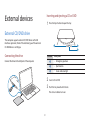
External devices
• Do not insert warped, cracked, or heavily scratched
disks. Doing so can damage the drive.
• Your external drive may differ from the images used in
this manual.
• Do not eject disks while the status indicator light is on.
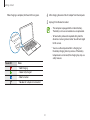
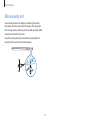
• If the drive will not open when the power is off, insert
) into the emergency
the end of a paper clip (
aperture to open the tray manually.
• When cleaning a CD or DVD, wipe it with a soft cloth
from the inside edge towards the outside edge.
• Reading and writing speeds may differ depending on
the condition and type of media.
• A CD or DVD that is not in the shape of a circle is not
recommended.
82