Transcript
INSTALLATION INSTRUCTIONS
FSB-4229
FLAT PANEL DISPLAY ADAPTER PLATE
For SAMSUNG LT-P1545
Prior to assembly, unpack carton completely and verify contents.
If you are missing any of the following components, please contact Customer Service at 1-800/582-6480.
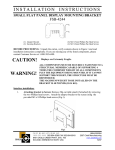
Figure 1
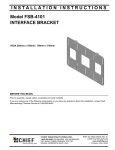
(1) Interface Bracket
(4) M4 X 5mm Phillips Pan Head Screws
BEFORE PROCEEDING, READ INSTALLATION INSTRUCTIONS COMPLETELY
CAUTION!
FLAT PANEL DISPLAYS ARE EXTREMELY FRAGILE.
1. Using a Phillips head screwdriver, remove table stand from display.
**Important** Keep the four Phillips pan head screws removed with the table stand! They
will be used in the interface assembly.
2. Insert the interface bracket into the slots on the bottom of the display, originally used for the
table stand; until the bottom of interface bracket and display is flush (see Figure 2).
3. Using the four screws removed from the table stand; secure the interface bracket to the display
by threading them back into the holes at the bottom of the screen (see Figure 3).
4. Thread two M4 x 5mm Phillips Pan head screws (provided) into the top two holes on the
interface bracket and mount onto any Chief Centris™ mount (see Figure 3 and Figure 4).
5. Thread the remaining two M4 x 5mm Phillips Pan head screws (provided) and tighten all four
screws securing the interface bracket to the mount (see Figure 4).
Figure 2
Figure 3
Figure 4
8804-000247
04/18/05
CHIEF MANUFACTURING INC. 1-800-582-6480, Fax: 1-877-894-6918, Email: [email protected]