1
User Guide
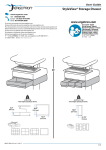
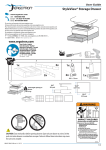
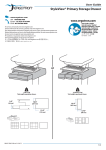
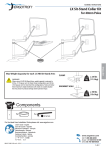
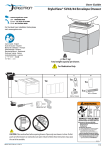
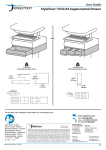
StyleView® SV43/44 Storage Drawer
or
< 2 lbs (1 kg)
Total weight capacity per drawer.
2.5"
<0.25 lbs (0.1 kg)
Total weight capacity per drawer.
10.5"
(64 mm)
10.5"
(267 mm)
(267 mm)
12.5"
(315 mm)
3.75"
(96 mm)
For the latest User Installation Guide please visit: www.ergotron.com
User's Guide - English
Guía del usuario - Español
Manuel de l’utilisateur - Français
Gebruikersgids - Deutsch
Benutzerhandbuch - Nederlands
Guida per l’utente - Italiano
Användarhandbok - svenska
ユーザーガイド : 日本語
用户指南 : 汉语
888-97-354-G-00 rev. A • 09/14
1/5
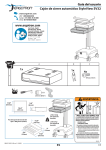
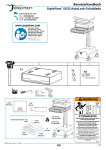
WARNING
14mm (9/16”)
IMPACT HAZARD!
MOVING PARTS CAN CRUSH AND CUT.
Minimize Lift Tension BEFORE:
· Removing Mounted Equipment.
· Shipping Cart
· Storing Cart
CAUTION:
Close worksurface before opening drawers.
Open only one drawer at a time.
Do Not push cart when drawers or worksurface are open.
When adding more than 3 drawer rows to a LiFe cart, max loading is:
LCD: 11 lbs (5 kg)
CPU: 10 lbs (4.5 kg)
Keyboard/mouse: 2 lbs (0.9 kg)
Worksurface: 0 lbs (0 kg)
Drawer contents: 2 lbs (0.9 kg) max per drawer row
Failure to follow these instructions may cause the cart to be unstable.
To Minimize Lift Tension
1. Lower worksurface to lowest position.
2. Turn adjustment nut at top of riser
counterclockwise until it stops
(Adjustment may require 40-60 revolutions).
Failure to heed this warning may result in
serious personal injury or property damage!
For More information and instructions refer to product
guide at http://4support.ergotron.com or contact
Ergotron Customer Care at 1-800-888-8458.
822-052
A
1 Drawer
3 Drawers
3x
1x
or
1x
9x
1
3x
1x
2x
2
M4 x 12mm
14mm (9/16")
888-97-354-G-00 rev. A • 09/14
2/5
1a
Remove the cover in the jack on the
bottom of the lowest drawer.
b Slide the drawer onto the bottom tracks of the last drawer.
2
Remove the top drawer(s).
888-97-354-G-00 rev. A • 09/14
3/5
3
Secure the bottom drawer by
attaching the two screws.
2x
M4 x 12mm
4
Replace the
top drawer(s).
5
To unlock the storage drawer, turn key counter clockwise 1/4 turn.
888-97-354-G-00 rev. A • 09/14
4/5
6
Adjustment
It is important that you adjust this product according to the weight of the mounted equipment as described
in the following steps. Any time equipment is added or removed from this product, resulting in a change
in the weight of the mounted load, you should repeat these adjustment steps to ensure safe and optimum
operation.
Adjustments should move smoothly and easily through the full range of motion and stay where you set it. If
adjustments are difficult and do not stay in the desired position, follow the instructions to loosen or tighten
the tension to create a smooth, easy adjustment motion. Depending on your product and the adjustment, it
may take several turns to notice a difference.
Lift – Up and down
Release Brake to move riser.
Follow these instructions to tighten or loosen tension.
14mm (9/16")
NOTE: Adjustment
may require 40 - 60
revolutions.
NOTE: Adding more than 3 rows of drawers per cart may mean balanced lift adjustment of the cart may not
be possible without reducing weight of LCD, laptop, CPU, and/or drawer contents.
888-97-354-G-00 rev. A • 09/14
5/5