1
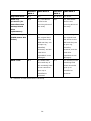
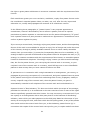
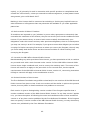
Beep alarm: All NAS models
The beep alarm can be disabled in “Control Panel” > “System Settings” > “Hardware”.
Beep sound
Number of Times
Description
1.
2.
Short beep (0.5 sec)
1
3.
4.
The NAS is starting up.
The NAS is being shut down
(software shutdown).
The user presses the reset button to
reset the NAS.
The system firmware has been
updated.
The NAS data cannot be copied to the
external storage device from the front
USB port.
Short beep (0.5 sec)
3
Long beep (1.5 sec)
3, every 5 min
The system fan is out of function.
1.
2.
3.
2
4.
Long beep (1.5 sec)
5.
1.
1
2.
16
The disk volume is going to be full.
The disk volume has reached its full
capacity.
The hard drives on the NAS are in
degraded mode.
The user starts the hard drive
rebuilding process.
A hard drive is plugged in or out.
The NAS is turned off by force
shutdown (hardware shutdown).
The NAS has been turned on and is
ready.