1
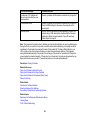
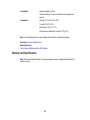
Note: Epson cannot guarantee the operation of externally connected devices. External storage devices
that are powered via USB are not recommended. Use only external storage devices with independent
AC power sources.
Parent topic: Technical Specifications
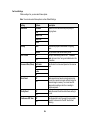
Network Interface Specifications
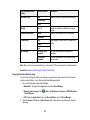
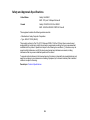
Wi-Fi
Standard
IEEE 802.11 b/g/n; complies with either IEEE 802.11 b/g or IEEE
802.11 b/g/n, depending on purchase location
Security
WEP (64/128 bit)
WPA-PSK (TKIP/AES); complies with WPA2 with support for
WPA/WPA2 Personal
Frequency band
2.4 GHz
Communication mode
Infrastructure mode
Ad hoc mode
Wi-Fi Direct
Note: Wi-Fi Direct Simple AP mode available even if you connect
the product to an Ethernet network.
Ethernet
Standard
IEEE802.3i/u, IEEE802.3az
Communication mode
Ethernet 100BASE-TX/10BASE-T
Note: The connected device should be IEEE802.3az compliant.
Security Protocol
SSL/TLS
HTTPS Server/Client or IPPS
Parent topic: Technical Specifications
334