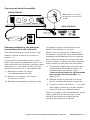
1
5
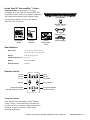
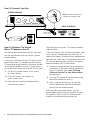
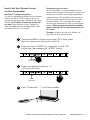
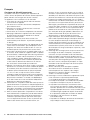
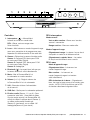
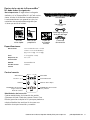
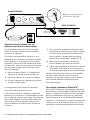
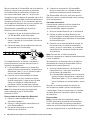
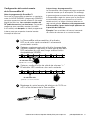
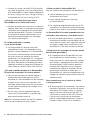
Tap “Volume Up” button on your TV’s remote control
4 - 8 times, once per second. Tap, do not hold.
LED
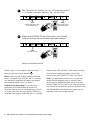
LEARN LED blinks with
each button press
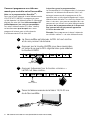
6
LED
VOL
Volume Up button
LED blinks blue
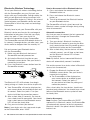
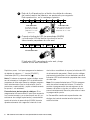
When the LEARN LED and the button (command)
both blink blue, the command has been learned.
LED
LED blinks blue
VOL
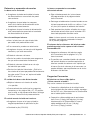
Verify command works.
Repeat steps 1-6 to program “Volume Down” ( – ),
Source, Mute and Power button ( ).
Note: If your bar fails to learn certain IR remote
codes, the power LED will blink red. Try erasing
any previously programmed codes (see below)
and carefully repeat steps 1-6 above.
Code Erasing Procedure: If you have programmed your SurroundBar to respond to
a remote control and you no longer want it to do
so, erase the codes by pressing the LEARN key
for about two seconds while the unit is in standby
12
mode (power LED will blink). You’ll know that previously learned codes have been successfully
erased when the POWER LED blinks red twice.
Note: This procedure removes ALL of your bar’s
remote control programming. If you only need
to change the programming for some of the bar
buttons, follow the six steps in the sequence previously described to redo any previous programming.
The SurroundBar will continue to respond to the
provided credit card remote control.
Polk Customer Service 800-377-7655 (Outside USA & Canada: 410-358-3600)