1
IMPORTANT SAFETY NOTES
• Do not use speaker in areas where flammable
TECHNICAL SPECIFICATION
Output Power
2 x 3W
Input Power
DC 5V/500mA Micro USB
of moisture. Speaker contains an internal lithium
Battery Capacity
750mAh Li-ion
ion battery.
Play Time
6 hours
Dimensions
9.92 x 3.7 x 4.09 in
Weight
1.49 lbs
gases or fumes are present.
• Do not expose speaker to water or other sources
• Do not expose speaker to extreme temperatures.
Extreme temperatures will shorten the battery’s
life span.
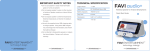
FAVI audio+
Wireless Speaker for Tablets
Quick Start Guide
• Use only the supplied micro USB charging cable
to charge speaker. Using other USB chargers
may overcharge the internal battery and shorten
the battery’s lifespan.
• Do not attempt to disassemble speaker or replace
the internal battery. Doing so will void your
warranty.
www.favientertainment.com
© 2013 FAVI ENTERTAINMENT
www.favientertainment.com
© 2013 FAVI ENTERTAINMENT
www.favientertainment.com
© 2013 FAVI ENTERTAINMENT
www.favientertainment.com
© 2013 FAVI ENTERTAINMENT
GETTING STARTED
FEATURES
1 Please fully charge speaker for 2 hours with
AUX in
Micro USB Input (charging)
Try: Check the power switch in back is turned to ON
1x Quick Start Guide
position. Then click front power button until Blue
2 Turn on Power Switch (rear) to ON position then
4 Place Tablet Speaker against Set to ConnectTM
5 Music from your Tablet should begin playing
through audio+ Speaker
ON/OFF Power Button
Volume Control
Volume can be adjusted directly from your Tablet
Set to Connect
TM
Touchpoint
Issue: I can’t connect my tablet.
adapter
Touchpoint
Tablet Holder
TROUBLESHOOTING
1x Micro USB Charging Cable
3 Play music file or app on Tablet
audio+ Speakers
1x Wireless Speaker
micro USB cable via computer system or power
press ON/OFF Power Button (font)
ON/OFF Power Switch
WHAT’S IN THE BOX
Power Status
• Blue Indicator Light (front) = Speaker is ON
indicator light is solid. Play a music file or app from
PRODUCT REGISTRATION
Thank you for purchasing FAVI audio+!
To better serve you, please take a moment to register
your product:
the tablet. The tablet speaker should be touching the
Set to ConnectTM touchpoint logo. The blue indicator
light will flash to the music when you're connected
successfully.
www.favientertainment.com/register
Product Registration allows us to send you important
updates, service information and helpful hints. It will
also make it easier should you ever need to call in for
Technical Support. FAVI values your privacy and will
never share your information with other companies.
• Blue Indicator Light Flashes to Music = Speaker
is Playing
Power Indicator Light
www.favientertainment.com
© 2013 FAVI ENTERTAINMENT
• No Blue Indicator Light = Speaker is OFF
• Red Indicator Light = Speaker is Charging
www.favientertainment.com
© 2013 FAVI ENTERTAINMENT
www.favientertainment.com
© 2013 FAVI ENTERTAINMENT
www.favientertainment.com
© 2013 FAVI ENTERTAINMENT