Transcript
Congratulations on your
Gravitas purchase!
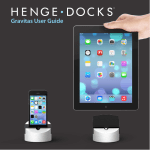
We designed the Gravitas to
be the ultimate dock for the
iPhone, iPod and iPad
wherever charging and
syncing are needed. Featuring
an all-metal chassis with a
mass of nearly one kilogram,
the Gravitas stays put during
docking or undocking of your
device. For more information
email [email protected]
or visit our Support Page at
www.HengeDocks.com.
Warranty This product is warranted for a period of 90 days from date of original purchase.
An original sales receipt is required for warranty service. Henge Docks will, at its
sole discretion, repair or replace the defective product, or issue a refund of the
original purchase price excluding shipping and taxes. Shipping costs to return
this product to Henge Docks shall be borne by the warranty claimant.
Limitation of Liability Use this product at your own risk. Henge Docks is not liable for any damage
caused by use of a Henge Docks product. In all cases, Henge Docks’ liability for
any and all damages resulting from the use or misuse of this product shall be
limited to the lesser of the original purchase price or $100.00. The venue for all
legal proceedings shall be a court of competent jurisdiction in Virginia, USA.
Continued use of this product implies consent to these terms. If you do not
agree to these terms, please return this product to the place of purchase within
5 days for a full refund.
www.HengeDocks.com • TM and © Henge Docks, LLC 2013 • Manual v1.1
Patents Pending • Manufactured in China • Designed in the USA by Henge Docks
Dock Features
Audio Line Out
Use with external
audio device
What’s in the Box
iPhone/iPod Insert
iPad Insert
USB Port
Charge and Sync
Customization - Locate
the correct insert for your
device.
Gravitas User Guide
Information and Warnings
Audio Line Out – The Audio Line Out port supplies external audio
equipment with a fixed-volume, stereo audio signal. The docked
device's internal volume controls will be disabled when an external
audio device is plugged into the Audio Line Out port on the Gravitas.
USB Port – The included USB Cable can be attached to a power
supply, USB device or a computer for syncing. The Gravitas should
only be connected to Apple approved power sources, devices and
computers.
Case Compatible Insert
Inserts - Do not use Gravitas without an insert installed. Use of the
dock without an insert installed may result in damage to the device.
Insert Removal - Pull up
firmly on both sides of the
insert.
Connector Warning - Do not force or flex the connector with the
device when docked. Applying excessive force to the connector may
result in damage to the dock or device.
Insert Installation - Align
side tabs with dock and
press down on the insert.
Headphone Warning - Do not use headphones with the Audio Line
Out port. The Audio Line Out should be connected to audio
equipment with independent volume controls. Use of headphones
with the Audio Line Out port may cause hearing damage.
Dock Chassis
USB Charge / Sync Cable