1
Chapter 5: AMI BIOS
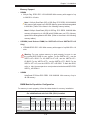
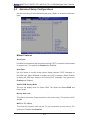
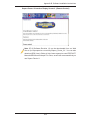
System Overview: The following BIOS information will display.
System Time/System Date
Use this option to change the system time and date. Highlight System Time or System Date using the arrow keys. Key in new values through the keyboard and press
<Enter>. Press the <Tab> key to move between fields. The date must be entered in
Day MM/DD/YY format. The time is entered in HH:MM:SS format. (Note: The time
is in the 24-hour format. For example, 5:30 P.M. appears as 17:30:00.)
SuperMicro X8DTU-6TF+
•
Version: This item displays the BIOS revision used in your system.
•
Build Date: This item displays the date when this BIOS was complete.
Processor
The AMI BIOS will automatically display the status of the processor used in your
system:
•
CPU Type: This item displays the type of CPU used in the motherboard.
•
Speed: This item displays the speed of the CPU detected by the BIOS.
•
•
Physical Count: This item displays the number of processors installed in your
system as detected by the BIOS.
Logical Count: This item displays the number of CPU Cores installed in your
system as detected by the BIOS.
System Memory
•
Size: This displays the size of memory available in the system.
5-3