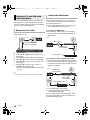
Download Panasonic SC-BTT490

Transcript
SC-BTT490P_eng.book 31 ページ
2012年2月22日 水曜日 午前9時1分
Home Network feature
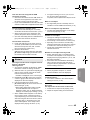
Playing back contents on
the DLNA server
You can share photos, videos and music stored in
the DLNA Certified media server (PC with
Windows 7 installed, smartphone, etc.) connected
to your home network, and enjoy the contents
with this home theater.
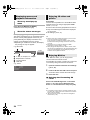
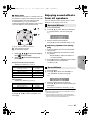
Using the Digital Media
Controller
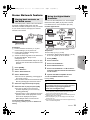
You can use the smartphone, etc. as the Digital
Media Controller (DMC) to play back contents
from DLNA server on the Renderer (this unit).
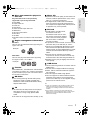
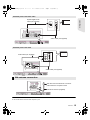
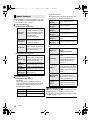
Possible applications:
Renderer
Server
Controller
*
*
Server
Home Theater
1
2
3
4
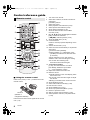
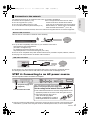
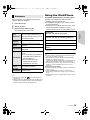
Press [HOME].
Select “Network”.
≥ The list can be updated by pressing [R] on
the remote control.
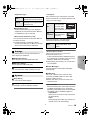
≥ The connection method can be switched to Wi-Fi
Direct by pressing [G] on the remote control.
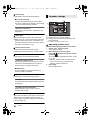
5
6
Select the equipment and press [OK].
Select the item to play and press [OK].
≥ You may be able to use convenient
functions depending on the content by
pressing [OPTION].
≥ Control Panel (> 33) is displayed once the
playback starts. Press [OK] if the Control
Panel is not displayed, and press
[RETURN] to hide the Control Panel.
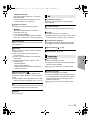
To exit from Home Network
Press [EXIT], [HOME] or [POP-UP MENU/TOP
MENU].
*
* DMC compatible software should be installed.
Preparation
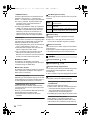
Perform steps 1 to 3. (> left)
4 Perform the “Remote Device Settings”. (> 38)
≥ You can register up to 16 devices.
1
2
3
4
5
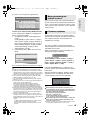
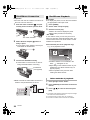
Press [HOME].
6
Operate the DMC compatible devices.
Select “Home Network”.
Select “DLNA Client”.
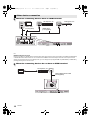
Server
+
Controller
Advanced
operations
Preparation
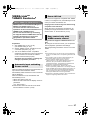
1 Perform network connection (> 17) and
network settings (> 18) of this unit.
2 Perform Home Network settings of the
connected equipment.
3 Add the contents and folder to the libraries of
the Windows Media® Player or the
smartphone, etc.
≥ Playlist of Windows Media® Player can play
back only the contents that are stored in the
libraries.
Renderer
Select “Network”.
Select “Home Network”.
Select “Media Renderer”.
Select “Home Network” or “Wi-Fi Direct”
and press [OK], then follow the indications
on the screen.
To exit from Media Renderer screen
Press [HOME].
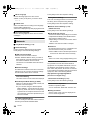
For more details, refer to the following website and
the operating instructions for each of the equipment.
http://panasonic.jp/support/global/cs/
(This site is in English only.)
≥ Wi-Fi Direct connection while using Home Network feature
is only temporary, and the network connection method
returns to the original setting when exiting.
≥ Depending on the contents and the connected equipment,
playback may not be possible.
≥ Items displayed in gray on the display cannot be played
back by this unit.
≥ This unit can be played back via connected equipment only
when controlled using DMC.
VQT3X49
31