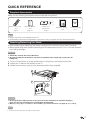
1
Watching TV
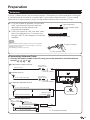
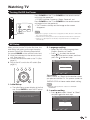
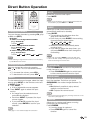
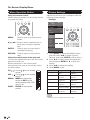
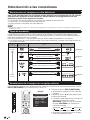
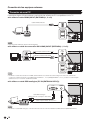
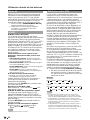
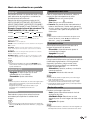
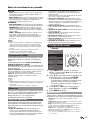
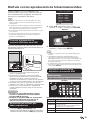
Turning On/Off the Power
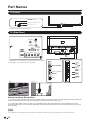
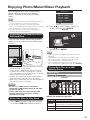
POWER
INPUT
1
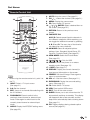
Press POWER on the TV, or POWER on the remote control
unit to turn the power on.
• POWER indicator: Power on, Green; Power off, red.
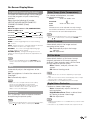
Press POWER on the TV, or POWER on the remote control
unit again to turn the power off.
• The TV enters standby and the image on the screen
disappears.
3
2
POWER
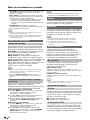
• If you are not going to use this TV for a long period of time, be sure to remove the
AC cord from the AC outlet.
• Small amount of electric power is still consumed even when the TV is turned off.
• If there is no signal input for 15 minutes, the power will turn to standby mode
automatically.
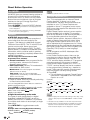
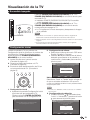
EZ Setup
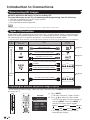
When you turn on the TV for the first time, the
Initial Setup will guide you through the setup
process. Perform the following steps before
you press POWER on the remote control unit.
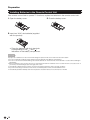
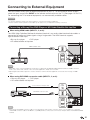
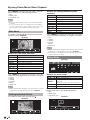
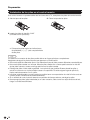
1. Insert the batteries into the remote control
unit. (See page 10.)
2. Connect the antenna cable to the TV. (See
page 9.)
3. Plug in the AC cord to the AC outlet. (See
page 8.)
TV
US B
PC
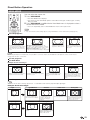
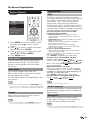
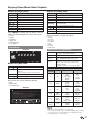
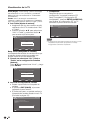
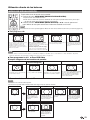
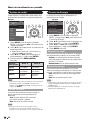
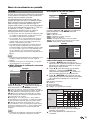
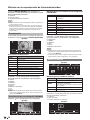
2. Language setting
• Select the OSD menu language from
English, Spanish, or French.
• Press / to select the desired
language listed on the screen, and then
press the to the next step.
TV
English
Español
1. Initial Setup
• The Initial Setup screen display at the first
use. Press ENTER to start the EZ setup.
Welcome
Thank You for Your Purchase of our SHARP Liquid Crystal Television
Please press [Enter] to start the Wizard.
Enter
Enter
Return
Back
EXIT
Exit
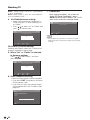
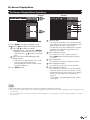
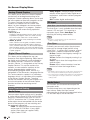
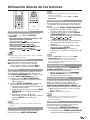
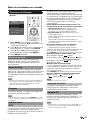
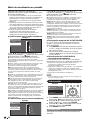
TV Location
Select "Home" or "Store" for the location where
you plan to install the TV. This product qualifies for
ENERGY STAR in Home mode default setting.
R E TU R N
EZ Setup
Language
Français
ME NU
ENTER
TV
Language
Set the on-screen display language
Select
E X IT
EZ Setup
• ENERGY STAR qualification is based on AV MODE
"STANDARD".
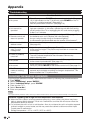
3. Location setting
• Press / to select “Home” or “Store”
and press to the next step.
TV
TV Location
EZ Setup
Select where the TV will be placed.
The picture will be optimized for
that location.
Enter
Enter
Home
Store
Select
Enter
Enter
Return
Back
EXIT
Exit
19